Victron Solar MD Battery Compatibility Guide
Updated 6 September 2026 · By SolarNevs Research Desk, Dealer surveys + verified sources · 1 source · Method ↗
Key Takeaways
- Outdated firmware on either the Solar MD LOGGER V2 or Victron components is the most common reason for compatibility issues.
- Always check the firmware versions of your LOGGER V2, Victron GX device, inverter/charger, and MPPTs first.
- The Victron GX device is critical for safe operation, providing essential communication for charge/discharge limits and battery status.
- If issues persist after verifying all firmware and connections, or if you are unsure about any step, contact a qualified technician.
Why isn't my Victron system detecting my Solar MD battery?
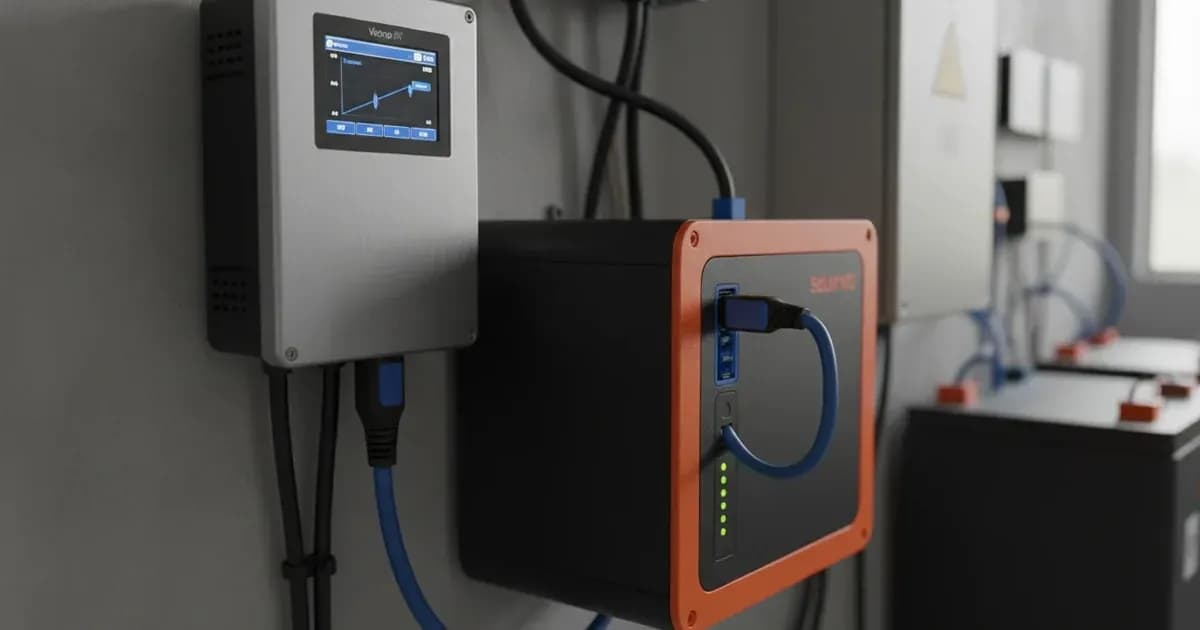
The primary reason for a Victron system not detecting a Solar MD battery is often outdated firmware on one or more components. The Solar MD Battery includes an integrated Battery Management System (BMS) and a LOGGER V2 that interfaces with the Victron GX device. Proper communication relies on compatible firmware versions across all devices.
Diagnosis
- Verify Solar MD LOGGER V2 Firmware: Check the firmware version of your Solar MD LOGGER V2. LOGGER V2 Firmware versions earlier than V6-13 are not compatible with Victron equipment and can prevent battery detection. The minimum required version is 6.13_15-Mar-2017. You can typically find this version on the Solar MD monitoring platform. All software updates for Solar MD equipment are done remotely and automatically as soon as the LOGGER V2 has an internet connection.
- Inspect Victron GX Device Firmware: Ensure your Victron GX device is running firmware v2.15 or later. This is essential for proper CAN-bus communication with Solar MD batteries.
- Check Victron Inverter/Charger Firmware: For 48V Multis, MultiPlusses, MultiGrids, and Quattros, confirm the firmware version is 422 (minimum). The latest recommended version should be used. These units connect to the GX device via the VE. Bus connection port.
- Examine Victron MPPT Charger Firmware:
- BlueSolar and SmartSolar MPPT Chargers require firmware version 1.39 or the latest available. These are recommended for use with VE. Direct port.
- VE.Can MPPTs need a minimum firmware version of 2.05.
- Confirm GX Device Connection to MPPT: If your MPPT stops charging and flashes error #67, it indicates a "no BMS" error, typically because the GX device is disconnected from the MPPT. The MPPT requires connection to the GX device to regulate charge currents as the batteries require (due to temperature, etc). Re-establish this connection.
Cause/fix table
Symptom detail | Likely cause | Fix |
|---|---|---|
Solar MD Battery not detected by Victron equipment | LOGGER V2 Firmware versions earlier than V6-13 | Ensure LOGGER V2 firmware is 6.13_15-Mar-2017 (minimum) or later; connect LOGGER V2 to internet for automatic updates. |
MPPT stops charging and flashes error #67 | GX device disconnected from MPPT | Reconnect the GX device to the MPPT. |
Victron GX device not communicating with Solar MD batteries | GX device firmware older than v2.15 | Update Victron GX device firmware to v2.15 or later. |
48V Victron inverter/charger communication issues | Inverter/charger firmware older than 422 | Update inverter/charger firmware to 422 (minimum) or latest recommended. |
BlueSolar/SmartSolar MPPT communication issues | MPPT firmware older than 1.39 | Update MPPT firmware to 1.39 or latest available. |
VE.Can MPPT communication issues | VE.Can MPPT firmware older than 2.05 | Update VE.Can MPPT firmware to 2.05 (minimum). |
Ensuring Seamless Communication and Operation
Solar MD Battery lithium batteries are tested and certified for compatibility with Victron products. This integration relies on robust communication protocols and up-to-date firmware across your system. The Solar MD Battery includes an integrated Battery Management System (BMS) with each battery module and a LOGGER V2 that interfaces with the Victron GX device and supports multiple battery modules.
For optimal performance and safety, specific firmware versions are required for your Victron components to properly communicate with Solar MD batteries:
Pairing | Setting Name | Minimum Firmware Version | Communication Protocol |
|---|---|---|---|
Victron GX device + SolarMD batteries | Firmware version | v2.15 | CAN-bus |
48V Multis, MultiPlusses, MultiGrids and Quattros | Firmware version | 422 | VE. Bus |
BlueSolar and SmartSolar MPPT Chargers | Firmware version | 1.39 | VE.Direct |
VE.Can MPPTs | Firmware version | 2.05 | VE.Can |
Solar MD LOGGER V2 | Firmware version | 6.13_15-Mar-2017 | Internet connection for automatic updates |
It is essential to use the CAN-bus connection of a GX device with the SOLARMD batteries for the keep-alive signal, communication of charge and discharge limits, error codes, and state of charge. These inverter/charger units must be connected to the GX device via the VE. Bus connection port. For MPPTs, it is recommended to use those with a VE. Direct port with SOLARMD batteries, though MPPTs with a VE.Can port are also supported.
All software updates of Solar MD equipment are done remotely and automatically as soon as the LOGGER V2 has an internet connection. This ensures your battery system remains current with the latest compatibility features.
Safety: The Critical Role of the GX Device
When integrating Solar MD lithium batteries with a Victron system, the Victron GX device is not merely an optional component; it is essential for safe and reliable operation. The GX device facilitates critical communication between the battery's integrated BMS and the rest of your Victron energy system.
Specifically, the GX device is required for:
- Keep-alive signal: Maintaining active communication with the battery.
- Charge and discharge limits: Transmitting safe operating parameters to prevent overcharging or over-discharging the battery.
- Error codes: Relaying critical fault information from the battery's BMS.
- State of Charge (SoC): Providing accurate battery percentage for system management and ESS functionality.
Without this CAN-bus connection to the GX device, the system cannot properly manage the battery, leading to potential safety hazards and system malfunctions, such as an MPPT stopping charging with error #67 (no BMS). The MPPT requires connection to the GX device to regulate charge currents as the batteries require (due to temperature, etc). Always ensure your GX device is properly connected and functioning.
When to call a technician instead
While many compatibility issues can be resolved by checking and updating firmware, certain situations warrant professional assistance. You should contact a qualified technician if:
- You have verified all firmware versions and connections, but the battery detection or communication issue persists.
- You encounter error codes or system behavior that is not covered in this guide or your product manuals.
- You are unsure about any wiring, connection, or configuration steps, especially those involving high-voltage DC systems.
- The Solar MD monitoring platform indicates a critical fault that you cannot resolve.
- Your system involves complex multi-module setups, such as those with up to 256 modules, or reaching maximum capacities like 3660.8 kWh for an SS4143 system.
Attempting repairs or modifications beyond your expertise can void warranties and pose significant safety risks.
Frequently asked questions
What Solar MD battery models are compatible with Victron systems?
Solar MD models SS4037, SS4074, SS202, SS4143, and SS3143 are tested and certified for compatibility with Victron products. These models support ESS, Grid Backup, and Off-Grid applications.
Why is my Victron system not detecting my Solar MD battery?
A common cause is outdated firmware. Ensure your Solar MD LOGGER V2 has firmware version 6.13_15-Mar-2017 or later, and your Victron GX device has firmware v2.15 or later.
What is the role of the Victron GX device in a Solar MD battery setup?
The GX device is essential for communication, providing a keep-alive signal, transmitting charge and discharge limits, error codes, and the battery's state of charge to the Victron system.
How do I update the firmware for my Solar MD LOGGER V2?
All software updates for Solar MD equipment are done remotely and automatically when the LOGGER V2 has an internet connection. Ensure your LOGGER V2 is connected to the internet.
What firmware versions are required for Victron inverters and MPPTs?
For 48V Multis, MultiPlusses, MultiGrids, and Quattros, firmware 422 (minimum) is required. BlueSolar and SmartSolar MPPT Chargers need firmware 1.39 or later, and VE.Can MPPTs require firmware 2.05 (minimum).
References
- Victron Energy - SolarMD Battery Compatibility — accessed 23 August 2026
Related guides
More from what to buy — and how not to get cheated.