Troubleshooting Victron VRM Portal Alarms and Notifications
Updated 16 September 2026 · By SolarNevs Research Desk, Dealer surveys + verified sources · 1 source · Method ↗
Key Takeaways
- The most common cause for a "No data" alarm is a loss of connection between your Victron installation and the VRM Portal.
- For a "Data from unauthenticated device" error, the first step is to use the "Reset Tokens" button in the VRM Portal's General settings.
- The VRM Portal can monitor predefined parameters, location via Geofence, and user-configurable advanced rules.
- If basic troubleshooting steps do not resolve persistent issues, especially for authentication errors, contact a Victron dealer.
Why am I receiving Victron VRM Portal alarms, or no data at all?
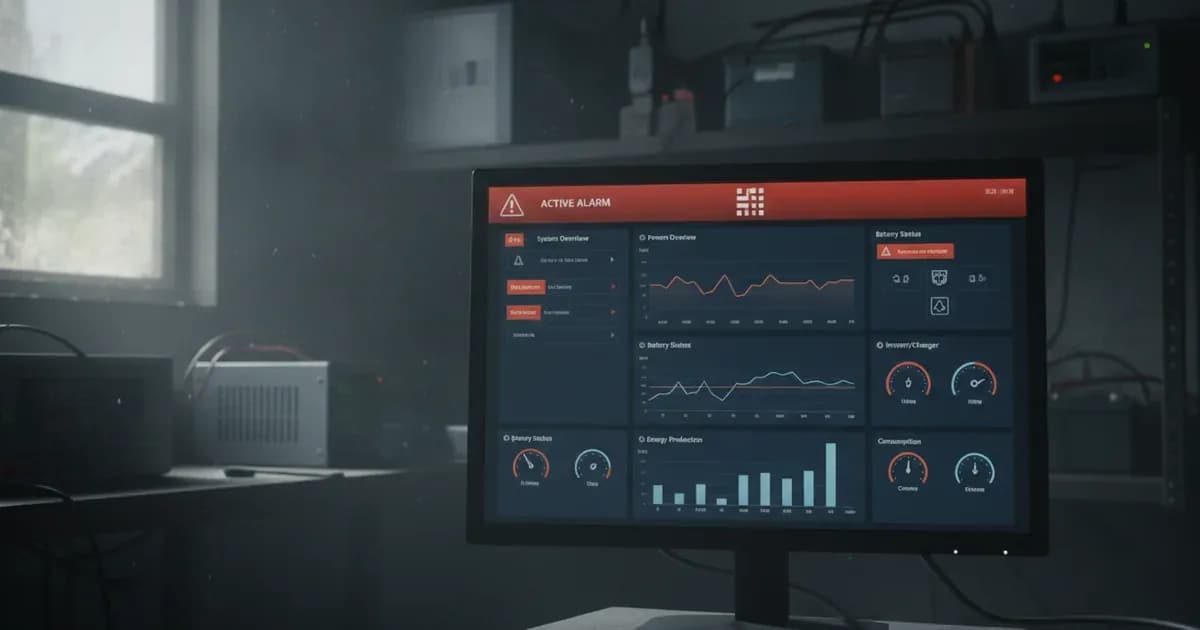
You are receiving Victron VRM Portal alarms because the system has detected a condition that requires attention, such as a predefined parameter entering an alarm state or a loss of connection. If you are receiving no data at all, it indicates a complete loss of communication between your Victron installation and the VRM Portal. The VRM Portal constantly monitors your system and can inform you by email if something is amiss.
Diagnosing Victron VRM Portal Alarms
Follow these steps to diagnose issues with your Victron VRM Portal alarms and data reporting.
- Check the VRM Portal for specific alarm messages: Log into your VRM Portal. The portal will display any active alarms or error messages. Note the exact wording of the alarm, such as "No data alarm" or "Data from unauthenticated device has been received."
- Verify the internet connection of your GX device: For "No data alarms," ensure your Victron GX device (e.g., Cerbo GX, Color Control GX) has a stable internet connection. A loss of connection between the Portal and the Victron installation will trigger this alarm.
- For "Data from unauthenticated device" errors, attempt a token reset: This error indicates that the device sending data to the VRM Portal failed authentication. Navigate to General -> Settings within the VRM Portal and use the "Reset Tokens" button. This is a common solution for issues arising from a GX device factory reset or a RaspberryPi with a new or re-imaged SD card.
- Review automatic alarm settings: The VRM Portal monitors a predefined list of parameters on all connected products. Check your email alert settings for "Automatic alarm monitoring" to ensure they are configured as desired (e.g., "Only alarms," "Warnings and alarms," or "Disabled").
- Examine Geofence alarm status: If you have a Color Control GX with a USB-GPS, the VRM Portal can monitor location. A Geofence alarm triggers if the system leaves a defined area or if location data is no longer received. Verify the GPS connection if this alarm is active.
- Check for email rate limiting: If you are not receiving expected email notifications, the system might have activated email rate limiting. This occurs when the system detects frequent hovering near a warning or alarm condition, which can lead to a flood of redundant emails. The system sends one last email with a warning if this occurs and resumes sending after 24 hours if the flood ceases. You can manually reset this on the VRM Portal under 'Settings and alarm rules'.
Victron VRM Portal Alarm Causes and Fixes
Symptom detail | Likely cause | Fix |
|---|---|---|
No data alarm | Loss of connection between the VRM Portal and the Victron installation. | Verify the internet connection of your GX device. Ensure the device is powered on and communicating. |
"Data from unauthenticated device has been received" error message | Device sending data to VRM Portal failed authentication due to token mismatch, GX device factory reset, or RaspberryPi re-imaging. | Use the "Reset Tokens" button in General -> Settings on the VRM Portal. If the issue persists, contact a Victron dealer. |
Automatic alarm triggered | A predefined parameter on a connected product enters an Alarm state (or Warning state if configured). | Investigate the specific product and parameter causing the alarm. Check the VRM Portal for details on the triggered alarm. |
Geofence alarm triggered | Rental vehicle or boat leaves the defined geofence area, or location data is no longer received (e.g., GPS unplugged). | Verify the system's location. Check the GPS connection to the Color Control GX if applicable. |
User configurable alarm triggered | A user-defined advanced rule for a parameter in the VRM database is met. | Review your custom alarm rules in the VRM Portal to understand the conditions that triggered the alarm. Adjust thresholds or hysteresis if needed. |
Email rate limiting active | System detects frequent hovering near a warning or alarm condition, leading to a flood of redundant emails. | Check the VRM Portal under 'Settings and alarm rules' to see if rate limiting is active. You can manually reset it there. |
Configuring VRM Portal Notifications and Alarms
The Victron VRM Portal offers various ways to monitor your system and receive alerts.
Automatic Alarm Monitoring
The VRM Portal monitors a predefined list of parameters across all connected Victron products. You can configure email alerts for these automatic alarms:
- Only alarms: You will receive emails only when a parameter enters an alarm state. This is the default setting for new installations.
- Warnings and alarms: You will receive emails for both warning and alarm states.
- Disabled: No email alerts will be sent for automatic alarms. A recovery email is sent when a parameter returns to normal after an alarm.
Geofence Alarms
For systems requiring location tracking, such as in rental vehicles or boats, the VRM Portal supports Geofence alarms. This feature requires a Color Control GX device equipped with a USB-GPS. An alarm is generated if the system leaves the defined geographical area or if location data is no longer received.
User Configurable Alarms
For more advanced monitoring, you can set up user-configurable alarms. These are advanced rules that can be configured for any parameter available in the VRM database. This allows you to define specific thresholds and conditions for alerts.
- Hysteresis: To prevent alarms from rapidly toggling on and off when a parameter hovers near a threshold, you can configure hysteresis. For a low alarm, the "Low hysteresis" value should be equal to or higher than the low alarm threshold. For a high alarm, the "High hysteresis" value should be equal to or lower than the high alarm threshold. The low hysteresis must be lower than the high alarm threshold, and the high hysteresis must be higher than the low alarm threshold.
- Example: Mains failure alarm: For a MultiPlus or Quattro inverter, you can set a user-configurable alarm for mains failure. This typically involves monitoring the VE.Bus State parameter for 'Armed' (optionally 'Off' and 'Error') with a notification time of 300 seconds (5 minutes).
Safety
The Victron VRM Portal is a software monitoring system. There are no specific physical safety hazards directly associated with its operation or troubleshooting. However, always exercise caution when working with any electrical system. Ensure proper installation and maintenance of your Victron hardware to prevent physical hazards.
When to call a technician instead
While many VRM Portal issues can be resolved through self-service, some situations warrant professional assistance:
- Persistent "Data from unauthenticated device" errors: If resetting tokens does not resolve the "Data from unauthenticated device has been received" error, there may be a deeper issue with your GX device or VRM authentication that requires a Victron dealer's intervention.
- Unexplained system behavior: If alarms persist despite troubleshooting, or if your system exhibits unexpected behavior not directly explained by VRM alarms, a qualified Victron technician can provide a comprehensive diagnosis.
- Complex user-configurable alarm setup: For intricate monitoring requirements or if you are unsure about setting up advanced user-configurable alarms, a technician can help configure these rules correctly to avoid false alarms or missed critical events.
Frequently asked questions
What is the Victron VRM Portal?
The Victron VRM Portal is a monitoring system that watches over your Victron installation. It can inform you by email if an issue occurs.
What does a 'No data' alarm mean on the VRM Portal?
A 'No data' alarm indicates a loss of connection between your Victron installation and the VRM Portal. This means the system is no longer sending monitoring data.
How do I fix a 'Data from unauthenticated device has been received' error on VRM?
This error often means the device sending data failed authentication. You can try resetting tokens using the 'Reset Tokens' button in the General -> Settings section of the VRM Portal.
Can the VRM Portal notify me of system warnings?
Yes, the VRM Portal can be configured to send email alerts for both alarm states and warning states, or only for alarms. The default for new installations is 'Only alarms'.
What is a Geofence alarm in Victron VRM?
A Geofence alarm triggers if your system, such as in a rental vehicle or boat, leaves a defined geographical area. It can also trigger if location data is no longer received.
References
- Victron VRM Portal Alarms Documentation — accessed 23 August 2026
Related guides
More from what to buy — and how not to get cheated.