Connecting Victron VE.Direct LoRaWAN Module to VRM Portal
Updated 17 September 2026 · By SolarNevs Research Desk, Dealer surveys + verified sources · 1 source · Method ↗
Key Takeaways
- The most common reasons for data transmission issues are outdated software or a lack of LoRaWAN network coverage.
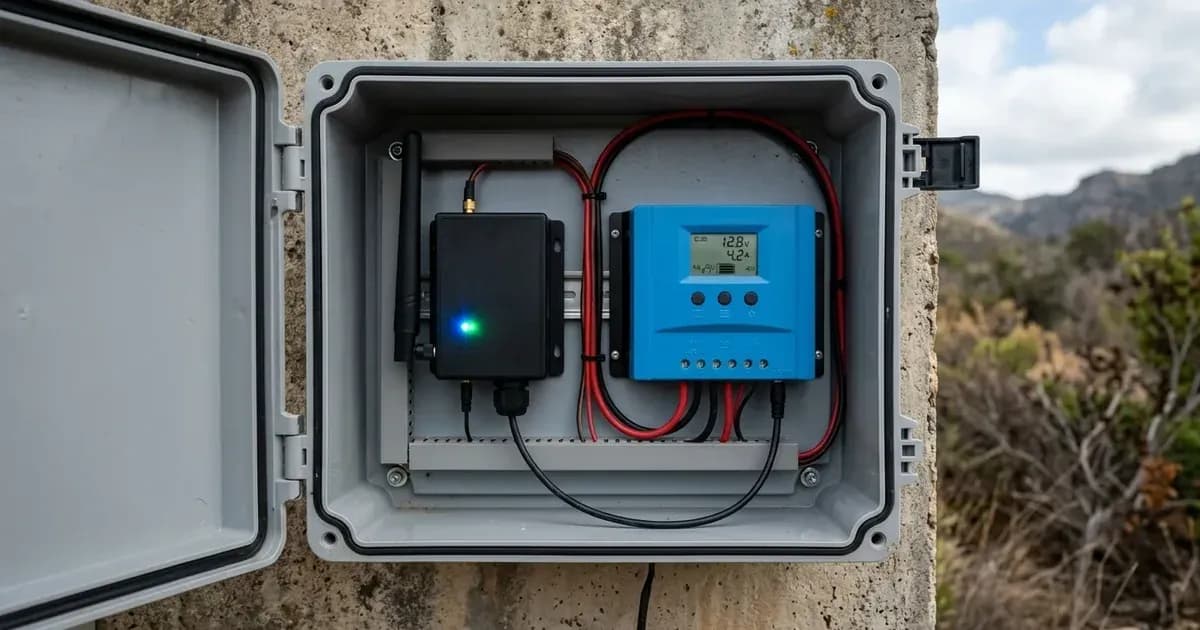
- Always check the module's LED indicator for a green blink, which signals normal operation.
- Ensure the module receives DC power within its 8V to 68V range and that the 3A inline fuse is intact.
- If LoRaWAN network coverage is the problem, troubleshooting steps are limited as it relies on external community infrastructure.
Why is my Victron VE.Direct LoRaWAN module not sending data to the VRM Portal?
The most common reasons for your Victron VE.Direct LoRaWAN module not sending data to the VRM Portal are a lack of LoRaWAN network coverage or outdated module software. First, observe the module's LED indicator. A green blink indicates that the module is operating correctly and has established a connection.
Diagnosis
Follow these steps to diagnose common issues with your VE.Direct LoRaWAN module.
- Check the LED Indicator: After power-up, observe the LED on the module. If it blinks green, the module has successfully gathered information from the VE.Direct device, connected to the LoRaWAN network, and sent data to the VRM Portal. If the LED is off or shows a different pattern (not specified in the manual), it indicates a problem.
- Verify Power Connection: Ensure the module is receiving DC power within its specified range of 8V to 68V. Check the power cable for damage and confirm the 3A inline fuse is not blown. The positive terminal is on the left when looking at the module with the green connector below.
- Confirm VE.Direct Connection: Make sure the VE.Direct cable is securely connected between the LoRaWAN module and a compatible Victron device (e.g., MPPT solar charge controller, BMV battery monitor, or VE.Direct inverter).
- Check LoRaWAN Coverage: The module relies on 'The Things Network' community infrastructure. This is not a commercial network, and public gateways are community-maintained. Coverage cannot be guaranteed. If there is no LoRaWAN coverage in your area, the module cannot transmit data.
- Review Software Version: If the module stops transmitting data after a period, it may be running a software version earlier than v1.05. This is a known issue.
Cause/fix table
Symptom detail | Likely cause | Fix |
|---|---|---|
Module stops transmitting data after a while | Software version earlier than v1.05 | Update the module software to v1.05 or later. |
No data appearing on the VRM Portal | No LoRaWAN coverage in the installation area | Verify the availability and operation of 'The Things Network' gateways in your location. Coverage is community-dependent. |
No data on VRM Portal for Australian installations | Incorrect LoRaWAN frequency used by local gateways | Ensure your LoRaWAN gateways are configured to use the AU915 frequency, as TTN AS923 is not supported for Australia. |
Setting up and Connecting Your VE.Direct LoRaWAN Module
The Victron VE.Direct LoRaWAN module enables remote monitoring of your Victron energy system through the free-to-use Victron Remote Management (VRM) Portal. It uses the LoRaWAN network infrastructure provided by 'The Things Network' community.
Device Compatibility
The VE.Direct LoRaWAN module is compatible with various Victron devices that feature a VE.Direct Port. These include:
- All MPPT Solar Charge Controllers with a VE.Direct Port.
- BMV Battery Monitor 700 series.
- BMV Battery Monitor 712 Smart series.
- Inverter VE.Direct models.
Powering and Connecting the Module
The module requires a DC power input between 8V and 68V. It comes with a 1.5m power cable that includes a 3A inline fuse and M10 eyelets for connection. When connecting the DC power, ensure the positive terminal is on the left side of the green connector when viewed from the front of the module. Connect the module to your compatible Victron device using a VE.Direct cable.
Power-Up Sequence and Data Transmission
Upon power-up, the module performs the following sequence:
- It gathers information from the connected VE.Direct device.
- Once data is received, it connects to the LoRaWAN network.
- Finally, it sends all available data to the VRM Portal.
After this sequence, the LED on the module will blink green, indicating that all operations are normal. Data transmission to the VRM Portal occurs hourly for the most important data, while some less critical data is sent once every 24 hours.
LoRaWAN Network Configuration
The module operates on specific LoRaWAN frequencies depending on the region. It is crucial that the LoRaWAN gateways in your area are configured to the correct frequency and cluster for the module to communicate effectively.
- For Europe and certain African countries (EU863-870 module), use the EU868 frequency with the 'eu1' TTN cluster.
- For the Americas (US902-928 module), use the US915 frequency with the 'nam1' TTN cluster.
- For Australia (AU915-928 module), use the AU915 frequency with the 'au1' TTN cluster. Note that TTN AS923 frequency is not supported for Australia.
Safety: Electrical Connections
Always handle electrical connections with care. The VE.Direct LoRaWAN module requires a DC power input between 8V and 68V. It is protected by a 3A inline fuse on its power cable. Ensure the power source is within this voltage range to prevent damage to the module. When connecting the DC power, confirm polarity: the positive terminal is on the left when looking at the module with the green connector below.
When to call a technician instead
While many connection issues can be resolved with basic checks, some situations may require professional assistance. If you have confirmed proper power supply, correct VE.Direct connection, and updated software, but still experience no data transmission, the issue might be with LoRaWAN network coverage. Since 'The Things Network' is a community-maintained infrastructure, a technician may not be able to directly resolve coverage gaps. However, they can help verify your module's functionality and rule out other system-level issues. If you are unsure about electrical connections or software updates, consult a qualified installer.
Frequently asked questions
What is the Victron VE.Direct LoRaWAN module used for?
The Victron VE.Direct LoRaWAN module connects compatible Victron VE.Direct devices to the Victron Remote Management (VRM) Portal. It uses 'The Things Network' community infrastructure to transmit data, allowing you to monitor your installation remotely.
Which Victron devices are compatible with the VE.Direct LoRaWAN module?
The module is compatible with all MPPT Solar Charge Controllers that have a VE.Direct Port, BMV Battery Monitor 700 series and 712 Smart series, and Inverter VE.Direct models. These devices communicate via the VE.Direct protocol.
How often does the VE.Direct LoRaWAN module send data to the VRM Portal?
The module sends the most important data once an hour. Less critical data is transmitted once every 24 hours. This frequency is due to the nature of the LoRaWAN network.
What does a green blinking LED on the VE.Direct LoRaWAN module indicate?
After a short wait following power-up, if the LED on the VE.Direct LoRaWAN module blinks green, it indicates that all is OK. This means the module has gathered data, connected to the LoRaWAN network, and sent data to the VRM Portal.
What should I do if my VE.Direct LoRaWAN module stops transmitting data?
If your module stops transmitting data, check its software version. Units with versions earlier than v1.05 have a known issue where they stop transmitting. A software update to v1.05 or later is required to resolve this.
References
- Victron VE.Direct LoRaWAN Manual — accessed 23 August 2026
Related guides
More from sizing, net billing & installation.