Victron LG Chem RESU Settings and Compatibility Guide
Updated 16 September 2026 · By SolarNevs Research Desk, Dealer surveys + verified sources · 1 source · Method ↗
Key Takeaways
- The LG Chem RESU battery models previously compatible with Victron systems are now End-of-Life and no longer supported by LG.
- A Victron GX device (Color Control GX or VENUS GX) is essential for communication via CAN-bus.
- Proper CAN-bus cabling and termination are critical to prevent the battery from stopping charge/discharge or opening its internal circuit breaker.
- These systems were designed for on-grid, self-consumption installations and cannot be used in off-grid or parallel/three-phase configurations.
Why isn't my LG Chem RESU battery communicating with my Victron system?
The most common cause for communication issues or the battery stopping operation is an improperly connected CAN-bus cable or missing GX device keep-alive signal. Ensure the correct VE.Can to CAN-bus BMS type B cable is used and properly terminated.
Diagnosis
Follow these steps to diagnose communication and operational issues with your LG Chem RESU battery connected to a Victron system.
- Verify GX Device Presence and Firmware: Check if a Color Control GX (CCGX) or VENUS GX is installed. A GX device is required for the keep-alive signal, communication of charge and discharge limits, error codes, and state of charge. The minimum required firmware version for the Color Control GX is v2.15. It is highly recommended to use the latest firmware version on all connected devices, including CCGX/VENUS GX, Inverter/Charger, and MPPTs. Without a GX device, the LG Resu will open its internal circuit breaker after 10 minutes.
- Inspect CAN-bus Cable Connection: Ensure the VE.Can to CAN-bus BMS type B Cable, part number ASS030720018, is correctly connected. Plug the side labeled "Battery BMS" into the LG Chem Resu BMS. Plug the side labeled "Victron VE.Can" into the GX device. Without properly connecting this cable, the battery will stop charging/discharging after several minutes.
- Check VE.Can Terminator: Verify that a VE.Can terminator is plugged into the other VE.Can socket on the GX device. Two VE.Can terminators are included with the package of the CCGX as an accessory, but only one is used for this setup.
- Confirm ESS Installation: The LG Battery can only be used in a Victron ESS installation that uses the ESS Assistant. Ensure your system is configured as an ESS for on-grid, self-consumption. These batteries are not for off-grid systems and cannot be used in parallel or three-phase configurations with the MultiPlus 48/3000/35.
- Verify MPPT Compatibility: If using MPPT Solar Chargers, ensure they have a VE.Direct port. The VE.Can MPPTs are not supported with LG Resu batteries.
Cause/fix table
Symptom detail | Likely cause | Fix |
|---|---|---|
Battery stops charging/discharging after several minutes | Communication cable not properly connected | Ensure the VE.Can to CAN-bus BMS type B Cable (part number ASS030720018) is securely connected between the LG Chem Resu BMS and the Victron GX device. |
LG Resu opens internal circuit breaker after 10 minutes | GX device not sending CANbus keep-alive message | Verify that a GX device (Color Control GX or VENUS GX) is installed, powered on, and communicating with the battery. Check GX device firmware version. |
Battery not showing on CCGX display | Communication cable not properly connected | Re-check the physical connection of the VE.Can to CAN-bus BMS type B Cable. Ensure the correct ends are plugged into the battery and the GX device. |
Battery not charging to 100% | Normal LG battery policy | This is expected behavior; LG battery policy is to only charge the battery to 97% or 98%. |
Pairing and Settings
Proper configuration of your Victron system is crucial for optimal operation with LG Chem RESU batteries. Note that this compatibility document is now End-of-Life, and LG no longer supports these RESU models.
Victron MultiPlus Configuration
The approved Victron inverter/charger for these batteries was the MultiPlus 48/3000/35. This unit cannot be used in parallel or three-phase configurations with LG Chem RESU batteries.
GX Device Communication
A GX device (Color Control GX or VENUS GX) is essential. It uses the CAN-bus connection for the keep-alive signal, communication of charge and discharge limits, error codes, and state of charge. The minimum required firmware version for the Color Control GX is v2.15. It is highly recommended to use the latest firmware version on all connected devices.
VEConfigure Settings
When configuring your Victron MultiPlus using VEConfigure, ensure the following settings are applied:
Setting Name | Values | Protocol |
|---|---|---|
VEConfigure - General tab |
|
|
Enable battery monitor | Checked | N/A |
Battery capacity (Resu 6.4) | 126 Ah | N/A |
Battery capacity (Resu 6.4 + 1 pcs EX 3.2) | 189 Ah | N/A |
Battery capacity (Resu 6.4 + 2 pcs EX 3.2) | 252 Ah | N/A |
Battery capacity (Resu 3.3) | 63 Ah | N/A |
Battery capacity (Resu 6.5) | 126 Ah | N/A |
Battery capacity (Resu 10) | 189 Ah | N/A |
State of charge when bulk finished | Default setting | N/A |
Charge efficiency | Default setting | N/A |
LG Resu SW Select Switches
For LG Resu models 3.3, 6.5, and 10, set the following switches on the battery itself:
Setting Name | Values | Protocol |
|---|---|---|
LG Resu (3.3, 6.5, 10) SW select switches |
|
|
Switch 3 | Set to select LGC Smart protocol | LGC Smart |
Switch 4 | Set to select LGC Smart protocol | LGC Smart |
Communication Cable and Termination
Use the VE.Can to CAN-bus BMS type B Cable, part number ASS030720018. Plug the side labeled "Battery BMS" into the LG Chem Resu BMS. Plug the side labeled "Victron VE.Can" into the GX device. A VE.Can terminator must be plugged into the other VE.Can socket on the GX device.
Safety
Always prioritize safety when working with battery systems.
- Firmware Updates: Do not attempt firmware updates using the LG Chem battery for power until you can confirm that the battery is connected and showing on the GX device. An interrupted update can cause system instability.
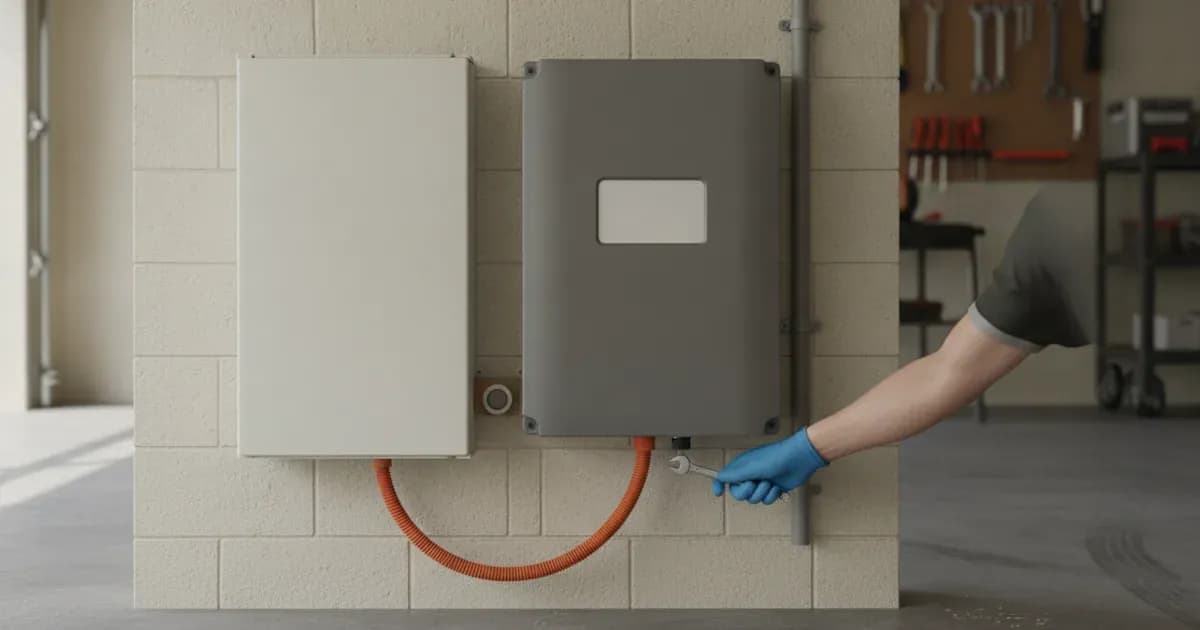
- Electrical Safety: When connecting or disconnecting terminals, always kill power to all connected components (PV, battery, AC breakers) first. Use insulated tools. A spanner across a battery bank can short hundreds of amps, causing severe burns or equipment damage.
When to call a technician instead
Given that LG no longer supports the RESU models previously compatible with Victron, and the official compatibility document is End-of-Life, troubleshooting complex issues beyond basic communication checks may require specialized knowledge. If you cannot resolve communication errors after following the diagnosis steps, or if the battery exhibits unexpected behavior, contact a qualified solar technician. Attempting repairs or modifications without proper authorization may void any remaining warranties.
Frequently asked questions
Can I still use LG Chem RESU batteries with Victron systems?
The official compatibility document for LG Chem RESU batteries with Victron systems is End-of-Life. LG no longer supports the RESU models that were previously compatible.
What Victron inverter/charger is approved for LG Chem RESU batteries?
The MultiPlus 48/3000/35 was the approved Victron inverter/charger for these batteries.
Is a GX device required for LG Chem RESU batteries with Victron?
Yes, a GX device like the Color Control GX (CCGX) or VENUS GX is essential for CAN-bus communication, keep-alive signals, and managing charge/discharge limits.
What firmware version is needed for the Color Control GX?
The minimum required firmware version for the Color Control GX is v2.15. It is highly recommended to use the latest firmware for all connected devices.
Why doesn't my LG Chem RESU battery charge to 100%?
LG battery policy is to only charge the battery to 97% or 98%. It is normal for the battery not to charge to 100%.
References
- Victron Energy Battery Compatibility: LG Chem RESU — accessed 23 August 2026
Related guides
More from what to buy — and how not to get cheated.