Victron Redflow ZBM2 ZCell Zinc Bromide Battery Integration
Updated 16 September 2026 · By SolarNevs Research Desk, Dealer surveys + verified sources · 4 sources · Method ↗
Key Takeaways
- Redflow ZBM2 and ZCell batteries are 48V 10kWh DC Zinc-Bromide hybrid flow batteries designed for deep cycling.
- Integration with Victron systems primarily relies on CANBus communication via a GX device.
- Always enable DVCC mode in the Victron GX device to allow the Redflow BMS to control charge and discharge parameters.
- For on-grid systems, select "Optimised (without BatteryLife)" ESS mode and set MinSoC to 0% for single ZCell batteries.
- If communication or charging issues persist after checking settings, contact a qualified technician.
How do I integrate Redflow ZBM2 or ZCell batteries with a Victron system?
Integrating Redflow ZBM2 or ZCell batteries with a Victron system requires specific communication and configuration settings to ensure proper operation and battery management. The most common cause of integration issues is incorrect communication setup or misconfigured ESS (Energy Storage System) parameters. The first thing to check is that you are using compatible Victron hardware and that the Redflow BMS is correctly connected to your Victron GX device via CANBus.
Diagnosis
Proper integration of Redflow ZBM2 or ZCell batteries with a Victron system depends on correct hardware compatibility and software configuration. Follow these steps to diagnose common setup issues.
- Verify Victron Product Compatibility.
- Check: Ensure your Victron inverter/charger and solar chargers are compatible.
- Result: For Redflow ZBM2/ZCell, you need "All 48V Multis and Quattros" and "All 48V solar chargers that are compatible with DVCC (all except the older 'vertical' shaped CANBus units)". You also need "Any GX unit running current firmware with DVCC enabled and using the CANBus interface".
- Meaning: If your Victron equipment does not meet these criteria, it may not communicate correctly with the Redflow BMS. Upgrade or replace incompatible components.
- Confirm GX Device Connection.
- Check: Ensure the Redflow BMS is connected to the Victron GX device.
- Result: The connection should "Interface to the GX from the Redflow BMS using CANBus".
- Meaning: Incorrect wiring or using a different protocol (like Modbus-RS485, which is for older direct-attach ZBM batteries without the external BMS) will prevent communication. Ensure the CANBus cable is securely connected.
- Check DVCC Mode in GX Device.
- Check: Access your Victron GX device settings and verify the DVCC (Distributed Voltage and Current Control) mode.
- Result: DVCC mode must "Always turn on DVCC mode in the GX".
- Meaning: If DVCC is not enabled, the Redflow BMS cannot control the voltage and current settings of the Victron inverter/charger and solar chargers, leading to improper charging or discharging.
- Inspect ESS Settings (for On-Grid Systems).
- Check: If you are running an on-grid system, review the ESS Assistant settings in your GX device.
- Result: The ESS mode should be "Optimised (without BatteryLife)". The ESS Battery Type should be "Redflow ZCell battery type" (available in ESS Assistant versions since April 2020). For single battery setups, the ESS 'MinSoC' must be set to "0%".
- Meaning: Incorrect ESS settings can prevent the battery from fully charging or discharging, or interfere with its internal maintenance cycles. Adjust these settings as specified.
Cause/fix table
Symptom detail | Likely cause | Fix |
|---|---|---|
Battery not communicating with GX device | Incompatible Victron solar charger (older 'vertical' CANBus unit) | Replace with a 48V solar charger compatible with DVCC. |
Battery not communicating with GX device | Incorrect physical connection to GX device | Ensure the Redflow BMS is connected to the GX device via CANBus. |
Battery not charging/discharging correctly | DVCC mode is not enabled in the GX device | "Always turn on DVCC mode in the GX" to allow BMS control. |
Battery not charging/discharging correctly (on-grid) | Incorrect ESS mode selected | Set ESS mode to "Optimised (without BatteryLife)" in the ESS Assistant. |
Battery not charging/discharging correctly (on-grid) | Incorrect ESS Battery Type selected | Select "Redflow ZCell battery type" in the ESS Assistant. |
Single ZCell battery not utilizing full capacity | ESS 'MinSoC' set above 0% | On single battery setups, set ESS 'MinSoC' to "0%" to avoid stalling the ZCell maintenance cycle. |
Victron and Redflow ZBM2/ZCell Pairing Guide
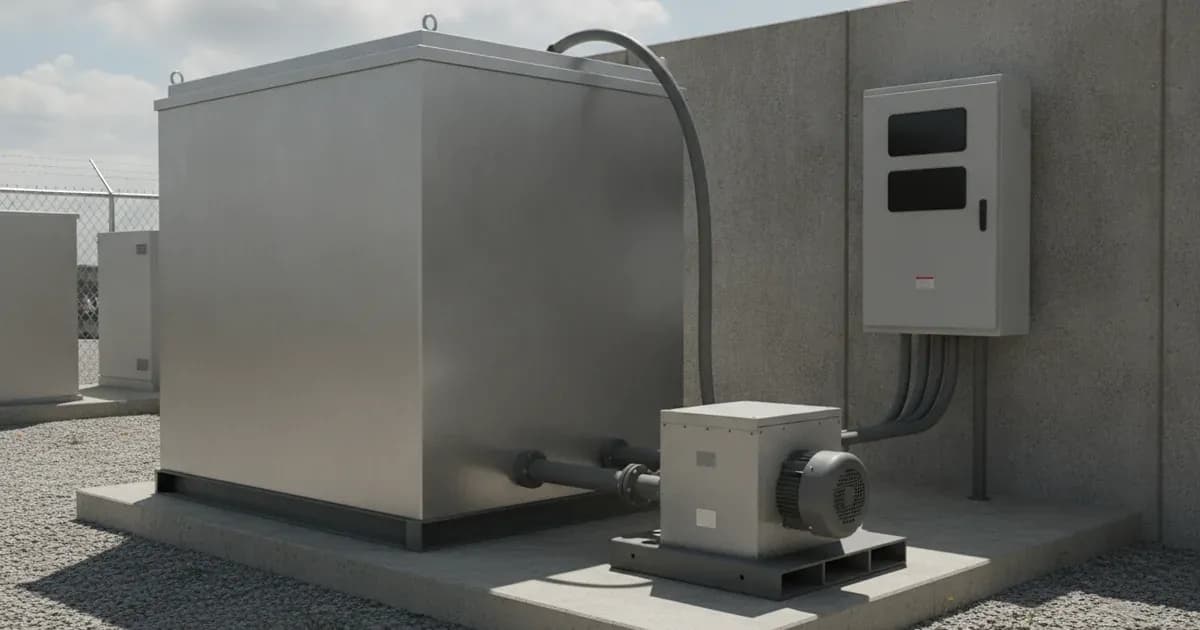
The Redflow ZBM2 battery is a "48V 10kWh DC Zinc-Bromide hybrid flow battery". The ZCell is a packaged version of the ZBM2, which includes an external-rated enclosure and the Redflow CANbus BMS. This BMS is crucial for integration with Victron systems, orchestrating "discharge cycles and maintenance cycles for maximum energy availability and maximum operating efficiency and effectiveness" for clusters of multiple Redflow batteries.
Compatible Victron Products
For seamless integration with Redflow ZBM2/ZCell batteries, ensure your Victron system includes the following components:
- Inverter/Chargers: "All 48V Multis and Quattros".
- Solar Chargers: "All 48V solar chargers that are compatible with DVCC (all except the older 'vertical' shaped CANBus units)".
- Monitoring & Control: "Any GX unit running current firmware with DVCC enabled and using the CANBus interface". The GX device is "STRONGLY recommended" for monitoring and control.
GX Device Connection and Communication
The Redflow ZBM2/ZCell BMS communicates with the Victron GX device using the CANBus protocol. This is a standard method for modern smart batteries.
- Connection: "Interface to the GX from the Redflow BMS using CANBus just like any other modern 'smart' battery".
- DVCC Mode: It is essential to "Always turn on DVCC mode in the GX". This allows the Redflow BMS to take control of the voltage and current settings for charging and discharging. With DVCC enabled, there is "no need to set any battery voltage or current limits in VE.Configure" as the BMS manages these parameters.
Energy Storage System (ESS) Settings
For on-grid systems utilizing Redflow ZBM2/ZCell batteries, specific ESS settings are required:
- ESS Mode: Select the "Optimised (without BatteryLife)" mode in the ESS Assistant. This setting is recommended "to allow full-depth discharge of the battery regularly".
- ESS Battery Type: Within the ESS Assistant, you must "Select the Redflow ZCell battery type". This option has been "available in ESS Assistant versions since April 2020".
- Minimum State of Charge (MinSoC): For "single battery setups the ESS 'MinSoC' must be set to 0%". This is critical "to avoid stalling the ZCell maintenance cycle".
Monitoring and Control via GX Device
When integrated, the Victron GX device provides comprehensive monitoring and control capabilities for the Redflow battery system. While the provided documentation specifically details this for direct-attach ZBM batteries, the principle applies to ZBM2/ZCell via the BMS:
- Monitoring: You can monitor "battery voltage, current, state of charge, temperature and many more ZBM specific alarms and flags".
- Control: The GX device can be used to "set it to run mode, initiate a maintenance cycle, clear the alarms and more".
For more information on battery technologies and their application, you can explore our general guide on /pk/batteries.
Safety: Zinc-Bromide Battery Characteristics
Redflow ZBM2 and ZCell zinc-bromide batteries possess specific safety characteristics that differentiate them from other battery chemistries.
- Fire Risk: These batteries present a "Low fire risk". They exhibit "No exothermic reaction if exposed to fire, and with water-based fluid electrolyte that is intrinsically fire-retardant".
- Charge/Discharge: Redflow ZBM2/ZCell batteries are "Designed to be charged up to 100% SOC and discharged right down to 0% SOC (and zero volts) on a daily basis". This can be done "with no damage and while maintaining full energy cycle output capacity over the battery lifetime".
When to call a technician instead
While many configuration steps can be performed by the system owner, there are situations where professional assistance is necessary. If you have verified all compatibility requirements, ensured correct CANBus wiring, and configured all DVCC and ESS settings as specified, but still experience communication failures, persistent alarms, or incorrect charging/discharging behavior, it is time to contact a qualified solar or battery technician.
Avoid attempting to open the Redflow ZBM2 or ZCell battery enclosure or the Redflow BMS unless you are a trained and authorized service professional. Unauthorized modifications or repairs can void warranties and pose safety risks. A technician can diagnose complex communication issues, inspect internal components, and ensure the system operates safely and efficiently.
Frequently asked questions
What Redflow batteries are compatible with Victron systems?
The Redflow ZBM2 battery, a 48V 10kWh DC Zinc-Bromide hybrid flow battery, is compatible. The ZCell is a packaged bundle of the Redflow ZBM2 battery inside an external-rated enclosure, supplied with the Redflow CANbus BMS.
Which Victron products work with Redflow ZBM2/ZCell?
All 48V Multis and Quattros, and 48V solar chargers compatible with DVCC (all except older 'vertical' shaped CANBus units) are compatible. Any GX unit running current firmware with DVCC enabled and using the CANBus interface is also required.
How do I connect the Redflow ZBM2/ZCell BMS to a Victron GX device?
You interface to the GX from the Redflow BMS using CANBus, similar to other modern 'smart' batteries. This allows the BMS to control voltage and current settings.
What ESS mode should I use for Redflow ZBM2/ZCell batteries in an on-grid system?
For on-grid systems, use the ESS mode 'Optimised (without BatteryLife)' to allow full-depth discharge of the battery regularly. This setting is available in the ESS Assistant.
What is the recommended MinSoC setting for a single Redflow ZCell battery?
On single battery setups, the ESS 'MinSoC' must be set to 0% to avoid stalling the ZCell maintenance cycle. This ensures the battery can fully utilize its capacity.
References
- Victron Energy - Battery Compatibility: Redflow ZBM — accessed 23 August 2026
- Victron Energy - Battery Compatibility: Redflow ZCell — accessed 23 August 2026
- Redflow Official Website — accessed 23 August 2026
- ZCell Official Website — accessed 23 August 2026
Related guides
More from what to buy — and how not to get cheated.