Victron BYD B-Box CAN-bus Communication Setup Troubleshooting
Updated 19 September 2026 · By SolarNevs Research Desk, Dealer surveys + verified sources · 1 source · Method ↗
Key Takeaways
- Incorrect cabling or outdated firmware are the most common causes of communication failures.
- Always verify the specific cable type and part number first.
- Disconnect all power sources (PV, battery, AC) before checking physical connections.
- If firmware updates and cable checks do not resolve the issue, or if physical damage is suspected, contact a qualified technician.
Why is my Victron GX device not communicating with my BYD B-Box battery?
The most common causes for a Victron GX device failing to communicate with a BYD B-Box battery are incorrect CAN-bus cabling, outdated firmware on either the GX device or the BYD battery, or incorrect communication settings. You should begin troubleshooting by verifying the cable and ensuring all components have the minimum required firmware versions.
Diagnosis
Follow these steps to diagnose communication issues between your Victron GX device and BYD B-Box battery.
- Verify CAN-bus Cable Type and Connection:
- Check: Ensure you are using the specific VE.Can to CAN-bus BMS type A Cable, part number ASS030710018.
- Check: Confirm the cable is correctly connected: the side labeled "Battery BMS" plugs into the BYD BMS, and the side labeled "Victron VE.Can" plugs into the GX device.
- Meaning: An incorrect cable or improper connection will prevent any communication.
- Inspect GX Device Firmware Version:
- Check: Access your GX device's settings (via its display or Remote Console) and verify its firmware version.
- Meaning: For BYD B-Box Pro series batteries, the GX device needs a minimum firmware version of v2.42. For B-Box Premium LV series, the minimum required firmware is v2.52. Communication will fail if the version is older.
- Inspect Inverter Firmware Version:
- Check: If an inverter is part of your system, check its firmware version.
- Meaning: The minimum supported inverter firmware version is 469. While updating to the latest firmware is generally recommended for new installations and troubleshooting, ensure it meets this minimum.
- Inspect BYD Battery Management Unit (BMU) Firmware Version:
- Check: The BYD BMU firmware version can often be seen on the GX device's display or via Remote Console.
- Meaning: For B-Box Pro series, the minimum BMU firmware version is V4-13 (displayed as v4.13). For B-Box Premium LV series, the battery firmware should be no less than V1.4, and the BMS firmware no less than V1.3. Outdated BYD firmware can cause communication problems.
- Confirm CAN-bus Speed Setting:
- Check: On your Victron GX device, navigate to the CAN-bus settings and confirm the communication speed.
- Meaning: The CAN-bus connection must be set to 500 kbit/s for proper communication with BYD batteries. This setting is crucial for the keep-alive signal, charge/discharge limits, error codes, and state of charge reporting.
- Observe State of Charge (SoC) Reporting (BYD B-Box Pro series only):
- Check: If your system includes B-Box Pro series batteries, observe the reported discharge with very small loads.
- Meaning: Each BYD Pro series module BMS has a threshold current of 1A (approximately 50W) before it begins to report discharge. If you have multiple modules, this threshold is additive. For example, four modules could supply a 180W load and report it as 0W. This is normal behavior and not a communication fault.
- Check Legacy Relay Status (if applicable):
- Check: For older systems utilizing B-Box relays, check the status of relays T1-T2 and T4-T5.
- Meaning: Relay T1-T2 is closed if the battery is allowed to discharge. Relay T4-T5 is closed if the battery is allowed to charge. Incorrect relay states could indicate a communication or BMS issue preventing charge/discharge.
Cause/fix table
Symptom detail | Likely cause | Fix |
|---|---|---|
No communication from BYD battery to GX device | Incorrect CAN-bus cable or connection | Use VE.Can to CAN-bus BMS type A Cable (ASS030710018); ensure correct orientation (Battery BMS to BYD, Victron VE.Can to GX). |
Communication errors or intermittent connection | Outdated Victron GX device firmware | Update GX device firmware to at least v2.42 (Pro series) or v2.52 (Premium LV series). |
Inverter not responding to battery limits | Outdated inverter firmware | Update inverter firmware to at least 469. |
Communication errors or incorrect battery data | Outdated BYD BMU firmware | Update BYD BMU firmware to at least V4-13 (Pro series) or V1.4 (battery) and V1.3 (BMS) for Premium LV series. |
Battery not charging/discharging despite communication | Incorrect CAN-bus speed setting on GX device | Set GX device CAN-bus speed to 500 kbit/s. |
B-Box Pro series reports 0W discharge with small loads | Normal operational threshold for Pro series modules | Understand that each module has a 1A (~50W) reporting threshold; this is not a fault. |
Communication Faults: Protocol, Cables, and Firmware
Effective communication between your Victron GX device and BYD B-Box battery relies on the CAN-bus protocol. This protocol enables the exchange of critical information such as charge/discharge limits, state of charge, and error codes.
- Protocol Basics: The system uses a CAN-bus connection, which operates at 500 kbit/s. This speed is essential for the continuous data flow required for battery management.
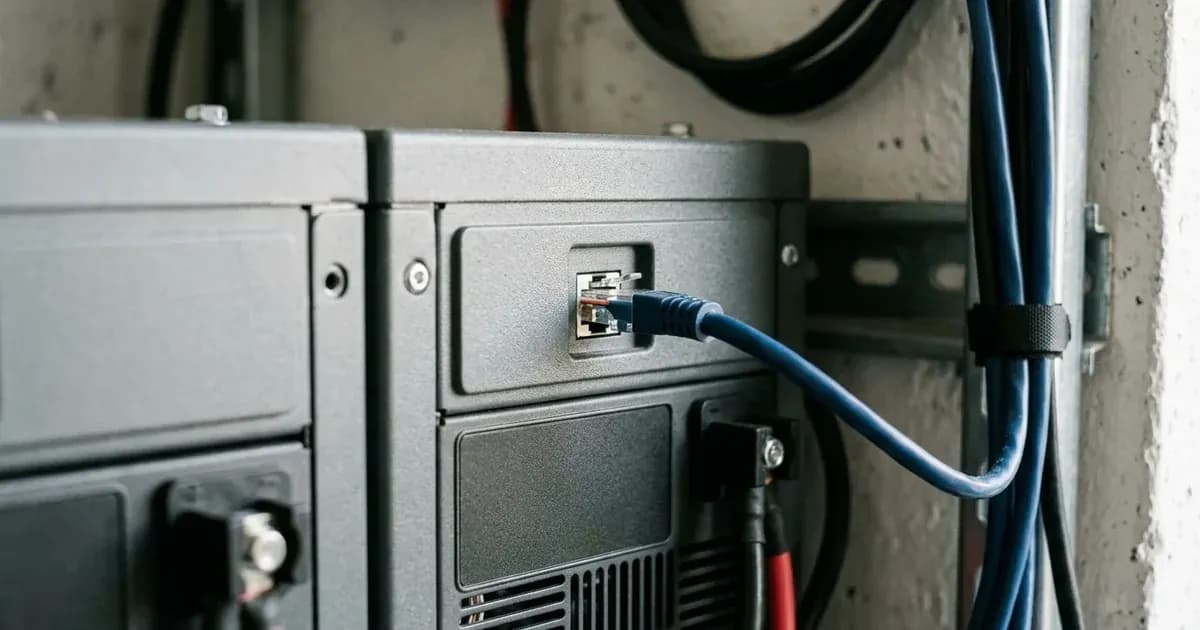
- Cable Checks: The physical link is established by the VE.Can to CAN-bus BMS type A Cable, part number ASS030710018. It is critical to use this specific cable and ensure it is connected with the correct orientation: the end labeled "Battery BMS" to the BYD battery and the end labeled "Victron VE.Can" to the Victron GX device. A damaged or incorrect cable is a frequent cause of communication failure.
- Firmware Notes: Both the Victron GX device and the BYD Battery Management Unit (BMU) require specific minimum firmware versions to communicate reliably. For GX devices, this is v2.42 for B-Box Pro series and v2.52 for B-Box Premium LV series. For BYD BMUs, the minimums are V4-13 (v4.13) for Pro series, and V1.4 (battery) with V1.3 (BMS) for Premium LV series. Ensure your inverter firmware is also at least 469. Regularly checking for and applying firmware updates is a good practice for system stability and compatibility.
Safety: Electrical Disconnection and Handling
Working with battery systems involves significant electrical hazards. Always prioritize safety.
- Disconnect Power: Before checking any physical connections, cables, or opening any enclosures, ensure all power sources are completely disconnected. This includes turning off PV array breakers, battery disconnects, and AC input breakers.
- Insulated Tools: Use only insulated tools when working on battery terminals or electrical connections to prevent accidental short circuits. A short circuit across a battery bank can release hundreds of amps, causing severe burns or equipment damage.
- Authorized Service: Opening the battery enclosure or the Victron GX device is generally authorized service work. Do not attempt to open these units unless specifically instructed by the manufacturer or a qualified technician, as it may void warranties and expose you to dangerous internal components.
When to call a technician instead
While many communication issues can be resolved with careful troubleshooting, there are situations where professional help is necessary. You should call a qualified solar technician if:
- You have verified all cable connections and firmware versions, and the issue persists.
- You suspect physical damage to the cables, connectors, or internal components of either the battery or the Victron equipment.
- You are uncomfortable performing firmware updates or working with electrical systems.
- The system is still under warranty, and attempting further DIY repairs might void it.
- The troubleshooting steps provided do not resolve the communication fault, indicating a potentially deeper hardware or software issue.
Frequently asked questions
What is the correct CAN-bus speed for Victron and BYD B-Box communication?
The Victron GX device must be configured for a CAN-bus speed of 500 kbit/s to ensure proper communication with BYD B-Box batteries.
What are the minimum firmware versions required for Victron GX devices with BYD B-Box batteries?
For BYD B-Box Pro series batteries, the minimum supported GX device firmware is v2.42. For B-Box Premium LV series, the minimum supported GX device firmware is v2.52.
Which cable should I use to connect a Victron GX device to a BYD B-Box battery?
You must use the VE.Can to CAN-bus BMS type A Cable, part number ASS030710018. Ensure the side labeled 'Battery BMS' is connected to the BYD BMS and the side labeled 'Victron VE.Can' is connected to the GX device.
Why might my BYD B-Box Pro series battery report 0W discharge with a small load?
BYD B-Box Pro series modules have a current threshold of 1A, which is approximately 50W, before they begin to report discharge. For multiple modules, this threshold is additive.
What are the minimum BYD BMU firmware versions for B-Box batteries?
For B-Box Pro series, the minimum BMU firmware version is V4-13 (displayed as v4.13). For B-Box Premium LV series, the battery firmware should be at least V1.4, and the BMS firmware no less than V1.3.
References
- Victron Energy BYD B-Box Compatibility — accessed 23 August 2026
Related guides
More from inverter errors & fixes.