Victron BlueNova CAN-Bus Communication Setup and Troubleshooting
Updated 9 September 2026 · By SolarNevs Research Desk, Dealer surveys + verified sources · 1 source · Method ↗
Key Takeaways
- Ensure your Victron GX device runs firmware v2.02 or newer for BlueNova compatibility.
- BlueNova 'SSS' batteries do not need a CAN-bus terminator; RacPower models do.
- The default CAN-bus speed of 500kbps on BlueNova batteries matches Victron GX devices.
- A Cerbo GX is necessary if you need to connect both VE.Can devices and a BlueNova battery.
- Always disconnect power before making or changing physical CAN-bus connections.
Why isn't my Victron GX device communicating with my BlueNova battery?
Communication issues between your Victron GX device and BlueNova battery often stem from incorrect firmware, improper cabling, or misconfigured settings. The most common cause is an outdated GX device firmware version or an overlooked CAN-bus termination requirement specific to your BlueNova battery model. Start by verifying your GX device's firmware and the physical CAN-bus connection.
Diagnosis: Checking Your Victron BlueNova CAN-Bus Connection
Follow these steps to diagnose communication problems between your Victron GX device and BlueNova battery.
- Check GX Device Firmware Version:
- Action: Navigate to the firmware information section on your Victron GX device.
- Expected Result: The firmware version should be v2.02 or higher.
- What it means: If it's below v2.02, update the firmware. Older versions may not support BlueNova batteries.
- Verify CAN-Bus Cable Connection:
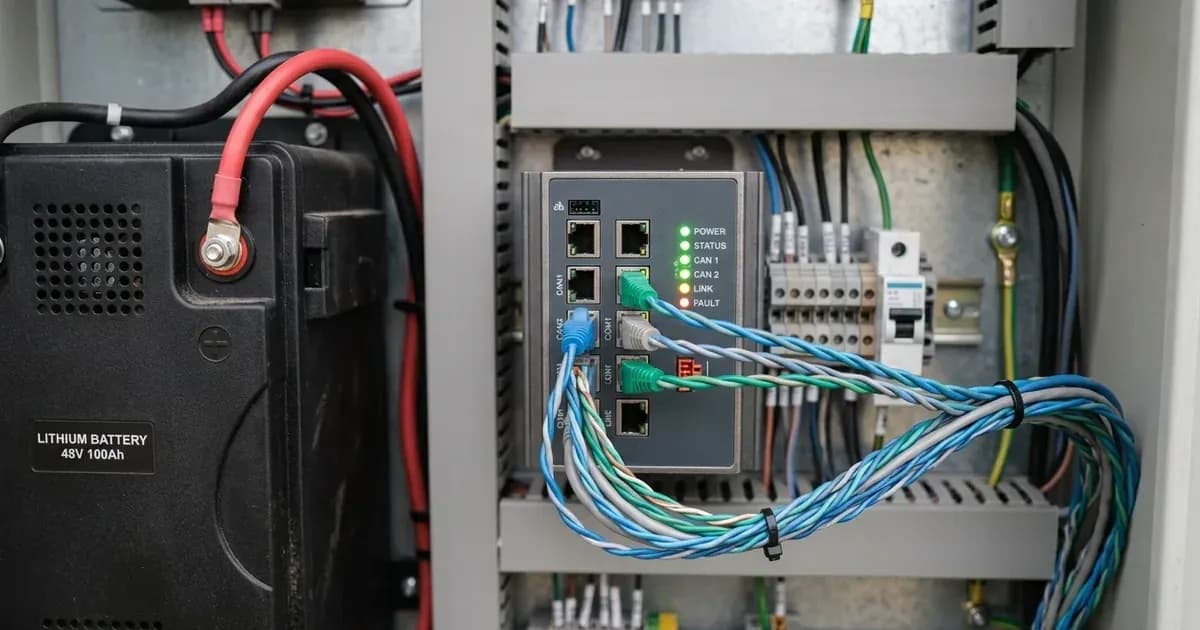
- Action: Ensure the CAN-bus cable is securely connected between the BlueNova battery's BMS-Can port and a BMS-Can port on your Victron GX device.
- Expected Result: The cable should be firmly seated at both ends.
- What it means: A loose connection can prevent communication. Disconnect all power (AC, DC, PV) before checking physical connections.
- Inspect CAN-Bus Termination:
- Action: Identify your BlueNova battery range (e.g., 'SSS' or RacPower).
- Expected Result:
- For BlueNova Energy 'SSS' range batteries, no VE.Can terminator is necessary on the other VE.Can socket of the GX device.
- For RacPower (BP & DU) range BlueNova Energy batteries, CAN-bus terminations must be present, as supplied with each RacPower unit.
- What it means: Incorrect termination (missing when needed, or present when not) will disrupt CAN-bus communication.
- Confirm CAN-Bus Speed Setting:
- Action: Check the CAN-bus speed setting on your Victron GX device.
- Expected Result: The setting should be 500kbps. New BlueNova Energy batteries come with 500kbps CAN-bus speed as default, which matches the default configuration of all BMS-Can ports on Victron GX devices.
- What it means: A mismatch in speed will prevent data exchange. Adjust the GX device setting if it differs.
- Check for CCGX Conflicts (if applicable):
- Action: If you are using a CCGX and also have other VE.Can products (e.g., VE.Can MPPTs) connected.
- Expected Result: Communication with the BlueNova battery may fail if other VE.Can products are also connected.
- What it means: The CCGX cannot connect both VE.Can products and a BlueNova Energy battery simultaneously. If this setup is required, you must use a Cerbo GX, which has two separate sets of ports.
- Review ESS Assistant Firmware (if using ESS):
- Action: If your system is configured as an ESS (Energy Storage System).
- Expected Result: The ESS Assistant firmware version should be 164 or later.
- What it means: Older ESS Assistant versions may not fully support BlueNova battery integration.
- Verify MPPT Settings:
- Action: If you have Victron MPPTs in your system, check their voltage configuration.
- Expected Result: Disable Autodetect voltage and set Battery voltage to 48V.
- What it means: Incorrect MPPT settings can lead to charging issues even if communication is established.
Troubleshooting Table: BlueNova CAN-Bus Communication Issues
Symptom detail | Likely cause | Fix |
|---|---|---|
No battery data on GX device | Outdated GX firmware | Update GX device firmware to v2.02 or later. |
Intermittent communication | Loose CAN-bus cable | Securely connect the CAN-bus cable at both the battery and GX device. |
RacPower battery not communicating | Missing CAN-bus terminator | Install the supplied CAN-bus terminators on the RacPower unit. |
SSS battery communication issues | Unnecessary CAN-bus terminator | Remove any terminator from the second VE.Can socket on the GX device if using an SSS range battery. |
Communication failure with other VE.Can devices on CCGX | CCGX port limitation | Replace CCGX with a Cerbo GX for systems requiring both VE.Can products and BlueNova battery connection. |
Battery not charging correctly via MPPT | MPPT voltage autodetect enabled | Disable Autodetect voltage on MPPT and set Battery voltage to 48V. |
Multiple paralleled batteries not all visible | No BMAC Online unit | Install a BlueNova Energy BMAC Online unit between the batteries and the GX device to monitor individual units. |
Specific Setup Considerations for BlueNova Batteries
Integrating BlueNova batteries with Victron systems involves several specific settings and hardware considerations to ensure reliable communication and optimal performance.
CAN-Bus Speed and Termination
New BlueNova Energy batteries are designed with a default CAN-bus speed of 500kbps. This speed is compatible with the default configuration of all BMS-Can ports on Victron GX devices, simplifying initial setup. However, termination requirements vary by battery model. For the BlueNova Energy 'SSS' range of batteries, a VE.Can terminator is not necessary for the other VE.Can socket on the GX device. Conversely, the RacPower (BP & DU) range of BlueNova Energy batteries need to have CAN-bus terminations done, which are supplied as per each RacPower unit. Always ensure the correct termination for your specific BlueNova model.
GX Device Firmware and Model Compatibility
To ensure full compatibility, your Victron GX device must run a minimum firmware version of v2.02 when used with BlueNova Energy Batteries. It is generally recommended to use the latest available firmware for optimal performance and access to new features. A critical point for systems with multiple VE.Can devices is the GX model. A Victron CCGX cannot connect both VE.Can products (such as VE.Can MPPTs) and a BlueNova Energy battery simultaneously. If your system requires this dual connectivity, you must use a Cerbo GX, which provides two separate sets of ports to accommodate both.
Monitoring Multiple Batteries
In installations with multiple paralleled BlueNova Energy batteries, monitoring each individual battery requires an additional component. A BlueNova Energy BMAC Online unit can be installed between the BlueNova Energy batteries and the Victron Energy GX device. This unit enables the GX device to monitor all individual paralleled BlueNova Energy batteries.
ESS and MPPT Settings
For systems configured as an Energy Storage System (ESS), the ESS Assistant firmware needs to be version 164 or later. This version was released in November 2017. When configuring Victron MPPTs in your system, ensure that Autodetect voltage is disabled. Instead, manually set the Battery voltage to 48V to match the BlueNova battery specifications.
Shared Voltage Sense (SVS)
Shared Voltage Sense (SVS) is a feature that is by default enabled when DVCC (Distributed Voltage and Current Control) is enabled on your Victron system. This setting can be disabled if necessary through a switch located in the Settings -> System Setup menu on your GX device.
Safety: Working with CAN-Bus and Battery Systems
Working with battery systems and communication wiring requires careful attention to safety. Always disconnect all power sources—AC, DC, and PV—before making or changing any physical connections to your battery or GX device. Ensure you use insulated tools to prevent accidental short circuits. While CAN-bus wiring itself carries low voltage, it is part of a high-power battery system. A spanner across a battery bank can short hundreds of amps, leading to severe burns or fire. Always double-check polarity when making connections.
When to call a technician instead
If you have followed all the diagnostic steps and verified all settings without resolving the communication issue, it may indicate a deeper problem with the battery's BMS, the GX device, or the cabling itself. If your BlueNova battery is still under warranty, attempting repairs beyond basic troubleshooting might void it. Contact a certified Victron Energy or BlueNova Energy technician for further diagnosis and repair, especially if you suspect internal component failure or if the issue persists after confirming all external connections and settings are correct.
Frequently asked questions
What is the minimum Victron GX device firmware version for BlueNova batteries?
When integrating BlueNova Energy Batteries with a Victron GX device, the minimum required firmware version for the GX device is v2.02. It is generally recommended to use the latest available firmware.
Do BlueNova batteries require a CAN-bus terminator with Victron GX devices?
The need for a CAN-bus terminator depends on the BlueNova battery range. The 'SSS' range does not require a terminator on the second VE.Can socket of the GX device. However, the RacPower (BP & DU) range requires CAN-bus terminations, which are supplied with each RacPower unit.
What is the default CAN-bus speed for BlueNova batteries?
New BlueNova Energy batteries are configured with a 500kbps CAN-bus speed as their default. This speed matches the default configuration of all BMS-Can ports found on Victron GX devices, ensuring compatibility.
Can I connect both VE.Can products and a BlueNova battery to a Victron CCGX?
No, a Victron CCGX cannot simultaneously connect both VE.Can products (like VE.Can MPPTs) and a BlueNova Energy battery. If this functionality is required, you must use a Victron Cerbo GX, which features two separate sets of ports for such connections.
What ESS Assistant firmware version is needed for BlueNova batteries?
For an ESS (Energy Storage System) that includes BlueNova batteries, the ESS Assistant firmware must be version 164 or later. This version was released in November 2017.
References
- Victron Energy Battery Compatibility: BlueNova — accessed 23 August 2026
Related guides
More from inverter errors & fixes.