Victron Cegasa EBick CAN-bus Communication Setup and Troubleshooting
Updated 19 September 2026 · By SolarNevs Research Desk, Dealer surveys + verified sources · 1 source · Method ↗
Key Takeaways
- The BMS-Can port on the Victron GX device is essential for communication with Cegasa batteries.
- Ensure both the GX device and inverter have the specified minimum firmware versions.
- Use a standard CAT5e or CAT6 network cable for connection; Victron's special BMS cables are not compatible.
- Verify the CAN-bus profile setting on the GX device is correctly configured for the battery.
Why is my Victron system not communicating with my Cegasa EBick battery?
The most common cause of communication issues between a Victron GX device and a Cegasa EBick battery is incorrect cabling or outdated firmware. The first step is to verify the physical cable connection and type.
Diagnosis Steps
Follow these steps to diagnose and resolve communication problems between your Victron system and Cegasa EBick battery.
- Check Physical Cable Connection:
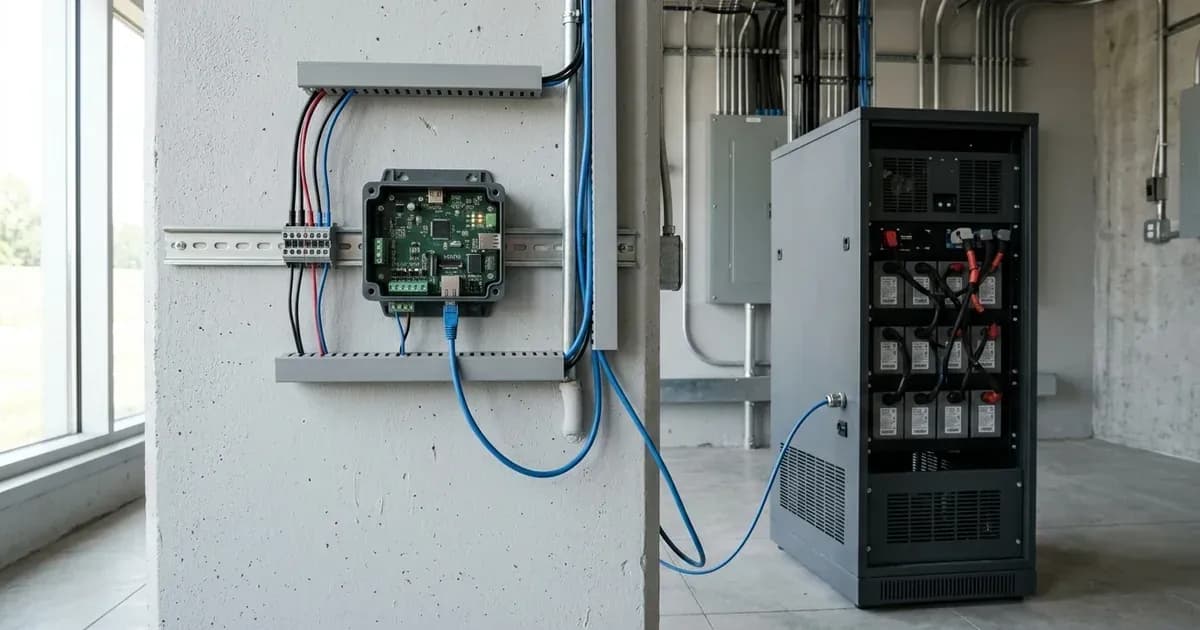
- Action: Ensure a network cable connects the Cegasa BMS to the BMS-Can port on your Victron GX device.
- Expected Result: The connection is secure and uses a standard CAT5e or CAT6 network cable.
- Meaning: "The specially wired type A or type B Victron BMS cables are NOT used with the Cegasa BMS." Using the wrong cable will prevent communication.
- Verify GX Device Firmware Version:
- Action: Check the firmware version of your Victron GX device (e.g., Cerbo GX, Color Control GX).
- Expected Result: The firmware version is v2.22 or newer.
- Meaning: "When used with Cegasa batteries, the minimum supported firmware version for the GX device is v2.22." If your version is older, an update is required. For automatic enforcement of DVCC settings, "v2.90 and later" is needed.
- Verify Inverter Firmware Version:
- Action: Check the firmware version of your Victron inverter/charger.
- Expected Result: The firmware version is 469 or newer.
- Meaning: "The minimum supported firmware version is 469." An older version may cause compatibility issues. "Updating to the latest firmware is recommended for new installations, and troubleshooting issues."
- Check GX Device CAN-bus Profile Setting:
- Action: Navigate to the CAN-bus settings within your GX device menu.
- Expected Result: The CAN-bus profile is set to "CAN-bus BMS (500 kbit/s)".
- Meaning: You must "Select the CAN-bus BMS (500 kbit/s) CAN-profile in the GX device" for the battery to communicate correctly.
- Observe Max Charge Voltage:
- Action: After ensuring all connections and settings are correct, check the "Max Charge Voltage" reading on your GX device.
- Expected Result: The "Max Charge Voltage will read 52.2 V."
- Meaning: This reading indicates that the system is properly configured and ready for use.
Cause and Fix Table
Symptom detail | Likely cause | Fix |
|---|---|---|
No communication with Cegasa battery | Incorrect cable type used for BMS connection | Connect a normal CAT5e or CAT6 network cable between the Cegasa BMS and the GX device's BMS-Can port. Do NOT use Victron Type A or Type B BMS cables. |
No communication with Cegasa battery | GX device firmware is older than required | Update GX device firmware to at least v2.22. For automatic DVCC enforcement, update to v2.90 or later. |
No communication with Cegasa battery | Inverter firmware is older than required | Update inverter firmware to version 469 or newer. |
No communication with Cegasa battery | Incorrect CAN-bus profile selected on GX device | In the GX device settings, select the "CAN-bus BMS (500 kbit/s)" CAN-profile. |
DVCC settings (Shared Voltage Sense, Shared Temperature Sense) are not automatically enforced | GX device firmware is older than v2.90 | Update GX device firmware to v2.90 or later. This will automatically enforce DVCC ON, Shared Voltage Sense OFF, and Shared Temperature Sense OFF. |
Communication issues when using a CCGX with a VE.Can MPPT and Cegasa battery | CCGX has only one VE.Can port, leading to CAN-bus speed conflicts | "Using a CCGX is not recommended as it only has a single VE.Can port." It cannot simultaneously support a VE.Can MPPT (250 kbit/s) and the Cegasa battery (500 kbit/s). |
Attempting to connect Cegasa batteries in series for higher voltage | Victron systems do not support this configuration | Victron systems "do NOT support the series connection configuration" of Cegasa batteries to increase voltage beyond "48V nominal". Ensure batteries are connected in parallel, up to "18 module capacity limit". |
Max Charge Voltage does not display 52.2 V | System not fully configured or still has an underlying issue | Re-verify all cable connections, firmware versions, and GX device settings. The "Max Charge Voltage will read 52.2 V" when the system is ready. |
Understanding Victron-Cegasa Communication
Proper communication between your Victron GX device and Cegasa EBick battery is critical for the battery's health and the overall system's performance. This communication relies on the CAN-bus protocol, specifically through the BMS-Can port on the GX device.
"It is essential to use the BMS-Can connection of a GX device with the Cegasa batteries for the communication of charge and discharge limits, error codes and state of charge." This ensures the battery's internal Battery Management System (BMS) can accurately inform the Victron system about its status and requirements.
The physical connection requires a standard network cable. "Connect normal CAT5e or CAT6 network cable () between the Cegasa BMS and the BMS-Can port... () The specially wired type A or type B Victron BMS cables are NOT used with the Cegasa BMS." Using the incorrect cable type will prevent any data exchange.
Firmware versions play a significant role. The GX device needs a minimum of "v2.22", and the inverter requires at least "469". Keeping firmware updated is generally a good practice for stability and new features. For GX devices running "v2.90 and later", specific DVCC (Distributed Voltage and Current Control) settings will be "set and enforced automatically". These include "DVCC ON, Shared Voltage Sense OFF, Shared Temperature Sense OFF", optimizing the system's control over charging and discharging.
Finally, the GX device's CAN-bus profile must be correctly configured. You must "Select the CAN-bus BMS (500 kbit/s) CAN-profile in the GX device." This sets the correct communication speed and protocol for the Cegasa battery.
Safety: Handling Lithium Batteries and Electrical Systems
Working with lithium batteries and solar electrical systems carries inherent risks. Always prioritize safety.
- Isolate Power: Before making any physical connections or disconnections, ensure all power sources are isolated. This includes turning off PV (solar panel) input, battery breakers, and AC input/output breakers. Wait for the inverter's internal capacitors to discharge as specified in its manual.
- Insulated Tools: Use only insulated tools when working on battery terminals or electrical connections. A metal tool shorting across battery terminals can cause severe arcing, burns, and damage.
- Correct Polarity: Always double-check polarity when connecting batteries. Incorrect polarity can cause immediate and severe damage to equipment and pose a fire hazard.
- No Series Connection: Victron systems "do NOT support the series connection configuration" of Cegasa batteries to increase voltage beyond "48V nominal". Connecting them in series against manufacturer recommendations can lead to dangerous overvoltage conditions and damage to the BMS or inverter.
- Ventilation: While lithium batteries do not off-gas hydrogen like lead-acid batteries, ensure adequate ventilation for all components to prevent overheating.
- BMS Protection: Lithium batteries rely heavily on their internal BMS for protection against overcharge, over-discharge, over-current, and extreme temperatures. Do not bypass or tamper with the BMS.
When to call a technician instead
While many communication issues can be resolved with basic troubleshooting, there are situations where professional help is necessary:
- Persistent Communication Failure: If you have followed all troubleshooting steps and communication still fails, there may be an internal fault with the battery's BMS, the GX device, or the inverter.
- Physical Damage: If you observe any physical damage to the battery, cables, or Victron equipment, do not attempt further DIY repairs.
- Unusual Behavior: Any unusual smells, sounds, or visible signs of overheating from components warrant immediate professional inspection.
- Warranty Concerns: Attempting unauthorized repairs or modifications may void your product warranty. Consult the warranty terms before undertaking any invasive troubleshooting.
- High Voltage Work: If you are uncomfortable working with the DC voltages present in a solar battery system, it is always safer to contact a qualified solar technician.
Frequently asked questions
What cable type is needed for Victron-Cegasa communication?
You need a normal CAT5e or CAT6 network cable. Specially wired Victron Type A or Type B BMS cables are not used with the Cegasa BMS.
What is the minimum GX device firmware for Cegasa batteries?
The minimum supported firmware version for the GX device is v2.22. For automatic enforcement of DVCC settings, v2.90 or later is required.
What is the minimum inverter firmware for Cegasa batteries?
The minimum supported inverter firmware version is 469. Updating to the latest firmware is recommended for new installations and troubleshooting.
Can I connect Cegasa batteries in series for higher voltage with Victron?
No, Victron systems do not support the series connection configuration of Cegasa batteries to increase voltage beyond 48V nominal. The maximum capacity is 18 modules in parallel.
What CAN-bus profile should be selected on the GX device for Cegasa batteries?
You must select the 'CAN-bus BMS (500 kbit/s)' CAN-profile in the GX device settings for proper communication.
References
- Victron Energy Battery Compatibility: Cegasa — accessed 23 August 2026
Related guides
More from inverter errors & fixes.