Victron BMZ ESS CAN-Bus Communication Setup Guide
Updated 19 September 2026 · By SolarNevs Research Desk, Dealer surveys + verified sources · 1 source · Method ↗
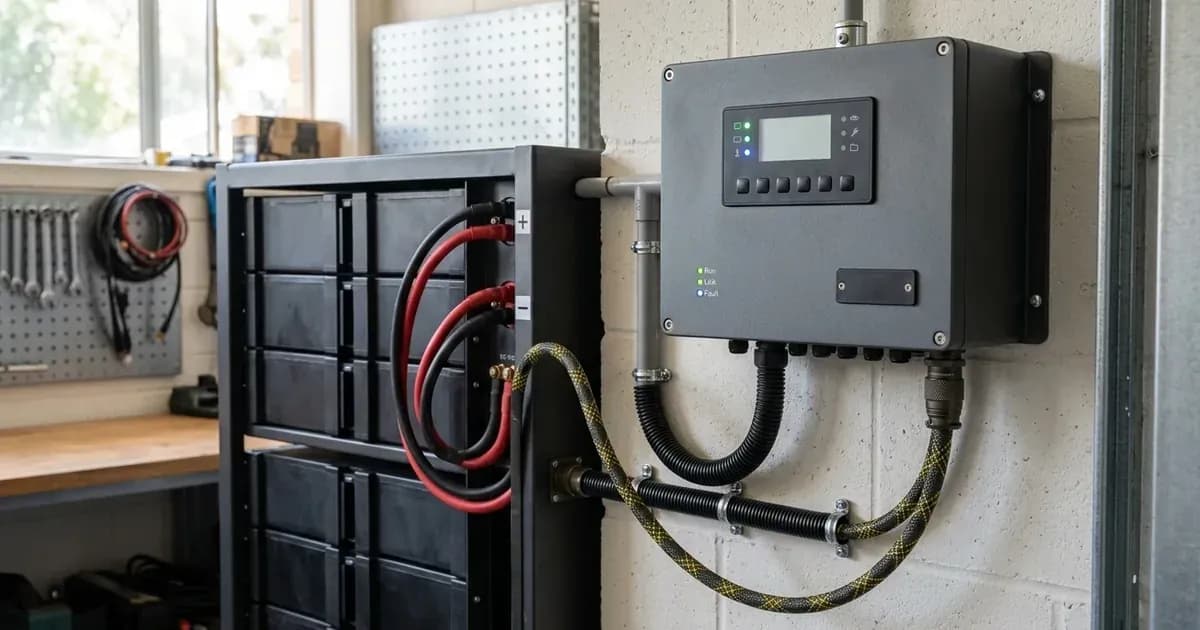
Key Takeaways
- The most likely cause for communication issues is incorrect cabling or GX device settings.
- Always start by checking your GX device firmware version.
- Always disconnect all power sources (PV, AC, battery) before handling wiring.
- If communication issues persist after verifying all settings and cabling, consult a Victron-certified installer.
Why is my Victron ESS not communicating with my BMZ ESS battery?
The most common cause for communication failure between a Victron ESS system and a BMZ ESS battery is incorrect CAN-bus cabling, outdated GX device firmware, or misconfigured settings. The first step is to verify your GX device firmware version.
Diagnosis
Follow these steps to diagnose and resolve communication issues between your Victron ESS and BMZ ESS battery:
- Check GX Device Firmware:
- Observable check: Navigate to the "Firmware" section on your GX device.
- What it means: If the version is below v1.72, update it. BMZ batteries require a minimum GX device firmware version of v1.72 to communicate correctly.
- Verify CAN-bus Cable Type and Connection:
- Observable check: Inspect the CAN-bus cable connecting the BMZ battery to the GX device.
- What it means: The correct cable is the Victron VE.Can to CAN-bus BMS type B Cable, part number ASS030720018. Ensure the side labeled "Battery BMS" is plugged into the BMZ BMS and the side labeled "Victron VE.Can" is plugged into the GX device. Incorrect cabling or using a generic cable will prevent communication.
- Confirm GX Device Model (if using VE.Can MPPTs):
- Observable check: Identify your GX device model and check if you have MPPT Solar Chargers connected via VE.Can.
- What it means: If you have MPPT Solar Chargers with a VE.Can communication port, a CCGX device cannot be used simultaneously with BMZ batteries because of different CAN-bus speeds. In this scenario, use a Cerbo GX, or use Solar Chargers with a VE.Direct communication port instead.
- Check for External Power During First Commissioning:
- Observable check: During initial setup, observe if the BMZ battery shuts down after approximately 10 seconds.
- What it means: On first commissioning, an external power supply (not the 48V from the BMZ-Battery) is needed for the GX device. The GX device sends a "keep alive" signal to the BMZ ESS via CAN-bus. Without it, the battery will have a communication fault and shut down after 10 seconds.
- Verify GX Device CAN-bus Profile Setting:
- Observable check: On your GX device, navigate to the CAN-bus settings.
- What it means: Ensure the "CAN-bus BMS (500 kbits/s)" CAN-profile is selected. An incorrect profile will prevent proper communication.
- Confirm VEConfigure Settings:
- Observable check: Access your inverter/charger settings via VEConfigure.
- What it means: Verify the battery capacity and charge settings. For a BMZ ESS 7.0, enter 121.5 Ah. For a BMZ ESS 9.0, enter 156.6 Ah. Set the absorption voltage to 60.75 V, float voltage to 60.00 V, and absorption time to 1 hour. These settings are crucial for the BMS to manage the battery correctly.
Cause/fix table section
Symptom detail | Likely cause | Fix |
|---|---|---|
BMZ battery not communicating | Incorrect GX device firmware version | Update GX device firmware to minimum v1.72. |
Communication fault, battery shuts down after 10 seconds | GX device not externally powered during first commissioning | Provide external power to the GX device during initial setup. |
No communication with BMZ battery | Incorrect CAN-bus cable or connection | Use Victron VE.Can to CAN-bus BMS type B Cable (ASS030720018), ensuring correct orientation. |
Communication issues with VE.Can MPPTs | Using CCGX with BMZ batteries and VE.Can MPPTs | Replace CCGX with a Cerbo GX, or use MPPTs with VE.Direct ports. |
Battery not charging correctly or showing errors | Incorrect CAN-bus profile selected on GX device | Select "CAN-bus BMS (500 kbits/s)" profile in GX device settings. |
Battery capacity or charge parameters incorrect | Misconfigured VEConfigure settings | Set battery capacity (121.5 Ah for BMZ ESS 7.0, 156.6 Ah for BMZ ESS 9.0), absorption voltage (60.75 V), float voltage (60.00 V), and absorption time (1 Hr) in VEConfigure. |
Article-type section: Communication Faults
BMZ ESS batteries are designed to operate within a Victron ESS installation that uses the ESS Assistant. Communication is critical for the Battery Management System (BMS) to properly manage charging, discharging, and overall battery health.
Protocol Basics (CAN-bus): The BMZ ESS batteries communicate with the Victron GX device via CAN-bus. This protocol allows the battery's BMS to share vital information, such as state of charge, voltage, current, and temperature, with the Victron system. The GX device then uses this data to control the inverter/charger and MPPTs. The specified CAN-bus profile for BMZ ESS is 500 kbits/s.
Cable and Pinout Checks: The correct cable is essential for reliable communication. Use the Victron VE.Can to CAN-bus BMS type B Cable, part number ASS030720018. This cable has specific labeling: plug the side labeled "Battery BMS" into the BMZ BMS and the side labeled "Victron VE.Can" into the GX device. Using a generic CAN-bus cable or an incorrectly wired one will prevent communication.
Protocol-Select Settings: On your Victron GX device, you must explicitly select the correct CAN-bus profile. Navigate to the settings and ensure "CAN-bus BMS (500 kbits/s)" is chosen. This tells the GX device how to interpret the data coming from the BMZ battery.
Firmware Note: The GX device firmware plays a crucial role. BMZ batteries require a minimum GX device firmware version of v1.72. Ensure your GX device is updated to at least this version to guarantee compatibility and stable communication.
Safety: Lithium-ion Battery Systems
BMZ ESS batteries are lithium-ion. While their internal Battery Management System (BMS) provides significant protection, certain safety precautions are essential:
- Disconnect Power: Always disconnect all power sources—solar PV, AC grid, and the battery itself—before working on any wiring or connections within your ESS system.
- Insulated Tools: Use insulated tools when working with battery terminals to prevent accidental short circuits. A short circuit across a high-capacity battery bank can release hundreds of amps, causing severe burns and equipment damage.
- Thermal Management: Ensure the battery is installed in an environment that allows for proper ventilation and temperature regulation as specified by the manufacturer. While the BMS protects against extreme temperatures, prolonged exposure to high heat can degrade battery performance and lifespan.
- No Disassembly: Never attempt to open or disassemble the battery pack. This can expose you to dangerous voltages and chemicals, and will void your warranty.
When to call a technician instead
If you have followed all the troubleshooting steps, verified all settings, and ensured correct cabling, but your Victron ESS system still fails to communicate with your BMZ ESS battery, it is time to call a qualified technician. Complex electrical issues or internal battery faults require specialized diagnostic tools and expertise. Attempting repairs beyond basic setup and configuration can be dangerous and may void your product warranties.
Frequently asked questions
What Victron GX device is compatible with BMZ ESS batteries?
BMZ batteries require a Victron GX device with minimum firmware v1.72. A Cerbo GX is recommended for systems with VE.Can MPPTs due to CAN-bus speed conflicts with CCGX.
What cable is needed for BMZ ESS CAN-bus communication?
Use the Victron VE.Can to CAN-bus BMS type B Cable, part number ASS030720018, connecting the 'Battery BMS' side to the BMZ and 'Victron VE.Can' to the GX device.
What are the correct VEConfigure settings for BMZ ESS batteries?
Set absorption voltage to 60.75 V, float voltage to 60.00 V, and absorption time to 1 hour. Battery capacity should be set to 121.5 Ah for BMZ ESS 7.0 or 156.6 Ah for BMZ ESS 9.0.
Why does my BMZ battery shut down after 10 seconds during initial setup?
During first commissioning, an external power supply is needed for the GX device to send a 'keep alive' signal via CAN-bus. Without this, the battery will fault and shut down after 10 seconds.
What CAN-bus profile should be selected on the GX device for BMZ ESS?
Select the 'CAN-bus BMS (500 kbits/s)' profile in the GX device settings.
References
- Victron Energy BMZ Battery Compatibility — accessed 23 August 2026
Related guides
More from inverter errors & fixes.