Victron VE Power Setup: CAN-bus Firmware Update Guide
Updated 16 September 2026 · By SolarNevs Research Desk, Dealer surveys + verified sources · 1 source · Method ↗
Key Takeaways
- Use VE Power Setup only when a GX device and internet access are unavailable.
- A specific CANUSB adapter (ASS030532000) is essential for VE.Can firmware updates.
- Firmware updates for VE.Bus products are not supported by VE Power Setup.
- Product configurations are preserved during firmware updates when using VE Power Setup version 5.0 or newer.
When to use Victron VE Power Setup for firmware updates?
You should use Victron VE Power Setup primarily when there is no GX device present and no internet connection is available. This tool is designed for offline firmware updates of specific Victron VE.Can products.
Diagnosing firmware update needs
Before proceeding with a firmware update, identify the product type and the available connection methods. Not all Victron products can be updated using VE Power Setup, and some require different procedures.
Step-by-step diagnosis:
- Check for GX Device and Internet:
- Observation: Is a Victron GX device (e.g., Cerbo GX) connected to your system, and do you have an active internet connection?
- Meaning: If yes, consider using the newer, recommended remote update mechanisms. The only reason to use VE Power Setup is when there is no GX device and no internet available.
- Identify Product Type (VE.Can vs. VE.Bus):
- Observation: Is your product a VE.Can device (e.g., Skylla-i, BlueSolar Charger CAN-bus) or a VE.Bus device (e.g., MultiPlus, Quattro)?
- Meaning: VE Power Setup is primarily for VE.Can product firmware updates. Remotely updating firmware in VE.Bus products is not possible and will not become possible.
- Check for Specific Incompatibilities:
- Observation: Is your product a Lynx Ion or Lynx Ion + Shunt?
- Meaning: These products cannot be updated via their VE.Can port using VE Power Setup. They require an update via their USB port instead.
- Verify Required Hardware:
- Observation: Do you have a CANUSB adapter, specifically the ASS030532000 model?
- Meaning: This adapter is required to update the firmware of a VE.Can product connected via USB to your computer.
Firmware update compatibility and requirements
Understanding which products are compatible and what hardware is needed is crucial for a successful firmware update using VE Power Setup.
Symptom detail | Likely cause | Fix |
|---|---|---|
Unable to update VE.Can product firmware | Missing specific adapter | Obtain a CANUSB adapter, model ASS030532000. |
Attempting to update VE.Bus product firmware | Incorrect tool/method for product type | VE.Bus product firmware cannot be updated remotely or via VE Power Setup. Consult the product manual for local update options if available. |
Lynx Ion or Lynx Ion + Shunt not updating via VE.Can | Product specific update method | Update Lynx Ion or Lynx Ion + Shunt via their dedicated USB port, not the VE.Can port. |
Configuration lost after firmware update | Using an older version of VE Power Setup | Ensure you are using VE Power Setup version 5.0 or newer, which preserves configuration during updates. |
Remote VE.Can firmware update fails | Deprecated method in use | The remote updating of firmware for VE.Can products is deprecated. Use the direct connection method with VE Power Setup and a CANUSB adapter. |
Using VE Power Setup for CAN-bus firmware updates
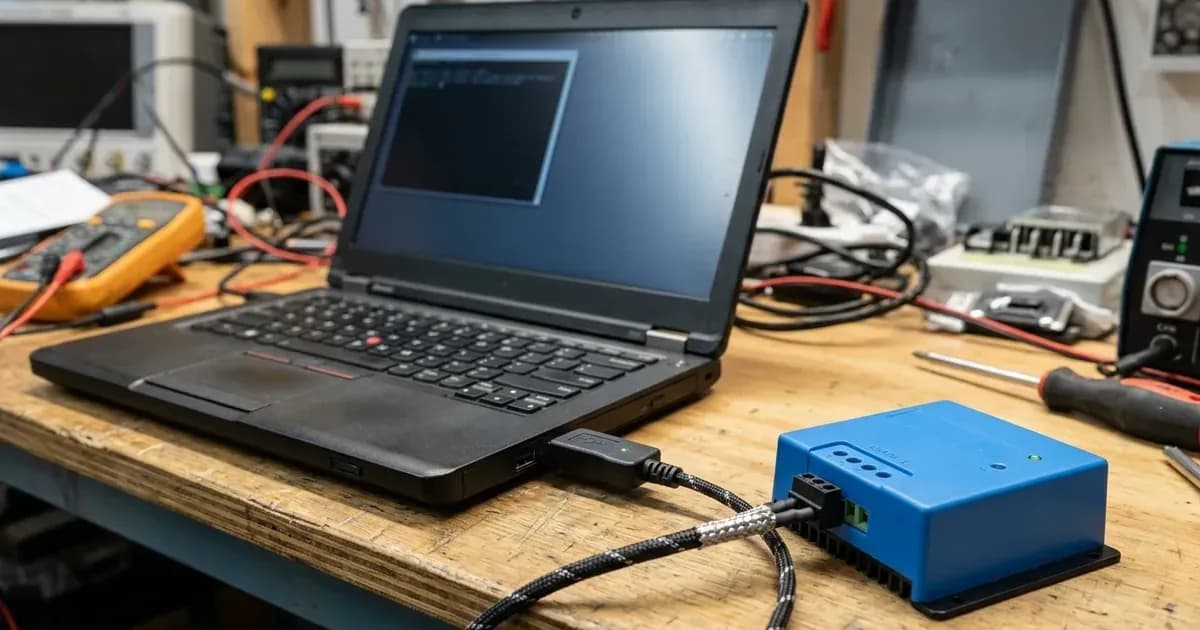
VE Power Setup facilitates firmware updates for compatible VE.Can products when other methods are unavailable. This process involves connecting the device directly to your computer using a specific adapter.
Compatible Products for VE.Can Firmware Updates:
Products which can be firmware updated via its VE.Can port using VE Power Setup include:
- All four Skylla-i Battery Chargers
- Skylla-IP44
- BlueSolar Charger 150/70 CAN-bus
- BlueSolar Charger 150/85 CAN-bus
Incompatible Products for VE.Can Firmware Updates:
Some products that cannot be updated via their VE.Can port using this method are:
- Lynx Ion (update via USB port instead)
- Lynx Ion + Shunt (update via USB port instead)
Deprecated Update Methods:
It is important to note that certain remote update mechanisms are deprecated. This includes remotely updating firmware of a VE.Can product and remotely changing the configuration of a VE.Bus system using Remote VEConfigure. For these, you should use the new mechanisms or the direct VE Power Setup method as described.
Configuration Preservation:
A significant improvement in VE Power Setup is that since version 5.0, the product configuration is preserved during a firmware update. This means you generally do not need to reconfigure your device after updating its firmware.
Safety: Electrical connections and firmware updates
Working with electrical systems always carries risks. While firmware updates are primarily software operations, they involve connecting to live equipment.
Always ensure the system is de-energized before making or breaking physical connections to prevent electrical shock or damage to equipment. Use appropriate personal protective equipment. When connecting a CANUSB adapter, ensure it is correctly seated and that cables are not strained. Opening the unit to access internal ports for updates should only be done by authorized service personnel after isolating all power sources (PV, battery, AC breakers) and waiting for the manual's specified capacitor discharge time.
When to call a technician instead
While VE Power Setup can be a useful tool for specific firmware updates, there are situations where professional assistance is necessary.
Call a qualified Victron technician if:
- You are unsure about the compatibility of your product with VE Power Setup.
- You do not have the required CANUSB adapter (ASS030532000) and cannot acquire it.
- You encounter persistent errors during the update process that are not resolved by following the steps outlined.
- You are uncomfortable working with electrical connections or accessing internal components of your Victron device.
- Your product is a VE.Bus device, as its firmware cannot be updated using this method, and attempting to do so may lead to further issues.
Frequently asked questions
When should I use Victron VE Power Setup?
You should use Victron VE Power Setup primarily when there is no GX device present and no internet connection is available for remote updates.
What specific hardware do I need to update VE.Can product firmware with VE Power Setup?
To update the firmware of a VE.Can product using VE Power Setup, you need a CANUSB adapter, specifically the ASS030532000 model, to connect to your computer.
Can I update the firmware of Victron VE.Bus products using VE Power Setup?
No, remotely updating firmware for VE.Bus products like Inverters, Multis, and Quattros is not possible with VE Power Setup and will not become possible.
Will my product's configuration be lost after a firmware update using VE Power Setup?
No, since VE Power Setup version 5.0, the product configuration is preserved automatically during a firmware update process.
Which Victron products are compatible with VE.Can firmware updates via VE Power Setup?
Compatible products include all four Skylla-i Battery Chargers, Skylla-IP44, BlueSolar Charger 150/70 CAN-bus, and BlueSolar Charger 150/85 CAN-bus. Lynx Ion and Lynx Ion + Shunt cannot be updated this way and require a USB port update instead.
References
- Victron Energy VE Power Setup Documentation — accessed 23 August 2026
Related guides
More from inverter errors & fixes.