Victron VE.Direct Bluetooth Dongle: Setup Guide
Updated 16 September 2026 · By SolarNevs Research Desk, Dealer surveys + verified sources · 1 source · Method ↗
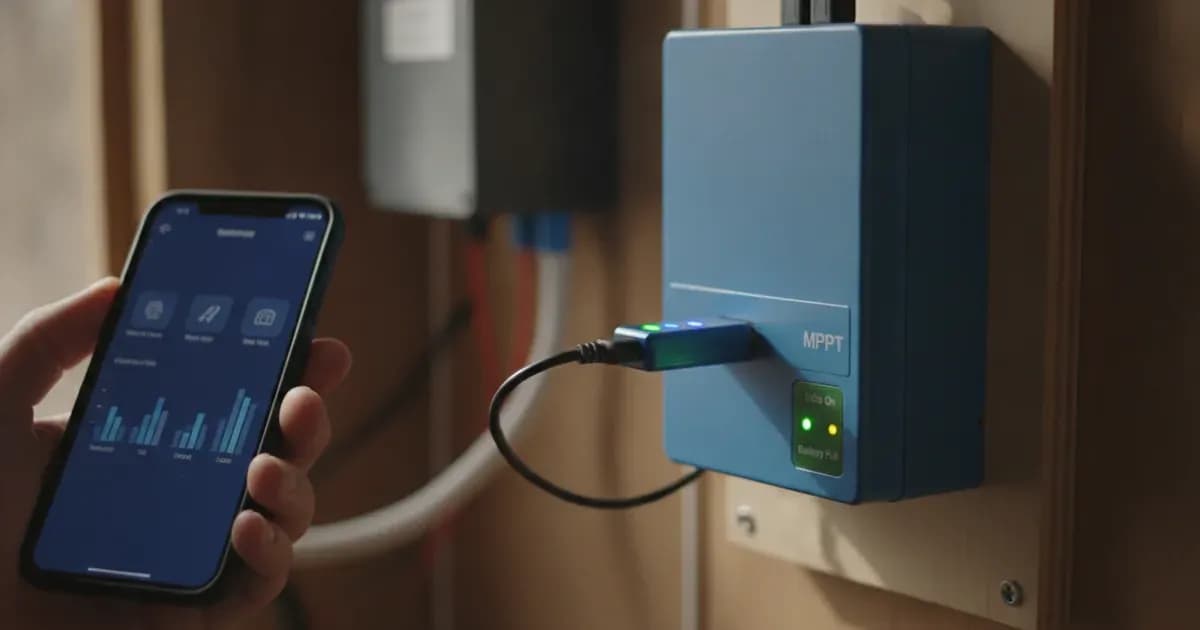
Key Takeaways
- The VE.Direct Bluetooth Smart Dongle connects to a non-Bluetooth VE.Direct Victron product which can then be accessed via Bluetooth using the VictronConnect app for easy monitoring, setup and firmware update purposes..
- Hardware compatibility scope: BMV 700 and 702 battery monitors , Phoenix Inverters VE.Direct or the BlueSolar MPPT Solar Charge Controllers ..
- Ultra-low standby current: Current draw when not connected via Bluetooth 1mA.
- Active wireless power: Current draw when connected via Bluetooth 2.5mA.
- Direct cable harness: Length VE.Direct cable 1.5m.
- Cable extension restriction: Notice It is not possible to extend the 1.5m VE.Direct cable.
- Broad compatibility rule: The dongle can be used with any Victron Energy product that is equipped with a VE.Direct port (with exception of GX devices..
- Diagnostic indicators: Two status LEDs for Bluetooth and errors.
- Hardware security recovery: Clear PIN code button.
- Visual diagnostic feedback: LED Status codes Bluetooth module.
- Active connection confirmation: When the connection is active, the blue Bluetooth LED will stop blinking and turn on solid.
Wireless Bluetooth Conversion & Port Architecture
The VE.Direct Bluetooth Smart Dongle upgrades legacy and standard VE.Direct equipment by providing direct wireless communication to smartphones, tablets, and laptops running the VictronConnect app without needing additional interface cables.
The Victron VE.Direct Bluetooth Smart Dongle is a wireless Bluetooth adapter for non-Bluetooth VE.Direct products (Current Draw: 1mA Standby / 2.5mA Connected | 1.5m Fixed Cable) with integrated diagnostics and host connectivity:
- Host Interconnect: 1.5m Molded Cable, Port-Powered, BMV 700 / 702, BlueSolar MPPT.
- Wireless Interface: Bluetooth Smart, VictronConnect, Firmware Updates, Instant Readout.
- Diagnostics: 2 Status LEDs, Blue/Red Ind., Clear PIN Btn, Solid Active.
Installation Rules & Direct Port Connection
- Direct Port Connection: Plug the 4-pin VE.Direct connector into the host equipment, utilizing the Length VE.Direct cable 1.5m while observing Notice It is not possible to extend the 1.5m VE.Direct cable.
- Port Compatibility Verification: Ensure **The dongle can be used with any Victron Energy product that is equipped with a VE.Direct port (with exception of GX devices.**.
- Visual Status Confirmation: Observe LED Status codes Bluetooth module and Two status LEDs for Bluetooth and errors where When the connection is active, the blue Bluetooth LED will stop blinking and turn on solid.
Low-Power Draw, PIN Recovery & VictronConnect
The dongle delivers seamless remote monitoring with minimal power drain:
- Low Current Draw: Draws only Current draw when not connected via Bluetooth 1mA in idle standby and Current draw when connected via Bluetooth 2.5mA during active data exchange.
- PIN Security Reset: If the wireless Bluetooth PIN code is lost, pressing the Clear PIN code button restores factory default pairing settings.
- Hardware Compatibility: Delivers wireless telemetry across **BMV 700 and 702 battery monitors , Phoenix Inverters VE.Direct or the BlueSolar MPPT Solar Charge Controllers .**.
- Comprehensive Wireless Management: Operates because The VE.Direct Bluetooth Smart Dongle connects to a non-Bluetooth VE.Direct Victron product which can then be accessed via Bluetooth using the VictronConnect app for easy monitoring, setup and firmware update purposes..
Technical Specifications & Parameter Summary
Parameter | Engineering Rating | Design Significance |
|---|---|---|
Adapter System Role | The VE.Direct Bluetooth Smart Dongle connects to a non-Bluetooth VE.Direct Victron product which can then be accessed via Bluetooth using the VictronConnect app for easy monitoring, setup and firmware update purposes. | Wireless telemetry conversion for legacy hardware |
Compatible Product Lineup | BMV 700 and 702 battery monitors , Phoenix Inverters VE.Direct or the BlueSolar MPPT Solar Charge Controllers . | Broad compatibility across non-Bluetooth portfolio |
Standby Power Draw | Current draw when not connected via Bluetooth 1mA | Negligible parasitic draw on monitored battery banks |
Active Power Draw | Current draw when connected via Bluetooth 2.5mA | Extremely efficient wireless data transmission |
Cable Harness Length | Length VE.Direct cable 1.5m | Convenient length for positioning outside metal boxes |
Cable Extension Rule | Notice It is not possible to extend the 1.5m VE.Direct cable | Strict signal integrity requirement |
Port Compatibility Scope | The dongle can be used with any Victron Energy product that is equipped with a VE.Direct port (with exception of GX devices. | Universal standard VE.Direct port interface |
Diagnostic Status LEDs | Two status LEDs for Bluetooth and errors | Visual feedback for wireless state and error alerts |
PIN Code Reset Function | Clear PIN code button | Physical button allows quick credential reset |
LED Diagnostic Codes | LED Status codes Bluetooth module | Full diagnostic indication during setup |
Active Pairing Indication | When the connection is active, the blue Bluetooth LED will stop blinking and turn on solid | Clear confirmation of established app communication |
Add a battery at a surveyed price
Installers quote supply and fitting of the battery on this page for your existing or new system.
How this pays for the site: installers pay SolarNevs a fixed introduction fee when we pass them a genuine enquiry. They cannot pay to appear higher, and our surveyed prices are published before any introduction. You can also take our dated price tables straight to any installer.
Frequently asked questions
What is the primary role and compatible hardware lineup for the VE.Direct Bluetooth Smart Dongle?
**The VE.Direct Bluetooth Smart Dongle connects to a non-Bluetooth VE.Direct Victron product which can then be accessed via Bluetooth using the VictronConnect app for easy monitoring, setup and firmware update purposes.** supporting **BMV 700 and 702 battery monitors , Phoenix Inverters VE.Direct or the BlueSolar MPPT Solar Charge Controllers .** (August 2026).
What electrical current consumption and cable length specifications apply?
It provides **Current draw when not connected via Bluetooth 1mA**, **Current draw when connected via Bluetooth 2.5mA**, and **Length VE.Direct cable 1.5m** where **Notice It is not possible to extend the 1.5m VE.Direct cable** (August 2026).
What port restrictions and status diagnostics are built in?
**The dongle can be used with any Victron Energy product that is equipped with a VE.Direct port (with exception of GX devices.** with **Two status LEDs for Bluetooth and errors**, a **Clear PIN code button**, and **LED Status codes Bluetooth module** where **When the connection is active, the blue Bluetooth LED will stop blinking and turn on solid** (August 2026).
References
- Victron Energy: VE.Direct Bluetooth Smart Dongle Manual — accessed 31 August 2026
Related guides
More from what to buy — and how not to get cheated.