Victron Energy and Freedom Won LiTE Battery Setup Guide
Updated 6 September 2026 · By SolarNevs Research Desk, Dealer surveys + verified sources · 4 sources · Method ↗
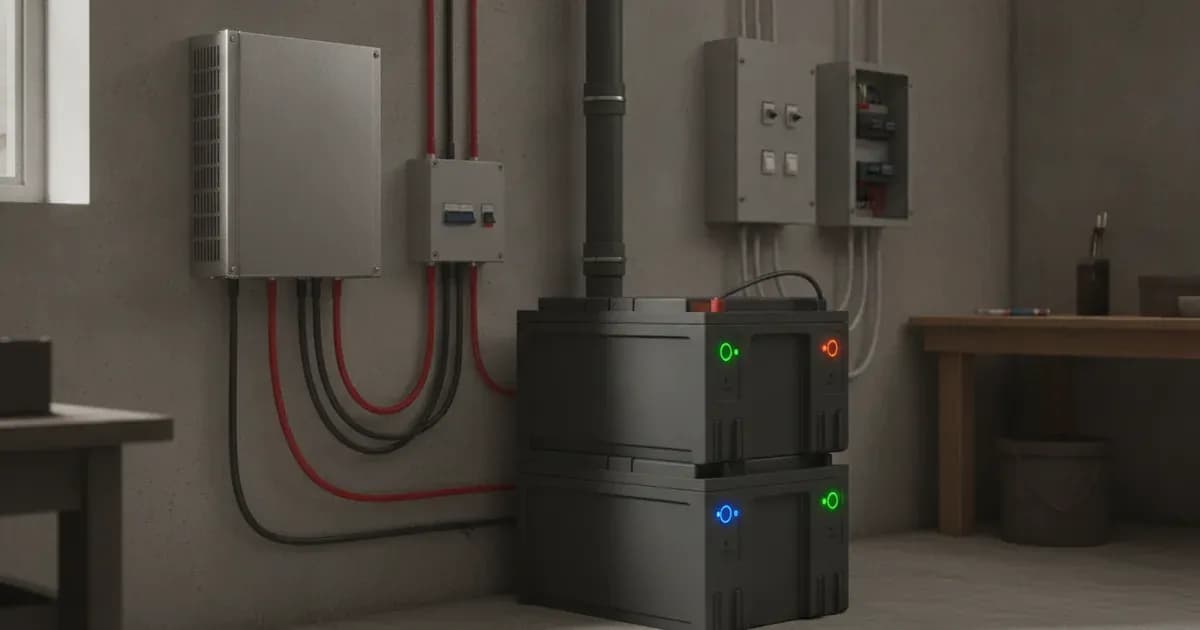
This guide details the integration and configuration of Victron Energy systems with Freedom Won LiTE commercial and residential lithium iron phosphate (LiFePO4) batteries. Proper setup ensures reliable communication between the battery's Battery Management System (BMS) and Victron GX devices, enabling optimal charging, discharging, and system management.
Freedom Won LiTE Battery Models
Freedom Won (www.freedomwon.co.za) produces two ranges of LiFePO4 batteries for 12V, 24V, and 48V systems, compatible with Victron products.
Model | Nominal Voltage | Capacity |
|---|---|---|
LiTE Home and Business | 48V | 5kWh to 80kWh |
LiTE Commercial | 48V | 100kWh to 700kWh |
eTower | 48V | 5kWh (e5000 model) |
LiTE Commercial 300/240 HV+ | 736 V nominal | 300 kWh (240 kWh @ 80% DoD) |
CAN-bus Communication and Wiring
Communication between Freedom Won LiTE batteries and Victron GX devices relies on a CAN-bus connection. This allows the battery's BMS to provide critical data, such as voltage, current limits, and state of charge, to the Victron system.
Cable Requirements
- For LiTE Home, Business, and Commercial models: A standard straight-through CAT5e Ethernet cable is required. Connect one end to an RJ45 socket on the LiTE battery and the other end to one of the CAN sockets on the GX device.
- For eTower models: You must use the cable supplied and labelled "Victron" with the eTower. A standard straight-through CAT5e Ethernet cable is not suitable for eTower models.
CAN-bus Pinout (Type B)
The Victron VE.Can to CAN-bus BMS Type B Cable (part number ASS030720018) pinout is used for communication.
Function | Victron VE.Can side (Pin) | Battery side (Pin) |
|---|---|---|
GND | 3 | 2 |
CAN-L | 8 | 5 |
CAN-H | 7 | 4 |
Termination
The second RJ45 socket on each Freedom Won LiTE battery must be fitted with an end-of-line 120Ω resistor. This ensures proper CAN-bus signal integrity.
Baud Rate
The Freedom Won Battery Management System is configured by default to communicate over CAN bus at a 500kbps baud rate. For systems using a Color Control GX and Victron VE.Can MPPTs, it is possible to change the baud rate of the BMS to 250kbps to accommodate the VE.Can baud rate, but this is only for single battery setups.
eTower DIP Switch Addressing
For parallel eTower installations, the first battery must be programmed as the Master by setting its DIP switches to Address 01. The remaining eTower modules connected to the DC bus are programmed as Slaves by default when they have addresses of 02 or higher.
Victron GX Device and Inverter/Charger Settings
Proper configuration of your Victron GX device and inverter/chargers is essential for seamless operation with Freedom Won LiTE batteries.
Firmware
- GX Device Firmware: The latest available firmware should be installed on all Victron devices.
- VE.Bus Firmware: No specific minimum version is provided for Freedom Won, but generally, the latest stable release is recommended.
DVCC (Distributed Voltage and Current Control)
DVCC is crucial for managing the battery's charge and discharge limits.
- The DVCC function will automatically be activated once the Freedom Won battery is connected via CANbus to the GX device.
Charge and Discharge Voltage Thresholds
The BMS communicates charge and discharge limits to the Victron system.
- Charge Voltage Limit (CVL) for LiTE Home/Business/Commercial: The value transmitted varies from 54.8V to 55.8V, depending on the battery's balancing state.
- Charge Voltage Limit (CVL) for eTower: The eTower uses a PACEBMS which publishes a static CVL of 55.8V.
- 12V Systems:
- Float and Bulk Charge Voltage: 14V
- Cut-out Voltage: 11.5V
- 24V Systems:
- Float and Bulk Charge Voltage: 28V
- Cut-out Voltage: 23V
Note: A float voltage of 53.8V, sometimes referenced for other lithium batteries, is not specified for Freedom Won LiTE batteries in the provided documentation. The BMS dynamically manages charge parameters.
ESS Configuration
For Energy Storage Systems (ESS), specific settings are recommended:
- ESS Mode: Use the "Optimised (without BatteryLife)" ESS mode to allow full-depth discharge of the battery regularly.
- MinSoC: On single battery setups, the ESS 'MinSoC' must be set to 0%.
Fault Modes and Fail-Safes
Understanding potential fault conditions and system responses is important for troubleshooting.
- Inverter Overloading: It is not permissible to install an inverter larger than stated in the LiTE specification sheet, regardless of whether the "Limit DC Discharge Power" ESS feature in the GX-device is used. Overloading can damage the battery, especially if grid power is unavailable.
- CAN bus Communication Loss: If the CAN bus cable is removed or damaged, Victron inverters will shut down within 5 minutes. This is a critical fail-safe to protect the battery.
Safety Information
WARNING: ELECTRIC SHOCK AND FIRE HAZARD Configuration, installation, service, and operating tasks should only be performed by qualified personnel. Equipment must be installed as specified. Do not disassemble or modify the battery. Do not touch exposed contents if damaged.
Pre-charging the DC Bus
WARNING: HIGH INRUSH CURRENT HAZARD The inrush current when switching on the battery breaker onto the DC bus is huge. This can cause damage to the breaker over time. It is a Freedom Won requirement that the DC bus is pre-charged before switching on the battery. This can be achieved by switching on the AC input to the inverters or connecting solar panels to MPPTs before connecting the battery.
Firmware Updates
WARNING: FIRMWARE UPDATE INTERRUPTION HAZARD Do not disconnect battery power or VE.Can communication during a firmware update. Interrupting the update process may result in battery malfunction. Ensure adequate backup capacity and do not update during critical system operation, low SOC, active alarms, extreme temperatures, or unstable communication.
Add a battery at a surveyed price
Installers quote supply and fitting of the battery on this page for your existing or new system.
How this pays for the site: installers pay SolarNevs a fixed introduction fee when we pass them a genuine enquiry. They cannot pay to appear higher, and our surveyed prices are published before any introduction. You can also take our dated price tables straight to any installer.
Frequently asked questions
What is the main purpose of Victron Energy and Freedom Won LiTE Battery Setup Guide?
It provides official Victron Energy configuration rules, technical parameters, and step-by-step troubleshooting procedures.
How do I resolve issues related to victron freedom won setup?
Follow the documented verification steps, check wiring and firmware, and ensure all parameters match official Victron specifications.
References
- Victron Support: Battery Compatibility - Pylontech Phantom — accessed 27 August 2026
- Victron Support: Battery Compatibility - Byd B-Box — accessed 27 August 2026
- Victron Support: Battery Compatibility - Freedomwon — accessed 27 August 2026
- Victron Support: Battery Compatibility - Dyness — accessed 27 August 2026
Related guides
More from what to buy — and how not to get cheated.