Victron Energy and BYD B-Box Premium Battery Setup Guide
Updated 6 September 2026 · By SolarNevs Research Desk, Dealer surveys + verified sources · 4 sources · Method ↗
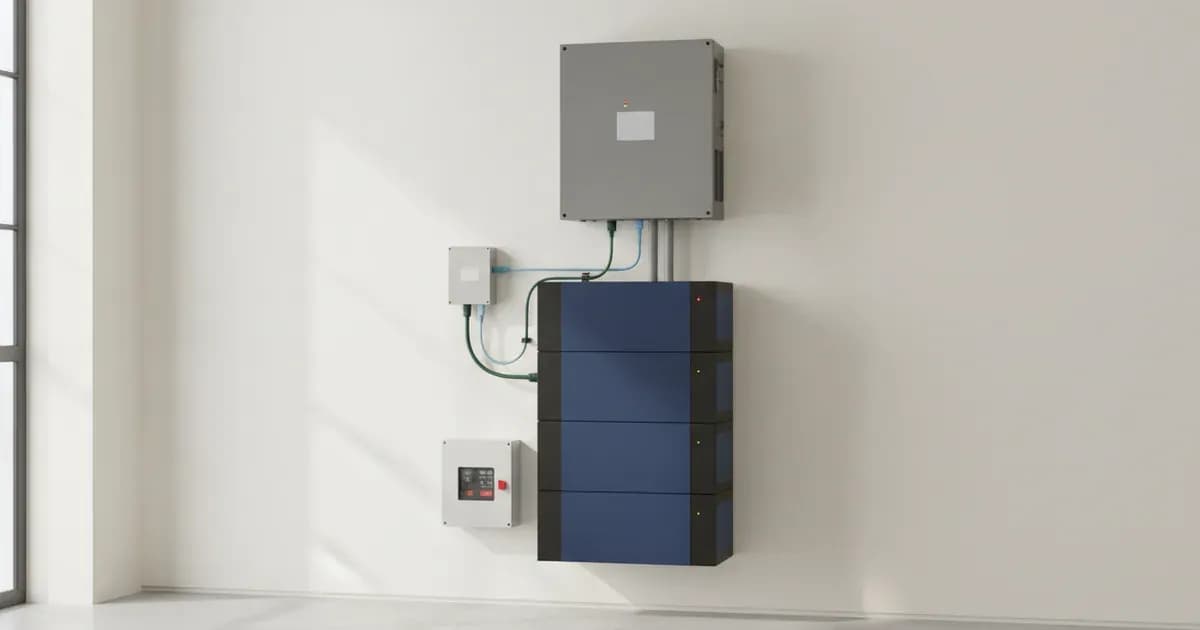
Integrating BYD B-Box and Premium lithium batteries with Victron Energy inverter/chargers and GX devices requires careful configuration to ensure optimal performance and safety. This guide details the necessary steps, including firmware requirements, CAN-bus communication setup, essential VEConfigure and ESS Assistant settings, and minimum battery sizing considerations.
1. BYD Battery Models and Compatibility
BYD manufactures a range of B-Box and Premium series batteries compatible with Victron Energy systems. These batteries feature integrated Battery Management Units (BMUs) or Battery Management Systems (BMSs) that communicate critical operational parameters to the Victron GX device.
Compatible BYD B-Box and Premium Models
The following BYD battery models are compatible with Victron Energy systems:
Battery Model | Module Capacity | Module Limit | Max Capacity | Off-Grid Compatible |
|---|---|---|---|---|
Pro 2.5-10.0 | 2.5 kWh | 32 | 80 kWh | yes |
Pro 12.8 & 13.8 | 13.8 kWh | 32 | 441.6 kWh | yes |
L 3.5-14.0 | 3.5 kWh | 12 | 42 kWh | no |
Premium LVL 15.4 | 15.36 kWh | 64 | 983 kWh | yes |
Premium LVS 4.0 | 4.0 kWh | 64 | 256 kWh | yes |
LV Flex 5 | 5.0 kWh | 64 | 320 kWh | yes |
LV5.0+/LV5.0+ (2026) | 5.12 kWh | 32 | 163.84 kWh | yes |
2. Firmware Requirements
Correct firmware versions are crucial for stable communication and operation between Victron and BYD components. Always ensure your devices are updated to at least the minimum specified versions, or preferably the latest available.
Victron GX Device Firmware
- B-Box Pro Series: The minimum supported firmware version for the GX device (e.g., Cerbo GX) is
v2.42. - B-Box Premium LV Series: The minimum supported GX device firmware version is
v2.52.
Victron VE.Bus Product Firmware
- For MultiPlus and Quattro inverter/chargers, the minimum supported firmware version is
469.
BYD Battery Firmware
- B-Box Pro BMU: Firmware versions earlier than
V4-13are not compatible with Victron equipment. - B-Box Premium Batteries: Battery firmware should be no less than
V1.4, and the BMS firmware should be no less thanV1.3. These can often be updated automatically via an Ethernet connection.
3. CAN-bus Communication Setup
CAN-bus communication is essential for the Victron GX device to receive critical data and control parameters from the BYD battery's Battery Management Unit (BMU).
Required Cable and Baud Rate
- Cable: Use the Victron VE.Can to CAN-bus BMS type A Cable, part number
ASS030710018. This cable connects the BYD BMU to the Victron GX device. - Baud Rate: The BMS-Can connection speed is set to
500 kbit/s.
CAN-bus Cable Pinout (Type A)
The Type A cable (ASS030710018) connects the Victron VE.Can port to the BYD B-Box RJ-45 port as follows:
Function | Victron VE.Can side | Battery side |
|---|---|---|
GND | Pin 3 | Pin 6 |
CAN-L | Pin 8 | Pin 5 |
CAN-H | Pin 7 | Pin 4 |
BYD Internal Communication and Addressing
- BMU and BMS Structure: A single central Battery Management Unit (BMU) can communicate with up to
32individual 2.5kWh battery modules. Each battery module also has its own Battery Management System (BMS) to protect individual cells and report back to the BMU. - Internal Comms: Small Ethernet jumper cables connect the BMSs together, labeled
COMinandCOMoutends. - Battery Addressing: The batteries need to be addressed using the “ADDR” jumper blocks, typically following a binary system (down=
0, up=1).
4. Victron System Configuration
After establishing physical connections and ensuring correct firmware, configure the Victron system using VEConfigure and the ESS Assistant.
VEConfigure Settings (MultiPlus/Quattro)
These settings are applied to your MultiPlus or Quattro inverter/charger using VEConfigure software. Note that the Absorption and Float voltage values provided here are examples from AXIstorage/BMZ batteries, used as a reference for BYD. The BYD BMU will dynamically manage charge limits.
Setting Name | Value | Notes |
5. Minimum Battery Sizing
To prevent over-current alarms and potential battery shutdowns, especially in off-grid systems, it is critical to size the BYD battery bank appropriately for the Victron inverter/charger. The following tables provide minimum module counts for various Victron MultiPlus and Quattro models.
Minimum Modules for BYD Pro 2.5 (Off-grid Use)
Victron Inverter Model | Minimum Modules (Pro 2.5) |
|---|---|
MultiPlus & MultiPlus II & MP-II GX 48/3000/35 | 2 |
MultiPlus, MultiPlus II, MP-II GX, & Quattro-II 48/5000/70 | 3 |
Quattro & MultiPlus-II 48/15000/200-100/100 | 9 |
Minimum Modules for BYD Premium LVL 15.4 (Off-grid Use)
Victron Inverter Model | Minimum Modules (Premium LVL 15.4) |
|---|---|
Quattro & MultiPlus-II 48/15000/200-100/100 | 2 |
Minimum Modules for BYD Premium LVS 4.0 (Off-grid Use)
Victron Inverter Model | Minimum Modules (Premium LVS 4.0) |
|---|---|
Quattro & MultiPlus-II 48/15000/200-100/100 | 7* |
*Note: For 7 units, two stacks are required. One stack is 4 battery modules, the other is 3. |
|
Minimum Modules for BYD LV5.0+ (Off-Grid Inrush Use)
Victron Inverter Model | Minimum Modules (LV5.0+) |
|---|---|
MultiPlus-II 230V 48/5000/70-50 | ≥2 |
Quattro 48/15000/200-100/100 | ≥2 |
6. Fault Modes and Troubleshooting
Understanding common fault modes helps in quick diagnosis and resolution.
BMU Triggering Over-Current Alarms
Symptom: The BYD Battery Management Unit (BMU) triggers over-current alarms. Cause: This can occur when using very large solar arrays with battery banks that are too small. The excessive charging current can exceed the battery's capacity, leading to the BMU triggering protective alarms. Ensure your battery bank is adequately sized for your solar array and inverter.
Firmware Update Warnings
WARNING: Do not attempt firmware updates using the battery for power until communication is confirmed. If the battery turns off midway through a firmware update, the consequences could be serious. During a remote firmware update, do not disconnect battery power or VE.Can communication. Interrupting the update process may result in battery malfunction. Ensure adequate backup capacity and avoid updates during critical system operation, low SOC, active alarms, extreme temperatures, or unstable communication.
7. Safety Considerations
Working with high-voltage battery systems requires strict adherence to safety protocols.
- Qualified Personnel: Configuration, installation, service, and operating tasks should only be performed by qualified personnel.
- Electric Shock and Fire Hazard: Equipment must be installed as specified. Do not disassemble or modify the battery. Do not touch exposed contents if the battery is damaged.
- Equipment Damage Hazard: Do not connect to POE or public telecommunication networks. Do not run CAT5 cables through conduits exposed to lightning.
- General Lithium Battery Safety: Lithium batteries can be dangerous. While some types are intrinsically safe, others can easily catch fire. Victron does not take responsibility for this. A battery must be intrinsically safe and include its own large disconnect mechanism.
Add a battery at a surveyed price
Installers quote supply and fitting of the battery on this page for your existing or new system.
How this pays for the site: installers pay SolarNevs a fixed introduction fee when we pass them a genuine enquiry. They cannot pay to appear higher, and our surveyed prices are published before any introduction. You can also take our dated price tables straight to any installer.
Frequently asked questions
What is the main purpose of Victron Energy and BYD B-Box Premium Battery Setup Guide?
It provides official Victron Energy configuration rules, technical parameters, and step-by-step troubleshooting procedures.
How do I resolve issues related to victron byd setup?
Follow the documented verification steps, check wiring and firmware, and ensure all parameters match official Victron specifications.
References
- Victron Support: Battery Compatibility - Pylontech Phantom — accessed 27 August 2026
- Victron Support: Battery Compatibility - Byd B-Box — accessed 27 August 2026
- Victron Support: Battery Compatibility - Freedomwon — accessed 27 August 2026
- Victron Support: Battery Compatibility - Dyness — accessed 27 August 2026
Related guides
More from what to buy — and how not to get cheated.