Victron Energy and Pylontech Lithium Battery Setup Guide
Updated 6 September 2026 · By SolarNevs Research Desk, Dealer surveys + verified sources · 4 sources · Method ↗
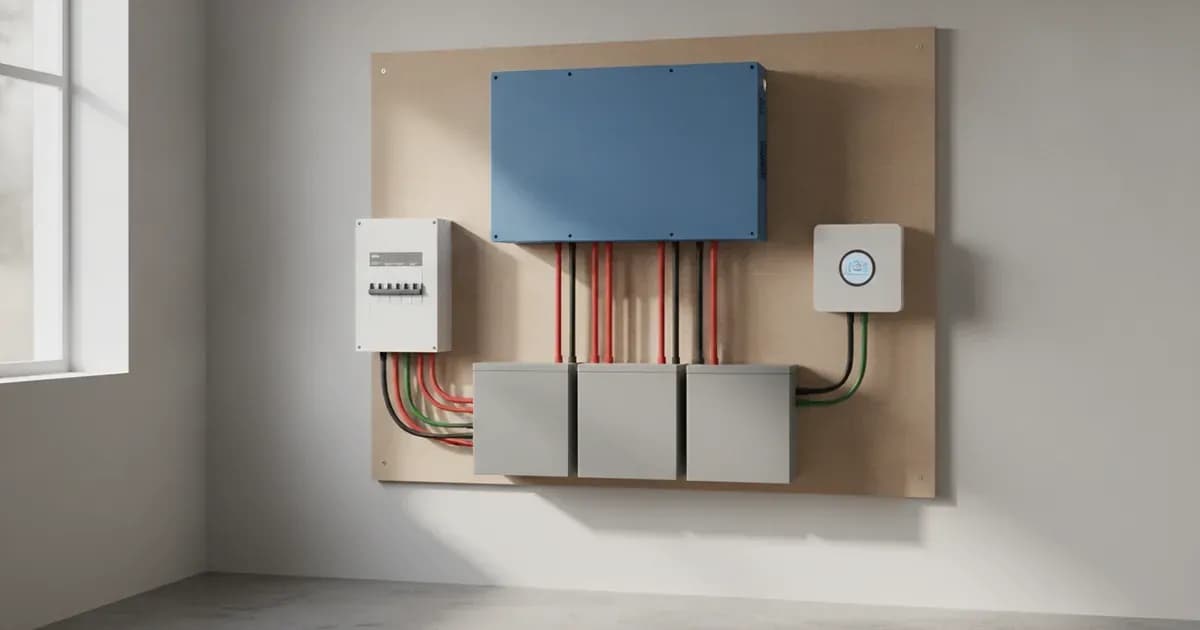
Integrating Pylontech lithium batteries with Victron Energy systems requires precise configuration and cabling to ensure optimal performance and safety. This guide covers the essential steps, from selecting the correct communication cables and configuring your GX device to understanding firmware requirements and proper battery sizing.
Pylontech lithium batteries are a popular choice for energy storage, and their compatibility with Victron Energy products has been officially tested and certified by both companies' R&D departments. This ensures a robust and reliable system when configured correctly.
Compatible Pylontech Battery Models
Pylontech offers a range of lithium iron phosphate (LiFePO4) batteries compatible with Victron Energy systems. These models vary in nominal voltage and module capacity, catering to different system sizes and requirements.
Model | Nominal Voltage | Module Capacity | Minimum GX Firmware |
|---|---|---|---|
UP2500* | 24V | 2.55 kWh | v3.50 |
US2000 (Plus/C/D) | 48V | 2.4 kWh | v3.50 |
US3000(C) | 48V | 3.5 kWh | v3.50 |
UP5000 & US5000(B) | 48V | 4.8 kWh | v3.50 |
Pelio-L | 51.2V | 5.12kWh | v3.50 |
Force-L1 & L2 | 48V | 3.55 kWh | v3.50 |
UF5000 | 51.2V | Coming soon | v3.50 |
Force-H3 (HV) | 102.4 V nominal | 5.12 kWh | Not specified |
For new installations, it is always recommended to use the latest available firmware for your GX device to ensure full compatibility and access to the latest features.
Establishing CAN-bus Communication
Reliable communication between your Pylontech Battery Management System (BMS) and the Victron GX device is critical for system operation. This is achieved via a CAN-bus connection, which allows the Pylontech BMS to provide essential data, such as charge and discharge limits, to the Victron system.
1. Select the Correct VE.Can BMS Cable
Victron offers specific VE.Can to CAN-bus BMS cables designed for different Pylontech models. Using the correct cable is essential for proper communication.
- Type A Cable (ASS030710018): Use this cable for Pylontech models including US2000C/D, US3000C, UP5000, US5000, US5000B, and Force-L.
- Type B Cable (ASS030720018): Use this cable for older Pylontech models such as US2000, US3000, and UP2500.
2. VE.Can Cable Pinout (Type A)
The Type A cable connects the Victron VE.Can port on your GX device to the Pylontech battery's CAN-bus port. The pinout is as follows:
Function | Victron VE.Can side (RJ45) | Pylontech Battery side (RJ45) |
|---|---|---|
GND | Pin 3 | Pin 6 |
CAN-L | Pin 8 | Pin 5 |
CAN-H | Pin 7 | Pin 4 |
3. Configure CAN-bus Baud Rate
The CAN-bus communication speed must be set correctly on your GX device.
- Baud Rate: The BMS-Can baud rate should be set to 500 kbit/s.
To configure this on your GX device:
- Navigate to Settings.
- Select Services.
- Choose VE.CAN port.
- Select the CAN-bus BMS (500 kbit/s) CAN-profile.
4. Pylontech DIP Switch Settings
For most Pylontech installations, the address DIP switches on the battery modules must be set to 000. If any other setting is used, the GX device will not detect the battery. An exception applies if you are using a Pylontech LV-Hub, which may require different settings.
5. Parallel Battery Wiring
When connecting multiple Pylontech battery modules in parallel, use the RJ-45 cable supplied by Pylontech to connect the link ports on the batteries. The battery with the empty link port 0 is designated as the master battery. For systems with more than 8 parallel units, additional configuration or equipment, such as a Pylontech LV-Hub, may be necessary depending on the specific battery model.
Firmware Requirements
Keeping your Victron equipment updated with the minimum required firmware versions ensures stable operation and full feature compatibility with Pylontech batteries.
- GX Device Firmware: For new systems, the minimum required firmware version for the GX Device (e.g., Cerbo GX) is v2.42. While legacy v2.15 can continue to operate, it is highly recommended to use the latest available firmware.
- VE.Bus Firmware: For new installations, the minimum firmware version for VE.Bus devices (MultiPlus, Quattro) is 469. Legacy firmware version 422 can continue to operate, but the latest version is recommended.
Dynamic Voltage and Current Control (DVCC) Settings
Dynamic Voltage and Current Control (DVCC) is a crucial feature that allows the GX device to manage charge and discharge parameters based on information received from the Pylontech BMS.
- DVCC: This setting should be ON. If your GX device runs firmware version v2.80 or newer, DVCC will be forced ON automatically.
- Shared Voltage Sense (SVS): This setting should be OFF. It is forced OFF if your GX device runs firmware version v2.80 or newer.
- Shared Temperature Sense (STS): This setting should be OFF. It is forced OFF if your GX device runs firmware version v2.80 or newer.
The Pylontech BMS communicates charge and discharge limits to the Victron system, which then dynamically adjusts charging voltages and currents. Therefore, fixed absorption and float voltage settings are not typically required for Pylontech batteries in a DVCC-enabled system. If you encounter "High Voltage" or "Internal Error" alarms, you may temporarily enable "Limit managed battery charge voltage" and adjust the voltage limit downwards to assist with cell balancing.
Minimum Battery Sizing for Victron Inverters
Properly sizing your Pylontech battery bank is essential to prevent issues such as BMS over-current alarms or battery shutdowns, especially in off-grid systems where inverters may draw significant startup inrush currents. The following table provides minimum Pylontech US2000 modules required for various Victron MultiPlus and Quattro inverters:
Victron Inverter Model | Minimum US2000 Modules |
|---|---|
Multiplus 48/3000/35 | 2 |
Multiplus 48/5000/70 | 4 |
Quattro 48/8000/110-100/100 | 6 |
Quattro 48/10000/140-100/100 | 7 |
Quattro 48/15000/200-100/100 | 10 |
Failure to meet these minimum requirements can lead to the battery shutting down if the inverter attempts to draw more current than the battery can safely supply.
Troubleshooting Common Issues
Battery Not Detected or Turns Off
If your Pylontech battery does not appear on the GX device display or turns itself off unexpectedly, the communication cable may not be properly connected. Ensure the VE.Can BMS cable is securely plugged into both the GX device and the Pylontech battery.
BMS Over-Current Alarms
Using very large solar arrays with battery banks that are too small can exceed the Pylontech battery's ability to charge, leading to the BMS triggering over-current alarms. Ensure your solar array and battery bank are appropriately matched.
Inverter Overloads and Battery Shutdown
In off-grid systems, the inverter prioritizes running the load and may exceed the battery's discharge current limit. This can cause the battery to shut down. Adhering to the minimum battery sizing guide is crucial to prevent this.
Error Code #67: No BMS
If your MPPT charge controller displays error code #67, it indicates that there is no BMS communication. Verify your CAN-bus cabling and GX device settings as described above.
High Voltage or Internal Error Alarms
These alarms often point to internal cell imbalance within the battery. While DVCC typically manages charge, if these alarms persist, you can temporarily enable the "Limit managed battery charge voltage" feature on the GX device and adjust the voltage limit downwards. This can help the BMS balance the cells.
Safety Considerations
Working with high-voltage battery systems requires strict adherence to safety protocols.
- Qualified Personnel: Configuration, installation, service, and operating tasks on Victron and Pylontech systems should only be performed by qualified personnel.
- Electric Shock and Fire Hazard: Lithium batteries can be dangerous. Always install equipment as specified, do not disassemble or modify the battery, and avoid touching exposed contents if the battery is damaged.
- Pre-charging DC Bus: Before switching on the battery breaker, it is essential to pre-charge the DC bus. This prevents huge inrush currents that can damage the breaker over time. Pre-charging can be achieved by switching on the AC input to inverters or connecting solar panels to MPPTs.
- Firmware Updates: Do not attempt firmware updates using the battery for power until communication is confirmed. If the battery turns off during a firmware update, the consequences could be serious. During a remote firmware update, never disconnect battery power or VE.Can communication. Ensure adequate backup capacity and avoid updating during critical system operation, low State of Charge (SOC), active alarms, extreme temperatures, or unstable communication.
Frequently Asked Questions
What is the minimum GX device firmware for Pylontech batteries?
For new systems, the minimum required firmware version for the GX Device is v2.42. However, using the latest available firmware is always recommended.
What is the correct CAN-bus baud rate for Pylontech batteries?
The CAN-bus baud rate for communication between Pylontech batteries and the Victron GX device should be set to 500 kbit/s.
Do I need to set absorption and float voltages for Pylontech batteries in VEConfigure?
No, when DVCC is enabled and properly configured, the Pylontech BMS communicates the necessary charge and discharge limits to the Victron system. The GX device then dynamically manages these parameters, so fixed absorption and float voltage settings are not typically required in VEConfigure. If you experience "High Voltage" or "Internal Error" alarms, you can use the "Limit managed battery charge voltage" feature for balancing.
What should the Pylontech DIP switches be set to?
The address DIP switches on Pylontech battery modules should be set to 000 for correct operation. The GX device will not detect the battery if any other setting is used, unless an LV-Hub is in use.
Why does my battery turn off or show "no BMS" error code #67?
This usually indicates a communication issue. Check that the correct VE.Can BMS cable (Type A or Type B) is used and securely connected between the Pylontech battery and the Victron GX device. Also, verify the CAN-bus profile on the GX device is set to "CAN-bus BMS (500 kbit/s)".
Add a battery at a surveyed price
Installers quote supply and fitting of the battery on this page for your existing or new system.
How this pays for the site: installers pay SolarNevs a fixed introduction fee when we pass them a genuine enquiry. They cannot pay to appear higher, and our surveyed prices are published before any introduction. You can also take our dated price tables straight to any installer.
Frequently asked questions
What is the main purpose of Victron Energy and Pylontech Lithium Battery Setup Guide?
It provides official Victron Energy configuration rules, technical parameters, and step-by-step troubleshooting procedures.
How do I resolve issues related to victron pylontech setup?
Follow the documented verification steps, check wiring and firmware, and ensure all parameters match official Victron specifications.
References
- Victron Support: Battery Compatibility - Pylontech Phantom — accessed 27 August 2026
- Victron Support: Battery Compatibility - Byd B-Box — accessed 27 August 2026
- Victron Support: Battery Compatibility - Freedomwon — accessed 27 August 2026
- Victron Support: Battery Compatibility - Dyness — accessed 27 August 2026
Related guides
More from what to buy — and how not to get cheated.