Victron Energy Compatibility Guide: Dyness, Hubble Lithium, BlueNova, and BSLBATT Batteries
Updated 6 September 2026 · By SolarNevs Research Desk, Dealer surveys + verified sources · 4 sources · Method ↗
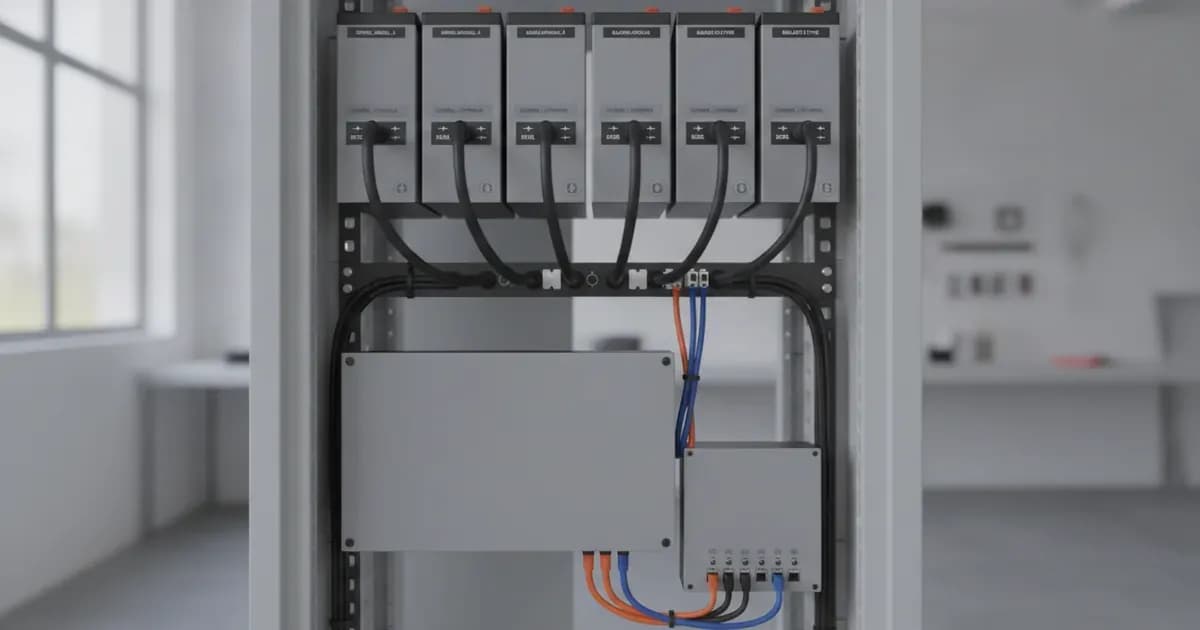
Integrating third-party lithium batteries with Victron Energy systems requires precise configuration of communication protocols, firmware, and settings. This guide provides a detailed compatibility and configuration matrix for Dyness, Hubble Lithium, BlueNova, and BSLBATT batteries when used with Victron GX devices and inverter/chargers.
We cover essential details such as RJ45 cable pinouts, DIP switch addressing, GX CAN-bus profile selection, and manufacturer-specified DVCC voltage and current limits to ensure a stable and efficient system.
General Victron Lithium Battery Integration Principles
Victron Energy systems rely on CAN-bus communication to interface with external Battery Management Systems (BMS). The GX device (e.g., Cerbo GX) acts as the central communication hub, receiving critical data like charge voltage limits (CVL), discharge current limits (DCL), and temperature from the battery's BMS. This data allows the Victron inverter/chargers and solar charge controllers to operate within the battery's safe parameters.
Key aspects of integration include:
- CAN-bus Cable: Using the correct RJ45 cable type (Type A, Type B, or standard straight-through) for physical connection.
- CAN-bus Speed: Setting the correct baud rate, typically 500 kbit/s for BMS-Can.
- Firmware: Ensuring all Victron and battery components have the minimum required firmware versions.
- DVCC (Distributed Voltage and Current Control): This Victron feature allows the GX device to control charge and discharge parameters across all connected Victron devices based on BMS data.
Safety First: Working with Lithium Batteries
WARNING: ELECTRIC SHOCK AND FIRE HAZARD. Lithium batteries store significant energy and can be dangerous if mishandled. Always ensure that configuration, installation, service, and operating tasks are performed only by qualified personnel. Do not disassemble or modify batteries. If a battery is damaged, do not touch exposed contents.
Always isolate PV, battery, and AC power sources before making or changing any electrical connections. Use insulated tools and appropriate Personal Protective Equipment (PPE). A spanner across a battery bank can short hundreds of amps, causing severe burns and equipment damage.
Dyness Battery Compatibility with Victron
Dyness batteries are compatible with Victron Energy systems via CAN-bus communication. Proper firmware and CAN-bus settings are crucial for reliable operation.
Dyness Models Overview
The Dyness compatibility information primarily focuses on communication protocols. Official technical records note that Dyness "Tower lines top out at 576 V". Specific model capacities and detailed specifications should be obtained directly from Dyness.
Required Firmware Versions for Dyness
To ensure stable communication and control, update your Victron devices to at least these firmware versions:
Device | Minimum Firmware Version | Notes |
|---|---|---|
GX Device | v3.31 | Recommended to use the latest available. |
VE.Bus Models | 469 | Recommended to use the latest available. |
RS Models | 1.16 | Recommended to use the latest available. |
Dyness CAN-bus Configuration
Dyness batteries communicate with Victron GX devices using the BMS-Can protocol.
- CAN-bus Speed: It is essential to use the BMS-Can (500 kbit/s) connection type of a GX device with these batteries.
- Cable Type: Victron technical documentation does not specify a unique cable type (Type A or B) for Dyness. Ensure your Dyness battery's manual specifies the correct pinout for connection to a Victron GX device's VE.Can port.
Hubble Lithium Battery Compatibility with Victron
Hubble Lithium batteries offer compatibility with Victron systems, often requiring a CloudLink device for full integration. They are available in both LiNiMnCoO2 (NMC) and LiFePO4 (LFP) chemistries.
Hubble Lithium Models Overview
Hubble Lithium offers a range of batteries across different chemistries and nominal voltages:
Chemistry | Model | Nominal Voltage | Notes |
|---|---|---|---|
LiNiMnCo (NMC) | AM-2, AM-3, X101 | 48V |
|
LiFePO4 (LFP) | AM-5, AM-10, AM-16, Blade | 48V |
|
LiFePO4 (LFP) | X-100 | 48V |
|
LiNiMnCo (NMC) | AM-4 | 24V |
|
LiFePO4 (LFP) | S-100/A, S-120, S-200/A | 12V |
|
HV100 (HV) | HV100 | 102.4 V nominal | Module capacity 10.24 kWh, Max discharge 10.24 kW (1C). |
Required Firmware Versions for Hubble Lithium
Ensure the following minimum firmware versions for optimal compatibility:
Device | Minimum Firmware Version | Notes |
|---|---|---|
CloudLink | >= 4.60 | Essential for communication. |
GX Device | >= 3.00 |
|
VE.Bus | Current release recommended |
|
Hubble Lithium CAN-bus and CloudLink Configuration
All Hubble batteries require a CloudLink for full and official support with Victron. Some models (e.g., AM-5+, AM-2+, X101+) have a built-in CloudLink, indicated by a "+" symbol. External CloudLinks are available for other models.
- CAN-bus Cable: The Victron VE.Can to CAN-bus BMS type A Cable 1.8m (ASS030710018) is recommended for all CloudLink-based installations.
- CloudLink Settings: Configure the CloudLink via its local WiFi AP or the remote console on the CloudLink portal. The hotspot is "RIOT_WiFi" with password "CloudLink".
- Device Settings:
-
CAN Mode => Victron -
CAN Conn. To => Inverter -
Adaptive Cell Limits => Enable
-
- Site Settings:
-
Inverter Brand => Victron
-
Hubble Lithium DVCC Settings
DVCC is forced on by the GX device if the Hubble battery is correctly connected and identified. The following DVCC settings are recommended:
-
Limit charge current: Off -
Limit managed battery charge voltage: Off -
SVS - Shared voltage sense: Off -
STS - Shared temperature sense: Forced off -
SCS - Shared current sense: Off -
Controlling BMS: Automatic selection
Hubble Lithium Fallback Voltage Settings
In situations where CAN-bus communication is lost, Victron devices will revert to fallback voltage settings. Configure these in your Victron inverter/charger and MPPTs.
For LiNiMnCo (NMC) 48V Models (AM-2, AM-3, X101):
Setting | Voltage | Applies To |
|---|---|---|
Fallback Charge Voltage | 53.3V | Multi RS, MPPT, VE.Bus Absorption/Float |
Fallback Cutoff Voltage | 44.2V | Multi RS Low battery shutdown, VE.Bus DC input low shut-down, ESS Dynamic cutoff |
Fallback Restart Voltage | 46.2V | Multi RS Low battery restart & alarm, VE.Bus DC input low restart & pre-alarm |
Fallback Sustain Voltage | 47.0V | Multi RS Charge detect, ESS Sustain voltage |
For LiFePO4 (LFP) 48V Models (AM-5, AM-10, AM-16, Blade):
Setting | Voltage | Applies To |
|---|---|---|
Fallback Charge Voltage | 56.0V | Multi RS, MPPT, VE.Bus Absorption/Float |
Fallback Cutoff Voltage | 40.0V | Multi RS Low battery shutdown, VE.Bus DC input low shut-down, ESS Dynamic cutoff |
Fallback Restart Voltage | 50.0V | Multi RS Low battery restart & alarm, VE.Bus DC input low restart & pre-alarm |
Fallback Sustain Voltage | 50.0V | Multi RS Charge detect, ESS Sustain voltage |
For LiFePO4 (LFP) 48V X-100 Model:
Setting | Voltage | Applies To |
|---|---|---|
Fallback Charge Voltage | 51.0V | Multi RS, MPPT, VE.Bus Absorption/Float |
Fallback Cutoff Voltage | 40.0V | Multi RS Low battery shutdown, VE.Bus DC input low shut-down, ESS Dynamic cutoff |
Fallback Restart Voltage | 47.0V | Multi RS Low battery restart & alarm, VE.Bus DC input low restart & pre-alarm |
Fallback Sustain Voltage | 47.0V | Multi RS Charge detect, ESS Sustain voltage |
Hubble Lithium Minimum Battery Sizing
- An AM-2 paired with a MultiPlus-II 5kVA (1:1) will result in a reliable solution.
- For MultiPlus-II 5kVA or 8kVA, it is recommended to use 2 x AM-5 batteries (2:1 or 1:0.8 ratio).
Hubble Lithium Parallel Wiring Guidelines
- For inverters 5kW or smaller: Batteries can be daisy-chained, but negative and positive leads must be drawn diagonally across the bank to ensure even current distribution.
- For inverters larger than 5kW: Each battery must be individually wired to a busbar.
BlueNova Battery Compatibility with Victron
BlueNova Energy batteries are compatible with Victron systems, utilizing CAN-bus for communication and DVCC for charge management.
BlueNova Models Overview
BlueNova Energy offers several 48V ranges compatible with Victron:
- BlueNova Energy range
- SSS range
- RacPower (BP & DU) range
Required Firmware Versions for BlueNova
The minimum GX device firmware version is v2.02. For DVCC functionality, ensure the following minimum firmware versions:
Device | Minimum Firmware Version |
|---|---|
BlueNova Energy 123SmartBMS | v5.13 |
BlueNova Energy BMMC | V3.5 + |
Multi/Quattro | 422 |
MultiGrid | 424 |
GX device | v2.12 |
VE.Direct MPPTs | v1.29 |
Lynx Ion + Shunt | v2.04 |
Lynx BMS | v1.09 |
ESS Assistant | 164 or later (released Nov 2017) |
BlueNova CAN-bus Configuration
BlueNova batteries communicate at a default CAN-bus speed of 500kbps.
- Cable: No RJ45 cable is supplied by BlueNova for this connection. Plug the GX device side into a VE.Can socket or "BMS Can" port, and the other end into the battery's CAN-bus port.
- Termination:
- For the BlueNova Energy "SSS" range, a VE.Can terminator is not necessary for the other VE.Can socket on the GX device.
- The RacPower (BP & DU) range of BlueNova Energy batteries need to have CAN-bus terminations done.
BlueNova VEConfigure Settings
For Victron inverter/chargers (MultiPlus, Quattro), configure VEConfigure as follows:
-
Battery type: Lithium -
Charge curve: Fixed -
Absorption time: 1 Hr - The internal BMS controls deep discharge and overcharge conditions. Refer to the BlueNova technical manual for specific model float/absorption limits.
BlueNova ESS Assistant Settings
When configuring the ESS Assistant, select the fifth battery type: "externally managed".
BlueNova DVCC Settings
The DVCC function will automatically be activated once the BlueNova Energy battery is connected via CAN-bus to the GX device.
-
Shared Voltage Sense (SVS)is by default enabled when DVCC is enabled. This can be disabled inSettings -> System Setupif needed. -
Limit charge currentis a user-configurable maximum charge current setting and can, in the majority of cases, be disabled for BlueNova Energy batteries.
BlueNova MPPT Settings
For Victron MPPT solar charge controllers:
-
Disable Autodetect voltage -
Set Battery voltage to 48V
BlueNova Parallel Monitoring
To monitor all individual paralleled BlueNova Energy batteries in an installation, a BlueNova Energy BMAC Online unit can be installed between the BlueNova Energy batteries and the Victron Energy GX device.
BSLBATT Battery Compatibility with Victron
BSLBATT LiFePO4 batteries are fully supported by Victron Energy systems, utilizing CAN-bus communication.
BSLBATT Models Overview
All BSL batteries are supported by Victron. Common 48V models include:
- 5.1kWh/100Ah
- 6.4kWh/125Ah
- 8.2kWh/160Ah
- 10.2kWh/200Ah
Required Firmware Versions for BSLBATT
Ensure the following minimum firmware versions:
Device | Minimum Firmware Version | Notes |
|---|---|---|
GX Device | v2.52 | Recommended to use the latest available. |
VE.Bus | 469 | Recommended to use the latest available. |
BSLBATT CAN-bus Configuration
BSLBATT batteries communicate with Victron GX devices via CAN-bus.
- CAN-bus Speed: The CAN-bus baud rate is 500kbit/s for communication between BSL batteries and any GX device.
- Cable Type: To connect your battery to the relevant GX device, you must utilize a "Type B" cable. The Victron part number for this cable is ASS030720018.
- Termination: One should always terminate the CAN port on the GX device when installing BSL batteries.
BSLBATT VEConfigure Settings
For Victron inverter/chargers (MultiPlus, Quattro), configure VEConfigure as follows:
- Charger Tab:
-
Battery type: Lithium -
Charge curve: Fixed -
Absorption voltage: 55 V -
Float voltage (1): 54.8 V -
Absorption time: 1 Hr
-
- Inverter Tab:
-
DC input low shut-down: 48V -
DC input low restart: 52.5V -
DC input low pre-alarm*: 51V
-
BSLBATT ESS Settings
For systems utilizing ESS (Energy Storage System):
-
Sustain voltage: 50V -
Dynamic cut-off values: Set all values to 47V -
Restart offset: 1.2 V (Default) -
Voltage to restart PV: 53.5V
BSLBATT MPPT Settings
For Victron MPPT solar charge controllers, select the "Smart Lithium" preset or configure manually:
-
Battery voltage: 48V -
Absorption voltage: 55V -
Float voltage: 54.8V
BSLBATT Minimum Battery Sizing
The following table provides minimum BSLBATT 5.1kWh modules for single-phase Victron inverter/chargers:
Victron Inverter Model | Minimum 5.1kWh Modules |
|---|---|
Multiplus & Multiplus II & MP-II GX 48/3000/35 | 1 |
Multiplus & Multiplus II & MP-II GX 48/5000/70 | 1 |
Quattro 48/15000/200-100/100 | 3 |
For the Quattro 48/15000/200-100/100, if using 8.2kWh modules, a minimum of 2 modules are required.
BSLBATT Troubleshooting
- Flashing red light: The battery may have an error. Hold the reset button for 5 seconds to turn off, wait 10 seconds, then hold the reset button for another 5 seconds to turn on. If the error persists, contact your installer.
- Battery not turning on / No voltage or 16V on terminals: This could be due to lightning strikes, surging, or a faulty breaker. Contact your installer for inspection.
General VE.Can BMS Cable Pinouts and Baud Rates
Understanding the correct cable pinout is critical for establishing reliable CAN-bus communication between your Victron GX device and third-party batteries.
Victron VE.Can to CAN-bus BMS Cable Types
Victron offers specific cables for different battery manufacturers. These are typically RJ45 to RJ45 cables with specific internal wiring.
Type A Cable (ASS030710018)
Function | Victron VE.Can side (RJ45 Pin) | Battery side (RJ45 Pin) |
|---|---|---|
GND | Pin 3 | Pin 6 |
CAN-L | Pin 8 | Pin 5 |
CAN-H | Pin 7 | Pin 4 |
Type B Cable (ASS030720018)
Function | Victron VE.Can side (RJ45 Pin) | Battery side (RJ45 Pin) |
|---|---|---|
GND | Pin 3 | Pin 2 |
CAN-L | Pin 8 | Pin 5 |
CAN-H | Pin 7 | Pin 4 |
CAN-bus Baud Rates
- BMS-Can: The standard baud rate for BMS-Can communication is 500 kbit/s.
- VE.Can (older MPPTs): For systems using a Color Control GX and older Victron VE.Can MPPTs, it is possible to change the baud rate of the BMS to 250kbps to accommodate the VE.Can baud rate.
Frequently Asked Questions
What is DVCC and why is it important for third-party batteries?
DVCC (Distributed Voltage and Current Control) is a Victron Energy feature that allows the GX device to centrally manage charge and discharge parameters across all connected Victron components (inverters, MPPTs). When integrated with a compatible third-party battery via CAN-bus, the battery's BMS provides real-time voltage, current, and temperature limits to the GX device. DVCC then ensures all Victron chargers and inverters operate within these safe limits, protecting the battery from overcharging, over-discharging, or excessive current.
How do I know which CAN-bus cable type (A or B) to use?
The specific cable type (Victron VE.Can to CAN-bus BMS Type A or Type B) is determined by the battery manufacturer's pinout requirements. Always refer to the battery manufacturer's documentation or the Victron compatibility page for your specific battery model. For Hubble Lithium, Type A (ASS030710018) is recommended. For BSLBATT, Type B (ASS030720018) is required. For Dyness and BlueNova, consult their specific documentation as a Victron-specific cable type might not be explicitly stated in the general compatibility overview.
What happens if the CAN-bus communication fails?
If CAN-bus communication between the battery BMS and the Victron GX device fails, the Victron system will lose real-time battery data. Depending on the configuration and battery type, the system may revert to pre-configured fallback voltage settings (as detailed for Hubble Lithium), shut down to protect the battery, or trigger alarms. It is crucial to ensure robust CAN-bus connections and correct settings to prevent communication loss.
Can I use a standard Ethernet cable for CAN-bus communication?
While CAN-bus uses RJ45 connectors, a standard straight-through Ethernet cable is typically only suitable if explicitly stated by the battery manufacturer (e.g., some Freedom Won LiTE models). Many batteries require specific pinouts that differ from standard Ethernet, necessitating Victron's Type A or Type B cables. Using the wrong cable can prevent communication or even damage equipment.
Why are firmware updates so important?
Firmware updates often include critical bug fixes, performance improvements, and compatibility enhancements for new battery models or Victron products. Running outdated firmware can lead to communication issues, incorrect battery management, and system instability. Always ensure your GX device, inverter/chargers, MPPTs, and battery BMS are running the minimum required or latest recommended firmware versions.
What are fallback voltages and when are they used?
Fallback voltages are pre-set charge, discharge, restart, and sustain voltage limits configured in Victron devices. These are used as a safety measure if the primary CAN-bus communication with the battery's BMS is lost. For example, if a Hubble Lithium battery loses communication, the Victron system will switch to these fallback values to prevent potential overcharge or over-discharge, though these values are less precise than real-time BMS data.
Add a battery at a surveyed price
Installers quote supply and fitting of the battery on this page for your existing or new system.
How this pays for the site: installers pay SolarNevs a fixed introduction fee when we pass them a genuine enquiry. They cannot pay to appear higher, and our surveyed prices are published before any introduction. You can also take our dated price tables straight to any installer.
Frequently asked questions
What is the main purpose of Victron Energy Compatibility Guide: Dyness, Hubble Lithium, BlueNova, and BSLBATT Batteries?
It provides official Victron Energy configuration rules, technical parameters, and step-by-step troubleshooting procedures.
How do I resolve issues related to victron battery compatibility?
Follow the documented verification steps, check wiring and firmware, and ensure all parameters match official Victron specifications.
References
- Victron Support: Battery Compatibility - Pylontech Phantom — accessed 27 August 2026
- Victron Support: Battery Compatibility - Byd B-Box — accessed 27 August 2026
- Victron Support: Battery Compatibility - Freedomwon — accessed 27 August 2026
- Victron Support: Battery Compatibility - Dyness — accessed 27 August 2026
Related guides
More from what to buy — and how not to get cheated.