Victron ABB B21 and B23 Energy Meter RS485 Setup Guide
Updated 6 September 2026 · By SolarNevs Research Desk, Dealer surveys + verified sources · 1 source · Method ↗
Key Takeaways
- ABB B21 (single-phase) and B23 (three-phase) meters connect via wired RS485 Modbus RTU to Victron GX devices.
- Always de-energize AC supply and use insulated tools before installation to prevent electric shock.
- Ensure correct RS485 A/B data polarity and proper neutral connection for reliable communication and accurate readings.
- Exceeding the 65A per phase continuous current limit can cause meter damage and fire risk; stop DIY if unsure.
How do I set up Victron ABB B21 and B23 energy meters with a Victron GX device?
Setting up Victron ABB B21 and B23 energy meters involves physical installation, wiring for RS485 communication, and configuration within the Victron Venus OS. The most common cause of setup issues is incorrect wiring polarity or an unconfigured meter role in Venus OS. Always begin by ensuring all AC power is safely disconnected before handling wiring.
Diagnosis and Setup Steps
- Verify Meter Model and Compatibility:
- Check: Confirm you have an ABB B21 (Part Number: 2CMA100155R1000 Silver) for single-phase or an ABB B23 (Part Number: 2CMA100169R1000 Silver) for three-phase installations.
- Meaning: These are the specific models supported for direct integration with Victron GX devices via RS485. Wireless Zigbee connection is not supported on ABB B-series meters.
- Mount the Energy Meter:
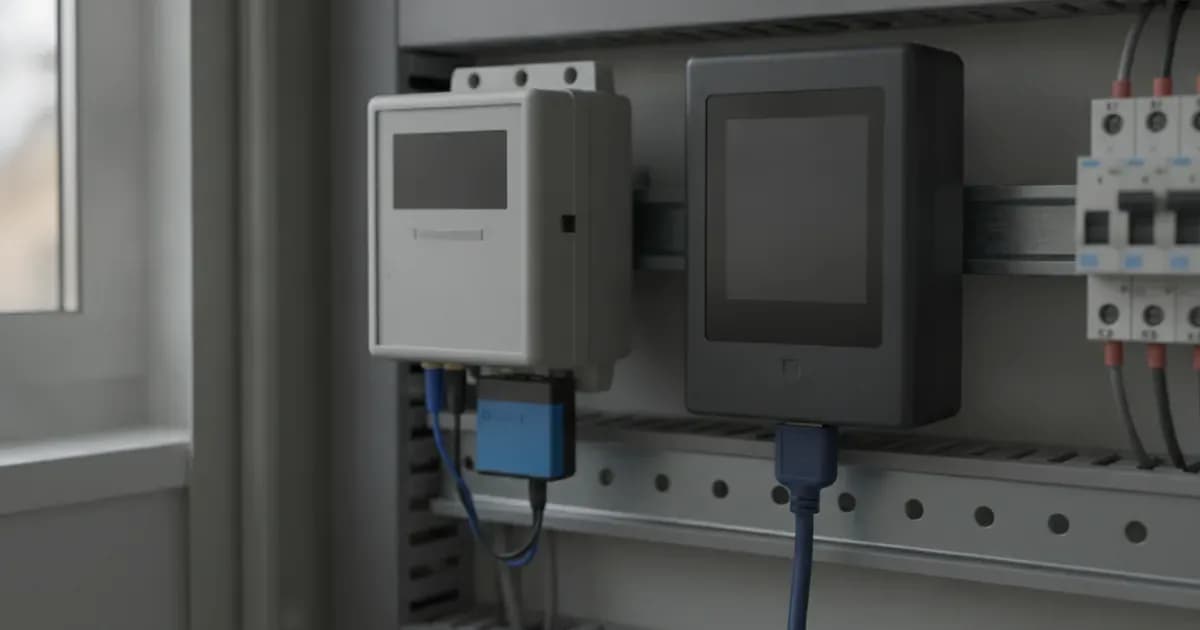
- Check: Install the ABB B21 or B23 meter onto a standard DIN rail within your distribution board.
- Meaning: Proper mounting ensures physical stability and allows for correct wiring.
- Wire the AC Power Connections:
- Check: Connect the AC phases and neutral to the designated terminals on the meter. For the ABB B21, connect the single phase and neutral. For the ABB B23, connect all three phases and neutral. Ensure that the direct shunt connection for both meters does not exceed 65A for the B21 or 65A per phase for the B23.
- Meaning: Correct AC wiring provides power to the meter and allows it to measure current and voltage. Exceeding the 65A per phase continuous direct current limit can cause meter internal thermal damage and potential fire risk.
- Wire the RS485 Communication Cable:
- Check: Connect a Victron RS485 to USB interface cable (available in 1.8m or 5.0m lengths) to the RS485 terminals on the ABB meter. Pay close attention to the A and B data polarity.
- Meaning: The RS485 Modbus RTU connection is how the meter communicates with your Victron GX device. Swapping RS485 A/B data polarity prevents communication.
- Connect to Victron GX Device:
- Check: Plug the USB end of the Victron RS485 to USB interface cable into an available USB port on your Victron GX device (e.g., Cerbo GX).
- Meaning: This establishes the physical data link between the meter and the Victron system.
- Configure in Venus OS:
- Check: Access the Venus OS interface on your GX device. Navigate to the "Devices" list, find the newly connected ABB meter, and configure its role. You can set the meter role as Grid Meter, PV Inverter, Generator, or AC Load.
- Meaning: Proper configuration in Venus OS tells the Victron system how to interpret the data from the ABB meter, enabling functions like ESS grid metering, PV inverter monitoring, and AC load tracking.
- Monitor Data:
- Check: After configuration, observe the meter readings in Venus OS. Confirm that active power factor reporting is enabled and that the meter is providing real-time data with its 480ms register refresh rate.
- Meaning: This verifies successful communication and accurate data acquisition. The meters support vector registration only for energy measurement.
Common Issues and Fixes
Symptom detail | Likely cause | Fix |
|---|---|---|
Meter not appearing in Venus OS or "Grid Meter Lost" warning | RS485 A/B data polarity swapped | Reverse the A and B wires on the RS485 connection. |
No communication with Victron GX device | Communication Port Mismatch (e.g., using Zigbee) | Ensure a wired RS485 Modbus RTU connection via a Victron RS485 to USB interface cable. Wireless Zigbee is not supported. |
Inaccurate readings or voltage distortion (B23 only) | Omitting neutral reference in unbalanced three-phase installations | Ensure the neutral conductor is correctly wired to the B23 meter. |
Meter internal thermal damage or fire risk | Exceeding the 65A per phase continuous direct current limit | Ensure the AC circuit current does not continuously exceed 65A for B21 or 65A per phase for B23. Install appropriate circuit protection. |
RS485 polling fails, "Grid Meter Lost" warning | RS485 Communication Timeout | Check wiring integrity, cable length, and ensure proper termination. The ESS inverter will enter safe passthrough mode if communication is lost. |
Energy Meter Configuration and Features
The ABB B21 and B23 energy meters are designed for robust integration into Victron Energy systems, offering precise measurement and communication capabilities.
Key Configuration Settings
- Phase Configuration: The ABB B21 is for single-phase systems, while the ABB B23 is for three-phase systems.
- Measurement Architecture: Both meters use direct shunt connection. The B21 measures up to 65A, and the B23 measures up to 65A per phase.
- Communication Protocol: Wired RS485 Modbus RTU is the standard. This requires a Victron RS485 to USB interface cable for connection to a Cerbo GX USB port.
- Wireless Compatibility: Zigbee connection is not supported for ABB B21/B23 meters.
- Register Refresh Rate: Both meters provide data updates at a 480ms refresh rate.
- Energy Registration Method: They utilize vector registration only.
- Power Factor Reporting: Real-time active power factor telemetry is enabled.
- Phase Sequence Detection: Phase sequence reporting is not supported on B21/B23.
- Display: Both models include a front-panel LCD screen for local readings.
- Mounting: Designed for standard DIN rail enclosure mounting.
Integration with Venus OS
Once physically connected, the ABB meters are configured within the Victron Venus OS. You will assign a specific role to the meter, such as:
- Grid Meter: For monitoring grid import/export in an ESS installation.
- PV Inverter: To measure the output of an AC PV inverter.
- Generator: For monitoring generator output.
- AC Load: To track consumption of specific AC loads.
This role assignment is crucial for the Victron system to correctly interpret the meter's data and integrate it into overall system management. For more details on wiring Victron components, refer to our guides on /pk/guides/buying/victron-smartshunt-and-lynx-distributor-wiring and /pk/guides/buying/victron-lynx-distributor-and-modular-dc-busbar-wiring-guide.
Safety: Working with AC Power
Working with AC power circuits carries significant risks. Always prioritize safety to prevent electric shock, fire, or damage to equipment.
- De-energize and Lock Out: Before installing the meter or terminating any power conductors, always de-energize and lock out the main AC supply breakers. Verify that circuits are dead using a voltage tester.
- Insulated Tools: Use appropriately rated insulated tools when making electrical connections inside distribution boards. This prevents accidental short circuits and protects against electric shock.
- Torque Specifications: Torque all power screw terminals to manufacturer specifications. Loose connections can lead to high-resistance thermal hotspots, especially under the 65A load these meters are designed for, potentially causing overheating and fire.
- Current Limits: Do not exceed the continuous direct current limit of 65A for the ABB B21 or 65A per phase for the ABB B23. Overloading can cause meter damage and fire.
When to call a technician instead
While this guide covers the essential steps for setting up ABB B21 and B23 meters, certain situations warrant professional assistance. If you are uncomfortable working with high-voltage AC circuits, lack the necessary tools, or encounter persistent communication issues after following these steps, contact a qualified electrician or Victron Energy installer. Attempting repairs or installations beyond your skill level can lead to serious injury, equipment damage, or void product warranties. For complex system integrations, such as those involving Victron Orion-Tr Smart DC-DC chargers, consulting an expert is recommended, as detailed in our guide on /pk/guides/fixes/victron-orion-tr-smart-dc-dc-charger-and-dual-battery-setup-guide.
Add a battery at a surveyed price
Installers quote supply and fitting of the battery on this page for your existing or new system.
How this pays for the site: installers pay SolarNevs a fixed introduction fee when we pass them a genuine enquiry. They cannot pay to appear higher, and our surveyed prices are published before any introduction. You can also take our dated price tables straight to any installer.
Frequently asked questions
What are the part numbers for the ABB B21 and B23 energy meters?
The ABB B21 single-phase meter has part number 2CMA100155R1000 Silver. The ABB B23 three-phase meter has part number 2CMA100169R1000 Silver.
What is the maximum current rating for the ABB B21 and B23 meters?
The ABB B21 supports single-phase direct measurement up to 65A. The ABB B23 supports three-phase direct measurement up to 65A per phase.
How do ABB B21 and B23 meters communicate with Victron GX devices?
They communicate via wired RS485 Modbus RTU connection. A Victron RS485 to USB interface cable is required to connect to a Cerbo GX USB port.
Can I use Zigbee for communication with ABB B-series meters?
No, wireless Zigbee connection is not supported on ABB B-series meters, including the B21 and B23 models.
What is the refresh rate for data from ABB B21 and B23 meters?
Both ABB B21 and B23 meters feature a 480ms register refresh rate for telemetry updates.
References
- Victron Energy: Energy Meters selection guide — accessed 23 August 2026
Related guides
More from what to buy — and how not to get cheated.