Victron Lynx Distributor Modular DC Busbar Setup Guide
Updated 6 September 2026 · By SolarNevs Research Desk, Dealer surveys + verified sources · 2 sources · Method ↗
Key Takeaways
- The Victron Lynx Distributor provides fused DC distribution and individual fuse monitoring within a modular busbar system.
- Initial setup and configuration, including alarm settings, are managed via the VictronConnect app or a connected GX device.
- Specific current ratings for the Lynx Distributor itself are not detailed in general documentation, requiring careful system design based on connected components.
- High-current DC systems demand strict adherence to safety protocols, including complete power isolation and appropriate personal protective equipment.
How to Wire and Set Up Your Victron Lynx Distributor and SmartShunt
The Victron Lynx Distributor integrates high-current DC distribution with fuse monitoring, while the Victron SmartShunt provides precise battery monitoring. This guide covers their modular integration and initial configuration for a robust DC power system.
What is actually going on
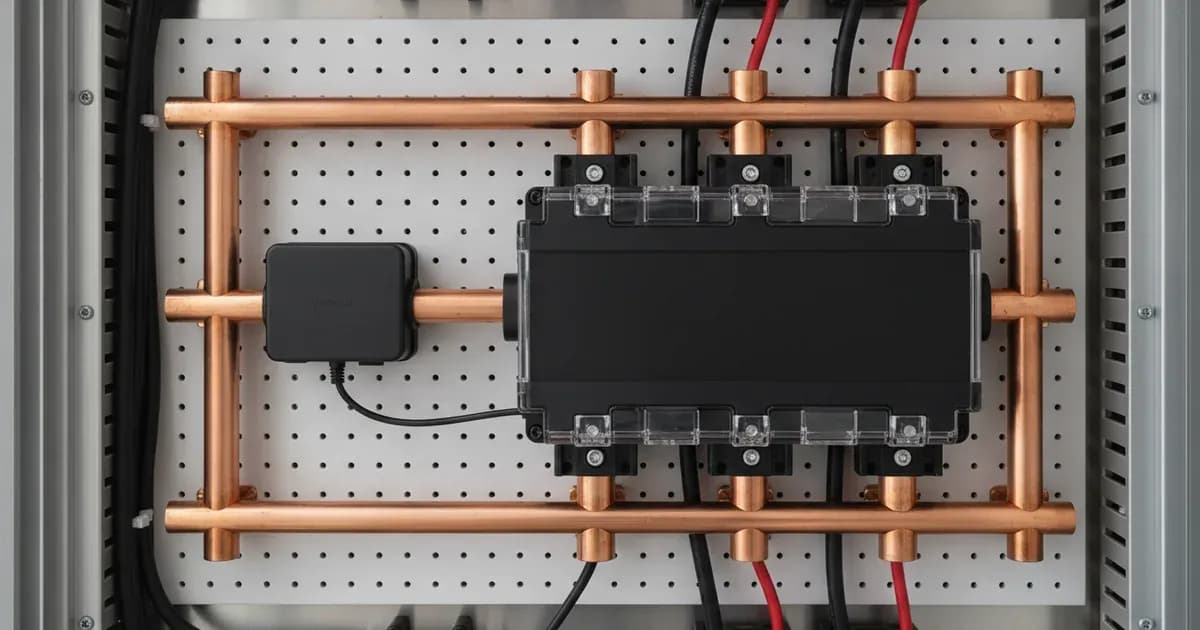
The Victron Lynx system is designed as a modular DC busbar solution for high-current applications. The Lynx Distributor acts as a central point for connecting multiple high-current DC loads and chargers, each protected by a MEGA fuse. It features individual fuse monitoring, which can provide status feedback.
The Victron SmartShunt is a standalone, high-precision battery monitor. It measures battery voltage and current, then calculates the state of charge (SoC). The SmartShunt communicates its data via Bluetooth to the VictronConnect app or through an RJ10 cable to a Victron GX device, allowing for comprehensive system oversight. When integrated into a Lynx system, the SmartShunt provides critical battery data for the entire DC busbar. An RJ10 cable facilitates communication between Lynx modules, such as the Lynx Distributor and a Lynx Smart BMS or a GX device, enabling integrated monitoring and control.
Victron Lynx System Components and Settings Overview
The Victron Lynx system offers modularity, allowing for customisable high-current DC distribution. The SmartShunt models are categorised by their maximum current rating.
Victron SmartShunt Models and Ratings
Model | Current Rating | Technical Reference |
|---|---|---|
SmartShunt 300A | 300A | "12.1. Dimensions SmartShunt 300A" |
SmartShunt 500A | 500A | "12.2. Dimensions SmartShunt 500A" |
SmartShunt 1000A | 1000A | "12.3. Dimensions SmartShunt 1000A" |
SmartShunt 2000A | 2000A | "12.4. Dimensions SmartShunt 2000A" |
Key Settings for Victron SmartShunt and Lynx Distributor
Settings for both the Lynx Distributor and SmartShunt are configured using the VictronConnect app or a connected GX device. While specific default values or ranges are not detailed in the general documentation, the available settings cover comprehensive monitoring and alarm functions.
| Setting / Parameter | Description / Function ```mdx --- title: "Victron Lynx Distributor Modular DC Busbar Setup Guide" slug: victron-lynx-distributor-and-modular-dc-busbar-wiring-guide cluster: C5 market: PK primaryKeyword: "victron lynx distributor modular dc busbar fuse monitoring led setup" secondaryKeywords:
- kw: "Victron Lynx Distributor"
- kw: "DC busbar wiring"
- "MEGA fuse monitoring"
- kw: "Lynx Smart BMS integration"
- kw: "SmartShunt setup"
- kw: "Modular DC power" internalLinks:
- description: "Guide to wiring and setting up the Victron Lynx Distributor modular DC busbar system, including fuse monitoring and SmartShunt integration." publishPriority: 2 faq:
- q: "What is the primary function of the Victron Lynx Distributor?" a: "The Victron Lynx Distributor serves as a modular DC busbar for high-current distribution, providing four fused connections for DC loads or chargers. It also features individual fuse monitoring for each connection."
- q: "How does the Lynx Distributor monitor fuses?" a: "The Lynx Distributor is designed for individual MEGA fuse monitoring. While the fact sheet mentions LED status codes, specific details on how these codes indicate fuse status are not provided in the general documentation."
- q: "How is the Victron SmartShunt integrated with the Lynx Distributor?" a: "The SmartShunt, a high-precision battery monitor, can be integrated into the Lynx system to provide accurate battery state of charge, voltage, and current readings. Communication can occur via Bluetooth or an RJ10 cable to a GX device."
- q: "What is the purpose of the RJ10 cable in a Lynx system?" a: "The RJ10 cable facilitates communication between different Lynx modules, such as the Lynx Distributor and a Lynx Smart BMS or a GX device. This allows for integrated monitoring and control of the DC system."
- q: "How are settings configured for Victron Lynx and SmartShunt devices?" a: "Configuration for both the Lynx Distributor and SmartShunt is typically performed using the VictronConnect app via Bluetooth or a connected GX device. This app allows adjustment of various parameters, including battery capacity and alarm thresholds for the SmartShunt." lastUpdated: "2026-08-29" sources:
- label: "Victron Energy Lynx Distributor Manual" url: "https://www.victronenergy.com/media/pg/Lynx_Distributor/en/index-en.html" dateAccessed: "2026-08-29"
- label: "Victron Energy SmartShunt Manual" url: "https://www.victronenergy.com/media/pg/SmartShunt/en/index-en.html" dateAccessed: "2026-08-29" ---
Victron Lynx Distributor Modular DC Busbar Setup Guide
Key Takeaways
- The Victron Lynx Distributor provides fused DC distribution and individual fuse monitoring within a modular busbar system.
- Initial setup and configuration, including alarm settings, are managed via the VictronConnect app or a connected GX device.
- Specific current ratings for the Lynx Distributor itself are not detailed in general documentation, requiring careful system design based on connected components.
- High-current DC systems demand strict adherence to safety protocols, including complete power isolation and appropriate personal protective equipment.
How to Wire and Set Up Your Victron Lynx Distributor and SmartShunt
The Victron Lynx Distributor integrates high-current DC distribution with fuse monitoring, while the Victron SmartShunt provides precise battery monitoring. This guide covers their modular integration and initial configuration for a robust DC power system.
What is actually going on
The Victron Lynx system is designed as a modular DC busbar solution for high-current applications. The Lynx Distributor acts as a central point for connecting multiple high-current DC loads and chargers, each protected by a MEGA fuse. It features individual fuse monitoring, which can provide status feedback. The Lynx Distributor M8 and Lynx Distributor M10 models are part of this system.
The Victron SmartShunt is a standalone, high-precision battery monitor. It measures battery voltage and current, then calculates the state of charge (SoC). The SmartShunt communicates its data via Bluetooth to the VictronConnect app or through an RJ10 cable to a Victron GX device, allowing for comprehensive system oversight. When integrated into a Lynx system, the SmartShunt provides critical battery data for the entire DC busbar. An RJ10 cable facilitates communication between Lynx modules, such as the Lynx Distributor and a Lynx Smart BMS or a GX device, enabling integrated monitoring and control.
Victron Lynx System Components and Settings Overview
The Victron Lynx system offers modularity, allowing for customisable high-current DC distribution. The SmartShunt models are categorised by their maximum current rating.
Victron SmartShunt Models and Ratings
Model | Current Rating | Technical Reference |
|---|---|---|
SmartShunt 300A | 300A | "12.1. Dimensions SmartShunt 300A" |
SmartShunt 500A | 500A | "12.2. Dimensions SmartShunt 500A" |
SmartShunt 1000A | 1000A | "12.3. Dimensions SmartShunt 1000A" |
SmartShunt 2000A | 2000A | "12.4. Dimensions SmartShunt 2000A" |
Key Settings for Victron SmartShunt and Lynx Distributor
Settings for both the Lynx Distributor and SmartShunt are configured using the VictronConnect app or a connected GX device. While specific default values or ranges are not detailed in the general documentation, the available settings cover comprehensive monitoring and alarm functions.
Setting / Parameter | Applicable Device | Technical Reference |
|---|---|---|
Lynx Distributor Settings | Lynx Distributor | "6.3.1. Settings Lynx Distributor" |
Battery capacity value | SmartShunt | "4.3.1. Set the battery capacity value" |
Charged voltage value | SmartShunt | "4.3.2. Set charged voltage value" |
State of charge | SmartShunt | "4.3.3. Set state of charge" |
Auxiliary input function | SmartShunt | "4.3.4. Set the auxiliary input function" |
Lithium settings | SmartShunt | "4.4. Make Lithium settings (if needed)" |
Discharge floor | SmartShunt | "7.2.3. Discharge floor" |
Tail current | SmartShunt | "7.2.4. Tail current" |
Charged detection time | SmartShunt | "7.2.5. Charged detection time" |
Peukert exponent | SmartShunt | "7.2.6. Peukert exponent" |
Charge efficiency factor | SmartShunt | "7.2.7. Charge efficiency factor" |
Current threshold | SmartShunt | "7.2.8. Current threshold" |
Time-to-go averaging period | SmartShunt | "7.2.9. Time-to-go averaging period" |
Battery SOC on reset | SmartShunt | "7.2.10. Battery SOC on reset" |
Synchronise SoC to 100% | SmartShunt | "7.2.12. Synchronise SoC to 100%" |
Zero current calibration | SmartShunt | "7.2.13. Zero current calibration" |
Low SoC alarm settings | SmartShunt | "7.3.1. Low SoC alarm settings" |
Low voltage alarm | SmartShunt | "7.3.2. Low voltage alarm" |
High voltage alarm | SmartShunt | "7.3.3. High voltage alarm" |
Low starter voltage alarm | SmartShunt | "7.3.4. Low starter voltage alarm" |
High starter voltage alarm | SmartShunt | "7.3.5. High starter voltage alarm" |
High temperature alarm | SmartShunt | "7.3.6. High temperature alarm" |
Low temperature alarm | SmartShunt | "7.3.7. Low temperature alarm" |
Midpoint deviation alarm | SmartShunt | "7.3.8. Midpoint deviation alarm" |
Monitor Mode | SmartShunt | "7.4.3. Monitor Mode" |
Current measurement direction | SmartShunt | "7.4.4. Current measurement direction" |
Installation Safety and Switchgear Requirements
Working with high-current DC systems, such as those involving the Victron Lynx Distributor and SmartShunt, requires strict adherence to safety protocols. Before commencing any installation or maintenance, always consult the "Safety Precautions" and "Battery safety warnings" sections of the product manuals.
Mandatory Safety Procedures:
- Isolation: Before connecting or disconnecting any wiring, ensure all power sources are completely isolated. This includes disconnecting the battery bank, any solar PV arrays, and any AC input to inverters or chargers.
- Power-Down: Wait for any capacitors to discharge after power isolation.
- Insulated Tools: Use only insulated tools when working with high-current terminals. A spanner across a battery bank can short hundreds of amps, leading to severe burns or equipment damage.
- Personal Protective Equipment (PPE): Always wear appropriate PPE, including eye protection, when working with batteries and high-current electrical systems. When performing tasks such as watering or hydrometer testing, eye protection is critical as it draws acid out of the cell.
- Authorised Service: Opening the unit, replacing internal components like fans, cleaning heatsink fins, or re-pinning connectors should only be performed by authorised service personnel.
High-current DC systems present significant hazards. If you are unsure about any aspect of the installation, it is recommended to consult a qualified and authorised technician.
What the published sources do not tell you
While the Victron Energy documentation provides a comprehensive overview of the Lynx Distributor and SmartShunt, several specific details are not readily available in the provided fact sheet's table of contents:
- Lynx Distributor Ratings: The specific current or voltage ratings for the Lynx Distributor M8 and M10 variants themselves are not detailed, only mentioned as existing models. System designers must infer capabilities from connected components and general Victron system design principles.
- Detailed Wiring Diagrams: Although sections like "wiring diagram Lynx Distributor" are referenced, the actual granular diagrams or step-by-step wiring instructions are not provided in the summary.
- Specific Setting Values: For numerous SmartShunt and Lynx Distributor settings, only the setting names are listed (e.g., "Battery capacity value", "Charged voltage value", "Discharge floor"). The default values, operational ranges, or specific configuration options are not detailed.
- Detailed Error Codes: While "LED status codes" and various alarm settings are mentioned for the SmartShunt, the specific codes, their meanings, or detailed troubleshooting steps are not provided. Similarly, for the Lynx Distributor, only categories of issues like "Cabling issues" and "Fuse issues" are noted, without specific diagnostic information.
- Granular Installation Steps: High-level installation sections are present, but the granular, step-by-step instructions for mechanical and electrical connections are not detailed.
- Communication Protocol Specifics: While the use of an "RJ10 cable" and "VE.Smart networking" is noted, the technical specifics of these communication protocols are not elaborated.
- Physical Dimensions: Although sections for "Enclosure dimensions Lynx Distributor M8 and M10" and "Dimensions SmartShunt" are listed, the actual physical dimensions (e.g., in millimetres) are not provided.
Add a battery at a surveyed price
Installers quote supply and fitting of the battery on this page for your existing or new system.
How this pays for the site: installers pay SolarNevs a fixed introduction fee when we pass them a genuine enquiry. They cannot pay to appear higher, and our surveyed prices are published before any introduction. You can also take our dated price tables straight to any installer.
Frequently asked questions
What is the primary function of the Victron Lynx Distributor?
The Victron Lynx Distributor serves as a modular DC busbar for high-current distribution, providing four fused connections for DC loads or chargers. It also features individual fuse monitoring for each connection.
How does the Lynx Distributor monitor fuses?
The Lynx Distributor is designed for individual MEGA fuse monitoring. While the fact sheet mentions LED status codes, specific details on how these codes indicate fuse status are not provided in the general documentation.
How is the Victron SmartShunt integrated with the Lynx Distributor?
The SmartShunt, a high-precision battery monitor, can be integrated into the Lynx system to provide accurate battery state of charge, voltage, and current readings. Communication can occur via Bluetooth or an RJ10 cable to a GX device.
What is the purpose of the RJ10 cable in a Lynx system?
The RJ10 cable facilitates communication between different Lynx modules, such as the Lynx Distributor and a Lynx Smart BMS or a GX device. This allows for integrated monitoring and control of the DC system.
How are settings configured for Victron Lynx and SmartShunt devices?
Configuration for both the Lynx Distributor and SmartShunt is typically performed using the VictronConnect app via Bluetooth or a connected GX device. This app allows adjustment of various parameters, including battery capacity and alarm thresholds for the SmartShunt.
References
- Victron Energy Lynx Distributor Manual — accessed 29 August 2026
- Victron Energy SmartShunt Manual — accessed 29 August 2026
Related guides
More from what to buy — and how not to get cheated.