Victron Lynx Smart BMS Energy Storage Setup Guide
Updated 7 September 2026 · By SolarNevs Research Desk, Dealer surveys + verified sources · 2 sources · Method ↗
Key Takeaways
- The Victron Lynx Smart BMS is a central component for managing and protecting Victron Lithium Smart Batteries.
- Initial setup, configuration, and monitoring for both the BMS and batteries are performed via the VictronConnect app.
- The Lynx Smart BMS integrates a contactor, pre-charge circuit, and battery monitor into a modular DC busbar system.
- Always follow safety precautions, including proper isolation and personal protective equipment, when working with high-current DC systems.
Setting Up Your Victron Lynx Smart BMS and Lithium Smart Batteries
The Victron Lynx Smart BMS is designed to manage and protect Victron Lithium Smart Batteries within a modular DC busbar system. This guide outlines the essential steps for setting up and commissioning these components, focusing on the Lynx Smart BMS (500A/1000A models) and the associated Lithium Smart LiFePO4 batteries. The Lynx Smart BMS acts as a Battery Management System with a contactor, pre-charge circuit, battery monitor, programmable relay, and AUX terminal, supporting parallel redundancy.
Understanding the Victron Modular DC Busbar System
The Victron Lynx Smart BMS is part of the Lynx Distribution System, which facilitates a clean and organised DC power distribution. This system allows for the connection of multiple Lithium Smart Batteries in series or parallel, managed by the BMS. The BMS continuously monitors critical battery parameters, including cell voltages and temperatures, and protects the battery by controlling charging and discharging through its integrated contactor. The built-in pre-charge circuit is crucial for safely initiating power to connected inverters or chargers by limiting inrush currents.
Initial Configuration and Settings via VictronConnect
All primary configuration and monitoring for both the Victron Lithium Smart Battery and the Lynx Smart BMS are performed using the VictronConnect app. This application allows for firmware updates, parameter adjustments, and real-time system oversight.
Setting / Parameter | Specification / Action | Technical Reference |
|---|---|---|
Lithium Smart Battery Settings | Configurable via VictronConnect app | "Battery settings" |
Battery temperature offset | Configurable via VictronConnect app | "Battery temperature offset" |
Allowed-To-Charge minimum temperature | Configurable via VictronConnect app | "Allowed-To-Charge minimum temperature" |
Cell under voltage pre-alarm threshold | Configurable via VictronConnect app | "Cell under voltage pre-alarm threshold" |
Allowed-To-Discharge cell voltage | Configurable via VictronConnect app | "Allowed-To-Discharge cell voltage" |
Battery Limits configuration | Configurable via VictronConnect app | "Battery Limits configuration" |
Lynx Smart BMS Settings | Configurable via VictronConnect app | "Lynx Smart BMS settings" |
Firmware Update (Lithium Smart Battery) | Via VictronConnect app | "Update the battery firmware" |
Firmware Update (Lynx Smart BMS) | Via VictronConnect app | "Update firmware" |
Monitoring & Control (Lithium Smart Battery) | Via VictronConnect app | "Setup, Monitoring & Control via VictronConnect" |
Remote Support | VictronConnect-Remote (VC-R) support | "VictronConnect-Remote (VC-R) support*" |
Instant Readout | VictronConnect Instant readout | "VictronConnect Instant readout*" |
Commissioning Procedure for Lynx Smart BMS
- Connecting the BMS: Ensure all electrical connections are made according to the manual. This includes DC wires, RJ10 cable(s), BMS cables, Multiconnector, ATC/ATD-controlled loads and chargers, Remote on/off, Programmable relay, and GX device connections.
- Power up for the first time: Follow the specific power-up sequence detailed in the manual under "6.1. Power up for the first time".
- Commissioning the Lynx Smart BMS: Complete the commissioning steps outlined in the manual's "7.1. Commissioning the Lynx Smart BMS" section. This typically involves verifying connections and initial system checks.
Installation Safety and Switchgear Requirements
Working with high-voltage and high-current DC systems, such as those involving the Victron Lynx Smart BMS and Lithium Smart Batteries, requires strict adherence to safety protocols.
General Safety Precautions
- Isolation: Before performing any electrical connections or maintenance, ensure all power sources (PV, battery, AC) are isolated. Open all relevant breakers and switches.
- Power-down: Always power down the system completely and wait for any specified capacitor discharge times before opening enclosures or working on high-voltage components.
- Personal Protective Equipment (PPE): Wear appropriate PPE, including insulated gloves, eye protection, and flame-retardant clothing.
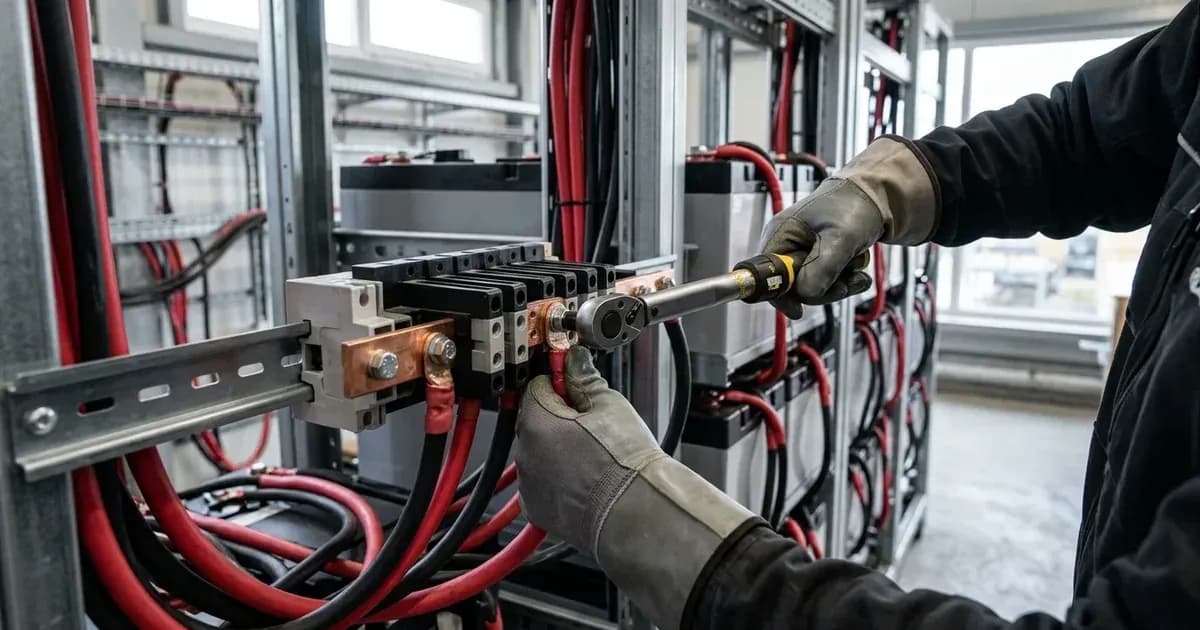
- High Current Warning: Tightening or disconnecting battery terminals involves high-current circuits. Always use insulated tools and avoid creating short circuits, as a spanner across a battery bank can short hundreds of amps, leading to severe burns or equipment damage.
- Authorised Service: Opening the unit, replacing internal components like fans, cleaning heatsink fins, or re-pinning connectors should only be performed by authorised service personnel.
Specific Warnings for Lithium Smart Batteries
The "1. Safety precautions" section of the Lithium Smart Battery manual details "1.1. General warnings", "1.2. Charge and discharge warnings", "1.3. Transportation warnings", and "1.4. Disposal of lithium batteries". Always consult these sections before installation or operation.
Important Warning for Lynx Smart BMS
The Lynx Smart BMS manual includes an "5.1. Important warning" and "5.2. Safety Precautions 5.2.1. Safety Warnings Lynx Distribution System" section. These provide critical information regarding the safe installation and operation of the BMS and the overall distribution system.
What the Published Sources Do Not Tell You
While the Victron documentation provides comprehensive guidance, certain specific details are not explicitly available in the provided excerpts:
- Lynx Smart BMS Current Ratings (500A/1000A): The specific current ratings (500A/1000A) for the Lynx Smart BMS models are not detailed in the provided technical documentation. The manual mentions a section "4.2.1. Current rating Lynx Smart BMS" but its content is not supplied.
- Detailed Lynx Smart BMS Error Codes: The Lithium Smart Battery manual lists various error codes (e.g., "W-SL11: Under voltage warning (pre-alarm)", "A-SL9 Over voltage alarm"), but the Lynx Smart BMS manual only provides a section title "11.1. LED indications, warnings, alarm and error codes" without the actual codes or their meanings.
- Specific Setting Values and Ranges: For both Lithium Smart Batteries and Lynx Smart BMS, while categories like "Battery temperature offset" and "Lynx Smart BMS settings" are mentioned, the actual numerical values, ranges, or communication protocols for these settings are not detailed. These often vary by firmware version and specific model.
- Full Technical Specifications: The complete technical specifications for both the Lynx Smart BMS ("10. Technical specifications") and the Lithium Smart Battery ("7. Technical data"), which would include detailed electrical characteristics and dimensions, are not provided in the available documentation excerpts.
- Detailed Step-by-Step Installation Instructions: While sections like "4.6. Connecting the BMS" (Lithium Smart Battery) and "5.4. Electrical connections" (Lynx Smart BMS) are referenced, the verbatim, detailed step-by-step instructions for these critical connections are not included.
- System Design Considerations and Examples: The manuals mention "4. System Design considerations and examples" and "5.5. System examples in detail", but the actual examples or detailed considerations for various system configurations are not provided.
- Detailed Features of Lynx Smart BMS: While features such as "Contactor", "Built-in pre-charge circuit", "Programmable relay", "AUX terminal", and "Parallel redundant Lynx Smart BMS" are listed, their detailed descriptions or specifications are not available in the provided text.
These gaps mean that installers may need to consult the full, current manuals directly or rely on manufacturer support for precise numerical values, detailed procedures, and comprehensive technical data.
Still showing the fault? Book a technician
If the steps above did not clear it, tell us the inverter or battery and the exact code. We pass it to a technician who covers your city; visit charges are quoted before they come.
How this pays for the site: the technician or verifier pays SolarNevs a fixed introduction fee. Nobody pays to be recommended, and you are free to use our free guides instead.
Frequently asked questions
How do I configure Victron Lithium Smart Batteries?
Victron Lithium Smart Batteries are configured via the VictronConnect app. Settings such as 'Battery temperature offset', 'Allowed-To-Charge minimum temperature', and 'Allowed-To-Discharge cell voltage' are adjustable through this application.
What is the purpose of the Lynx Smart BMS pre-charge circuit?
The Lynx Smart BMS includes a built-in pre-charge circuit. This circuit manages the initial charging of large capacitor banks in inverters or chargers, preventing high inrush currents during system startup.
How do I update the firmware for Victron Lithium Smart Batteries and Lynx Smart BMS?
Firmware updates for both the Victron Lithium Smart Battery and the Lynx Smart BMS are performed using the VictronConnect app. Ensure a stable connection during the update process to avoid interruption.
What should I do if my Lynx Smart BMS does not power up?
If the Lynx Smart BMS does not power up, refer to the troubleshooting section in the manual titled 'Lynx Smart BMS does not power up'. This section provides guidance on diagnosing and resolving power-related issues.
Can I monitor my Victron energy storage system remotely?
Yes, the VictronConnect app supports remote monitoring and control. Additionally, the Lynx Smart BMS offers 'VictronConnect-Remote (VC-R) support' for remote assistance and system oversight.
References
- Victron Energy Lithium Battery Smart Manual — accessed 29 August 2026
- Victron Energy Lynx Smart BMS Manual — accessed 29 August 2026
Related guides
More from inverter errors & fixes.