Victron ABB B24 Energy Meter CT and RS485 Wiring Guide
Updated 6 September 2026 · By SolarNevs Research Desk, Dealer surveys + verified sources · 1 source · Method ↗
Key Takeaways
- The ABB B24 (Part Number: 2CMA100183R1000 Silver) requires external 5A secondary Current Transformers (CTs) for current measurement and connects via wired RS485 Modbus RTU.
- Always de-energize the main AC supply before installing the meter or working with voltage leads.
- Incorrect CT polarity or RS485 A/B data line reversal are common causes of communication failures or inaccurate readings.
- The ABB B24 does not support wireless Zigbee connections; a wired RS485 connection is mandatory.
How do I wire the ABB B24 Energy Meter to a Victron GX system?
The ABB B24 Energy Meter (Part Number: 2CMA100183R1000 Silver) integrates with a Victron GX device, such as a Cerbo GX, using external 5A secondary current transformers (CTs) for current measurement and a wired RS485 Modbus RTU interface for data communication. Correctly wiring both the CTs and the RS485 data lines is essential for accurate power flow monitoring and system control within your Victron Energy System.
Diagnosis and Troubleshooting Steps
If you are experiencing issues with your ABB B24 Energy Meter, follow these steps to diagnose and resolve common problems.
- Verify AC Supply Status:
- Check: Ensure the main AC supply breakers are de-energized and locked out before you begin any physical wiring inspection. This is a critical safety step.
- Meaning: Working on live AC circuits is hazardous. The ABB B24 is designed for three-phase AC installations.
- Inspect Current Transformer (CT) Wiring Polarity:
- Check: Examine the secondary leads of your external current transformers. Ensure they are connected with the correct polarity to the ABB B24.
- Meaning: An "Inverted CT Polarity Alert" will occur if secondary current transformer leads are reversed. This causes negative power calculation on that phase, leading to incorrect charging or discharging behavior in an ESS (Energy Storage System) control loop.
- Confirm RS485 Data Line Polarity:
- Check: Verify the RS485 A and B data lines are connected correctly between the ABB B24 and the Victron RS485 to USB interface cable, and then to the Cerbo GX.
- Meaning: Swapping RS485 A/B data polarity will prevent communication with the Cerbo GX. This often results in a "Grid Meter Lost" warning in Venus OS.
- Check for Open-Circuited CT Secondary Leads:
- Check: Ensure that the secondary terminals of the external current transformers have never been open-circuited while primary current was flowing through the main conductors.
- Meaning: Disconnecting CT secondary leads under primary conductor load can cause dangerous high voltage induction across the terminals.
- Review Venus OS Meter Role Configuration:
- Check: Access your Victron GX device's Venus OS interface. Navigate to the Energy Meters section and confirm the ABB B24 is configured with the correct role (e.g., Grid Meter, PV Inverter, Generator, or AC Load).
- Meaning: Incorrect role assignment can lead to misinterpretation of power flows, even if communication is established.
- Confirm Wired RS485 Connection:
- Check: Ensure you are using a wired RS485 connection.
- Meaning: The ABB B-series meters do not support wireless Zigbee connections. Attempting to connect via a Zigbee converter will result in no communication.
Common Causes and Fixes
Symptom detail | Likely cause | Fix |
|---|---|---|
"Grid Meter Lost" warning in Venus OS | RS485 Communication Timeout or wiring latency | Check RS485 wiring for correct A/B polarity; ensure the Victron RS485 to USB interface cable is securely connected to the Cerbo GX USB port. |
Incorrect power readings (e.g., negative power when consuming) | Inverted CT Polarity Alert | Reverse the secondary current transformer leads on the affected phase at the ABB B24 terminals. |
No communication with GX device | Swapping RS485 A/B data polarity | Reverse the RS485 A/B data lines at either the Cerbo GX side or the ABB B24 side. |
No communication, despite correct wiring checks | Attempting wireless Zigbee connection | The ABB B24 does not support Zigbee connection; use the wired RS485 Modbus RTU interface. |
High voltage induction across CT terminals | Disconnecting CT secondary leads under primary conductor load | Always de-energize and lock out the main AC supply breakers before disconnecting or connecting CT secondary leads. |
Wiring and Configuration for the ABB B24 Energy Meter
The ABB B24 (Part Number: 2CMA100183R1000 Silver) is a three-phase energy meter designed for commercial and high-capacity installations. It integrates with Victron GX devices to provide precise measurement of AC power flows.
Current Transformer (CT) Wiring
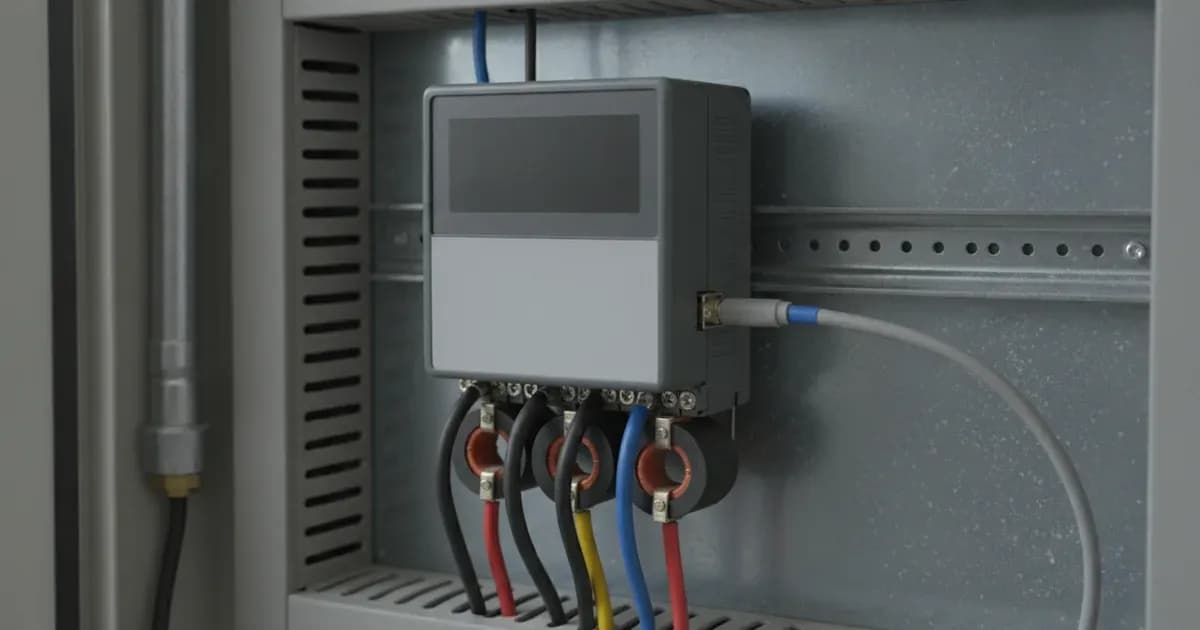
The ABB B24 measures current using external current transformers (CTs). This is specified for three-phase installations where AC circuit currents exceed 65A per phase. The meter uses 5A per phase secondary input from these external CTs.
- Connection: Connect the secondary wiring from your CTs to the designated current input terminals on the ABB B24.
- Polarity: Pay close attention to the polarity of the CTs. Incorrect polarity will result in inaccurate power readings, potentially causing the ESS to misbehave. The meter will report an "Inverted CT Polarity Alert" if this occurs.
- Cabling: Use properly insulated twisted-pair cabling for CT secondary wiring to prevent inductive electrical noise, which can interfere with accurate measurements.
RS485 Modbus RTU Communication
The ABB B24 communicates with Victron GX devices via a wired RS485 Modbus RTU interface.
- Cable: You will need a Victron RS485 to USB interface cable (available in 1.8m or 5.0m lengths).
- Connection: Connect the RS485 data lines from the ABB B24 to the corresponding terminals on the Victron RS485 to USB interface cable. Then, plug the USB end of this cable into a USB port on your Victron GX device (e.g., Cerbo GX).
- Data Polarity: Ensure the RS485 A and B data lines are connected with correct polarity. Swapping these lines will prevent communication, leading to a "Grid Meter Lost" warning in Venus OS.
- Refresh Rate: The B24 provides a 480ms register refresh rate, ensuring timely data updates to your GX device.
- Wireless: Note that Zigbee connection is not supported on ABB B-series meters.
Venus OS Configuration
Once physically wired, you must configure the ABB B24 within the Victron Venus OS running on your GX device.
- Meter Role: In Venus OS, the meter role is configured as Grid Meter, PV Inverter, Generator, or AC Load. Select the appropriate role based on the meter's function in your system. This setting tells the GX device how to interpret the power flow data from the B24.
- Features: The ABB B24 provides active power factor reporting and uses vector energy registration. These features contribute to accurate monitoring and control within your Victron ESS.
Safety: Working with AC and Current Transformers
Working with AC electrical systems and current transformers requires strict adherence to safety protocols to prevent injury or equipment damage.
- De-energize AC Supply: Always de-energize and lock out main AC supply breakers before installing the meter or terminating any voltage leads. This prevents accidental electrocution.
- CT Secondary Circuits: Never open-circuit the secondary terminals of external current transformers while primary current is flowing. Doing so can induce dangerously high voltages across the terminals, posing a severe shock hazard and potentially damaging the CT or meter.
- Insulated Tools and Wiring: Use properly insulated tools when working with electrical connections. Connect CT secondary wiring using properly insulated twisted-pair cabling to prevent inductive electrical noise and ensure reliable operation.
When to call a technician instead
While many wiring and configuration issues can be resolved with careful troubleshooting, there are situations where professional assistance is necessary.
- If you are uncomfortable working with high voltage AC circuits or lack the necessary electrical safety training, contact a qualified electrician or solar technician.
- If, after meticulously following all wiring and configuration steps, you continue to experience persistent communication failures or inaccurate power readings, a deeper diagnostic issue may be present.
- For commercial or complex three-phase installations, especially those exceeding 65A per phase, professional installation and commissioning can ensure optimal performance and compliance with local electrical codes.
- If you suspect internal damage to the ABB B24 meter or your Victron GX device, do not attempt further repairs yourself. Contact your Victron Energy dealer or a certified service technician.
Add a battery at a surveyed price
Installers quote supply and fitting of the battery on this page for your existing or new system.
How this pays for the site: installers pay SolarNevs a fixed introduction fee when we pass them a genuine enquiry. They cannot pay to appear higher, and our surveyed prices are published before any introduction. You can also take our dated price tables straight to any installer.
Frequently asked questions
What is the primary function of the ABB B24 meter in a Victron system?
The ABB B24 (Part Number: 2CMA100183R1000 Silver) is engineered for commercial and high-capacity three-phase installations where AC circuit currents exceed 65A per phase. It measures grid, PV inverter, or AC generator power flows with high precision, integrating into Victron Energy GX systems.
How does the ABB B24 measure current?
The ABB B24 utilizes external 5A secondary current transformers (CTs) to measure current. This allows it to monitor circuits exceeding 65A per phase, which is its specified current measurement range.
What communication protocol does the ABB B24 use with Victron GX devices?
The ABB B24 connects to Victron GX devices, such as the Cerbo GX, via a wired RS485 Modbus RTU interface. This connection provides a 480ms register refresh rate for telemetry.
Can I connect the ABB B24 wirelessly to my Victron GX device?
No, wireless Zigbee connection is not supported on ABB B-series meters, including the B24. The connection must be made via a wired RS485 Modbus RTU interface cable.
What should I do if my power readings are incorrect or negative?
Incorrect or negative power readings often indicate an Inverted CT Polarity Alert. You should reverse the secondary current transformer leads on the affected phase to correct the power calculation.
References
- Victron Energy Datasheet - Energy Meters selection guide — accessed 23 August 2026
Related guides
More from what to buy — and how not to get cheated.