Victron Discover AES Lithium Battery Setup Guide
Updated 6 September 2026 · By SolarNevs Research Desk, Dealer surveys + verified sources · 1 source · Method ↗
Key Takeaways
- Discover Lithium Iron Phosphate batteries require specific communication and configuration for Victron systems.
- The LYNK II Communication Gateway is essential for integrating Discover batteries with Victron GX devices.
- Configuration can be open-loop (manual) or closed-loop (BMS-controlled), with closed-loop recommended for optimal performance.
- Never attempt to disassemble or modify the battery; installation and service must be performed by qualified personnel.
How do I set up Discover AES Lithium batteries with Victron systems?
Setting up Discover AES Lithium Iron Phosphate batteries with Victron Energy systems involves ensuring proper communication between the battery's Battery Management System (BMS) and the Victron inverter-charger and GX device. This integration allows the Victron system to monitor and control the battery effectively, optimizing performance and safety. The LYNK II Communication Gateway plays a central role in this setup.
Step-by-step setup and configuration
Proper installation and configuration are critical for the safe and efficient operation of your Discover AES Lithium battery system with Victron components. Always ensure that configuration, installation, service, and operating tasks are performed only by qualified personnel.
- Physical Installation: Install the Discover Lithium batteries and compatible Victron inverter-charger (e.g., Quattro or MultiPlus-II) according to their respective manuals. Ensure all high-current DC connections are secure and properly torqued.
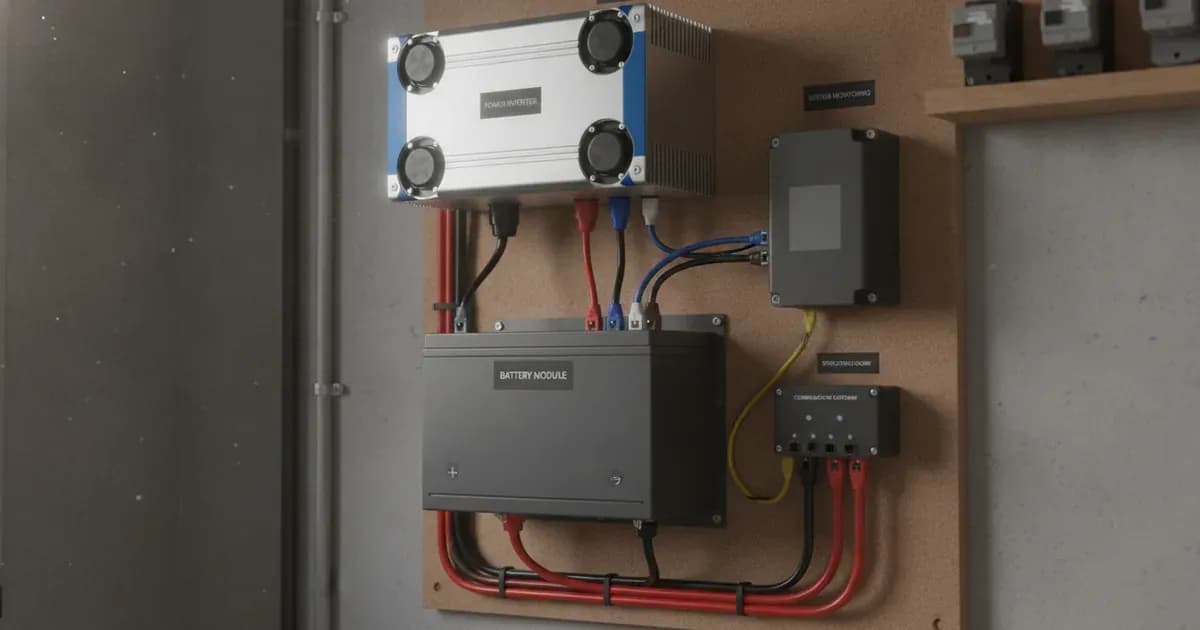
- LYNK II Communication Gateway Installation: Install the LYNK II Communication Gateway in a suitable indoor location. Do not install the LYNK II outdoors. Connect the LYNK II to the Discover battery bank and the Victron GX device. Ensure that no LYNK II port is connected to a network with Power over Ethernet (POE) or a public telecommunication network. Avoid running CAT5 or other LYNK-connected cables through conduits exposed to lightning strikes.
- Victron GX Device Connection: Connect the LYNK II to a compatible Victron GX device such as a Cerbo GX, Color Control GX, Ekrano GX, or Venus GX. This connection enables the GX device to receive battery data from the Discover BMS via the LYNK II.
- System Configuration:
- Open-loop Configuration: In this mode, you manually set the charging and discharging parameters within the Victron inverter-charger or solar charge controller. The Discover BMS will still provide protection, but the Victron system will not dynamically adjust based on real-time BMS data.
- Closed-loop Configuration: This is the recommended method. The Discover BMS sends battery status information over the network data connection to the Victron GX device. The GX device then uses this information to control the Victron inverter-charger and solar charge controllers (like the SmartSolar MPPT) for optimized charging and discharging. This ensures the battery operates within its safe limits as dictated by the BMS.
- Initial System Power-Up and Verification: After all connections are made and configurations are set, carefully power up the system. Monitor the Victron GX device for proper communication with the Discover battery via the LYNK II. Verify that battery State of Charge (SOC) and other data are being displayed correctly.
Compatible Victron Inverter-Chargers and Battery Configurations
The Discover Lithium Iron Phosphate batteries are designed to integrate with various Victron inverter-chargers. The number of batteries required depends on the inverter-charger model and the desired system capacity.
Victron Inverter-Charger Model | Inverter Peak (Adc) | Max Continuous Discharge (Adc) | Max Continuous Charge (Adc) | Minimum AES RACKMOUNT 48-48-5120 / 48-48-5120-H | Minimum HELIOS ESS 52-48-16000 |
|---|---|---|---|---|---|
Quattro 48/3000/35 | 133 | 54 | 35 | 1 | 1 |
Quattro 48/5000/70 | 220 | 88 | 70 | 1 | 1 |
Quattro 48/10000/140 | 434 | 174 | 140 | 2 | 2 |
MultiPlus-II 48/3000/35 | 121 | 53 | 35 | 1 | 1 |
MultiPlus-II 48/5000/70 | 195 | 87 | 70 | 1 | 1 |
Communication and Pairing Settings
The core of integrating Discover Lithium batteries with Victron systems lies in establishing reliable communication.
BMS Interface and Communication Gateway
The Discover LiFePO4 battery features a Battery Management System (BMS) that interfaces directly with the Victron GX device. This interface is facilitated by the LYNK II Communication Gateway. The LYNK II acts as a bridge, translating battery data for the Victron system. It also enables remote monitoring of Discover Lithium battery State of Charge (SOC) and data logging across multiple sites when connected to off-grid inverter systems.
Compatible Victron Components
For a successful setup, you will need:
- Compatible Victron Control Panels (GX Devices): Cerbo GX, Color Control GX, Ekrano GX, Venus GX. These devices serve as the central hub for monitoring and controlling your system.
- Compatible Victron Inverter-Chargers: Quattro/Quattro II Inverter-Charger, Multiplus/Multiplus II Inverter-Charger. These handle the power conversion and battery charging/discharging.
- Compatible Victron Solar Charge Controllers: SmartSolar MPPT. These manage the charging from solar panels.
Configuration Types
There are two primary ways to configure the communication between the Discover battery and the Victron system:
Setting Name | Values | Protocol | Description |
|---|---|---|---|
Configuration | Open-loop | Manual setup through controller | The Victron system operates based on manually entered charge and discharge parameters. The battery's BMS provides protection but does not actively control the Victron system's operation. |
Configuration | Closed-loop | BMS sends battery status over network data connection | The battery's BMS actively communicates real-time battery status (like SOC, voltage, current, temperature) to the Victron GX device. The Victron system then uses this data to dynamically adjust charging and discharging, optimizing battery life and performance. This is generally the preferred method for seamless integration. |
Safety: Lithium Iron Phosphate Battery Handling
Working with high-voltage battery systems carries significant risks. Strict adherence to safety protocols is mandatory.
- Qualified Personnel Only: Configuration, installation, service, and operating tasks should only be performed by qualified personnel.
- Electric Shock and Fire Hazard: This equipment must only be installed as specified. Do not disassemble or modify the battery. If the battery case has been damaged, do not touch exposed contents. There are no user-serviceable parts inside the battery.
- De-energize Before Servicing: Before servicing the battery, follow all procedures to fully de-energize the battery system. Do not touch the energized surfaces of any electrical component in the battery system.
- LYNK II Installation: The LYNK II Communication Gateway must not be installed outdoors. Do not connect any port of the LYNK II to a network with Power over Ethernet (POE) or to a public telecommunication network. Do not run CAT5 cables or other cables connected to LYNK through a conduit that could be exposed to lightning strikes.
When to call a technician instead
While this guide provides an overview of setting up Discover AES Lithium batteries with Victron systems, complex installations or any issues beyond basic setup should be handled by a qualified technician. Attempting to disassemble or modify the battery can lead to serious injury or death and will void any warranties. If you encounter persistent communication errors, unexpected system shutdowns, or any physical damage to the battery or components, contact a certified solar or battery technician. There are no user-serviceable parts inside the battery.
Frequently asked questions
What Discover batteries are compatible with Victron systems?
Discover Lithium Iron Phosphate batteries, including AES RACKMOUNT and HELIOS ESS models, are designed for compatibility with Victron inverter-chargers and GX devices. Specific models like the Quattro and MultiPlus-II series are supported.
How do Discover batteries communicate with Victron systems?
Discover LiFePO4 batteries communicate with Victron GX devices through a Battery Management System (BMS) interface, which requires the LYNK II Communication Gateway for proper integration and data exchange.
What is the LYNK II Communication Gateway?
The LYNK II Communication Gateway is a device that enables the Discover Lithium battery BMS to interface with Victron GX devices. It supports remote monitoring of battery State of Charge (SOC) and data logging for multiple sites.
What are open-loop and closed-loop configurations for Discover batteries with Victron?
Open-loop configuration involves manual setup of charging parameters through the Victron controller. Closed-loop configuration allows the battery's BMS to send real-time battery status over a network data connection, enabling the Victron system to optimize charging and discharging automatically.
Can the LYNK II Communication Gateway be installed outdoors?
No, the LYNK II Communication Gateway must not be installed outdoors. It is also critical not to connect any LYNK II port to a network with Power over Ethernet (POE) or a public telecommunication network, or run its cables through conduits exposed to lightning strikes.
References
- Victron Energy Battery Compatibility: Discover — accessed 23 August 2026
Related guides
More from what to buy — and how not to get cheated.