Growatt ARK Battery Not Charging: BMS and CAN Comms Fix
Updated 18 September 2026 · By SolarNevs Research Desk, Dealer surveys + verified sources · 2 sources · Method ↗
Key Takeaways
- Growatt ARK High Voltage battery systems halt charging when communication across the CAN bus data cable is interrupted or when BMS protection limits charge current to zero.
- The first diagnostic check is verifying whether the hybrid inverter display or ShinePhone app actively reads the battery state of charge (SOC), pack voltage, and operational status.
- Check that inverter operating schedules and advanced charge settings have not restricted charging windows or imposed a zero-current export ceiling.
- Persistent charging lockouts accompanied by internal error codes require complete system de-energisation and escalation to official technical support at service@growatt.tech.
Why is my Growatt ARK battery not charging?
Under normal operation, a Growatt hybrid solar system (such as the single-phase SPH or MIN-XH series) automatically directs excess solar generation into the connected ARK High Voltage lithium battery storage bank. However, when the system encounters an electrical or logic anomaly, the battery displays zero charging current despite abundant daylight or available cheap off-peak mains electricity.
Energy storage installations in domestic environments must comply with strict fire compartmentation and electrical isolation criteria set out in our UK battery storage fire safety guide and UK solar electrical installation guide.
When charging fails, the underlying cause is rarely dead battery chemistry. In most cases, the failure is caused by an unseated CAN bus cable, an incorrect battery type profile selected in the inverter menu, or an automated safety override triggered by the master Battery Management System (BMS).
Root causes of ARK battery charging failure
Growatt technical service engineering documentation highlights four primary failure modes responsible for inactive battery charging:
Root Cause Family | Underlying Mechanism | Observable Symptom | Corrective Action |
|---|---|---|---|
CAN Communication Loss | Missing CAN communication or damaged cable cores | Inverter display reports Error 411 Communication error | Verify CAN cable between inverter and battery master module is correct |
Parameter Misconfiguration | Incorrect battery settings selected in menu | Inverter fails to recognize ARK HV series architecture | Adjust charge parameters (max current, voltage limits) per ARK manual |
BMS Current Protection | Charge current limit set to zero or BMS protection active | Battery status indicator shows standby or fault lockout | Observe battery SOC, voltage, and BMS status in app or display |
Operational Mode Conflict | Inverter operating mode not allowing battery charge | System prioritizing load consumption or zero grid import | Confirm charge enable and current limits in advanced settings |
Internal Contactor Open | Faulty battery contactor or BMS internal circuit trip | Audible contactor click missing; high DC bus error | Escalate to Growatt technical support for module replacement |
Properties participating in smart export and dynamic battery arbitrage schemes rely on precise time-of-use charging windows; see our Smart Export Guarantee guide and micro-generator grid connection guide.
Step-by-step diagnostic workflow
To isolate and rectify an ARK battery charging failure, follow this systematic diagnostic progression:
Step 1: Inspect physical CAN communication cabling
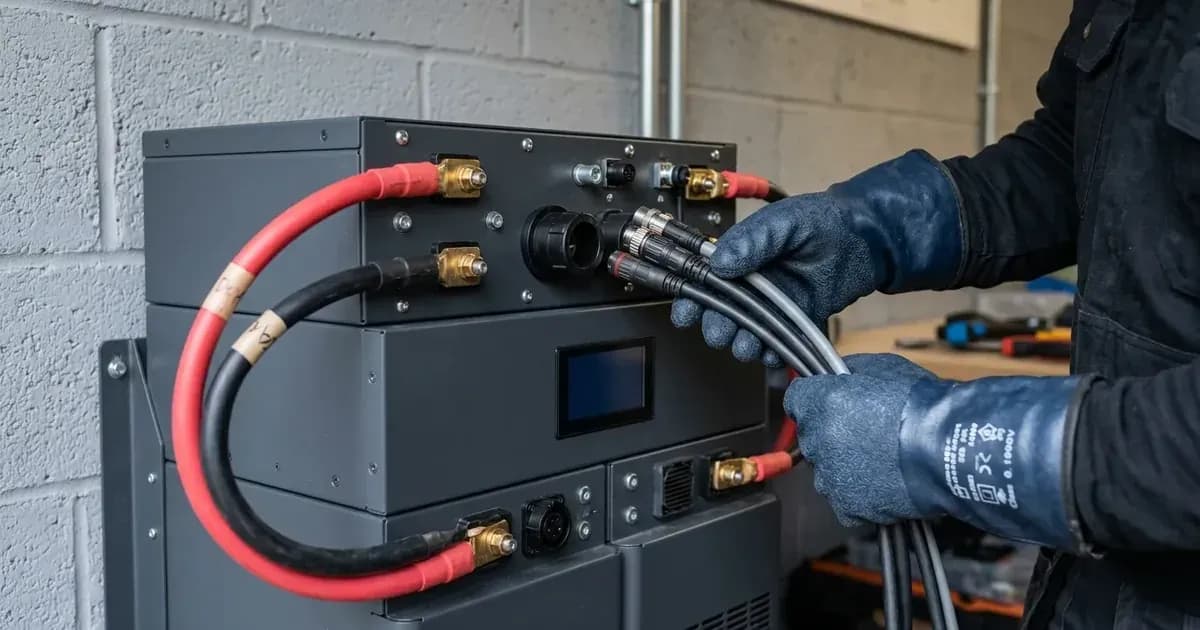
Digital telemetry between the hybrid inverter and the ARK master controller travels over a high-speed differential CAN link:
- Turn off the AC supply breaker and open the integrated inverter DC isolator.
- Turn off the DC circuit breaker on the battery master control unit.
- Verify CAN cable between inverter and battery master module is correct (Growatt-specific pinout).
- Inspect the RJ45 connectors for bent pins, moisture contamination, or loose crimps.
- Reseat CAN cable and restart system in proper power-up sequence.
Step 2: Observe live telemetry and BMS status indicators
Re-energize the system and observe the diagnostic data presented on the inverter screen or ShinePhone mobile app:
- Observe battery SOC, voltage, and BMS status in app or display.
- If battery state of charge shows dashes or "N/A", communication has failed and Error 411 will trigger.
- If pack voltage is reported but charging current remains at zero, verify whether the BMS has logged a thermal or overvoltage warning.
- Check whether Error 401 (DC high voltage fault) or Error 409 (Invalid bus voltage) has halted charging.
Step 3: Audit inverter operating modes and charging parameters
Software configuration conflicts frequently block scheduled charging:
- Access the inverter advanced settings menu.
- Confirm charge enable and current limits in advanced settings.
- Verify that the active operating mode (such as Load First or Grid First) permits charging during the current time interval.
- If charging from off-peak grid tariffs, confirm that the scheduled charging time window matches the home smart meter clock.
Step 4: Parameter adjustment and force charge recovery
If configuration settings are misaligned:
- Adjust charge parameters (max current, voltage limits) per ARK manual.
- If the battery bank has suffered prolonged deep discharge and the BMS internal contactor refuses to close automatically, initiate force charge mode if available through the installer menu.
- Force charging supplies a controlled low current to raise battery pack voltage above the minimum threshold before transitioning to normal bulk absorption charging.
Safety: high-voltage lithium battery precautions
Growatt ARK High Voltage battery systems operate at dangerous direct current potentials across series-connected module stacks. Safety controls must be observed at all times:
- High DC voltage hazard: The total voltage across stacked modular lithium packs can exceed several hundred volts. Never touch open battery terminals or attempt to open individual module enclosures.
- Safe isolation sequence: Always turn off the inverter AC supply, inverter DC isolator, and the battery master breaker before disconnecting communication cables or inspecting power connectors.
- Qualified personnel only: Maintenance and repair of PV systems, high-voltage DC, and AC components must only be performed by certified professionals with valid electrical qualifications.
When to contact an MCS-certified technician
Homeowners can safely monitor battery state of charge in the ShinePhone app, check time-of-use charging schedules, and inspect external cable seating. However, adjusting internal current limits, diagnosing contactor failures, and replacing battery modules require an MCS-certified professional.
Escalate to a certified technician under these conditions:
- The BMS reports an internal hardware fault: Replace faulty battery module if BMS reports internal error.
- The master DC contactor fails to engage: If the master unit fails to close its internal DC contactor with an audible click during startup, the pre-charge circuit has failed.
- Persistent communication loss: If Error 411 persists despite verified patch cables and correct port seating, the internal transceiver board requires bench testing.
In case of persistent hardware failure where external wiring and configuration are verified sound, the only authorized path for repair is contacting the official Growatt Service Department at service@growatt.tech.
Frequently asked questions
Why is my Growatt ARK battery showing no charging current?
The system displays no charging current despite available solar power or mains grid electricity when battery parameters are misconfigured, CAN communication between the inverter and BMS is lost, or BMS protection is actively engaged.
How do you verify the CAN bus communication cable?
Ensure the communication cable between the hybrid inverter and the battery master control unit is wired according to the Growatt-specific pinout, securely clicked into the CAN ports, and free of physical damage.
What causes BMS charge current limits to drop to zero?
Charge current limits drop to zero when the Battery Management System detects an over-temperature condition, extreme low temperature, cell imbalance, or an internal DC bus fault.
How can I recover an ARK battery in deep discharge?
If the battery state of charge has dropped too low for normal self-wake, qualified technicians initiate a force charge mode through the inverter menu to gently restore pack voltage above the minimum threshold.
References
- Growatt Technical Support: ARK Battery Not Charging Diagnostics — accessed 29 August 2026
- Growatt MOD XH BP Inverter Error Description and Triage Guide — accessed 29 August 2026
Related guides
More from inverter errors & fixes.