SolaX Grid Voltage Fault (IE03 & IE08): UK Settings and Fix Guide
Updated 18 September 2026 · By SolarNevs Research Desk, Dealer surveys + verified sources · 3 sources · Method ↗
Key Takeaways
- SolaX error code IE 03 indicates an instantaneous grid voltage overrun, while code IE 08 signals that the 10-minute rolling average voltage has breached statutory thresholds.
- SolaX systems are designed for automatic recovery: when distribution network voltages stabilize within allowable limits, the inverter automatically recommences power conversion.
- Never adjust safety protection parameters without utility authorization; changing regional grid standards requires certified installer permissions to prevent grid code compliance violations.
- Persistent nuisance tripping on sunny days usually indicates local distribution line impedance and cable volt-rise rather than a defective inverter.
Understanding SolaX grid voltage alarms (IE03 and IE08)
SolaX residential and commercial inverters continuously sample the alternating current waveform received from the public electricity network. When incoming voltage exceeds upper or lower limits defined by regional network codes, the inverter initiates an immediate safety shutdown:
- IE 03 (Grid Volt Fault): Denotes a Power grid voltage overrun. The instantaneous AC voltage has crossed the programmed upper trip threshold. Under manufacturer operational logic: wait a moment, if the utility returns to normal, the system will reconnect. However, installers must check if the grid voltage is within normal range if the event repeats.
- IE 08 (AC10mins Volt): Represents grid voltage out of range in the last 10 minutes. Under British standards, solar inverters must track the 10-minute rolling average voltage to ensure distribution networks do not suffer chronic overvoltage. The system will return to normal if the grid returns to normal.
In Great Britain, public low-voltage supplies operate within strict statutory distribution limits. Detailed statutory grid parameters are documented in our micro-generator grid connection guide and Type A connection guide.
UK safety code configuration on SolaX inverters
A frequent cause of spurious IE 03 and IE 08 trips on newly commissioned systems is an unconfigured or incorrect regional safety standard. Official SolaX engineering manuals emphasize: the inverter cannot be connected to the grid before the safety code is correctly set.
To configure or verify the correct UK grid standard on the LCD screen:
- Access Advanced Menu: Navigate through the interface via Setting path: Menu>Setting>Advance Setting.
- Enter Installer Credentials: Input the installer passcode. The default password is "0 0 0 0". You can reset the password here if required.
- Select Regional Grid Code: Enter the safety code submenu referenced as Table 10-3 Safety code.
- In England, Scotland, and Wales, select G99 United Kingdom.
- In Northern Ireland, select G100 NI Northern Ireland.
- Confirm Grid Parameters: Verify the internal protection thresholds listed under the menu:
- ====Grid Parameters====
- >Overvoltage_L1
- Undervoltage_L1
- OverFreq_L1
Selecting the correct standard ensures that the inverter uses approved British trip thresholds rather than tighter European default profiles. Wiring regulations governing this setup follow our UK solar electrical installation guide.
Volt-rise and AC line impedance troubleshooting
When SolaX inverters trip with IE 03 or IE 08 exclusively during periods of high solar irradiance (between 11:00 AM and 2:00 PM), the root cause is frequently cable volt-rise.
To push generated electricity backwards into the home consumer unit and onward into the distribution grid, the inverter must generate an output voltage slightly higher than the prevailing grid voltage. If the AC cable run between the inverter and consumer unit is excessively long, undersized (such as 2.5 mm² instead of 4.0 mm² or 6.0 mm²), or contains loose isolator screw terminals, the electrical resistance of the circuit forces the terminal voltage to rise significantly.
Follow these diagnostic steps:
- Firmware and Standard Verification: 1.Update to the latest firmware. 2. Check the safety code settings and the grid voltage.
- Measure Voltage at AC Port: Step 1: Use a multimeter to measure the phase voltage and line voltage at the AC port. Ensure grid voltage is normal.
- Compare Standby vs Export Voltage: Measure AC voltage with the inverter in standby (generating 0W), then monitor the voltage rise as solar export climbs to peak output. If the voltage rise across the AC circuit is excessive, the circuit impedance is too high and cabling must be upgraded.
Grid voltage triage matrix
Symptom Observation | Underlying Cause | Corrective Action |
|---|---|---|
IE 03 triggers on bright, clear afternoons | Cable volt-rise due to undersized AC run | Measure voltage drop across AC run; increase conductor cross-section |
IE 03 appears immediately on initial commissioning | Safety code set to European standard | Access Advance Setting; configure G99 United Kingdom |
IE 08 appears during evening and sunny periods alike | Local DNO distribution transformer voltage high | Contact regional DNO to request substation transformer tap adjustment |
LCD reads abnormally high voltage; multimeter reads normal at terminals | Internal inverter voltage sampling drift | Update DSP firmware; if uncorrected, escalate to SolaX support |
IE 03 alternates with low grid voltage | Weak, high-impedance rural overhead line | Request DNO network impedance survey; adjust inverter Volt-VAr curves |
Electrical safety during grid voltage testing
Measuring distribution grid characteristics requires adherence to established safety practices:
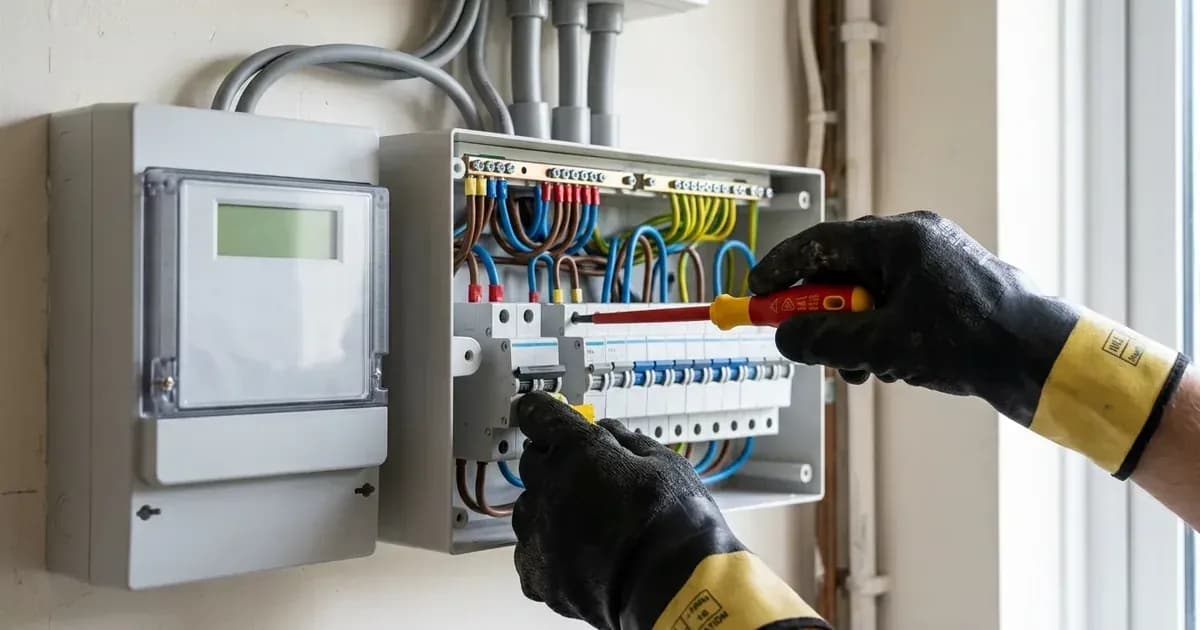
- Personal Protective Equipment: Always wear personal protective equipment (PPE) including safety glasses and insulated footwear when testing energized AC switchgear.
- Capacitor Discharge Time: After the inverter is powered off, there may still be residual electricity and heat which may cause electric shocks and body burns. Please wear personal protective equipment (PPE) and start maintaining the inverter at least five minutes after power off.
- Authorized Alterations Only: Never attempt to bypass overvoltage limits or alter statutory G99 trip settings without written formal consent from the regional UK Distribution Network Operator.
Escalating to SolaX technical service
If firmware updates, safety code verification, and physical voltage checks confirm that incoming grid voltage is within statutory limits but the inverter persists in reporting IE 03: 3.If the problem remains, Please contact the SolaX technical support team. Provide photographs of the serial number, measured AC port voltage, and the internal grid voltage reading from the On-grid diagnostic screen.
Frequently asked questions
What does SolaX error code IE 03 mean?
IE 03 represents a Grid Volt Fault caused by power grid voltage overrun where the local AC supply exceeds programmed safety boundaries. The system will reconnect automatically once the distribution grid voltage normalizes.
Why is my SolaX inverter displaying IE 08 AC10mins Volt?
IE 08 indicates that the rolling 10-minute mean grid voltage has exceeded statutory limits. The inverter halts power export to protect household equipment and auto-reconnects when the grid voltage stabilizes.
How do I configure the UK grid safety code on a SolaX inverter?
Navigate to Menu, Setting, and Advance Setting using the default password 0 0 0 0, and select G99 United Kingdom (or G100 NI Northern Ireland for NI installations) under Table 10-3 Safety code.
Can grid voltage faults be caused by solar export cable volt-rise?
Yes. Undersized AC cabling between the inverter and consumer unit creates high electrical impedance, causing inverter terminal voltage to elevate above grid limits during peak afternoon solar generation.
References
- SolaX Help Center: Grid Voltage Fault — accessed 29 August 2026
- SolaX X1-Hybrid-G4 User Manual — accessed 29 August 2026
- SolaX Service: How to fix grid lost fault — accessed 29 August 2026
Related guides
More from inverter errors & fixes.