Victron Temperature Sensors: Setup and Configuration Guide
Updated 6 September 2026 · By SolarNevs Research Desk, Dealer surveys + verified sources · 1 source · Method ↗
Key Takeaways
- Inaccurate battery charging is often caused by a lack of temperature sensing.
- Identify the correct Victron temperature sensor by checking compatibility with your specific Victron device.
- Always disconnect all power sources from your battery system before handling battery terminals or wiring.
- If you are unsure about wiring connections, product compatibility, or configuration, consult a qualified technician.
Why is temperature sensing important for Victron battery charging?
Temperature sensing provides critical information that improves the accuracy of battery charging. Without this data, the charging process can be inaccurate, potentially affecting the battery's lifespan and performance. Victron Energy systems use temperature data to adjust charging parameters, ensuring batteries are charged optimally for their current conditions.
How to Identify the Correct Victron Temperature Sensor
Selecting the appropriate temperature sensor for your Victron system depends on the specific Victron product you are using. Each sensor is designed to integrate with particular devices, providing temperature data for improved system management.
- Identify your Victron product: Determine which Victron device you need to connect a temperature sensor to. This could be a MultiPlus inverter/charger, a BMV battery monitor, an MPPT solar charge controller, or a GX device.
- Refer to the compatibility table: Use the table below to match your Victron product with the compatible temperature sensor and its Victron Part Number.
- Note the sensor's features: Consider whether you need temperature data visible on VRM (Victron Remote Management) or if VE.Smart Networking is a required feature for your setup.
Victron Temperature Sensor Compatibility and Features
The following table details the various Victron temperature sensors, their part numbers, and the Victron products they support. It also indicates whether temperature data from the sensor is displayed on VRM and if the cable length can be modified.
Temperature Sensor | Victron Part Number | Products Supported | Temperature on VRM | Modifying cable length? |
|---|---|---|---|---|
VE.Bus Smart Dongle (1) | ASS030537010 | VE.Bus devices | Yes | n/a |
Smart Battery Sense (3M) | SBS050100200 | Bluetooth enabled VE.Direct MPPTs and Smart IP43 Charger | No | yes (2) |
Smart Battery Sense (10M) | SBS050150200 | Bluetooth enabled VE.Direct MPPTs and Smart IP43 Charger | No | yes (2) |
Temp. Sensor for Quattro, MultiPlus & GX Device | ASS000001000 | MultiPlus, Quattro, Compatible GX devices (Cerbo GX, Venus GX, etc), VE.Can MPPT, Lynx Shunt VE.Can, Skylla-S, Sylla-TG, Skylla-i and Charger | MultiPlus - Yes, Venus GX - Yes, VE.Can MPPT - Yes, Lynx Shunt VE.Can - Yes | yes (2) |
Temp. Sensor for BMV | ASS000100000 | Battery Monitors with Temp Support - eg BMV-702 & 712, SmartShunt & VE.Bus Smart Dongle | Yes | yes (3) |
Temp. sensor type C | ASS000020000 | Inverter RS Smart Solar, MPPT RS | No | yes (2) |
Setting Up Your Victron Temperature Sensor
Once you have identified the correct temperature sensor for your Victron system, the setup process generally involves physically connecting the sensor and ensuring your Victron device recognizes it. Specific installation instructions and wiring diagrams are typically found in the manual for your primary Victron product (e.g., MultiPlus, BMV, MPPT).
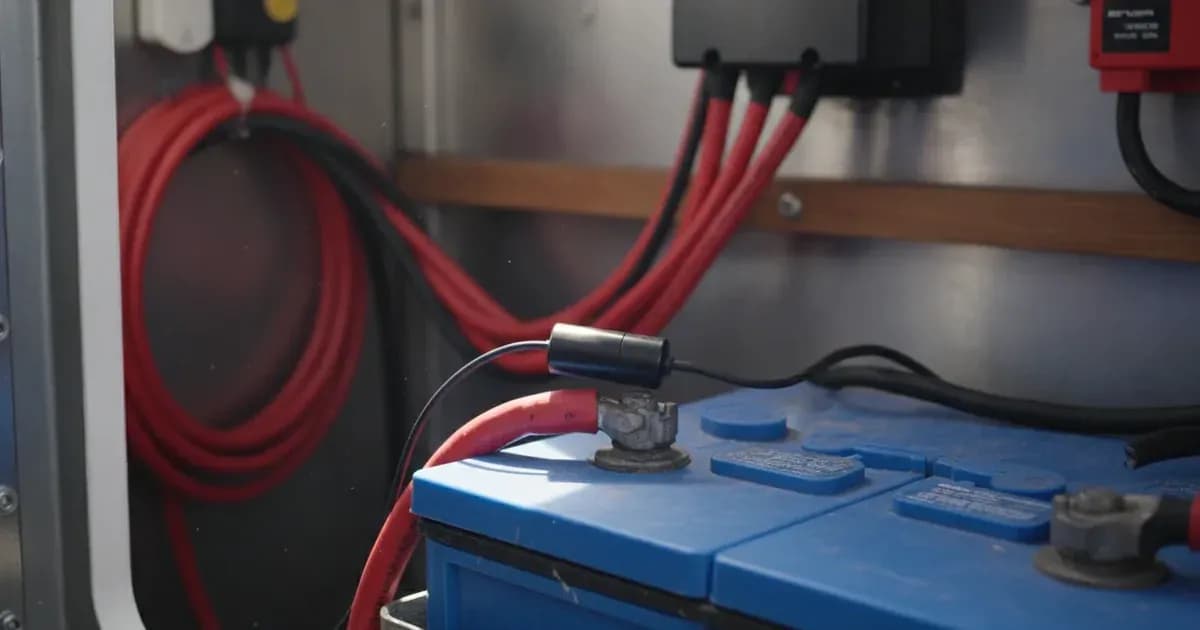
For the VE.Bus Smart Dongle (ASS030537010), it features an internal temperature measurement. You can mount the dongle directly on the battery to utilize this. Additionally, it provides terminals for connecting an external probe if needed.
Several Victron temperature sensors, including the VE.Bus Smart Dongle, Smart Battery Sense (3M), Smart Battery Sense (10M), and the Temp. Sensor for BMV (when used with a BMV-712 or a dongle for BMV-702), support VE.Smart Networking. This feature allows devices to share information wirelessly, which can further enhance system accuracy. While Victron documentation confirms support for VE.Smart Networking, specific configuration details for this functionality are not provided. Refer to your Victron product's manual for detailed setup instructions.
Safety: Handling Battery Connections
Working with batteries and electrical systems carries inherent risks. Always prioritize safety to prevent injury or damage to equipment.
- Disconnect Power: Before connecting or disconnecting any temperature sensor to a battery terminal or within an electrical enclosure, ensure all power sources (solar PV, grid AC, and battery) are completely disconnected. Isolate all breakers and switches.
- Insulated Tools: Use only insulated tools when working on battery terminals or wiring. A short circuit caused by an uninsulated tool can draw hundreds of amps, leading to severe burns, arcing, or fire.
- Avoid Short Circuits: Be extremely careful to prevent tools or conductive materials from bridging battery terminals or other live components.
- Personal Protective Equipment: Wear appropriate personal protective equipment, including safety glasses and insulated gloves, when working near batteries.
When to call a technician instead
While installing a temperature sensor can be a straightforward process, there are situations where professional assistance is recommended. You should call a qualified technician if:
- You are uncertain about the correct wiring procedure for your specific Victron product and temperature sensor.
- You encounter any error messages or unexpected behavior after installation that you cannot resolve using the product manual.
- You are uncomfortable working with high-current DC systems or opening electrical enclosures.
- The installation requires modifying internal components of a Victron device, which may void warranties or require specialized tools and knowledge.
```
Frequently asked questions
Why do I need a temperature sensor for my Victron battery system?
Victron temperature sensors provide crucial data to improve the accuracy of battery charging. Without this information, your battery charging may be inaccurate, potentially affecting battery health and performance.
Which Victron temperature sensors support VE.Smart Networking?
VE.Smart Networking is supported by the VE.Bus Smart Dongle, Smart Battery Sense (3M), Smart Battery Sense (10M), and the Temp. Sensor for BMV when used with a BMV-712 or a dongle for BMV-702.
Can the VE.Bus Smart Dongle measure temperature internally?
Yes, the VE.Bus Smart Dongle has an internal temperature measurement. You can mount the dongle directly on the battery for this purpose. It also includes terminals for connecting an external probe.
Which Victron products are compatible with the ASS000001000 temperature sensor?
The Temp. Sensor for Quattro, MultiPlus & GX Device (part number ASS000001000) is compatible with MultiPlus, Quattro, various GX devices (like Cerbo GX, Venus GX), VE.Can MPPT, Lynx Shunt VE.Can, Skylla-S, Skylla-TG, Skylla-i, and other chargers.
Does the Smart Battery Sense display temperature on VRM?
No, the Smart Battery Sense (both 3M and 10M models) does not display temperature on VRM. This feature is not available for these specific sensors.
References
- Victron Energy Temperature Sensors Overview — accessed 23 August 2026
Related guides
More from what to buy — and how not to get cheated.