SolaX Inverter Grid Lost Fault (IE02): Causes and UK Fix Guide
Updated 18 September 2026 · By SolarNevs Research Desk, Dealer surveys + verified sources · 3 sources · Method ↗
Key Takeaways
- SolaX error code IE 02 indicates grid disconnection, confirming that the inverter cannot sense alternating current voltage at its AC connection terminals.
- The first check is verifying whether the broader property has suffered a power cut or if an external miniature circuit breaker or rotary AC isolator has tripped.
- Never test live AC terminals without appropriate test instruments; always turn off the AC switch between the inverter and the power grid and allow at least five minutes for internal capacitor discharge before handling wiring.
- If physical terminal voltage is verified as healthy but the inverter continues reporting IE 02, check internal voltage sampling under About, System status, and On-grid before escalating to SolaX technical service.
What is the SolaX Grid Lost Fault (IE02)?
The SolaX Grid Lost Fault—logged on system screens as error code IE 02—is an automatic protection event triggered whenever the inverter power management software detects that AC grid voltage has vanished from its terminal connections. When this fault occurs, the internal safety contactors immediately decouple the inverter from the electrical installation to prevent islanding power onto the public distribution network.
In standard UK residential and commercial installations, SolaX inverters continuously monitor grid characteristics to maintain strict compliance with British distribution standards. These electrical connection requirements are explained in our micro-generator grid connection guide.
Under official manufacturer guidance, the code indicates grid disconnection. The required initial resolution pathway is clear: check grid connections, reset breakers, or contact utility.
Common causes of SolaX IE02 in the UK
Loss of AC grid detection typically arises from one of five distinct installation conditions:
- Local Utility Power Cuts: An outage on the local Distribution Network Operator (DNO) low-voltage feeder drops voltage across the whole property, preventing inverter synchronisation.
- Tripped Consumer Unit Breaker: The dedicated miniature circuit breaker (MCB) or residual current breaker with overcurrent protection (RCBO) feeding the solar generation circuit has opened due to an overcurrent transient.
- Open AC Rotary Isolator: The lockable rotary isolator mounted adjacent to the inverter or consumer unit has been switched off or developed high resistance across internal contacts.
- Loose AC Connector Terminals: Poorly seated screw or spring clamp terminals on the detachable SolaX AC plug create an open circuit under thermal cycling. Installation wiring compliance follows our UK solar electrical installation guide.
- Inverter Internal Voltage Sensing Fault: In rare instances, internal voltage sampling relays or resistors fail to register incoming AC voltage despite healthy physical supply.
Systematic diagnostic steps for SolaX IE02
To resolve an IE 02 alert safely, follow the step-by-step diagnostic sequence outlined by SolaX technical engineering:
Step 1: Physical AC voltage measurement
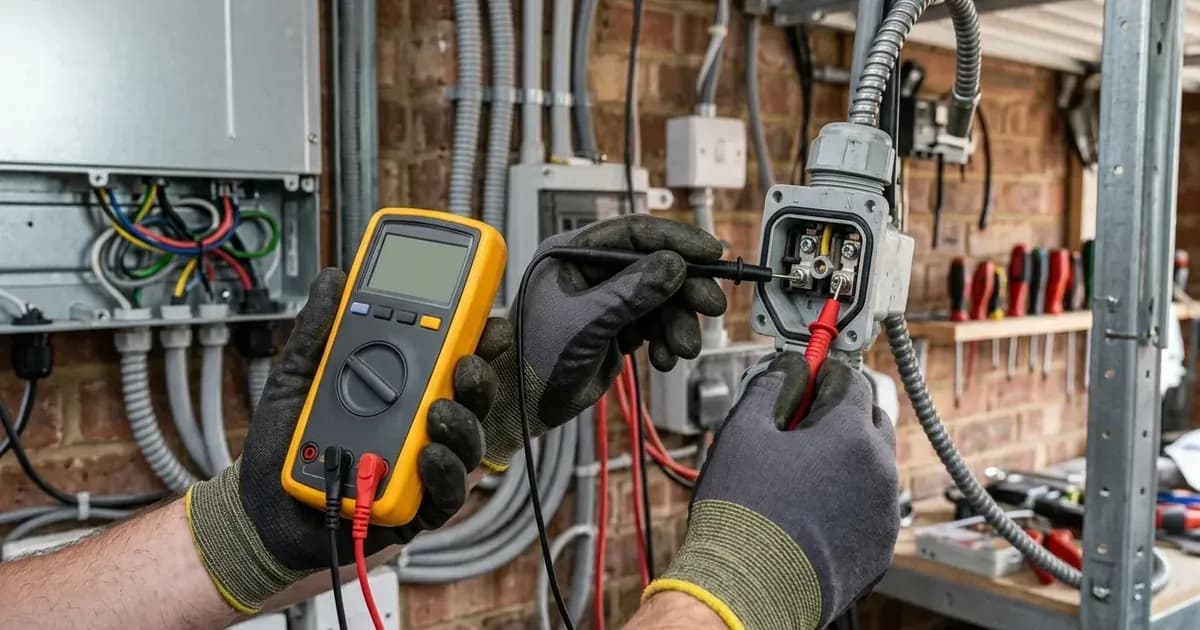
Use a multimeter to measure the phase voltage and line voltage at the AC port. Ensure grid voltage is normal. On standard single-phase UK supplies, verify that phase-to-neutral voltage sits within statutory limits. On three-phase commercial installations (X3-Pro systems), confirm balanced line-to-line voltages.
Step 2: Inverter internal detection verification
If physical voltage is confirmed at the AC plug, check whether the inverter firmware is accurately reading incoming grid power. Check the system status "On-grid" information , which inverter displays on the screen. Ensure the detection of grid voltage in the inverter is normal. Navigate through the LCD interface using the path:
- Menu -> About -> System status -> On-grid Compare the LCD voltage readout against your physical multimeter measurement. If the screen displays zero voltage while physical terminals carry normal mains voltage, internal voltage sensing circuitry is damaged.
Step 3: Firmware upgrade and controlled reboot
Step 3: Upgrade the firmware version to the latest and restart the inverter and check whether the inverter recovers. Firmware updates ensure the digital signal processor (DSP) sampling routines accurately track local grid waveforms.
Grid Lost fault symptom and triage matrix
Symptom Observation | Underlying Technical Cause | Corrective Resolution Action |
|---|---|---|
IE 02 accompanied by blackout in home | Regional DNO network power cut | Await utility restoration; inverter reconnects automatically |
Inverter displays IE 02; home has power | Tripped solar circuit MCB or RCBO | Check consumer unit breaker; reset once; inspect for shorts |
Multimeter reads 0V at inverter AC plug | AC rotary isolator open or faulty | Verify switch position; test voltage across isolator terminals |
Multimeter detects normal voltage; LCD displays 0V | Inverter internal voltage sensor failure | Upgrade firmware to latest release; escalate to SolaX support |
IE 02 appears intermittently at noon | Voltage swell or loose AC terminal clamp | Check the grid connection status; tighten terminal screws |
For properties with smart export meters, grid interruptions directly halt generation credits; see our guide to Smart Export Guarantee tariffs.
Electrical safety during AC fault investigation
Investigating AC power loss involves working near mains voltages. Adhere strictly to these safety measures:
- Complete Circuit Isolation: Before removing AC terminal covers or checking wiring tightness, turn off the AC switch between the inverter and the power grid.
- Residual Stored Charge: After the inverter is powered off, there may still be residual electricity and heat which may cause electric shocks and body burns. Please wear personal protective equipment (PPE) and start maintaining the inverter at least five minutes after power off.
- Approved Voltage Testers: Always use a GS38-compliant digital multimeter or calibrated two-pole voltage indicator to confirm that conductors are dead before physical contact.
Support escalation: R&D evidence checklist
If basic breaker resets, terminal checks, and firmware updates do not clear the IE 02 alarm, collect the following technical evidence before contacting SolaX technical service:
- Photographic Proof of Serial Number: 1.[Photo] SN numbers of the inverter . Capture the barcode rating label located on the side of the chassis.
- Terminal Voltage Proof: 2.[Photo]Phase voltage and line voltage at AC side. Photograph the multimeter display clearly showing voltage at the disconnected AC plug.
- Inverter Measurement Screen: 3.[Photo]On-grid voltage measured by inverter. Photograph the LCD screen under About -> System status -> On-grid showing internal voltage detection.
Frequently asked questions
What does SolaX Grid Lost Fault IE02 indicate?
SolaX error code IE 02 indicates grid disconnection where the inverter ceases sensing alternating current from the distribution grid. Before touching any AC rotary switch or breaker, always ensure complete system isolation and observe the mandatory five-minute capacitor discharge wait.
How do you test whether mains voltage reaches a SolaX inverter?
A qualified technician must use a multimeter to measure the phase voltage and line voltage at the AC port to ensure grid voltage is normal, verifying whether the disconnection is localized to external switchgear.
Where can I view the SolaX inverter internal grid detection status?
On the inverter LCD screen, navigate to About, select System status, and inspect On-grid to ensure the detection of grid voltage in the inverter is normal.
Will a SolaX inverter recover automatically after a utility power cut?
Yes. Once the local Distribution Network Operator restores mains voltage, the inverter will verify grid parameters and automatically resume power generation.
References
- SolaX Service: How to fix grid lost fault — accessed 29 August 2026
- SolaX Help Center: What does Grid Lost Fault IE02 error indicate — accessed 29 August 2026
- SolaX X1-Hybrid-G4 User Manual — accessed 29 August 2026
Related guides
More from inverter errors & fixes.