Solar Inverter WiFi Monitoring Setup - Every App, Every Fix
Updated 2 August 2026 · By SolarNevs Research Desk, Dealer surveys + verified sources · 18 sources · Method ↗
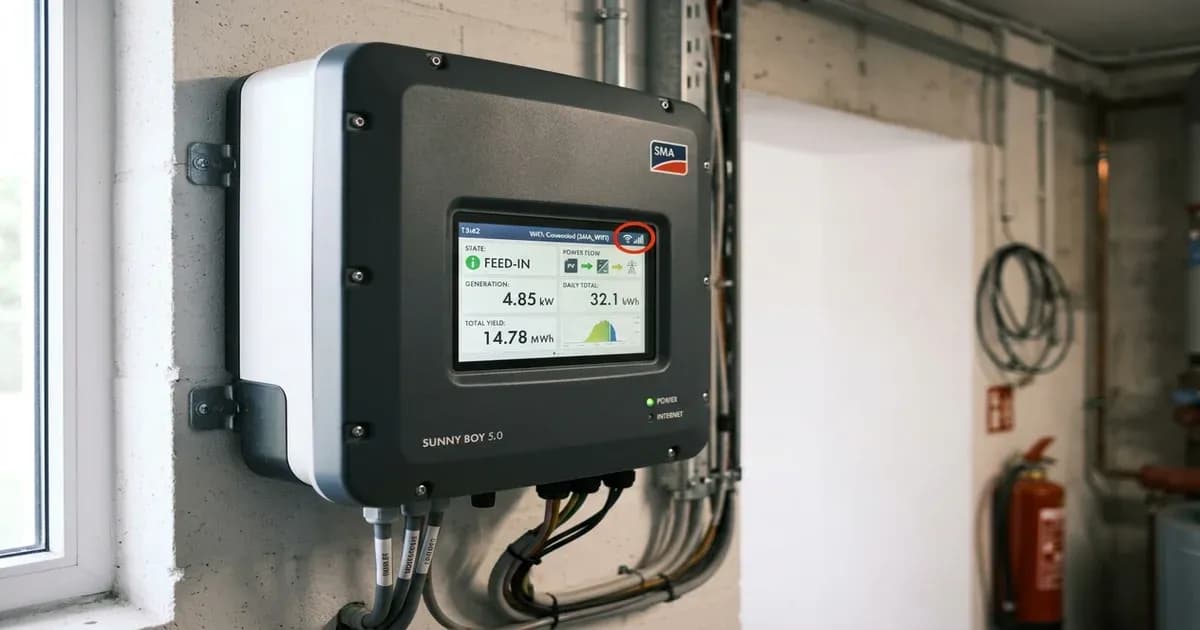
Solar Inverter WiFi Monitoring Setup - Every App, Every Fix
{/* visual_plan: stat_block */}
Key Takeaways
- Almost every stick logger sold in Pakistan is 2.4GHz only. Solis documentation states the exception is the S5-WiFi-ST, which is dual-band and the only one supporting WPA3 (verified July 2026).
- The local configuration page for Solis, Solarman and most Voltronic-family dongles is the same address, namely 10.10.100.254 (verified July 2026).
- Hotspot passwords differ by brand, including Solis 123456789, GoodWe 12345678, Growatt AP mode 12345678, Huawei "Changeme", and Solarman printed on the device label (verified July 2026).
- Solarman and Deye documentation call any network with an RSSI below 15 percent unstable and tell you to move the router, adjust the antenna or add a repeater (verified July 2026).
- Huawei's initial installer account password is 00000a and the app forces a change on first login (verified July 2026).
Why does inverter monitoring matter more in Pakistan after February 2026?
Under the NEPRA Prosumer Regulations 2026, notified as SRO 251(I)/2026 on 9 February 2026, new connections no longer get net metering. Export is credited at roughly Rs 11 per unit (February 2026) while import can reach Rs 50-65 per unit (February 2026). That asymmetry changes what monitoring is for.
Before February 2026, the app was a scoreboard. You watched units go out and units come back. Now the app is a control instrument, because every unit you consume inside the house instead of exporting is worth roughly four to five times as much. You cannot time your pump, your AC and your washing machine against your generation curve if you cannot see the generation curve.
There is a second reason, less pleasant. A monitoring account with historical data is the only evidence you will have in a warranty dispute. If your inverter derates every afternoon or your battery never reaches full charge, screenshots of a six-month trend are worth more than any verbal complaint to a dealer.
How do you pair each brand's app?
The mechanics are almost identical across brands, because the dongle raises its own WiFi hotspot, you join it with your phone, you hand it your home network credentials, it reboots and phones home. What differs is naming and passwords.
Growatt / ShinePhone. ShineWiFi-X broadcasts a hotspot named after the datalogger serial number; the older ShineWiFi-S broadcasts as AP_ followed by digits. Default AP password on both is 12345678 (verified July 2026). Growatt's own documentation warns that the WiFi name and password are case-sensitive and must not exceed 13 characters, which trips up anyone with a long SSID. LED readings, where solid blue means connected to router and to the Growatt cloud, flashing blue means the router is connected but the cloud link is down, flashing red means AP mode is active and waiting for configuration, and solid green means it has not completed the handshake, so recheck credentials and band.
Solis / SolisCloud. The logger broadcasts as Solis_ followed by the serial number. If you are using the web method rather than the app, join the hotspot with the password 123456789 and browse to 10.10.100.254 (verified July 2026). Solis documentation notes the network can take up to a minute to appear after a reset, and tells you to forget your home network on the phone and turn mobile data off first, otherwise the phone will silently jump off the dongle's hotspot mid-setup.
Huawei / FusionSolar. Log in to the FusionSolar app as Installer, scan the QR code on the inverter, and join the device WLAN. The WLAN name is device name plus device serial number. The initial WLAN password is Changeme and the initial installer account password is 00000a (verified July 2026); the app forces you to change both. If the Smart Dongle's WLAN has been disabled, you re-enable it from the plant's Device screen through the Smart Dongle card under O and M Authorization by turning on WLAN wakeup.
GoodWe / SEMS Portal. The inverter broadcasts Solar-WiFi followed by the last eight digits of its serial number, and the password is 12345678 (verified July 2026). Turn mobile data off before you start, and stand within a couple of metres of the inverter, because the hotspot has short range.
Deye and generic / Solarman Smart. The hotspot is AP_ followed by six characters, and the password is printed on the device label (verified July 2026). The web fallback is again 10.10.100.254. Create the plant first in the app, then scan the QR code on the logger. Expect the device to sit at Offline for up to ten minutes after configuration before data appears.
{/* visual_plan: comparison */}
Why do monitoring dongles drop off, and whose fault is it?
In nearly every case we have seen, the dongle is not the problem. The router is.
The 2.4GHz trap. Stick loggers are 2.4GHz-only devices. Solis states this explicitly and lists the S5-WiFi-ST as the sole dual-band exception. Growatt states its dongles cannot see 5GHz networks at all. Solarman's guide says plainly that 5G networks are not supported. This matters because most PTCL, Nayatel and StormFiber routers ship with band steering on and both bands sharing one SSID. The dongle configures fine on day one, the router later steers that SSID to 5GHz, and the logger vanishes. The fix is to split the bands into two named networks and point the dongle at the 2.4GHz one permanently.
Signal strength. Solarman and Deye documentation both set the threshold at 15 percent RSSI, and below that, the connection is treated as unstable and the recommended remedies are moving the router antenna, relocating the router, or adding a repeater. Pakistani installations make this worse than average because the inverter is usually on an outside wall, in a stairwell, or in a steel-doored store room, with at least one brick wall and often a metal enclosure between it and the router.
Router settings that silently block it. Solis lists four, which are DHCP must be enabled, MAC filtering must whitelist the dongle if the firewall is on, hidden SSIDs cause problems, and the router must have spare client slots. Security must be WPA or WPA2, with WPA3 supported only on the S5-WiFi-ST. Business-grade routers can also block outbound ports 80, 443 and 5279, which breaks the cloud link even when the WiFi link is fine.
Interference. 2.4GHz shares its band with microwaves and cordless phones, and both Solis and Solarman name that as a documented cause. In a dense Lahore or Karachi neighbourhood, channel congestion on 2.4GHz is severe. Fixing the channel manually to 1, 6 or 11 usually helps more than any other single change.
Power cycling. A dongle that loses the inverter, rather than the router, shows up differently. Huawei documents it precisely, showing that a Smart Dongle blinking red and green alternately at long intervals has no communication with the inverter, and the fix is to remove and reinsert the dongle or check hardware compatibility. A steady red on Huawei means the dongle itself is faulty and needs replacing.
{/* visual_plan: step_flow */}
What is the correct diagnostic order when the app says offline?
Work outward from the inverter, not inward from the app. Five steps, in order.
First, check whether the inverter itself is running. If the screen is dark, this is not a monitoring problem.
Second, read the dongle LED against the brand's own table rather than guessing. A GoodWe WiFi LED blinking four times at a time means the inverter has connected to the router but the router has no internet, which points at your ISP and nothing else.
Third, test whether your phone can see and join the dongle's own hotspot. If it cannot, reset the dongle. Solis specifies a long press of more than ten seconds until both the yellow and green lights go out, which erases all saved network settings. Growatt and Solarman have equivalent reset holds.
Fourth, if the hotspot appears and the setup still fails, use the web page at 10.10.100.254 rather than the app. Solis explicitly recommends this when the app misbehaves, and some loggers such as the LDW-1 can only be configured this way.
Fifth, only then suspect hardware. Dongles do die, particularly in Pakistani summer heat on a south-facing wall, and a replacement stick is one of the cheapest parts on the system.
When should you stop fighting WiFi and change the hardware?
There is a point where you are burning whole evenings on the cheapest component in the system. Recognise it.
If the inverter is more than one solid wall and ten metres from the router, WiFi is the wrong medium. The honest options are a wired LAN dongle where the manufacturer offers one, a mesh node or repeater placed within line of sight of the inverter, or a cellular logger. Solarman's stick logger family covers GPRS, WiFi, 4G and Ethernet on the same platform, so switching medium usually does not mean switching app or losing history.
For Pakistani homes specifically, the 4G logger deserves more attention than it gets. It sidesteps the router entirely, survives your ISP outage, and keeps reporting during load shedding as long as the inverter is powered from battery. The trade-off is a small recurring SIM cost and dependence on cellular coverage at the inverter's location, which in a ground-floor store room can be worse than upstairs.
One thing we will say plainly, because dealers rarely do, is that monitoring going offline does not stop your system working. The inverter generates, the battery charges, the loads run. What you lose is evidence and control. That is worth fixing, but it is not an emergency, and it is not a reason to accept a dealer's offer to "reset the inverter to factory", because that will also wipe your battery profile and grid settings and create three new problems.
Frequently Asked Questions
Why does my solar inverter WiFi dongle keep going offline?
Usually the router. Almost every stick logger is 2.4GHz-only, so a merged dual-band SSID, a switch to 5GHz, disabled DHCP or MAC filtering will drop it. Weak signal is the second cause.
What is the default password for a solar WiFi dongle hotspot?
Solis dongles use 123456789, GoodWe uses 12345678, Growatt AP mode uses 12345678, Huawei uses Changeme, and Solarman prints the password on the device label.
Does monitoring stop my inverter from working if it goes offline?
No. The dongle only reports data. Your inverter keeps generating and your batteries keep charging. You lose visibility and remote diagnostics, not power.
References
- Growatt Knowledge Center, ShineWiFi-X and ShineWiFi-S installation and configuration
- Growatt inverter WiFi reconnection guide
- Solis Service Center, troubleshooting for WiFi datalogger network connection
- Solis Service Center, S3-WIFI-ST WiFi stick setup
- Huawei FusionSolar app user guide
- Huawei FusionSolar and SUN2000 app device commissioning guide
- GoodWe Help Center, WiFi configuration via SEMS app
- GoodWe Help Center, inverter offline on SEMS Portal while WiFi is connected
- SOLARMAN stick logger quick guide (Deye)
- SOLARMAN Help Center, network settings
- SOLARMAN stick logger product page, GPRS, WiFi, 4G and Ethernet options
- [NEPRA Prosumer Regulations 2026, SRO 251(I)/2026](https://www.nepra.org.pk/Legislation/3-Reg/3.35%20NEPRA%20%20Prosumer%20Regulations%202026/NEPRA%20Prosumer%20Regulations%20(SRO%20251(I)2026)%2009-02-26.PDF)
Frequently asked questions
Why does my solar inverter WiFi dongle keep going offline?
Usually the router. Almost every stick logger is 2.4GHz-only, so a merged dual-band SSID, a switch to 5GHz, disabled DHCP or MAC filtering will drop it. Weak signal is the second cause.
What is the default password for a solar WiFi dongle hotspot?
Solis dongles use 123456789, GoodWe uses 12345678, Growatt AP mode uses 12345678, Huawei uses Changeme, and Solarman prints the password on the device label.
Does monitoring stop my inverter from working if it goes offline?
No. The dongle only reports data. Your inverter keeps generating and your batteries keep charging. You lose visibility and remote diagnostics, not power.
References
- PSW Energy — accessed 26 July 2026
- Growatt Support — accessed 26 July 2026
- Growatt Support — accessed 26 July 2026
- Solis Support — accessed 26 July 2026
- Solis Support — accessed 26 July 2026
- Solis Support — accessed 26 July 2026
- IPshu — accessed 26 July 2026
- Manuals+ — accessed 26 July 2026
- Huawei Support — accessed 26 July 2026
- GoodWe Support — accessed 26 July 2026
- PSW Energy — accessed 26 July 2026
- Solargain — accessed 26 July 2026
- GoodWe Support — accessed 26 July 2026
- Deye — accessed 26 July 2026
- Solarman Support — accessed 26 July 2026
- Manuals+ — accessed 26 July 2026
- Solarman — accessed 26 July 2026
- NEPRA — accessed 26 July 2026
Related guides
More from inverter errors & fixes.