Victron System Check Troubleshooting Guide
Updated 9 September 2026 · By SolarNevs Research Desk, Dealer surveys + verified sources · 1 source · Method ↗
Key Takeaways
- Always prioritize safety: shut down the system completely before inspecting any components.
- Loose wiring is a very common cause of system faults; check all connections thoroughly.
- Wear appropriate personal protective equipment, especially eye protection and gloves, when working with batteries.
- If the issue involves AC voltages or complex system design, always call a qualified technician.
How do I perform a basic system check on my Victron Energy installation?
A basic system check on your Victron Energy installation begins with a thorough visual inspection and verification of all connections and settings. The most common cause of system problems is often simple: a loose wire or an incorrect setting.
Diagnosis: Step-by-step system inspection
Follow these steps to systematically check your Victron Energy system for common issues.
- Prioritize Safety and Shut Down the System: Before touching any components, ensure the system is safely powered down.
- Action: "Turn off all loads at their switches."
- Action: "Turn off the inverter if there is one."
- Action: "then turn off the solar panel supply."
- Action: "Turn off all the remaining switches, finally, disconnecting the main fuse, or system isolator."
- Safety: "Never work on AC voltages unless you are qualified." For DC systems, "DC systems of up to 48V are generally safe to work with if you take sensible precautions." Always "wear eye protection" and "remove metal jewellery."
- Inspect All Wiring Connections: Loose connections are a frequent source of trouble.
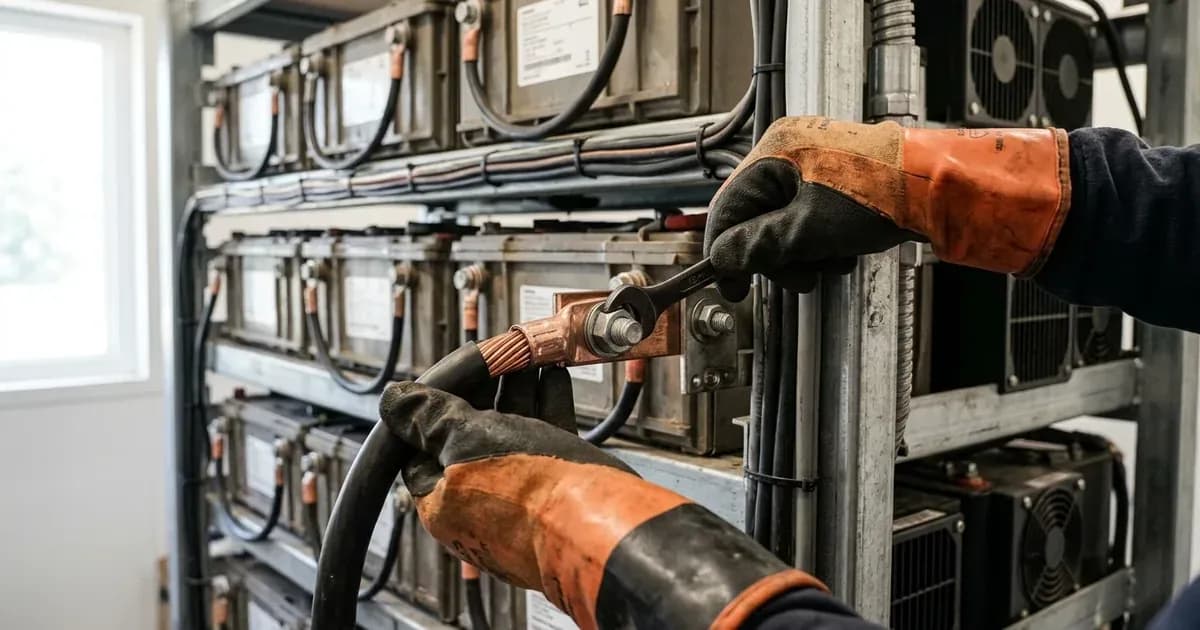
- Action: Visually inspect every wire connection, from battery terminals to inverter inputs and outputs, and solar panel connections.
- Action: Gently tug on each wire to ensure it is securely fastened.
- Observation: "Loose wires are a common source of faults."
- Observation: "Loose wires can lead to electrical arcing or sparks. And exposed wires may have the potential to give you an electric shock."
- Tool: Use a Phillips head screwdriver or a spanner/socket set to tighten any loose connections.
- Check Battery Condition: While detailed battery diagnostics are complex, a basic visual check is important.
- Action: Inspect battery terminals for corrosion or damage.
- Action: For wet-cell batteries, ensure electrolyte levels are adequate (if accessible and safe to check).
- Safety: "It is a good idea to wear gloves if you are working on wet-cell batteries" and "to wear eye protection."
- Verify Firmware Versions: Outdated firmware can sometimes cause unexpected behavior or prevent optimal performance.
- Action: Use the VictronConnect app or other Victron software to check the firmware versions of your MPPTs, BMVs, VE.Direct Inverters, and Inverter/Chargers.
- Reference: "Firmware Updates for Inverter/Chargers" and "Firmware Updates (MPPT, BMV, VE.Direct Inverters)" are available on the Victron Energy website.
- Reference: For general versions, "See https://professional.victronenergy.com -> Firmwares for the versions of all our products."
- Look for Physical Damage or Overheating Signs:
- Action: Inspect all Victron devices (inverter, charge controller, battery monitor) for any signs of physical damage, burn marks, or unusual smells.
- Action: Check ventilation openings to ensure they are clear of dust or obstructions.
Common System Check Issues and Fixes
Symptom detail | Likely cause | Fix |
|---|---|---|
System not powering on or intermittent operation | Loose wiring connections | Safely shut down the system, then inspect and tighten all electrical connections using appropriate tools. |
Device not communicating or behaving erratically | Outdated or corrupted firmware | Check firmware versions via VictronConnect. Refer to the Victron Energy website for "Firmware Updates (MPPT, BMV, VE.Direct Inverters)" and "Firmware Updates for Inverter/Chargers." |
Visible sparks or arcing during operation | Loose or damaged wiring | Immediately shut down the system following the safe shutdown procedure. Inspect and repair or replace any damaged wiring and tighten all connections. |
Unexpected system shutdowns or low performance | Battery issues (e.g., low charge, poor connections) | Inspect battery terminals for corrosion. Ensure battery connections are tight. For wet-cell batteries, check electrolyte levels if safe to do so, wearing "gloves" and "eye protection." |
Firmware Updates and System Design
Keeping your Victron Energy system's firmware up to date is an important part of maintenance and troubleshooting. While this guide does not provide specific instructions on how to update firmware, the Victron Energy website offers detailed information. You can find resources for "Firmware Updates (MPPT, BMV, VE.Direct Inverters)" and "Firmware Updates for Inverter/Chargers" directly on their site. For a comprehensive overview of all product firmware versions, consult "https://professional.victronenergy.com -> Firmwares."
For questions related to system design or if you are considering expanding your current setup, it is recommended to consult with a qualified Victron distributor or installer. They can provide expert advice tailored to your specific needs.
Safety: Essential precautions for working with electrical systems
Working with solar power systems involves electrical hazards. Always adhere to these safety guidelines to prevent injury or damage.
- System Shutdown: Always follow the safe shutdown procedure: "Turn off all loads at their switches. Turn off the inverter if there is one ...then turn off the solar panel supply. Turn off all the remaining switches, finally, disconnecting the main fuse, or system isolator."
- Personal Protective Equipment (PPE): "It is a good idea to wear gloves if you are working on wet-cell batteries" and always "wear eye protection."
- Jewellery: "It’s also a good idea to remove metal jewellery" before working on electrical systems to prevent accidental short circuits.
- AC Voltage: "Never work on AC voltages unless you are qualified." AC circuits carry lethal voltages.
- DC Voltage: "DC systems of up to 48V are generally safe to work with if you take sensible precautions." However, even low voltage DC can cause burns or arcing if mishandled.
- Loose Wires: Be aware that "Loose wires can lead to electrical arcing or sparks. And exposed wires may have the potential to give you an electric shock." Always ensure connections are secure.
When to call a technician instead
While basic troubleshooting can resolve many common issues, there are situations where professional help is essential.
- AC Voltage Issues: If the problem involves the AC side of your inverter or grid connection, and you are not a qualified electrician, do not attempt repairs. "Never work on AC voltages unless you are qualified."
- Complex Diagnostics: If you have performed the basic checks and cannot identify the source of the problem, or if the issue seems to be internal to a Victron device, a qualified technician has specialized tools and knowledge for deeper diagnostics.
- System Design Questions: For any questions regarding system expansion, component compatibility, or optimizing your system's performance, contact a Victron distributor or installer.
- Warranty Concerns: Attempting unauthorized repairs or modifications may void your product warranty. If your system is under warranty, consult with your installer or Victron support before attempting any repairs beyond basic checks.
Frequently asked questions
What is the first step in troubleshooting a Victron system?
Begin by safely shutting down the system. Turn off all loads, then the inverter, followed by the solar panel supply, and finally disconnect the main fuse or system isolator. This ensures safety before inspection.
Are DC systems generally safe to work on?
DC systems up to 48V are generally safe to work with if you take sensible precautions. Always remove metal jewelry and wear eye protection when working with batteries.
How do I check for loose connections in my Victron system?
After safely shutting down the system, visually inspect all wiring connections. Loose wires are a common source of faults and can lead to electrical arcing or shocks. Gently tug on connections to ensure they are secure.
Where can I find information on Victron firmware updates?
Information on firmware updates for Victron MPPTs, BMVs, VE.Direct Inverters, and Inverter/Chargers is available on the Victron Energy website. You can also check professional.victronenergy.com for general firmware versions.
When should I call a professional for Victron system issues?
If you are not qualified to work on AC voltages, if you cannot identify the source of a problem after basic checks, or if the issue involves complex system design, it is best to contact a qualified Victron distributor or installer.
References
- Victron Energy System Check Guide — accessed 23 August 2026
Related guides
More from sizing, net billing & installation.