Growatt Max 50K To 125Ktl3 Commercial Inverter Setup Guide
Updated 15 September 2026 · By SolarNevs Research Desk, Dealer surveys + verified sources · 6 sources · Method ↗
Key Takeaways
- Growatt MAX 50K-125KTL3 inverters are designed for commercial and industrial solar installations, supporting up to 10 independent MPPT channels.
- Commissioning and configuration are primarily done through the Solarman app and the Growatt OSS (Online Smart Service) Platform.
- Integrated safety features include DC AFCI Arc Fault Interruption and Type 2 DC and AC Surge Protection.
- Always switch off the DC battery isolator and wait at least 5 minutes before working on the inverter to allow internal capacitors to discharge.
Setting Up Your Growatt MAX Commercial Inverter
The Growatt MAX 50K-125KTL3-X / LV / MV series of inverters are multi-MPPT commercial string inverters built for large-scale solar energy systems. They are engineered for commercial and industrial off-grid and grid-parallel energy storage systems worldwide. This guide outlines the key steps and features for successful commissioning and operation.
Understanding the Growatt MAX Inverter Mechanism
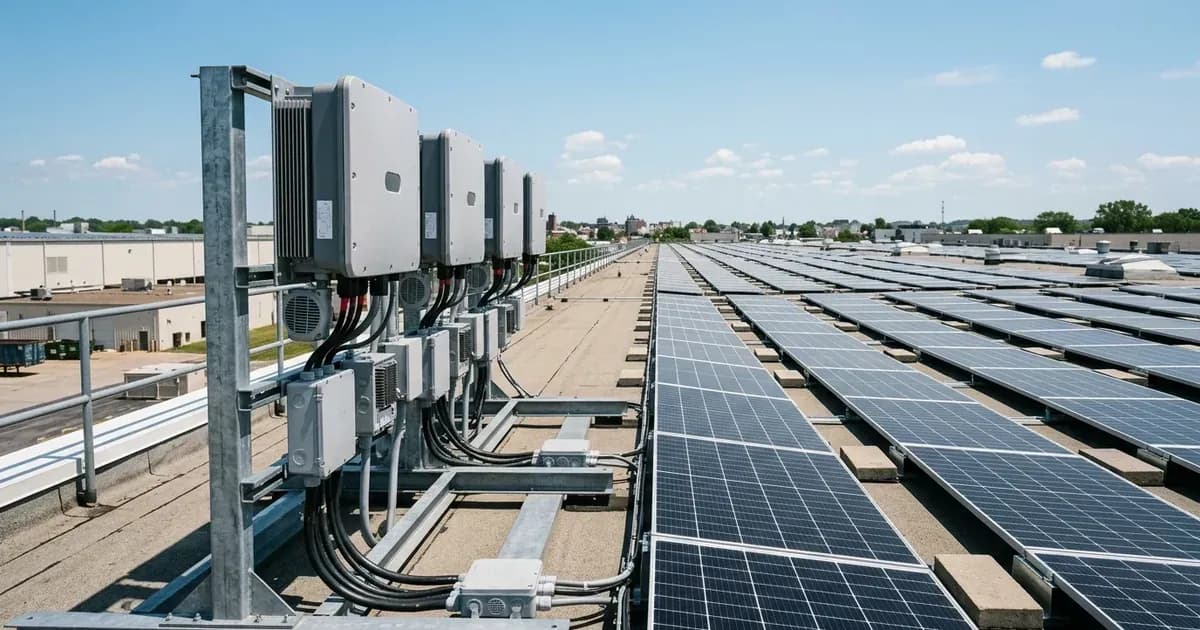
These inverters are designed to maximise energy harvest from complex commercial rooftop arrays. They achieve this through a high-density multi-MPPT architecture, featuring up to 10 independent MPPT channels. This allows the inverter to optimise diverse commercial rooftop arrays, even if sections have different orientations or shading.
The inverters are compatible with standard single-phase and three-phase electrical distribution systems globally. They incorporate anti-PID function and individual string current monitoring for proactive system fault detection. This means the inverter can identify issues at the string level, helping to maintain optimal performance.
Commissioning with ShinePhone App and OSS Platform
Commissioning, operating parameters, and cloud monitoring for Growatt MAX inverters are configured via the Solarman app. The Growatt OSS (Online Smart Service) Platform also supports remote firmware and configuration management, allowing for fleet diagnostics and updates.
To begin commissioning:
- Physical Installation: Ensure the inverter is securely mounted and all DC and AC wiring connections are made according to local electrical codes and the manufacturer's instructions.
- Earthing: Bond inverter chassis ground and battery metal enclosure to the main installation earthing terminal. This is a critical safety step.
- DC Connection: Connect the DC strings to the appropriate MPPT inputs. The multi-MPPT design allows for flexibility in array layout.
- AC Connection: Connect the AC output to the grid connection point.
- Initial Power-Up: Before applying power, double-check all connections.
- App Configuration: Use the Solarman app to connect to the inverter. This app allows you to set operating parameters, monitor performance, and connect the inverter to the cloud for remote management.
- OSS Platform Integration: Register the inverter on the Growatt OSS Platform for advanced monitoring, diagnostics, and remote firmware updates.
Safety and Protection Features
The Growatt MAX series includes several integrated safety features to protect both the system and personnel:
- Integrated DC AFCI Arc Fault Interruption: This feature provides automated rapid shutdown complying with NEC 690.12 upon AC grid or emergency switch initiation. This is crucial for fire safety, as it quickly de-energises the DC circuits in the event of an arc fault.
- Type 2 DC and AC Surge Protection: The inverters incorporate multi-layer battery safety including thermal isolation, aerogel pads, and internal fire extinguishers. This protects the inverter and connected equipment from voltage surges on both the DC and AC sides.
- Certified Anti-Islanding Protection: The inverter complies with international microgeneration safety and grid protection standards, ensuring it safely disconnects from the grid during power outages to protect utility workers.
- Safe DC Disconnect and Capacitor Discharge: Before performing any maintenance or inspection, switch off the DC battery isolator and wait at least 5 minutes for internal capacitors to discharge. Failure to do so can result in electric shock due to stored energy.
What You Can Check Yourself, and What You Cannot
As a system owner, you can perform several checks to ensure your Growatt MAX inverter is operating correctly:
System Maintenance Scope | System Owner Check | Accredited Professional Requirement |
|---|---|---|
Physical Enclosure | External visual check and ventilation obstruction clearance | Enclosure opening, heatsink cleaning, and internal board service |
System Telemetry | Daily yield monitoring via Solarman app and Growatt OSS Platform | Fleet diagnostics, communication setup, and critical firmware upgrades |
Electrical Infrastructure | Visual verification of external chassis ground bonding | DC string reconfiguration, AC grid connection, and breaker servicing |
Grid Parameters | Observe operational status indicators | Configure and certify DNO-compliant grid-protection settings |
- Visual Inspection: Regularly check the inverter for any visible damage, loose connections, or obstructions to ventilation.
- App Monitoring: Use the Solarman app or the Growatt OSS Platform to monitor the inverter's performance, including power output, string currents, and any reported alerts or warnings.
- Earthing Continuity: Periodically check that the inverter chassis ground remains securely bonded to the main installation earthing terminal.
However, certain tasks require an accredited installer or qualified electrician:
- Internal Inspection or Repair: Opening the inverter enclosure, replacing internal components, or cleaning heatsink fins requires isolating PV, battery, and AC breakers, waiting the manual's capacitor-discharge time, and should only be performed by authorised service personnel.
- Wiring Modifications: Any changes to the DC or AC wiring, including adding or removing strings, must be done by a qualified professional.
- Firmware Updates: While the OSS Platform supports remote firmware management, critical updates or troubleshooting requiring direct intervention should be handled by an accredited installer.
- Grid Protection Settings: Grid-protection settings are set by an accredited installer during commissioning. Changing these settings can breach the connection agreement with your Distribution Network Operator (grid operator).
What the Published Sources Do Not Tell You
While official documentation highlights key features, it does not provide specific step-by-step troubleshooting guides or a comprehensive list of fault codes with detailed resolutions. For specific fault codes displayed on the inverter or within the monitoring app, you will need to consult the full Growatt MAX user manual or contact Growatt technical support. Detailed network rules for grid connection, beyond general compliance, can vary by your specific Distribution Network Operator (grid operator) in Great Britain and are not universally published by inverter manufacturers. Specific values for maximum string lengths, voltage ranges, or current limits for each individual MAX 50K-125KTL3 model variant are also not detailed in the provided general specifications and would require consulting the specific model's datasheet.
Still showing the fault? Book a technician
If the steps above did not clear it, tell us the inverter or battery and the exact code. We pass it to a technician who covers your city; visit charges are quoted before they come.
How this pays for the site: the technician or verifier pays SolarNevs a fixed introduction fee. Nobody pays to be recommended, and you are free to use our free guides instead.
Frequently asked questions
What are the primary technical requirements for growatt max 50k to 125ktl3 commercial inverter setup guide?
Key requirements include compliance with local grid codes, correct equipment certification, and proper electrical isolation.
Who is authorized to install and inspect growatt max 50k to 125ktl3 commercial inverter setup guide?
All high-voltage DC, AC grid tie-in, and switchboard modifications must be performed by a qualified, accredited electrical professional.
How is export power limited in growatt max 50k to 125ktl3 commercial inverter setup guide?
Export limiting is achieved using certified bidirectional smart meters or power sensors providing dynamic feedback to the inverter system.
References
- Growatt MAX 100-125KTL3-X LV datasheet (10 MPPTs, string monitoring, Type II DC/AC SPD, anti-PID, AFCI, 1100 V max DC) — accessed 6 September 2026
- Growatt MAX 50-80KTL3 LV datasheet (6/7 MPPTs, string monitoring, Type II SPD, AFCI optional) — accessed 6 September 2026
- Growatt MAX 100-150KTL3-X LV(MV) Installation & Operation Manual (5-minute discharge wait, grounding, ShinePhone/OSS commissioning) — accessed 6 September 2026
- Growatt MAX 50-100KTL3 Installation & Operation Manual (safety, grounding, ShinePhone/OSS setup) — accessed 6 September 2026
- Growatt MAX 100-150KTL3-X LV product page with datasheet, manual and certificate downloads — accessed 6 September 2026
- NEPRA (Prosumer) Regulations 2026, SRO 251(I)/2026 - distributed generation interconnection, bidirectional metering and licensee inspection rules — accessed 6 September 2026
Related guides
More from inverter errors & fixes.