Homage Inverter No Output After Load Shedding: Troubleshooting Guide
Updated 6 September 2026 · By SolarNevs Research Desk, Dealer surveys + verified sources · 4 sources · Method ↗
Key Takeaways
- The most likely cause for no output after load shedding is a low battery cutoff or a tripped circuit breaker.
- Always check the battery voltage and the rear thermal breaker first.
- Never attempt to bypass safety features or open the inverter casing without proper training.
- Stop DIY troubleshooting and call a qualified technician if you suspect internal component failure or wiring issues beyond simple checks.
Why Your Homage Inverter Has No Output After Load Shedding
When the utility grid (WAPDA) returns after a period of load shedding, your Homage inverter should ideally switch back to charging the batteries and providing AC output. If it fails to do so and shows no output, the problem usually stems from a protective shutdown triggered during the power outage or an issue preventing it from restarting.
The most common causes include the battery discharging below its safe limit, an internal circuit breaker tripping due to an overload, or specific wiring faults that prevent the inverter from operating safely.
Diagnosing No Output: Step-by-Step Checks
Follow these steps to diagnose why your Homage inverter has no output after load shedding. Always prioritize safety by disconnecting power sources before making physical checks.
- Check the Inverter Display and Indicators:
- Blank Display / No LEDs: If the display is completely blank and no LEDs are lit, the inverter control board is unpowered. This often indicates a deeply discharged battery (below 8.0V for a 12V system), a blown internal DC blade fuse, or a reverse battery connection.
- Fault LED Solid Red / Continuous Loud Beep (Classic Models): This indicates an overload shutdown or an output fault. The inverter has tripped and shut down AC output due to a severe overload (exceeding 110%) or a short circuit.
- Rapid Beeping (4x/sec) + No Output (Classic Models): This specific alarm pattern often signals an internal MOSFET failure or a DC bus short circuit. Disconnect battery and WAPDA immediately.
- Fault 04 (Bolt/TronDuo Series): This code means "Battery voltage is too low". The battery bank voltage has collapsed below the low DC cutoff limit (<21.0V on 24V, <42.0V on 48V).
- Fault 56 (Bolt/TronDuo Series): This indicates "Battery connection is open / disconnected". The battery terminals may be disconnected, the battery circuit breaker open, or a battery sensing wire broken.
- Inspect the Rear Thermal Breaker:
- Locate the push-button circuit breaker on the rear panel of your Homage inverter. This mechanical breaker trips on short-term current spikes and remains mechanically disconnected until pushed in. If it has popped out, firmly press it back in.
- Verify Battery Voltage:
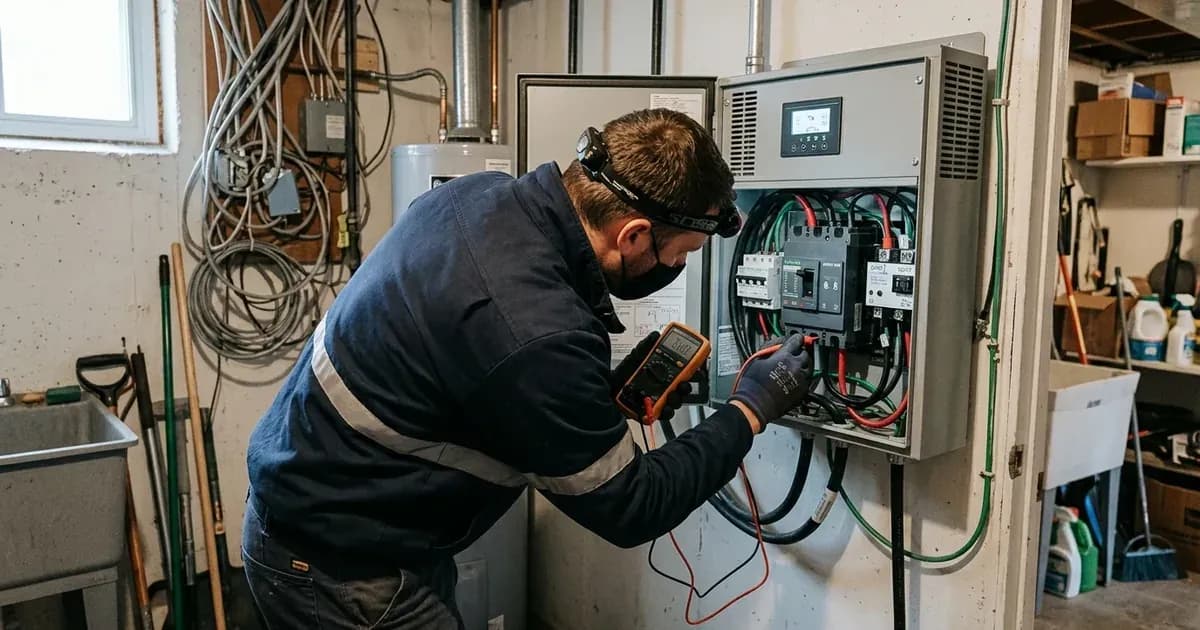
- Use a multimeter to measure the voltage directly across your battery terminals.
- If the battery voltage is below the inverter's low-voltage cutoff (e.g., 10.2V for a 12V system or 21.0V for a 24V system), the inverter will remain in lockout to protect the battery from destructive deep discharge.
- If the battery voltage is extremely low (e.g., below 9.0V on a 12V battery or below 18.0V on a 24V battery), the inverter's internal smart charging circuit may not detect the battery presence and will not initiate charging. You may need to recharge the battery externally using an automotive bench charger above 11.0V to restore detection voltage — always perform external charging in a well-ventilated space away from open flames and sparks, as reviving deep-discharged lead-acid cells drives them into the flammable hydrogen gassing region.
- Check Battery Connections and Fuses:
- Always kill power and isolate the DC breaker first, using insulated tools because a metal spanner dropped across battery terminals shorts hundreds of amps. Ensure all battery cables are securely connected to the inverter and battery terminals. Loose connections can cause voltage drops and prevent the inverter from sensing the battery correctly.
- Inspect the battery fuse (if external) or internal DC blade fuses (40A/80A) on the main motherboard. If you need to open the unit to inspect/replace motherboard blade fuses, disconnect battery AND AC mains, wait at least 5 minutes for internal capacitors (up to 500V DC on Bolt/TronDuo) to discharge before opening the case or touching the motherboard fuse, and note that opening the unit can void the 1-2 year warranty — prefer an authorized Homage service center if unsure. These can blow if battery cables were momentarily reverse-connected.
- Perform a No-Load Power-On Test:
- Switch the inverter's front rocker switch to
OFF. - Disconnect all load appliances from the inverter AC output sockets or distribution box.
- Switch the inverter
ONwith zero appliances connected. - Verify that the Inverter/Backup LED illuminates green without beeping. If it powers on normally, reconnect appliances one at a time, starting with light loads.
- Switch the inverter's front rocker switch to
Common Causes and Solutions for No Inverter Output
Symptom detail | Likely cause | Fix |
|---|---|---|
Inverter completely dead, no lights, no display | Deep battery discharge or blown DC fuse | Test battery voltage; if below 9.0V (12V) or 18.0V (24V), recharge with an external charger in a well-ventilated area away from sparks or flames (to prevent hydrogen gas hazards). If you need to open the unit to inspect/replace motherboard blade fuses, disconnect battery AND AC mains, wait at least 5 minutes for internal capacitors (up to 500V DC on Bolt/TronDuo) to discharge before opening the case or touching the motherboard fuse, and note that opening the unit can void the 1-2 year warranty — prefer an authorized Homage service center if unsure. |
Inverter beeps continuously, Fault LED solid red (Classic) or Fault 07 (Bolt/TronDuo) | Overload shutdown | Turn inverter OFF, disconnect all loads, reset rear circuit breaker, then power ON with no load. Reconnect appliances one by one. |
Inverter shows low battery warning (Beep 1x/sec, Battery LED flashing) but no output | Battery voltage below low DC cutoff | Allow solar or WAPDA grid to charge the battery bank. Reduce non-critical loads to conserve power. |
Inverter attempts to start, then immediately shuts down with no output | Inrush current trip during AC cutover (when WAPDA cuts off) | When grid power drops, the inverter transfers to battery within 10–20ms. If multiple ceiling fans and a refrigerator are running simultaneously, the combined starting inrush current trips the output relay into shutdown. The user then finds no output after load shedding ends. Ensure heavy inductive loads (refrigerators, motors) are not starting simultaneously when WAPDA cuts off. Reduce initial load. |
Inverter powers on but provides no AC output, no specific fault code | Neutral loop or reverse phase wiring fault | Consult a qualified electrician to inspect and correct residential wiring, especially manual changeover switches. The inverter AC output neutral must never be tied directly to WAPDA neutral downstream of the changeover. |
Rapid beeping (4x/sec) and no output (Classic) or Fault 51 (Bolt/TronDuo) | Internal MOSFET failure or DC bus short | Disconnect battery and WAPDA immediately. Do not attempt forced restart. Service center repair is required. |
Inverter displays Fault 56 (Bolt/TronDuo) | Battery connection is open / disconnected | Kill power and use insulated tools (a spanner across terminals shorts hundreds of amps) to check battery cables, terminal lugs, and DC battery breaker. Verify battery fuse is intact. |
Understanding Inverter Protection Mechanisms
Homage inverters, whether the classic simulated sine wave models like the Axiom HAX-3002 or the Bolt series hybrids like the HBS-8017SCC, incorporate several protection mechanisms to safeguard both the inverter and your battery bank.
Low Battery DC Cutoff Lockout
During extended load shedding, batteries can discharge significantly. To prevent irreversible damage to battery plates from destructive deep discharge, Homage inverters will shut off AC output when the battery voltage drops below a critical threshold. For example, a 12V system typically cuts off around 10.2V, and a 24V system around 21.0V. If WAPDA power returns but the grid is unstable, the inverter may remain in this lockout state until the battery has sufficiently recharged. You can find specific low DC cut-off voltages in Program 29 for Bolt series inverters, which defaults to 21.0V (24V) / 42.0V (48V) for AGM batteries.
Inrush Current Trip During AC Cutover
When grid power drops, the inverter transfers to battery within 10–20ms. If multiple ceiling fans and a refrigerator are running simultaneously, the combined starting inrush current trips the output relay into shutdown. The user then finds no output after load shedding ends. This can trip the output relay into an immediate shutdown, similar to an overload condition. The inverter may display a continuous loud beep and a solid red Fault LED on classic models, or Fault 07 ("Overload time out") on Bolt/TronDuo models.
Neutral Loop Wiring Faults
In Pakistani residential wiring, especially with manual changeover switches, incorrect neutral wiring can be a significant issue. If the neutral wire of the inverter's AC output is connected directly to the WAPDA neutral without proper isolation, the inverter's output bridge can detect a phase backfeed. This condition is dangerous and will cause the inverter to instantly lock out to prevent severe damage. This type of fault requires inspection by a qualified electrician. For more details on wiring issues, refer to our guide on generator solar hybrid wiring problems.
Inverter Stage Failure and MOSFET Short Circuit
Internal component failures, particularly in the power stage, can lead to a complete loss of output. Homage inverters use parallel MOSFETs in their power stages. These can short-circuit if subjected to inductive voltage spikes from generators, lightning surges, or severe overloads. If your inverter exhibits rapid beeping (4x/sec) with no output, or displays Fault 51 ("Over current or surge") on a Bolt series inverter, it indicates a likely internal power component failure. In such cases, the inverter will not provide output and requires professional repair.
Safety: Working with Inverters and Batteries
Working with inverters and battery systems involves significant electrical hazards. Always observe the following safety precautions:
- Disconnect Power First: Before performing any physical checks or adjustments, always turn off the inverter and disconnect both the AC input (WAPDA) and the DC battery connections.
- High DC Bus Voltage: Homage Bolt and TronDuo series inverters store high DC voltage, up to 500V DC, even after being turned off. Wait at least 5 minutes after disconnecting all power sources for internal capacitors to discharge before touching internal components.
- DC Reverse Polarity: Connecting battery cables in reverse polarity (+ to -) will instantly blow internal DC blade fuses and can damage the primary input MOSFETs. Always verify battery polarity with a digital multimeter before connecting terminal lugs.
- Battery Acid and Hydrogen Gas: Flooded tubular lead-acid batteries emit flammable hydrogen gas during charging. Ensure your battery area is well-ventilated, away from open flames or sparks. Wear safety glasses and rubber gloves when checking electrolyte levels or specific gravity, as battery acid is corrosive.
- Insulated Tools: Use insulated tools when working on battery terminals or electrical connections to prevent accidental short circuits. A spanner across a battery bank can short hundreds of amps, causing severe burns and damage.
- Neutral Loop Hazards: Be aware of the dangers of neutral loop wiring faults. Improperly connected neutral wires can lead to dangerous backfeeding and inverter damage. This is a critical safety concern in installations with manual changeover switches.
When to Call a Technician Instead
While many inverter issues can be resolved with basic troubleshooting, some problems require professional expertise. You should call an authorized Homage service center if:
- The inverter displays rapid beeping (4x/sec) with no output, which often indicates an internal power component failure like a MOSFET short.
- The inverter shows a fault code that points to internal hardware issues, such as Fault 51 ("Over current or surge"), Fault 53 ("Inverter soft start failed"), or Fault 57 ("Current sensor failed") on Bolt series models.
- You have checked the battery voltage, rear breaker, and basic connections, but the inverter still has no output.
- You suspect a neutral loop wiring fault or any other complex electrical wiring issue. Attempting to fix these without proper knowledge can be dangerous and may void your inverter's warranty.
- Your Homage inverter is still under its 1-Year to 2-Year official repair/replacement warranty. Contacting an authorized service center ensures the repair is done correctly and maintains your warranty coverage. For general inverter issues, you can also consult our guide on inverter shows error but no output.
Still showing the fault? Book a technician
If the steps above did not clear it, tell us the inverter or battery and the exact code. We pass it to a technician who covers your city; visit charges are quoted before they come.
How this pays for the site: the technician or verifier pays SolarNevs a fixed introduction fee. Nobody pays to be recommended, and you are free to use our free guides instead.
Frequently asked questions
Why does my Homage inverter show no output after load shedding?
Your Homage inverter may have no output after load shedding due to a low battery cutoff lockout, a tripped rear circuit breaker, or an inrush current trip during AC cutover. It can also be caused by wiring faults or internal component failure.
What is the low battery cutoff voltage for Homage inverters?
Homage classic UPS inverters typically shut off AC output to protect batteries when the voltage drops below 10.2V for a 12V system or 21.0V for a 24V system. This prevents destructive deep discharge of the battery plates. For Bolt series inverters, the default low DC cut-off voltage in Program 29 is 21.0V (24V) / 42.0V (48V) for AGM batteries. Users should refer to Program 29 in the inverter settings guide for recommended values for other battery types like Tubular or LiFePO4.
How do I reset a tripped circuit breaker on my Homage inverter?
Locate the push-button circuit breaker on the rear panel of your Homage inverter. If it has popped out, firmly press it back in. Always turn the inverter off and disconnect all loads before resetting the breaker.
Can a neutral loop wiring fault cause a Homage inverter to have no output?
Yes, a neutral loop wiring fault can cause the inverter to lock out. If the inverter's AC output neutral is connected to the WAPDA neutral without proper isolation, the inverter detects a phase backfeed and instantly shuts down to protect itself.
When should I call a technician for a Homage inverter with no output?
You should call an authorized Homage service center if the inverter displays rapid beeping with no output, indicates an internal fault code (e.g., Fault 51), or if basic troubleshooting steps do not restore output. Internal component failures like MOSFET shorts require professional repair.
References
- Homage Bolt HBS-8017SCC 8kW Solar Inverter — accessed 24 August 2026
- Homage UPS Axiom HAX-3002 2400W 24V — accessed 24 August 2026
- Homage UPS User Manual and Error Codes — accessed 24 August 2026
- Voltronic Power Axpert VM IV-4K6K-TWIN Off-grid Manual — accessed 24 August 2026
Related guides
More from inverter errors & fixes.