Homage UPS Overload: Fixing Continuous Beeping
Updated 6 September 2026 · By SolarNevs Research Desk, Dealer surveys + verified sources · 3 sources · Method ↗
Key Takeaways
- A continuous loud beep from your Homage UPS typically signals an overload or a short circuit on the AC output.
- The immediate first step is to turn off the UPS and disconnect all connected appliances.
- Always check the rear circuit breaker and reset it before attempting to restart the unit.
- If the problem persists after basic troubleshooting, disconnect the unit and contact a qualified technician.
Why is my Homage UPS beeping continuously?
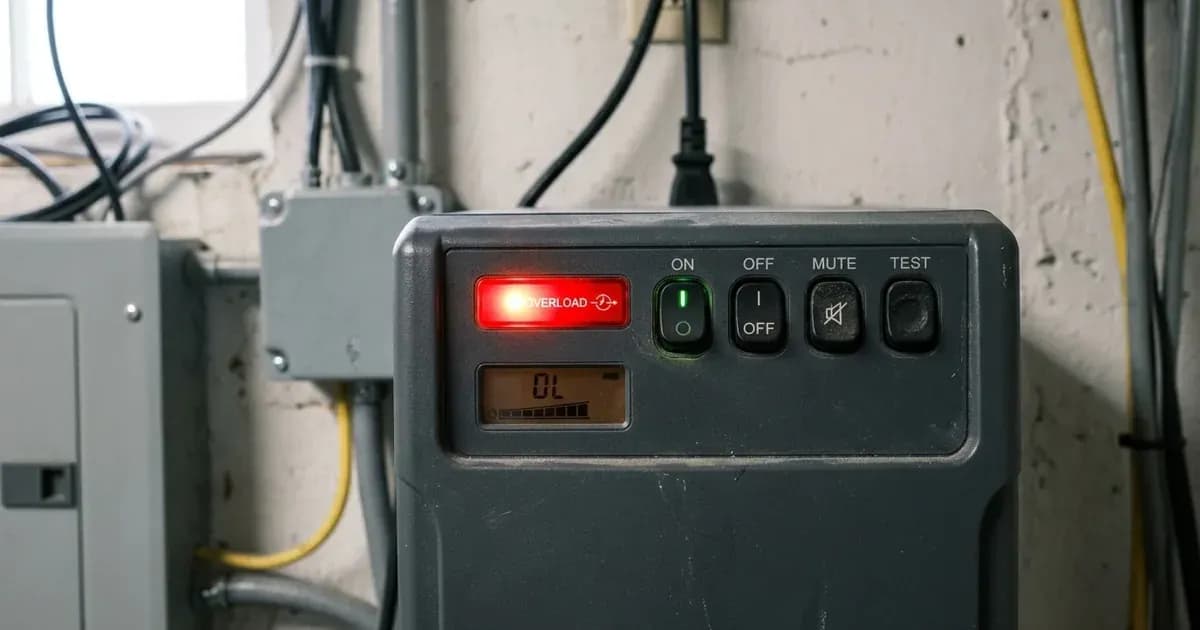
Your Homage UPS is likely indicating an overload or a short circuit on its output. A continuous loud beep, often accompanied by a solid red Fault LED, means the inverter has tripped and shut down its AC output. This happens when the connected load exceeds the inverter's rated capacity, or a direct short circuit is detected in the output wiring or an appliance.
For Homage Classic Standalone UPS models (such as Vertex, Hexa, Octa, Neon, Falcon, Axiom, Prime series), a continuous loud beep with a solid red Fault LED indicates an overload shutdown or output short circuit, as commonly reported by installers. For Homage Bolt series hybrid inverters, this condition is typically indicated by a "Fault 07: Overload time out" error code.
Diagnosis
Follow these steps to diagnose the cause of continuous beeping from your Homage UPS.
- Observe the LED Status:
- If the Fault LED is solid red and the beep is continuous: This confirms an overload shutdown or an output short circuit. The inverter has ceased AC output.
- If the Fault LED is flashing red and the beep is once every 0.5 seconds: This is an overload warning, indicating the inverter is operating between 100% and 110% of its rated capacity. The unit is close to tripping into a continuous beep fault.
- Check for Connected Loads:
- If many heavy appliances are connected: The combined power draw might exceed the UPS capacity. Inductive loads like refrigerators or air conditioners draw significant inrush current upon startup.
- If only light loads are connected, or no loads: This suggests a severe short circuit in the wiring, an internal fault within the UPS, or a faulty appliance.
- Inspect the Rear Circuit Breaker:
- If the circuit breaker is extended: It has tripped due to an overcurrent event. This is a common safety mechanism.
- If the circuit breaker is flush: It has not tripped, suggesting the fault is not a simple overcurrent that the breaker could handle, or the breaker itself is faulty.
- Listen for Other Beep Patterns (if applicable):
- If the beep is once every 1.0 second with a flashing battery LED: This indicates a low battery warning, not an overload. The battery voltage is critically low, and shutdown is imminent.
- If the beep is rapid (4x/sec) with no output voltage: This suggests an internal MOSFET failure or DC bus short, indicating a serious internal hardware fault.
Cause/fix table
Symptom detail | Likely cause | Fix |
|---|---|---|
Continuous loud beep, solid red Fault LED | Connected load exceeds inverter rated capacity (>110% for >5s) or output short circuit. | Turn power switch OFF, disconnect all appliances, reset rear circuit breaker, power ON with zero load, then reconnect appliances one by one. |
Beep once every 0.5 seconds, flashing red Fault LED | Inverter operating between 100% and 110% of rated capacity (overload warning). | Immediately turn off non-essential heavy appliances (e.g., extra fans, iron) to prevent full shutdown. |
Beeping persists after disconnecting all loads | Internal power component failure (e.g., MOSFET short) or severe wiring fault. | Disconnect battery and AC mains immediately. Wait at least 5 minutes for internal capacitors to discharge. Do not attempt forced restart. Contact an authorized service center, as attempting unauthorized repairs can void your warranty. |
Rear circuit breaker popped out | Temporary current spike or sustained overload. | Press the circuit breaker firmly back in to reset. If it pops again immediately, there is a persistent fault. |
Preventing Overload and Continuous Beeping
To avoid future overload trips and continuous beeping from your Homage UPS, consider the following:
- Load Management: Be mindful of the total wattage of appliances connected to your UPS. Homage inverters, especially the Classic Standalone UPS series, are designed for specific load capacities. For example, a 1200VA / 1000W unit like the HVS-1214SCC or HEE-1205 cannot handle a refrigerator and multiple heavy appliances simultaneously.
- Stagger Appliance Startups: Inductive loads (motors in refrigerators, water pumps, ceiling fans) draw a high inrush current when they start. Avoid starting multiple such appliances at the same time.
- Check Inverter Capacity: Ensure your UPS capacity is adequate for your typical load. If you frequently experience overloads, consider upgrading to a higher capacity Homage inverter, such as a 2400VA / 1800W model like the HVS-2414SCC or HEE-2411. You can use a tool to size your inverter correctly.
- Review DIP Switch Settings (Classic Models):
- AC Input Voltage Range (Switch 1): For residential homes in Pakistan with frequent low grid voltage (140V–180V), setting DIP Switch 1 to
Wide Mode(90V–280V AC) is recommended. This lets the UPS tolerate wider voltage fluctuations, preventing it from switching to battery unnecessarily — battery mode is where overload trips occur. Keep Narrow mode only for a dedicated desktop-PC setup that needs the faster 10ms transfer. - Overload Bypass (Bolt Series, Program 23): For Bolt series hybrid inverters, enabling the
BYE(Enable bypass to grid on overload) setting in Program 23 can prevent a blackout by switching to WAPDA if the grid is present during a load spike. Program numbering varies across Homage firmware revisions — confirm the LCD shows the setting named Overload bypass (options bYd/bYE) rather than relying on the number 23 alone.
- AC Input Voltage Range (Switch 1): For residential homes in Pakistan with frequent low grid voltage (140V–180V), setting DIP Switch 1 to
- Battery Health: A weak or undercharged battery can contribute to overload issues, as the inverter may struggle to supply stable power, especially during transitions. Ensure your battery is properly charged and maintained. Refer to our guides on tubular battery maintenance or low battery troubleshooting for more details.
Safety
Working with electrical systems carries inherent risks. Always prioritize safety.
- Explosive Hydrogen Gas Hazard: Flooded tubular lead-acid batteries emit flammable hydrogen gas during bulk and equalization charging (>14.4V/cell). Batteries must be installed in a well-ventilated, shaded space away from gas water heaters, open flames, or electrical switches that can produce sparks.
- Kill Power First: Before inspecting or touching any wiring, always turn off the inverter and disconnect both the AC mains supply (WAPDA) and the battery.
- Insulated Tools: Use only insulated tools when working with battery terminals or electrical connections. A spanner across a battery bank can short hundreds of amps, causing severe burns or explosions.
- Battery Acid: Flooded lead-acid batteries contain corrosive sulfuric acid. Wear safety glasses and rubber gloves when inspecting or handling batteries. Neutralize any spills immediately with baking soda and water.
- High DC Bus Voltage Shock Hazard: Internal high-voltage capacitors on Bolt and TronDuo series store up to 500V DC even after turning the power switch off. Always disconnect battery and AC mains and wait at least 5 minutes for internal discharge before servicing.
- DC Reverse Polarity Destruction: Connecting the battery cables in reverse (+ to -) instantly blows the internal DC blade fuses and can rupture the primary input MOSFETs. Always verify battery polarity with a digital multimeter before bolting terminal lugs.
When to call a technician instead
While basic troubleshooting can resolve many continuous beeping issues, there are clear signs when professional help is needed:
- Persistent Beeping: If the continuous beeping persists even after you have turned off the UPS, disconnected all loads, reset the circuit breaker, and powered it back on.
- Rapid Beeping with No Output: If the UPS emits a rapid beeping sound (4x/sec) and provides no AC output voltage, this indicates a serious internal component failure, such as a MOSFET short circuit.
- Smoke or Burning Smell: Any sign of smoke, burning smell, or visible damage to the inverter or its components requires immediate disconnection of all power and professional service.
- Repeated Circuit Breaker Trips: If the rear circuit breaker repeatedly trips even with minimal load, it suggests a persistent internal fault or a severe wiring issue that needs expert diagnosis.
- Warranty Concerns: Attempting unauthorized repairs can void your Homage inverter's standard 1-Year to 2-Year official repair/replacement warranty. If the unit is under warranty, contact an authorized Homage service center.
Still showing the fault? Book a technician
If the steps above did not clear it, tell us the inverter or battery and the exact code. We pass it to a technician who covers your city; visit charges are quoted before they come.
How this pays for the site: the technician or verifier pays SolarNevs a fixed introduction fee. Nobody pays to be recommended, and you are free to use our free guides instead.
Frequently asked questions
What does a continuous beep mean on a Homage UPS?
A continuous loud beep on a Homage UPS, often accompanied by a solid red Fault LED, indicates an overload shutdown or an output short circuit. The inverter has tripped because the connected load exceeds its rated capacity, or there is a direct short on the AC output circuit.
How do I stop my Homage UPS from beeping continuously?
To stop continuous beeping, immediately turn off the UPS and disconnect all connected appliances. Check for a popped rear circuit breaker and press it to reset. Then, power on the UPS with no load to confirm the beep has cleared. Reconnect loads one by one.
What is the overload threshold for Homage UPS inverters?
Homage inverters typically trigger a continuous audible tone when the connected load exceeds 110% of their rated capacity for more than 5 seconds. Instantaneous inrush current exceeding 200% of the nominal rating during motor startup can also cause this.
Can I mute the continuous overload beep on my Homage UPS?
No, the continuous loud beep for an overload fault cannot be muted. While some Homage models allow muting the normal 4-second backup reminder beep by holding the power button, critical fault tones like overload are designed to be un-mutable for safety.
What should I do if my Homage UPS keeps beeping after reducing the load?
If the continuous beeping persists even after you have disconnected all loads and reset the unit, it may indicate an internal fault such as a power stage short circuit or MOSFET failure. In this case, immediately disconnect the battery and AC mains, wait at least 5 minutes for internal capacitors to discharge, and do not attempt further troubleshooting. Contact an authorized Homage service center, as attempting unauthorized repairs can void your warranty.
References
- Homage UPS User Manual and Error Codes (Community Reported) — accessed 23 August 2026
- Axpert VM IV-4K6K-TWIN Off-grid Manual — accessed 23 August 2026
- Homage Official Website — accessed 23 August 2026
Related guides
More from inverter errors & fixes.