SolaX Inverter Error Codes: Full UK Fault List and Triage Guide
Updated 18 September 2026 · By SolarNevs Research Desk, Dealer surveys + verified sources · 1 source · Method ↗
Key Takeaways
- SolaX inverters categorize operational faults into two primary libraries: IE series for inverter power conversion events and BE series for battery management system protections.
- The first check during any error state is determining whether the fault is an external grid deviation that will recover automatically or an internal hardware lockout.
- Never open the inverter enclosure or handle live DC wiring; always carry out the four-step power-off sequence and wait at least five minutes for residual energy dissipation before touching terminals.
- Persistent internal relay defects, electronic component failures, or battery communication losses require professional escalation to an MCS-certified installer or SolaX technical service.
Why is my SolaX inverter displaying an error code?
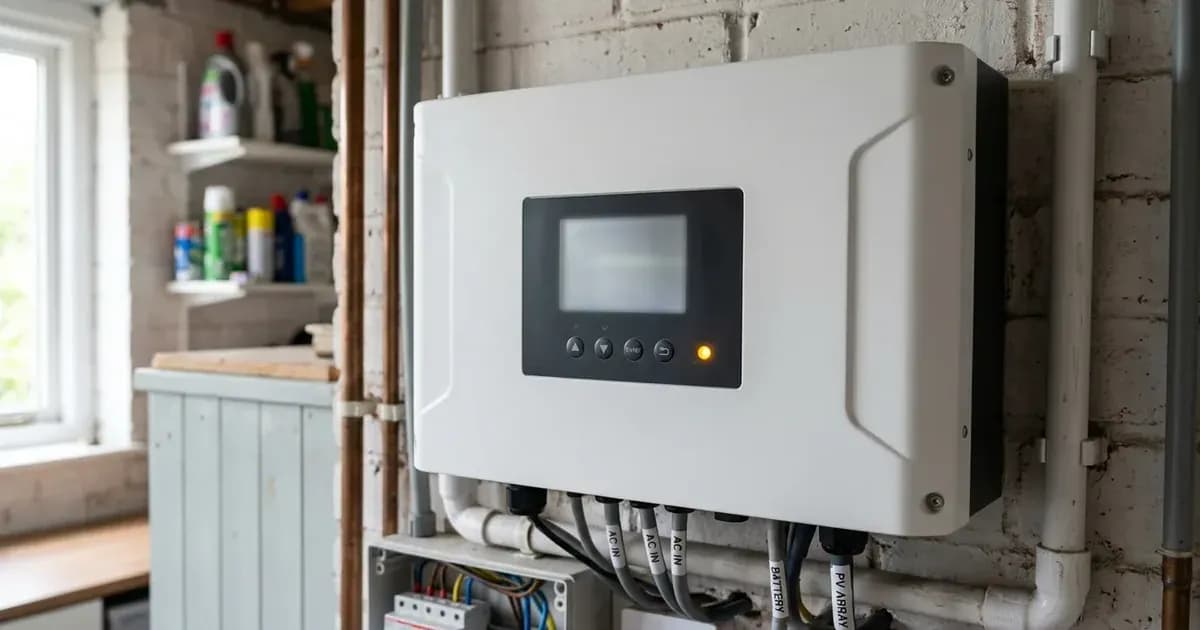
When a SolaX hybrid or string inverter encounters operating conditions outside its design envelope, its internal control software halts power export and posts an error code to the front LCD screen and the monitoring portal. Across British homes equipped with SolaX X1-Hybrid, X1-Fit, or commercial X3-Pro inverters, these notifications act as critical safety safeguards rather than outright hardware breakdowns.
Understanding whether a code stems from transient weather condensation, distribution grid voltage swings, or internal component protection is essential for restoring solar generation. For broader regulatory installation standards governing residential solar power systems across England, Scotland, and Wales, see our UK solar electrical installation guide.
Most field alerts do not require equipment replacement. External factors—such as utility grid power cuts or morning humidity across photovoltaic roof connectors—frequently prompt self-clearing events. By comparing the displayed alphanumeric identifier against official documentation, homeowners and service technicians can pinpoint the underlying issue.
SolaX error code architecture: IE series and BE series
SolaX energy storage and solar systems segregate diagnostic alarms into two discrete prefixes:
- IE Series (Inverter Errors): Alarms in the IE series govern photovoltaic input arrays, AC mains grid synchronisation, and internal power electronic stages. High-frequency occurrences include grid disconnection (IE 02 Grid Lost Fault), grid overvoltage (IE 03 Grid Volt Fault), array ground leakage (IE 13 Isolation Fault), and residual leakage detection (IE 27 RCD Fault). Requirements for grid-tied synchronisation adhere to national standards explored in our micro-generator grid connection guide.
- BE Series (Battery Management System Errors): Alarms numbered BE 01 through BE 30 originate from the linked lithium storage modules, such as the Triple Power T-BAT series. These codes address battery external communication failures (BE 01), undervoltage limits (BE 04), insulation leakage (BE 12), and safety contactor adhesion (BE 16). Home storage installation considerations are detailed in our battery storage fire safety guide.
Safe power-off sequence: four mandatory steps
Prior to inspecting cabling, resetting circuit breakers, or conducting diagnostic testing, you must execute the manufacturer four-step safe shutdown procedure:
- Step a (LCD Shutdown): Turn off the system by System ON/OFF on LCD screen to halt active switching stages safely.
- Step b (AC Isolation): Turn off the AC switch between the inverter and the power grid to sever mains AC voltage.
- Step c (DC Isolation): Set the DC switch to OFF on the underside of the inverter casing to disconnect the solar string circuits.
- Step d (Battery Isolation): Switch off the battery or the breaker, button, DC switch of the battery per battery manufacturer instructions.
- Mandatory Capacitor Discharge Time: After the inverter is powered off, there may still be residual electricity and heat which may cause electric shocks and body burns. Please wear personal protective equipment (PPE) and start maintaining the inverter at least five minutes after power off.
Full SolaX error code triage table
The following reference table presents the complete directory of SolaX IE and BE series alarm codes, their technical causes, and the corrective actions specified in official engineering manuals:
Error Code | Official Fault Designation | Underlying Technical Cause | Prescribed Resolution Action |
|---|---|---|---|
IE 01 | TZ Protect Fault | Inverter overcurrent fault | Disconnect PV+, PV- and batteries, reconnect; verify off-grid loads |
IE 02 | Grid Lost Fault | Loss of AC utility grid connection | Check grid connection status; inspect AC isolators and breakers |
IE 03 | Grid Volt Fault | Utility grid voltage exceeds operating window | Wait for grid voltage normalization; system will reconnect |
IE 04 | Grid Freq Fault | Grid overfrequency event detected | Wait for grid frequency stabilization; system will reconnect |
IE 05 | PV Volt Fault | Photovoltaic string overvoltage condition | Check the output voltage of the PV panel; confirm DC switch state |
IE 06 | Bus Volt Fault | Internal DC bus overvoltage | Press the ESC key to restart the inverter; verify open-circuit VOC |
IE 07 | Bat Volt Fault | Battery input voltage out of specification | Check if the battery input voltage is within normal range |
IE 08 | AC10mins Volt | 10-minute average grid voltage out of range | Wait for utility grid voltage stabilization; auto-reconnects |
IE 09 | DCI OCP Fault | DCI overcurrent protection fault | Allow unit to cool; verify whether system self-recovers |
IE 10 | DCV OVP Fault | EPS off-grid DC overvoltage protection | Allow unit to cool; restart inverter using ESC key |
IE 11 | SW OCP Fault | Software detection of overcurrent fault | Shut down photovoltaic, battery and grid connections; reconnect |
IE 12 | RC OCP Fault | Residual overcurrent protection fault | Check the impedance of DC input and AC output lines |
IE 13 | Isolation Fault | PV array insulation resistance failure | Check the wire insulation for damage; verify earth impedance |
IE 14 | Temp Over Fault | Inverter internal temperature out of range | Check if the ambient temperature exceeds the operating limit |
IE 15 | Bat Con Dir Fault | Battery cables reversed in polarity | Check if the battery cables are connected in the opposite direction |
IE 16 | EPS Overload Fault | EPS off-grid load exceeds system capacity | Shutdown high-power devices; press ESC key to restart |
IE 17 | Overload Fault | On-grid mode export overload fault | Shutdown high-power devices; press ESC key to restart |
IE 18 | BatPowerLow | Battery capacity below protection limit | Shutdown loads; charge battery above protection capacity |
IE 19 | BMS Lost | Battery communication bus disconnected | Check communication cable between battery and inverter |
IE 20 | Fan Fault | Cooling fan obstruction or speed failure | Check for foreign matter obstructing fan blades |
IE 21 | Low TempFault | Ambient operating temperature below limit | Check if ambient installation temperature is too low |
IE 27 | RCD Fault | Residual current device detected ground leakage | Check the impedance of DC input and AC output; inspect earthing |
IE 28 | Grid Relay Fault | Internal grid isolation relay failure | Disconnect PV+, PV-, grid and batteries; perform full reboot |
BE 01 | BMS_Exter_Err | Battery external communication error | Check RJ45 communication lead; restart BMS hardware |
BE 02 | BMS_InterErr | Battery internal communication fault | Inspect inter-module communication loom; restart BMS |
BE 03 | BMS_OverVolt | Overvoltage in battery cell system | Discontinue charging; contact SolaX technical service |
BE 04 | BMS_LowerVolt | Low voltage in battery system | Initiate forced charge cycle via inverter charging menu |
BE 05 | BMS_ChargeOCP | Battery charging overcurrent fault | Restart BMS; check inverter charge current limits |
BE 06 | DischargeOCP | Battery discharging overcurrent fault | Reduce instantaneous household loads; restart BMS |
BE 07 | BMS_TemHigh | Battery system overtemperature condition | Improve ventilation clearances; allow battery to cool |
BE 11 | BMS_Circuit | Battery internal circuit fault | Restart BMS; inspect DC power terminal seating |
BE 12 | BMS_ISO_Fault | Battery insulation resistance leakage | Check battery casing grounding; restart BMS hardware |
BE 16 | BMS_Relay Fault | Battery internal relay contact failure | Contact SolaX service; replace relay assembly if persistent |
For installations utilizing smart metering to monetize surplus generation, review our guide to Smart Export Guarantee tariffs.
Step-by-step diagnostic workflow
When an alert message appears, follow this systematic diagnostic path:
- Step 1 (Record Code and System State): Note the exact alphanumeric code (such as IE 02 or BE 04) and check whether the status indicator light is glowing solid red, flashing red, or green.
- Step 2 (Differentiate External vs Internal Trips): Determine whether the code points to an external factor (mains grid loss, high distribution voltage, morning moisture) or an internal hardware trip. If external, monitor the system for 10 to 15 minutes to allow automatic reconnection.
- Step 3 (Execute Controlled System Reboot): For transient errors such as IE 06, IE 11, or BE 01, perform the manufacturer-recommended four-step shutdown procedure. Always isolate the AC breaker and DC isolator, wear personal protective equipment, and wait the full five-minute capacitor discharge period before restarting in reverse order.
- Step 4 (Verify Physical Integrity): Inspect external conduit, AC rotary isolators, and battery communication cables for signs of mechanical strain, water intrusion, or rodent damage without removing any protective covers.
Safety rules for SolaX inverter maintenance
High voltages within solar arrays and lithium energy storage banks present serious risks:
- Stored Capacitive Charge: Even after isolating AC, DC, and battery circuits, large internal capacitors retain lethal voltages. You must wait a minimum of five minutes after complete shutdown before touching terminals or opening isolator enclosures.
- DC Arc Hazards: Never disconnect MC4 solar connectors or battery quick-connect plugs under electrical load. Doing so generates high-energy DC arcs that can cause flash burns and equipment destruction.
- Insulation Integrity: When investigating isolation faults (IE 13), remember that damaged array cabling may carry full string potential to metallic roof structures or earth conductors.
When to escalate to an MCS installer or SolaX technical support
Certain faults require technical intervention and cannot be resolved through external resets:
- Persistent Component Failures: Recurring alarms like IE 28 (Grid Relay Fault) or BE 16 (BMS Relay Fault) indicate internal mechanical relay contact adhesion, requiring board or module replacement.
- Internal Communication Lockouts: Faults such as BE 02 or BE 11 that persist after an inter-module cable check point to internal circuit board failure.
- Severe Insulation Breakdown: If an IE 13 or BE 12 alarm does not clear after morning dew dissipates, an electrician must carry out insulation resistance testing with a calibrated megohmmeter.
Frequently asked questions
What does IE 02 mean on a SolaX inverter?
IE 02 indicates a Grid Lost Fault where the inverter detects complete disconnection from the AC grid. Before checking AC switches or consumer unit breakers, ensure the system is safely isolated and observe the mandatory five-minute capacitor discharge wait.
How do you clear an IE 13 Isolation Fault on a SolaX system?
IE 13 represents an insulation fault where the DC array insulation resistance drops below safe limits. Homeowners should inspect for water ingress or cable abrasion after fully isolating the DC strings and waiting at least five minutes for electrical discharge.
What causes SolaX error code IE 03?
IE 03 indicates a Grid Volt Fault where local grid voltage has overrun statutory limits. The inverter will reconnect automatically once utility grid voltage returns to normal operating parameters.
What is the difference between IE and BE error codes on SolaX inverters?
IE codes represent internal inverter errors relating to grid, array, and power conversion electronics, whereas BE codes denote battery management system faults such as communication loss, voltage anomalies, or relay adhesion.
References
- SolaX X1-Hybrid-G4 User Manual Version 3.0 — accessed 29 August 2026
Related guides
More from inverter errors & fixes.