GivEnergy Inverter Error Codes: Full UK Fault List and Triage Guide
Updated 18 September 2026 · By SolarNevs Research Desk, Dealer surveys + verified sources · 3 sources · Method ↗
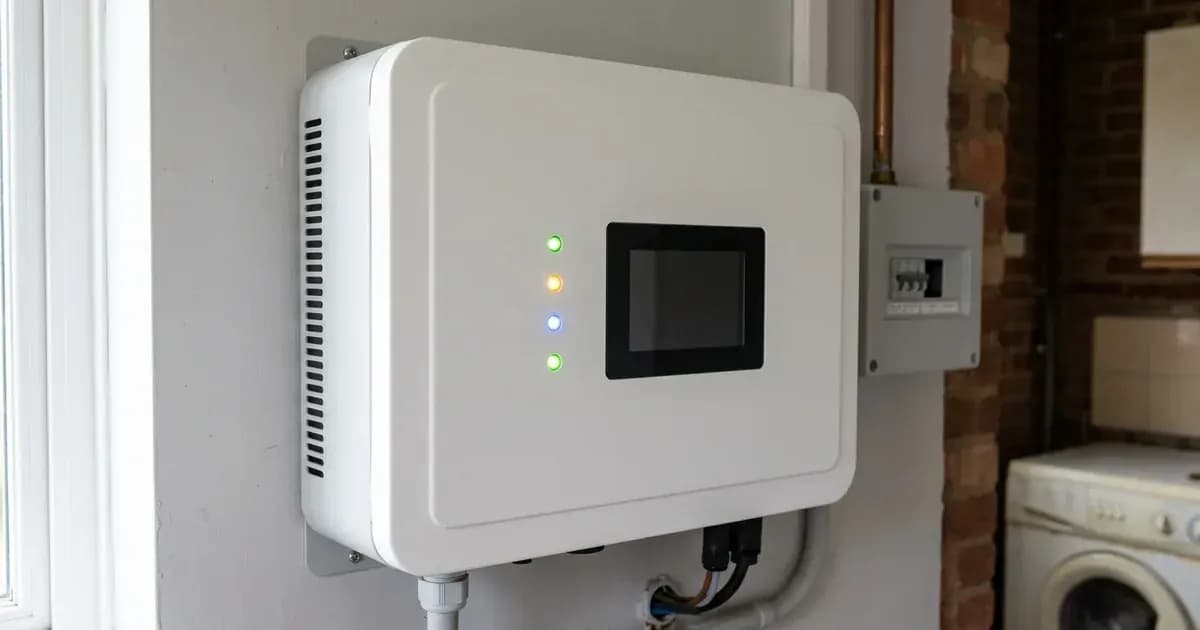
Key Takeaways
- Most GivEnergy errors stem from DC voltage boundaries (such as string voltage exceeding 580VDC), loose communication cables, or grid isolator trips.
- The first diagnostic step is checking whether the fault is on the solar array (INV prefix), battery subsystem (STORAGE prefix), or utility grid connection.
- Always isolate AC and DC power before inspecting physical cable connections to prevent electrical shock or arc flash hazards.
- Stop DIY troubleshooting immediately if you encounter insulation resistance errors (INV_GFCI_FAULT) or internal hardware alarms, and escalate to your MCS-certified installer.
Why is my GivEnergy inverter showing an error code or alarm?
When a GivEnergy inverter encounters an abnormal operating condition, it halts power conversion and broadcasts an alarm to the online portal and mobile monitoring interface. On UK domestic systems—spanning the Generation 1, Generation 2, and Generation 3 Hybrid inverters (3.6kW and 5.0kW) as well as the 3.0kW AC Coupled units—faults fall into three distinct functional categories: solar array input thresholds, battery storage management, and mains grid synchronization.
The first step in resolving any alarm is reading the exact alphanumeric code recorded in the GivEnergy commissioning portal or customer dashboard. An alarm prefixed with INV_ relates directly to solar generation or grid-tie operation, while an alarm prefixed with STORAGE_ points to the battery pack, battery management system (BMS), or emergency power supply (EPS) backup circuits.
For broader wiring regulations governing domestic solar installations across England, Scotland, and Wales, see our UK solar electrical installation guide.
Diagnostic procedure: Step-by-step triage for GivEnergy systems
When your system reports an error, follow this systematic troubleshooting sequence:
- Record the active alarm: Log into the GivEnergy portal or mobile app and note down the precise fault message displayed under system alarms.
- Check the AC supply: Verify that the dual-pole AC rotary isolator next to the inverter and the dedicated miniature circuit breaker (such as a C20 or C25 breaker) in your consumer unit are closed.
- Inspect the DC startup voltage: For hybrid models, verify whether solar irradiation is sufficient to generate the required 150V minimum startup voltage.
- Examine the battery status indicator: Check the battery module front panel to confirm whether the first LED indicator is green, signalling normal power status.
- Inspect the meter communications: If generation figures read zero while the sun is shining, check the RJ45 meter cable connected into the communications socket on the underside of the inverter.
For grid compliance standards on small-scale microgenerators, refer to our ENA EREC G98 grid connection guide.
Master fault code and remediation table
The table below compiles the official error codes, operational meanings, and corrective instructions published in the GivEnergy technical portal:
Fault Code | System Meaning | Remediation Action |
|---|---|---|
INV_PV_OVER_VOLTAGE | Solar string voltage exceeds upper safety limit | Check that the string voltage does not exceed 580VDC |
INV_NO_UTILITY | Inverter detects no grid AC voltage | Ensure that the AC supply is switched on and the AC connections are tight and sound |
INV_GFCI_FAULT | Ground fault circuit interrupter detects earth leakage | Make sure that there is no DC voltage to earth |
STORAGE_ERROR_PV_OVER_VOLTAGE | Battery hybrid DC input voltage exceeds threshold | Check that the string voltage does not exceed 580VDC |
STORAGE_ERROR_NO_UTILITY | Inverter cannot detect utility mains | Ensure that the AC supply is switched on and the AC connections are tight and sound |
STORAGE_ERROR_GFCI_FAULT | Storage DC circuit earth fault detected | Make sure that there is no DC voltage to earth |
STORAGE_ERROR_BACKUP_OVERLOAD_FAULT | EPS backup circuit exceeded inverter output rating | Ensure that the EPS load does not exceed the inverter power rating |
STORAGE_WARN_BMS_UNDER_VOLTAGE | Battery pack voltage dropped below operating range | Ensure that the battery is turned on and the first LED indicator is green |
STORAGE_WARN_BMS_SHORT_CURRENT_DISCHARGER | DC discharge short-circuit or reverse polarity detected | Ensure that the polarity is correct on the battery DC cables |
STORAGE_WARN_BMS_COM_FAIL | BMS communication link disconnected | Check that the BMS communication cable between the battery and inverter is connected correctly |
STORAGE_WARN_BATTERY_VOLTAGE_LOW | Battery pack voltage at minimum operating limit | Ensure that the battery is turned on and the first LED indicator is green |
ELECTRICITY_METER_COM_FAIL | Energy meter communication dropped | Ensure that the meter communications are stable and connected into the correct socket on the underside of the inverter |
STORAGE_ERROR_BAT_UNDER_VOLTAGE_FAULT | Battery severe undervoltage cutoff triggered | Ensure that the battery is turned on and the first LED indicator is green |
STORAGE_WARN_BATTERY_SOC_LOW | Battery state of charge is low | Ensure that the battery is turned on and the first LED indicator is green |
STORAGE_ERROR_BMS_COM_FAIL | Battery BMS communication hard failure | Check that the BMS communication cable between the battery and inverter is connected correctly |
Grid voltage and telemetry faults
Beyond internal hardware codes, GivEnergy systems actively monitor distribution network parameters:
Grid Voltage Too High and Grid Voltage Too Low
If your inverter reports Grid Voltage Too High or Grid Voltage Too Low, the unit has detected that the local distribution network operator (DNO) feeder voltage has drifted outside statutory limits. The official guidance states: ensure that the AC isolator is switched on and the AC connections on the underside of the inverter are tight and sound; if connections are good, please contact the local DNO. In the UK, widespread solar export on local substations during sunny afternoons can cause feeder voltages to rise above the permissible ceiling, triggering an automatic protective trip.
For home export accounting and meter requirements, consult our guide to the Smart Export Guarantee explained.
Telemetry and Data Point timeouts
If the GivEnergy portal reports that a data point was not created recently, the communication dongle has lost its link to the cloud server. The manufacturer guidance instructs: ensure that the dongle is emitting a solid blue light and that it has a stable internet connection.
Electrical specifications and circuit protection
When installing or repairing GivEnergy residential systems in the UK, circuit protection must align with manufacturer documentation:
- Hybrid 3.6kW Model: Maximum AC current is 16.4A, requiring a C20 overcurrent breaker and minimum 2.5mm cable sizing.
- Hybrid 5.0kW Model: Maximum AC current is 22.8A, requiring a C25 or C32 circuit breaker, a Type A 30mA residual current device (RCD), and 4.0mm copper cabling.
- AC Coupled 3.0kW Model: Maximum AC current is 13A, operating on a C20 circuit breaker and 2.5mm cable.
- DC Input Constraints: The solar string voltage must not exceed 580VDC, and the battery voltage connected must not exceed 60V, or it will damage the inverter and void warranty coverage.
For commercial and domestic battery fire compartmentation requirements, refer to our UK battery storage fire safety guide.
Safety: Isolation and electrical hazard lines
Working on solar inverters involves dangerous direct current (DC) and alternating current (AC) voltages:
- High Voltage Retention: The system is capable of retaining a high voltage, even when disconnected. Never open the casing or touch internal capacitors until the unit has completely discharged.
- Safe Terminal Isolation: When checking or tightening terminal connections, always isolate the AC isolator, DC solar switch, and battery breaker first. Use insulated hand tools to prevent accidental short circuits.
- Earth Leakage Dangers: If an
INV_GFCI_FAULTappears, do not attempt to clear the error by resetting breakers without testing array isolation resistance. Water ingress into DC rooftop connectors or degraded cable insulation can energise mounting rails.
When to call a technician instead
While checking a tripped AC breaker, reseating a loose RJ45 communication lead, or power-cycling a Wi-Fi router is safe for an end-user, internal inverter maintenance must be left to approved professionals.
GivEnergy provides a 12-year warranty on inverters and a 12-year warranty on batteries from the installation date. However, the manufacturer warranty terms state that if the system is left offline for more than 10% of time from the date of installation, the warranty may revert to a 12-month standard warranty from the date of commission. If you suspect an internal hardware defect or persistent failure, contact GivEnergy technical support directly on 01377 252 874 or reach out to your certified installer.
Frequently asked questions
What does INV_PV_OVER_VOLTAGE mean on a GivEnergy inverter?
INV_PV_OVER_VOLTAGE indicates that your solar string voltage exceeds the 580VDC limit. When this occurs, the inverter stops generating to prevent hardware damage, and an installer must test open-circuit voltage across the DC strings.
How do you fix a GivEnergy STORAGE_WARN_BMS_COM_FAIL error?
STORAGE_WARN_BMS_COM_FAIL indicates a communication failure between the battery and the inverter. Isolate both AC and DC supplies first to avoid electric shock, then check that the RJ45 BMS communication cable between the battery and inverter is connected securely.
Why does my GivEnergy inverter show INV_NO_UTILITY?
INV_NO_UTILITY means the inverter detects no incoming AC grid voltage. Check whether the external AC rotary isolator and the consumer unit breaker are switched on and connections on the underside of the inverter are secure.
What should you do if your GivEnergy inverter shows INV_GFCI_FAULT?
INV_GFCI_FAULT signals a ground fault or residual current leakage where DC voltage leaks to earth. Do not touch exposed metalwork; isolate the inverter and have a qualified electrician test the DC array isolation resistance.
References
- GivEnergy Commissioning Portal Fault Codes and Recommendations — accessed 29 August 2026
- GivEnergy Generation 3 Hybrid Inverter Installation Manual — accessed 29 August 2026
- GivEnergy Residential Product Warranty Document — accessed 29 August 2026
Related guides
More from inverter errors & fixes.