Sunsynk Battery Not Charging: F56 Low Voltage and F58 BMS Loss Resolution Guide
Updated 18 September 2026 · By SolarNevs Research Desk, Dealer surveys + verified sources · 2 sources · Method ↗
Key Takeaways
- When a Sunsynk battery refuses to charge or discharge, the fault typically traces to software timer settings, CAN communication dropout, or undervoltage shutdown.
- Error F56 denotes DC bus bar voltage is too low, occurring when battery state of charge falls below safe operating levels or the battery internal safety switch trips.
- Error F58 indicates battery_comm_lose, confirming lost communication between the inverter and battery management system (BMS); verify the Li-BMS screen is not showing a screen full of 0s.
- Discrepancies between measured inverter terminal voltage and reported pack BMS voltage of 1.5V or more force the system into protective lockout.
- For deeply depleted packs, the onboard Active Battery recovery feature allows controlled solar trickle charging to revive a battery that is 100% discharged.
Why is my Sunsynk battery not charging or discharging?
Sunsynk hybrid inverters work in close digital coordination with connected lithium iron phosphate battery packs. The inverter constantly monitors cell temperatures, pack voltage, and charging currents via a digital communication bus. If any operational parameter breaches pre-programmed safety envelopes, the system ceases battery charging to protect against cell degradation or thermal stress.
Homeowners across the United Kingdom frequently encounter situations where an otherwise healthy battery sits idle despite surplus solar generation or active off-peak grid periods. In most cases, the hardware has not suffered an internal breakdown; rather, the inverter is honoring safety limits or misconfigured scheduling rules.
For broader installation rules governing renewable energy storage and safety earthing across Great Britain, refer to our UK solar electrical installation guide.
Diagnosing the underlying issue requires methodical inspection of digital BMS communications, timer mode parameters, voltage differential protection, and low-voltage recovery mechanisms.
BMS communication loss: diagnosing error F58 and blank screens
Modern lithium storage modules rely on CAN or RS485 communication protocols to instruct the inverter on maximum allowable charge and discharge rates.
When this link fails, Sunsynk inverters post error code F58: "F58 battery_comm_lose 1. It tells the communication between hybrid inverter and battery BMS is disconnected."
Sunsynk technical support notes that: "The batteries are not communicating with the inverter."
Verifying the Li-BMS Screen
To diagnose the digital interface:
- Tap the battery icon on the central touchscreen home screen.
- Select the Li-BMS sub-menu.
- Sunsynk guidelines mandate: "1. Access the Li-BMS screen on the inverter screen and make sure that there is not a screen full of 0s."
- If the display shows valid cell voltages, pack temperature, and state of charge, digital communication is healthy.
- If the screen displays all zeroes across every field, the inverter has lost serial data synchronization with the battery management system.
Correcting Battery Setup Parameters
If communication has dropped, verify the basic configuration: "2. Check that the Battery Settings have been adjusted so that the system can read Lithium batteries, and the battery capacity has been correctly established."
Ensure the battery type is toggled to Lithium rather than AGM or Lead-Acid, and select the correct CAN communication protocol number matching your specific battery pack model. Comprehensive diagnostic codes across all system subsystems can be referenced in our Sunsynk fault codes directory.
Timer and System Mode configuration conflicts
A very common reason for batteries failing to charge from low-cost off-peak tariffs is a scheduling configuration error in the inverter timer logic: "The System Mode settings have not been set correctly."
Engaging System Timers
To enable scheduled charging from grid or solar power:
- Open the settings menu by tapping the gear icon.
- Select System Mode and proceed to the System_1 tab.
- Sunsynk instructions specify: "3. Tick the Use Timer checkbox"
- Program start and end times corresponding to your off-peak energy window.
- Ensure target state of charge percentages are adjusted above baseline operational cutoffs.
- Tick the Grid charge box adjacent to the time slot to permit grid electricity import.
- Tap OK to save changes to memory.
If the Use Timer box remains unselected, the inverter ignores programmed charge windows, prioritizing direct household consumption and exporting surplus generation to the grid under national rules detailed in our micro-generator grid connection guide.
Voltage difference protection: the 1.5V threshold
Sunsynk inverters incorporate a dedicated hardware protection mechanism that compares external DC cable terminal voltage against internal battery cell telemetry: "Voltage Difference (1.5V or above) The system has put the batteries in protection mode due to a difference in voltage of 1.5V or more between the inverter and the batteries."
What Triggers the 1.5V Discrepancy?
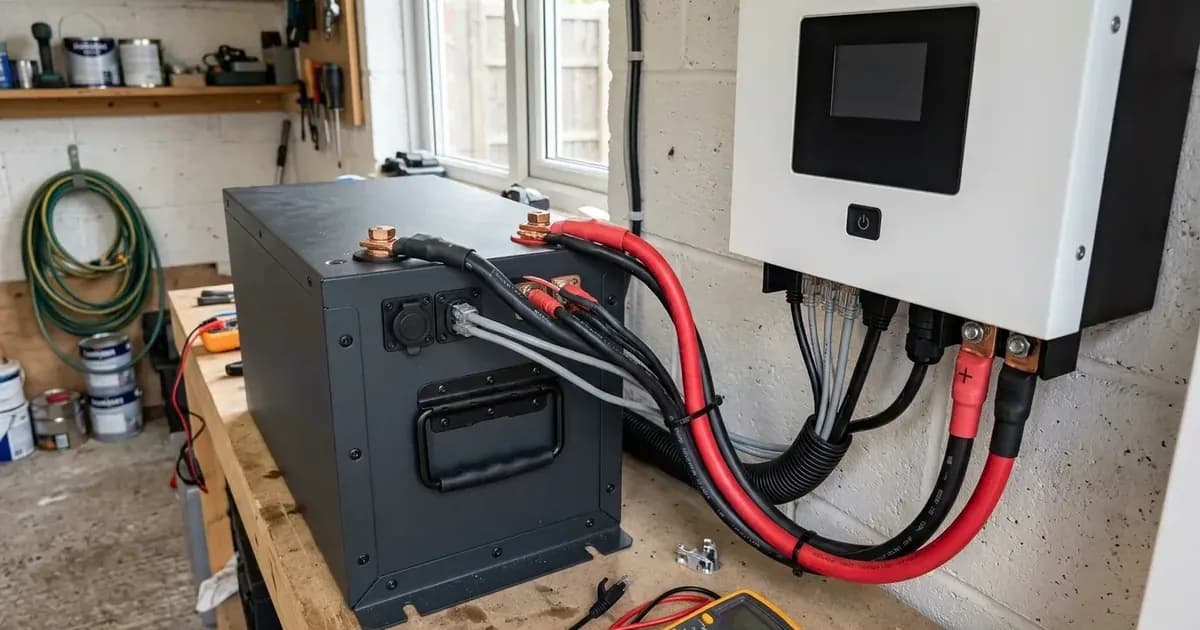
- High Resistance Cable Connections: Loose terminal bolts, corroded copper lugs, or undersized DC cables create voltage drops under heavy load, causing terminal voltage to sag below internal pack voltage.
- Blown Battery Isolator Fuses: If a DC fuse has partially degraded or blown, voltage feedback reading becomes erratic.
- Firmware Telemetry Misalignment: Outdated firmware on older battery modules can miscalculate overall pack potential.
When the measured difference reaches 1.5V or above, the inverter halts charging or discharging immediately to prevent circulating currents. Inspect and torque all DC cable connections to manufacturer specifications to eliminate contact resistance.
Error F56: DC bus undervoltage and deep discharge recovery
When a battery state of charge is driven down to empty during prolonged overcast weather or power outages, terminal voltage drops below the power stage minimum operational limit. The inverter registers fault F56: "F56 DC bus bar voltage is too low Battery low voltage 1. Check if the battery voltage is too low. 2. If the battery voltage is too low use the PV or grid to charge the battery. 3. Check the battery BMS"
Baseline State of Charge Thresholds
In the Battery Setup menu, three critical percentages govern low-voltage protection:
- Shutdown Cutoff: "Shutdown 20%: It indicates the inverter will shutdown if the SOC is below this value."
- Low Battery Alarm: "Low Batt 20%: It indicates the inverter will alarm if the SOC below this value."
- Automatic Restart: "Restart 40%: Battery voltage at 40% AC output will resume."
Setting Shutdown and Low Batt too low can allow cold ambient temperatures to plunge the pack into self-protection lockout.
Reviving Depleted Batteries: Active Battery Wakeup
When lithium cells enter deep discharge sleep mode, their internal BMS contactors open, showing zero volts at the external terminals. Traditional chargers cannot detect a connected pack.
Sunsynk inverters feature a built-in recovery mechanism: "Active Battery: This feature will help recover a battery that is 100% discharged by slowly changing from the solar array."
Enabling Active Battery in the settings commands the inverter to deliver a controlled trickle current from the photovoltaic array, gradually lifting cell voltage until the battery BMS wakes up, re-closes its safety contactors, and resumes standard charging.
Matching battery discharge specifications and inverter current limits
To prevent recurring overload trips during heavy household appliance use, the battery bank discharge capability must align with the inverter rating: "Important: Especially with Lithium batteries, ensure that the batteries Max. discharge current or power specification is the same or higher than the inverter specification."
Programmed Current Limits
In the battery setup screen, maximum charge and discharge currents must be configured to respect inverter hardware ceilings: "Charge/discharge amps: The max battery charge/discharge current (0-90A for 3.6kW model, 0-120A for 5kW model)."
Setting maximum discharge current beyond the safe continuous C-rate of the connected battery causes internal cell protection to trip, dropping the pack offline unexpectedly.
Battery firmware updates and support escalation
Where batteries communicate inconsistently or report false voltage differentials despite sound wiring, a firmware update may be necessary:
- "1. Make sure that the batteries are from the L/G/W series and that they can be seen on the app"
- "2. Request the update via ticket by sending an e-mail to support@sunsynk.com"
Remote diagnostic logs can also be monitored through your local network setup, as outlined in our Sunsynk data logger troubleshooting guide.
Promptly resolving battery charging anomalies restores your energy independence and maximizes savings under domestic time-of-use tariffs.
Frequently asked questions
What causes Sunsynk error F56?
Error F56 indicates that DC bus bar voltage is too low because the battery storage voltage has dropped below operating cutoffs or the internal BMS contactor has opened.
What should you check when Sunsynk displays error F58?
F58 indicates battery_comm_lose, confirming that digital communication between the hybrid inverter and battery BMS is disconnected. Check the CAN/RS485 communication cable and BMS screen.
Why is my Sunsynk battery refusing to charge from the grid?
Grid charging requires ticking the Use Timer checkbox on the System_1 tab and ensuring target state of charge values are set above the configured low battery threshold.
What is the 1.5V voltage difference protection mode on Sunsynk systems?
The system enters protection mode when inverter DC terminal voltage deviates from battery BMS voltage by 1.5V or more, halting current flow to prevent cell damage.
References
- Sunsynk Single-Phase Inverter User Manual — accessed 29 August 2026
- Sunsynk Technical Support Solution Battery Not Charging — accessed 29 August 2026
Related guides
More from inverter errors & fixes.