Victron Pytes LiFePO4 Battery CAN-Bus Setup Guide
Updated 18 September 2026 · By SolarNevs Research Desk, Dealer surveys + verified sources · 1 source · Method ↗
Key Takeaways
- Communication issues are the most common cause of Pytes battery setup problems with Victron systems.
- Always verify firmware versions on your GX device, Victron inverters, and Pytes batteries as the first troubleshooting step.
- Never attempt to operate Pytes battery cells normally without a proper BMS connection to the Victron GX device.
- If communication issues persist after checking cabling and firmware, consult a qualified technician to avoid potential system damage.
Why isn't my Victron system detecting my Pytes battery or showing incorrect data?
The most common cause for a Victron system not detecting a Pytes battery or displaying incorrect data is a communication issue via CAN-Bus or outdated firmware. The first thing to check is the physical CAN-Bus cable connection and the firmware versions of all Victron components and the Pytes battery.
Diagnosis
Follow these steps to diagnose communication issues between your Victron system and Pytes LiFePO4 batteries. Each step involves an observable check and indicates what its result means.
- Check CAN-Bus Cable Connection:
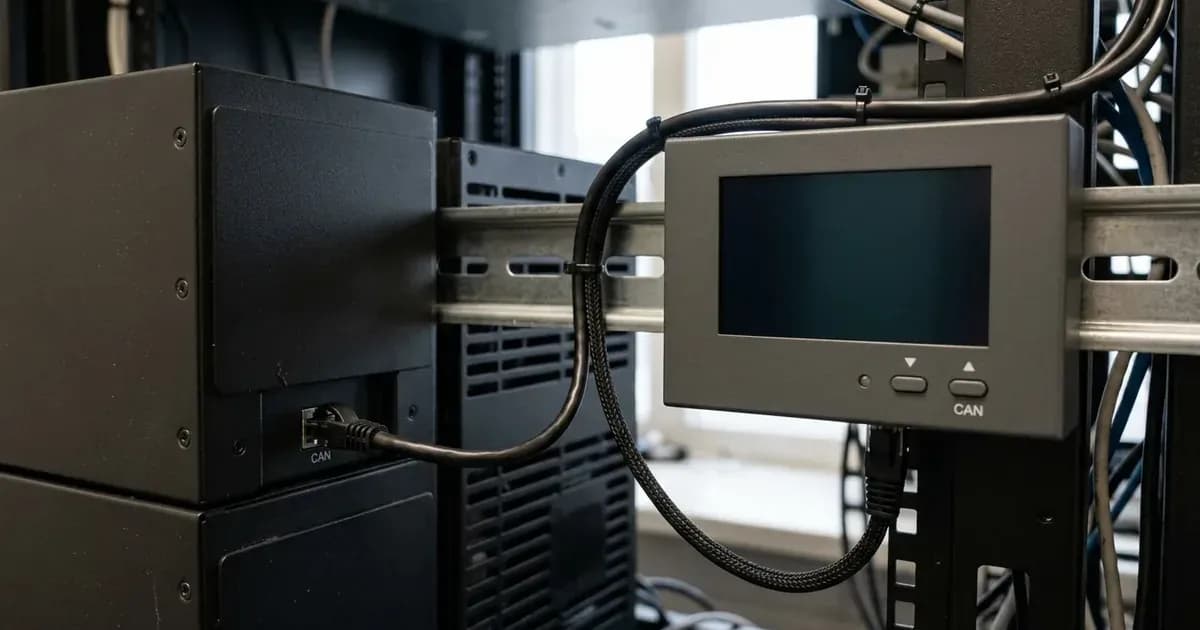
- Check: Ensure the VE.Can to CAN-bus BMS type A Cable, part number ASS030710018, is correctly installed. The side labeled "Battery BMS" must be plugged into the Pytes battery, and the side labeled "Victron VE.Can" must be plugged into the GX device.
- Meaning: An incorrect connection prevents the GX device from receiving charge and discharge limits, error codes, and the state of charge from the battery.
- Verify VE.Can Terminator:
- Check: Confirm that a VE.Can terminator is installed in the unused VE.Can socket on the GX device. Two terminators are included with the GX device, but only one is needed for this setup.
- Meaning: Missing or incorrectly placed terminators can disrupt CAN-Bus communication, leading to detection failures.
- Inspect GX Device Firmware:
- Check: Verify that your GX device has a minimum firmware version of v3.31. The latest recommended version should be used for optimal compatibility.
- Meaning: Outdated GX firmware can cause issues with new installations or troubleshooting, preventing proper communication with the Pytes battery.
- Review Pytes Battery Firmware:
- Check: Ensure the Pytes battery firmware is at least 1.10.18. This version is displayed as v18.1 on the GX device and in VRM.
- Meaning: An older Pytes firmware version may not communicate correctly with the Victron GX device, leading to detection or data reporting problems.
- Check VE.Bus Model Firmware:
- Check: If using VE.Bus models (Multi, MultiPlus, Quattro), verify they have a minimum supported firmware version of 469. The latest recommended version should be used.
- Meaning: Outdated VE.Bus model firmware can cause issues with new installations or troubleshooting, affecting system integration.
- Check RS Model Firmware:
- Check: If using RS models, confirm they have a minimum supported firmware version of 1.16. The latest recommended version should be used.
- Meaning: Outdated RS model firmware can lead to communication problems and system instability.
- Confirm GX Device Connection Type:
- Check: Navigate to the GX device settings and ensure the connection type for the battery is set to BMS-Can (500 kbit/s).
- Meaning: An incorrect connection type setting will prevent the GX device from interpreting the Pytes battery's CAN-Bus data.
Cause/fix table
Symptom detail | Likely cause | Fix |
|---|---|---|
Battery not showing up on GX device display | Improper CAN-Bus wiring between battery and GX Device | Ensure the VE.Can to CAN-bus BMS type A Cable (part number ASS030710018) is correctly connected, with the "Battery BMS" side to the battery and "Victron VE.Can" side to the GX device. Verify a VE.Can terminator is in the unused GX device VE.Can socket. |
Issues with new installations or troubleshooting | Outdated GX firmware version | Update GX device firmware to minimum v3.31, recommended latest. |
Issues with new installations or troubleshooting | Outdated VE.Bus model firmware version | Update VE.Bus models (Multi, MultiPlus, Quattro) firmware to minimum 469, recommended latest. |
Issues with new installations or troubleshooting | Outdated RS model firmware version | Update RS models firmware to minimum 1.16, recommended latest. |
Battery not providing charge/discharge limits or state of charge | BMS-Can (500 kbit/s) connection not used or configured | Ensure the GX device connection type is set to BMS-Can (500 kbit/s). |
Victron System Settings for Pytes LiFePO4 Batteries
Proper configuration of your Victron system is essential for seamless integration with Pytes LiFePO4 batteries. This involves specific settings on your GX device and ensuring correct communication protocols.
Key Settings and Protocols
The following table outlines the critical settings and their required values for Victron components when paired with Pytes batteries:
Setting Name | Values | Protocol |
|---|---|---|
GX device connection type | BMS-Can (500 kbit/s) | CAN-bus |
DVCC | Enabled | (Not specified) |
SVS | Disabled | (Not specified) |
STS | Disabled | (Not specified) |
VE.Bus inverter/charger connection to GX device | VE.Bus connection port | VE.Bus |
Solar Charger connection to GX device | VE.Direct or VE.Can communication port | VE.Direct, VE.Can |
Firmware Requirements
To ensure compatibility and proper function, specific minimum firmware versions are required for your Victron and Pytes components:
- GX device firmware: Minimum v3.31, with the latest version recommended.
- Pytes firmware: Minimum 1.10.18 (displayed as v18.1 on GX device and VRM).
- VE.Bus models (Multi, MultiPlus, Quattro): Minimum supported firmware version 469, with the latest recommended.
- RS models: Minimum supported firmware version 1.16, with the latest recommended.
Connection Details
- CAN-Bus cable: Use the VE.Can to CAN-bus BMS type A Cable, part number ASS030710018. Plug the side labeled "Battery BMS" into the Pytes battery and the side labeled "Victron VE.Can" into the GX device.
- VE.Can terminator: A VE.Can terminator is required in the other VE.Can socket on the GX device. Two terminators are included with the GX device, but only one is used for this setup.
- Solar Charger connection: It is mandatory to connect solar chargers to the GX device via VE.Direct or VE.Can communication ports for proper charge regulation.
- Grid-connected systems: Advanced control functions are configurable in the ESS settings on the GX device.
- Off-grid systems: Control functions of the BMS are built into the latest version of the GX device.
Safety: LiFePO4 Battery Management
LiFePO4 batteries require a Battery Management System (BMS) for safe operation. The BMS protects the battery from overcharge, over-discharge, over-current, and temperature extremes.
It is critical to never attempt to operate Pytes battery cells normally without a connection to the BMS. Operating the battery without a functioning BMS connection can lead to potential damage or malfunction of the battery cells and connected equipment. The Victron GX device relies on the BMS-Can connection to receive essential safety parameters and control the system's charging and discharging.
When to call a technician instead
While many setup and troubleshooting steps can be performed by the user, there are situations where professional assistance is necessary. You should call a qualified technician if:
- You are unable to establish communication between the Pytes battery and the Victron GX device after carefully following all cabling and firmware update steps.
- The system exhibits persistent errors or unexpected behavior that you cannot resolve with the provided guidance.
- You are uncomfortable performing firmware updates or working with electrical connections.
- There are any signs of physical damage to the battery or Victron components.
Attempting complex repairs or modifications without proper knowledge can void warranties and pose safety risks.
Frequently asked questions
What Victron components are compatible with Pytes batteries?
Victron GX devices (e.g., Cerbo GX), VE.Bus models (Multi, MultiPlus, Quattro with firmware v469+), RS models (firmware v1.16+), and 48V BlueSolar/SmartSolar MPPT Chargers are compatible.
What is the minimum firmware required for Victron GX devices?
A GX device requires a minimum firmware version of v3.31, but the latest version is recommended for full compatibility.
How do I connect the Pytes battery to the Victron GX device?
Use a VE.Can to CAN-bus BMS type A Cable (part number ASS030710018). Plug the 'Battery BMS' side into the battery and the 'Victron VE.Can' side into the GX device.
Why is CAN-Bus communication important for Pytes batteries with Victron systems?
The BMS-Can connection allows the GX device to receive critical information such as charge/discharge limits, error codes, and the battery's state of charge from the Pytes battery.
What Victron settings are crucial for Pytes battery integration?
Ensure DVCC is enabled, and SVS (Shared Voltage Sense) and STS (Shared Temperature Sense) are disabled on the Victron system. The GX device connection type must be BMS-Can (500 kbit/s).
References
- Victron Energy Battery Compatibility: Pytes — accessed 23 August 2026
Related guides
More from schemes, subsidies & financing.