Sunsynk Low Solar Generation: Troubleshooting PV Output
Updated 16 September 2026 · By SolarNevs Research Desk, Dealer surveys + verified sources · 5 sources · Method ↗
Key Takeaways
- If your Sunsynk inverter shows no PV voltage or a blank DC LED, check MC4 connector polarity and ensure the DC voltage is above 125V.
- Low PV generation can stem from the inverter not being in normal mode, MPPT voltage below 125V, or a lack of power demand.
- Solar panels rarely reach their theoretical kilowatt-peak (kWp) rating due to real-world conditions like temperature, shading, and light intensity.
- A fully charged battery bank or disabled solar export will cause the inverter to halt PV generation if there is no other power demand.
- Always consult a registered electrical person for wiring, grid connection, or internal inverter issues to ensure compliance and safety.
No PV Voltage or No DC LED
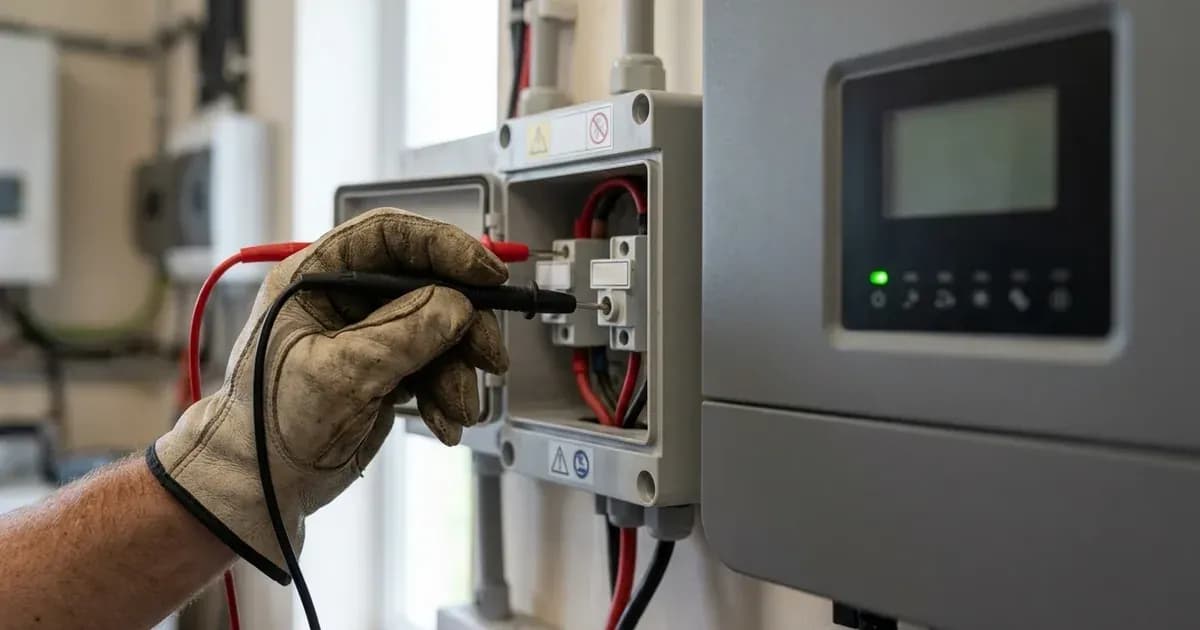
If your Sunsynk inverter is not showing any PV voltage or the green DC LED is not lit, this indicates an issue with the solar array's connection or output to the inverter. The first step is to verify the physical connections and the voltage from your solar panels.
The correct polarity of MC4 connector plugs is essential for PV input. The Positive Cable from the Solar Panel String should be terminated with the correct MC4 Plug which connects to either MPPT1 + or MPPT2 + input. The Negative Cable should therefore connect to the corresponding MPPT1 – or MPPT2 – input.
Once the polarity has been checked and confirmed as being in the correct orientation, the observed DC Voltage must be positive and be greater than the minimum 125V start up voltage required for the MPPT input. The Green DC LED should now be lit if the voltage is greater than 125V DC. If the DC LED remains unlit, the inverter is not detecting sufficient PV input.
Lower Than Expected PV Generation
Symptom / Operating State | Probable Root Cause | Verification & Diagnostic Check | Corrective Action |
|---|---|---|---|
No PV Voltage / Unlit DC LED | Reversed polarity or low string voltage | Test DC polarity on MC4 connectors; verify string voltage is >125V | Correct MC4 pin polarity (+ to MPPT+, - to MPPT-); ensure ≥125V DC startup |
Zero PV Output with Full Battery | No load demand & Solar Export disabled | Batteries at 100% SOC with no house load and export turned off | Normal inverter power management; enable Solar Export/Sell if approved |
Inverter Operating Mode Inactive | System not in normal operational mode | Inverter "Normal" LED indicator above the screen is unlit | Resolve active fault alarms or verify grid/battery/PV connections |
Throttled Solar Generation | Inverter parameter configuration cap | Check Max Solar Power setting in system menu | Adjust Max Solar Power setting upward to match total array kWp |
Sudden Total PV Halting | Inverter-battery voltage mismatch | Difference between inverter terminals (V-Batt) and BMS exceeds 1.5V | Inspect battery DC cabling, terminal torque, and BMS comms link |
Firmware Mismatch Issues | Out-of-sync control firmware sets | MCU firmware and LCD/Comms firmware versions are incompatible | Update both MCU and LCD/Comms firmware packages to compatible releases |
If your Sunsynk inverter is generating some power but less than you expect, several factors could be at play. These range from the inverter's operational mode to environmental conditions and internal settings.
First, check the inverter's status. If the system is not in normal mode, visible via the normal LED above the screen, then this will prevent the system from allowing power to flow and as a result no generation will push through the inverter.
The MPPT voltage is crucial for generation. If the voltage on the MPPTs is below the push through voltage threshold (also known as Startup Voltage), there will be no generation output. Generally, this is 125V per MPPT but please check your user manual or datasheet for inverter specific values. Conversely, if the DC voltage is too high and is reading above the maximum PV Input Voltage for your inverter then this can disable export and can also risk damage to the MPPT inputs.
A common reason for low generation is a lack of power demand. Sometimes the issue can be that there is no power demand for the PV generation to cover, especially if you do not have solar export enabled and your batteries are fully charged. If there is nowhere for the power to flow, then the inverter will prevent any generation. This can often be mistaken for a fault when it is the inverter correctly managing power flow.
Firmware incompatibility can also cause issues. Sunsynk inverters generally have two firmware sets to keep updated, one for the LCD/Comms and one for the MCU. If these firmware's are incompatible, then it can result in the system not operating correctly.
External factors significantly impact PV generation. Numerous factors contribute to low power generation, such as weather, temperature, shading, inverter issues, panel orientation, panel angle, and more. Low voltage can be caused by cloudy weather, shading, damage to the cables connected to the solar panels/MC4 connectors or due to an internal fault. Inverter Clipping occurs when the system cannot export excess photovoltaic energy back to the grid after meeting the load and fully charging the batteries. Other inverter-related issues include Solar Export/Sell disabled, the system not being connected to the grid, CT issues, or the Max Solar Power setting being too low.
Battery problems can also halt PV production. If there is a voltage discrepancy of more than 1.5 volts between the inverter battery terminals and the BMS voltage, the inverter will halt PV production until the issue is resolved. For more information on battery issues, refer to our guide on Sunsynk Battery Not Charging or Discharging. If you suspect a CT issue, see our guide on Sunsynk CT Coil Wrong Readings.
Understanding PV Generation: STC vs. Real-World Performance
Solar panel output is often quoted in kilowatt-peak (kWp), which is a theoretical maximum under specific laboratory conditions. kWp is used to measure or describe the maximum theoretical output of a solar panel or solar array under standard test conditions (STC) and is typically used as a benchmark to compare size/power of arrays. It is almost impossible to reach this figure as there are many factors which do not meet the STCs when a system is installed on site.
Standard Test Conditions (STC) are defined as:
- Cell temperature of 25°C
- Solar irradiance of 1000 W/m²
- Air Mass (AM) 1.5 spectral distribution
In real-world South African conditions, these STC values are rarely met. Factors Which Contribute to Performance Reduction from kWp include: Temperature, Intensity of light, Shading Factor (SF), Design Software, Deterioration, Inverter Power Loss. High ambient temperatures, common in South Africa, significantly reduce panel efficiency. Dust accumulation, another common issue, also reduces the intensity of light reaching the cells. Panels also deteriorate by approximately 1% per year. Even the inverter itself has power loss, with efficiencies typically above 95% but not 100%.
Checking Your Sunsynk Inverter's Settings
Your Sunsynk inverter offers several settings that can influence solar generation. While some are user-adjustable, others require a registered person.
If your generation is low, check the "Max Solar Power" setting. If this is set too low, it will limit the amount of power your inverter can draw from the PV array. Similarly, if "Solar Export/Sell" is disabled, and your batteries are full, the inverter will stop generating once the load is met.
For issues related to the inverter's online status, refer to our guide on Sunsynk Inverter Offline Connect Fix.
What you can change yourself, and what you cannot
As a system owner, you can typically adjust settings related to your energy usage patterns, such as battery State of Charge (SOC) targets, time-of-use timers for charging and discharging, and general work modes (e.g., self-use, time-of-use). These settings are designed for user customisation to optimise your system's performance for load-shedding or daily consumption.
However, any settings that affect grid protection, export limits, or the fundamental electrical configuration of the inverter must only be changed by a registered electrical person. This includes wiring changes, adjustments to grid voltage or frequency limits, and enabling or disabling grid-tied export functions. Tampering with these settings can void your warranty, compromise the safety of your installation, and breach your connection agreement with Eskom or your municipality. Such work requires a Certificate of Compliance (CoC) to ensure it meets South African electrical standards.
What the published sources do not tell you
Sunsynk's knowledge base is extensive but often reflects its primary market, the United Kingdom. This means that while general principles of PV generation apply globally, specific grid-related figures and regulations mentioned in some Sunsynk documentation, such as G98/G99/G100 references or UK grid voltage windows (e.g., 216.2V-253V), are not applicable in South Africa. South Africa operates under NRS 097-2-1 for grid connection, and supply is 230V/50Hz through Eskom or a municipality, not a DNO. Always refer to local regulations and consult a registered electrical person for grid-specific settings.
The documentation provides general troubleshooting steps for low PV generation but does not offer a comprehensive list of all possible error codes or their specific remedies. Firmware procedures can also vary slightly between inverter models and firmware versions, so the exact menu paths for some settings may differ from general guidance.
Frequently asked questions
Why is my Sunsynk inverter showing no PV voltage or a blank DC LED?
Check your MC4 connector polarity. The positive cable must connect to MPPT+ and the negative to MPPT-. The observed DC voltage must be positive and greater than the minimum 125V start-up voltage for the MPPT input.
Why is my Sunsynk inverter generating less solar power than expected?
Common reasons include the inverter not being in normal mode, MPPT voltage below 125V, no power demand (e.g., full batteries, export disabled), or incompatible firmware. External factors like weather, shading, and high temperatures also reduce output.
What is the minimum voltage for a Sunsynk MPPT to start generating power?
The minimum required voltage for the MPPT to start recording is generally 125V. It is recommended to have at least 5V above this minimum to ensure start-up.
Can a full battery bank or disabled solar export reduce my Sunsynk inverter's PV generation?
Yes. If there is no power demand for the PV generation to cover, such as when batteries are fully charged and solar export is disabled, the inverter will prevent any generation.
Why do my solar panels not reach their advertised kilowatt-peak (kWp) rating?
kWp is a theoretical maximum under Standard Test Conditions (STC) and is rarely achieved in real-world installations. Factors like temperature, light intensity, shading, panel deterioration, and inverter power loss reduce actual output.
References
- Sunsynk Support: No PV Voltage / No DC LED — accessed 27 August 2026
- Sunsynk Support: PV Not Generating — accessed 27 August 2026
- Sunsynk Support: Why is Solar Generation Low? — accessed 27 August 2026
- Sunsynk Support: Why Solar Panels Don't Always Reach Kilowatt-Peak (kWp) — accessed 27 August 2026
- Sunsynk Support: Panel Voltage and Optimisers — accessed 27 August 2026
Related guides
More from inverter errors & fixes.