Victron BlueNova Lithium Battery Setup Guide
Updated 8 September 2026 · By SolarNevs Research Desk, Dealer surveys + verified sources · 1 source · Method ↗
Key Takeaways
- Proper CAN-bus communication between the BlueNova BMS and Victron GX device is essential for system function.
- All Victron components and the BlueNova BMS require specific minimum firmware versions for full compatibility, especially for DVCC.
- Distributed Voltage and Current Control (DVCC) allows the battery to manage charge and discharge parameters, overriding internal charger algorithms.
- An improperly connected CAN-bus cable will prevent the battery from charging/discharging and appearing on the GX device.
How do I set up Victron products with BlueNova lithium batteries?
Setting up Victron products with BlueNova lithium batteries requires establishing proper CAN-bus communication between the battery's Battery Management System (BMS) and a Victron GX device. This connection enables the critical Distributed Voltage and Current Control (DVCC) feature, which allows the battery to manage the charging and discharging of the entire system.
Step-by-step setup and configuration
Follow these steps to correctly integrate your BlueNova Energy lithium batteries with a Victron Energy system.
- Verify Firmware Versions: Before connecting, ensure all your Victron components and the BlueNova BMS meet the minimum firmware requirements. This is critical for the DVCC function to operate correctly. Refer to the "Firmware and Configuration Checklist" table below for specific versions.
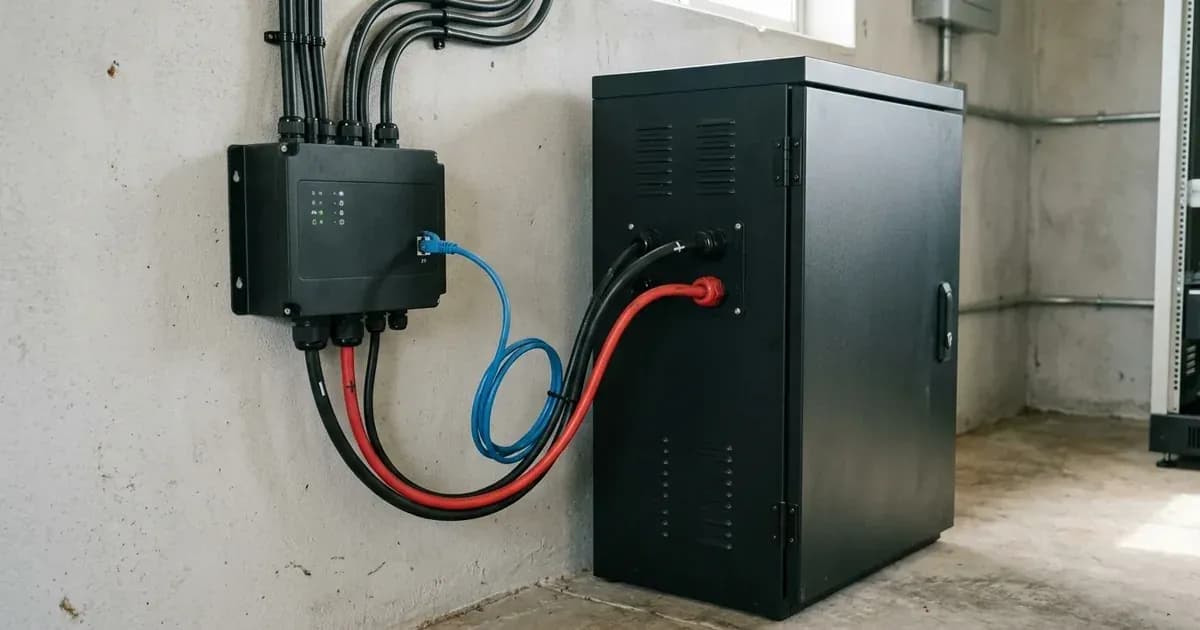
- Obtain a CAN-bus Cable: A standard RJ45 CAN-bus cable is required to connect the BlueNova battery to the Victron GX device. This cable is not supplied with the battery or the GX device.
- Connect the CAN-bus Cable:
- Plug one end of the RJ45 cable into a VE.Can socket or the "BMS Can" port on the back of your Victron GX device.
- Plug the other end into one of the RJ45 CAN-bus ports on your BlueNova Energy battery.
- Important: Without this cable properly connected, the battery will stop charging/discharging after several minutes and will not appear on the GX device display.
- CAN-bus Termination (if applicable):
- For BlueNova Energy "SSS" range batteries, a VE.Can terminator is not necessary for the other VE.Can socket on the GX device.
- For RacPower (BP & DU) range BlueNova Energy batteries, CAN-bus terminations are required and are supplied with each RacPower unit.
- Power On the System: Once all physical connections are secure, power on your Victron system and the BlueNova batteries.
- Verify Battery Visibility on GX Device: Navigate through the GX device's menu to the device list. The BlueNova battery (or a single entry representing multiple paralleled batteries) should appear.
- Configure GX Device CAN-profile: Access the GX device menu via
Settings→Services→CAN-profile. Ensure the correct CAN-profile is selected for BlueNova batteries. - Confirm DVCC Activation: With the latest GX device firmware, DVCC should automatically activate once the BlueNova battery is connected via CAN-bus. You can verify its status in
Settings→System Setup. - Review Shared Voltage Sense (SVS) and Limit Charge Current:
- Shared Voltage Sense (SVS) is enabled by default when DVCC is active. It can be disabled in
Settings→System Setupif needed. - The "Limit charge current" setting is user-configurable and can generally be disabled for BlueNova Energy batteries. It works across the entire system, prioritizing MPPT Solar Chargers over mains/generator charging.
- Shared Voltage Sense (SVS) is enabled by default when DVCC is active. It can be disabled in
Firmware and Configuration Checklist
Ensuring all components have the correct firmware and settings is vital for stable operation.
Setting Name / Component | Value / Minimum Version | Protocol / Notes |
|---|---|---|
GX device firmware | v2.02 (minimum for basic function) | For DVCC, v2.12 is required. |
BlueNova Energy 123SmartBMS firmware | v5.13 (minimum for DVCC) | N/A |
BlueNova Energy BMMC firmware | V3.5 + (minimum for DVCC) | N/A |
Multi/Quattro firmware | 422 (minimum for DVCC) | N/A |
MultiGrid firmware | 424 (minimum for DVCC) | N/A |
VE.Direct MPPTs firmware | v1.29 (minimum for DVCC) | VE.Can MPPTs are not compatible with DVCC. |
Lynx Ion + Shunt firmware | v2.04 (minimum for DVCC) | N/A |
Lynx BMS firmware | v1.09 (minimum for DVCC) | N/A |
ESS Assistant version (for ESS Systems) | 164 or later | Released November 2017. |
CAN-bus speed (new BlueNova Energy batteries) | 500kbps (default) | All BlueNova products support 250kbps or 500kbps. |
DVCC (Distributed Voltage and Current Control) | Automatically activated | Requires latest GX device firmware and CAN-bus connection. |
Shared Voltage Sense (SVS) | Enabled by default | Can be disabled in |
Limit charge current | Can be disabled | User-configurable maximum, works system-wide. |
Communication and Control with BlueNova Batteries
BlueNova Energy lithium iron phosphate (LiFePo4) batteries are designed for seamless integration with Victron Energy systems, particularly through the GX device and CAN-bus communication.
The BlueNova Energy range comes with a Battery Management System (BMS) as standard. This BMS is responsible for monitoring and protecting the battery cells. When connected to a Victron GX device via CAN-bus, the system activates Distributed Voltage and Current Control (DVCC).
DVCC is a critical feature that changes the role of the GX device from a passive monitor to an active controller. The GX device receives real-time data from the BlueNova battery's BMS, including:
- Charge Voltage Limit (CVL)
- Charge Current Limit (CCL)
- Discharge Current Limit (DCL)
- Battery Low Voltage thresholds
The GX device then relays these limits to all connected Victron inverter/chargers and solar chargers (like VE.Direct MPPTs). This means that the Victron charging devices disable their internal charge algorithms and instead follow the instructions provided by the BlueNova BMS. This ensures the battery is charged and discharged within its safe operating parameters, maximizing its lifespan and performance. There is no need to manually set charge voltages or select charge algorithm types on the Victron chargers when DVCC is active.
When setting up, note that a CCGX (Color Control GX) has limitations: it cannot connect both VE.Can products (e.g., VE.Can MPPTs) and a BlueNova Energy battery simultaneously. If your system requires both, use a Cerbo GX, which features two separate sets of ports for this purpose.
If you have multiple BlueNova batteries in parallel, they will typically appear as a single entry in the GX device's device list. For installations requiring individual monitoring of each paralleled BlueNova battery, a BlueNova Energy BMAC Online unit can be installed between the batteries and the Victron GX device. This unit is purchased separately from an installer or dealer.
Safety: Lithium Iron Phosphate Battery Handling
BlueNova Energy batteries use Lithium Iron Phosphate (LiFePo4) chemistry, which is known for its safety and stability. However, general electrical safety practices must always be followed:
- Electrical Shock Hazard: Always isolate all power sources (PV, battery, AC mains) before making or breaking any electrical connections. Wait for capacitors in inverters/chargers to discharge according to their manual.
- Short Circuits: Use insulated tools when working with battery terminals. A metal tool bridging terminals can cause a severe short circuit, leading to sparks, fire, and serious injury.
- Internal Components: BlueNova batteries are supplied with an internal BMS. Do not attempt to open the battery enclosure. Opening the unit is considered authorized-service work and can expose you to hazardous components and void the warranty.
- Ventilation: While LiFePo4 batteries do not typically off-gas like flooded lead-acid batteries, ensure the installation area has adequate ventilation to prevent heat buildup.
When to call a technician instead
While many setup steps can be performed by a competent DIY installer, there are situations where professional assistance is recommended or required:
- Persistent Communication Issues: If, after following all connection and firmware steps, the BlueNova battery does not appear on your GX device, or DVCC fails to activate, a technician can diagnose complex communication faults.
- RacPower Interlink Comms: For BlueNova Energy RacPower batteries (latest "DU" and "BP" models) with CAN-bus and RS485, contact BlueNova Energy Technical Support for correct interlink comms cable configurations, especially if a BlueNova Energy BMAC Online unit is present.
- Firmware Update Failures: If you encounter issues updating firmware on any Victron component or the BlueNova BMS, a qualified technician can perform these updates safely.
- System Sizing and Design: For complex systems or if you are unsure about the correct sizing of your battery bank or other components, consult a certified solar installer. For more information on Victron hardware, refer to our Victron hardware guide.
- Warranty Concerns: Any unauthorized modifications or opening of the battery enclosure may void the manufacturer's warranty. If you suspect an internal battery fault, contact BlueNova Energy or your installer.
Frequently asked questions
What is the minimum GX device firmware for BlueNova batteries?
The minimum firmware version for the Victron GX device when used with BlueNova Energy Batteries is v2.02. For Distributed Voltage and Current Control (DVCC) to function, v2.12 or later is required.
How do BlueNova batteries communicate with Victron systems?
BlueNova Energy batteries communicate with Victron GX devices via CAN-bus. This connection is crucial for the battery's BMS to share critical data and control charging/discharging.
What is DVCC and why is it important for Victron BlueNova setups?
DVCC (Distributed Voltage and Current Control) transforms the GX device from a passive monitor into an active controller. It allows the BlueNova battery's BMS to dictate charge voltage, current limits, and discharge current limits to connected Victron inverter/chargers and solar chargers.
Do I need a special cable to connect BlueNova batteries to a Victron GX device?
You need an RJ45 CAN-bus cable to connect the BlueNova battery to the Victron GX device. This cable is not supplied with either the battery or the GX device.
Can I use VE.Can MPPTs with a BlueNova battery and DVCC?
No, VE.Can MPPT Solar Chargers cannot be used with DVCC as they do not yet support the new control mechanisms required for this function. VE.Direct MPPTs are compatible if their firmware is v1.29 or later.
References
- Victron Energy: Battery Compatibility - BlueNova Energy — accessed 23 August 2026
Related guides
More from inverter errors & fixes.