Getting Started with Victron Venus OS: A Guide to Monitoring Your Solar System
Updated 9 September 2026 · By SolarNevs Research Desk, Dealer surveys + verified sources · 1 source · Method ↗
Key Takeaways
- Victron Venus OS is the operating system for Victron's GX monitoring devices.
- GX devices like the Cerbo GX and Ekrano GX provide comprehensive system oversight.
- Remote monitoring is available through the Victron Remote Management (VRM) portal.
- Select a GX device based on your system's communication needs and display preferences.
What is Victron Venus OS and how does it monitor your solar system?
Victron Venus OS is the software platform that runs on Victron Energy's GX monitoring devices. These devices are the state-of-the-art monitoring solution for your solar energy system, collecting data from connected Victron products and displaying it locally or remotely. The Victron Remote Management portal (VRM) is the online platform for remote monitoring.
Understanding Victron GX Devices
Victron Energy offers a range of GX devices, each with specific features and connectivity options. These devices serve as the central hub for monitoring and managing your Victron system.
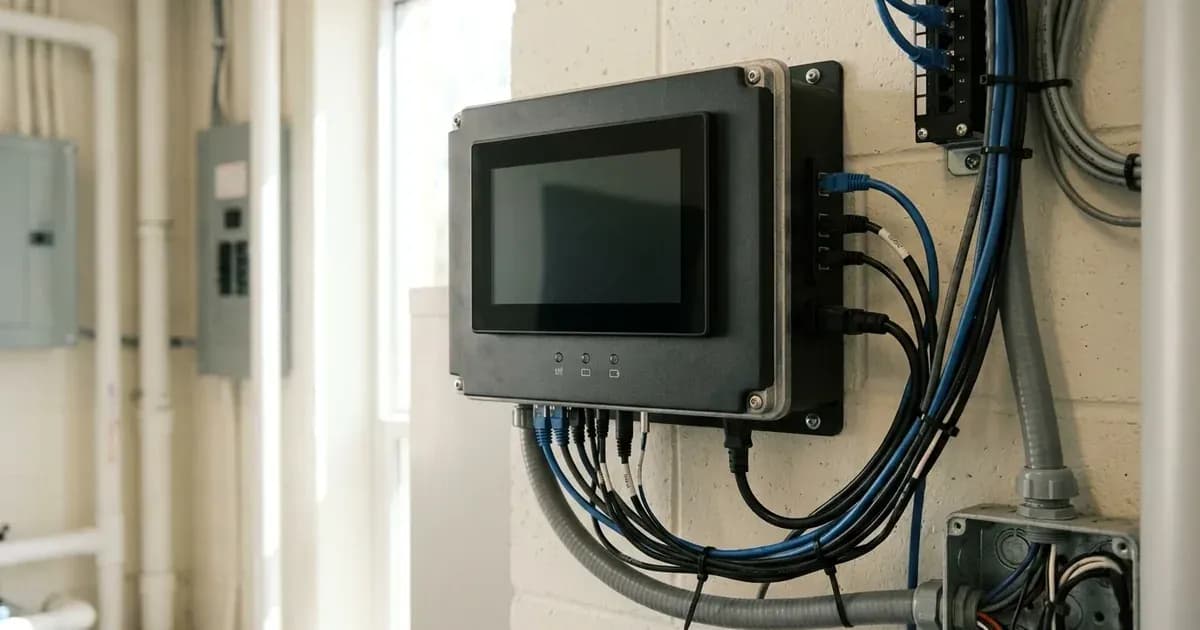
- Ekrano GX: This is the latest GX product, featuring an integrated 7-inch touchscreen display. It includes three VE.Direct ports and two paralleled RJ45 sockets for VE.Bus communication. It also has two programmable relays, three resistive tank level inputs, and two temperature sense inputs.
- Cerbo GX: The Cerbo GX is the most commonly used GX product. It supports an optional GX Touch display and includes two USB Host ports. It offers four resistive tank level inputs and four temperature sense inputs.
- Cerbo GX MK2: This model is almost identical to the Cerbo GX but includes improvements to its VE.Can ports and USB ports, now featuring three USB Host ports. It also has two isolated VE.Can ports.
- Cerbo-S GX: A lower-cost version of the Cerbo GX, this model omits the BMS-Can port, tank monitoring inputs, and temperature monitoring inputs.
- Color Control GX (CCGX): This was the first released GX product, featuring a 480 x 272 LCD display and seven buttons. It has two VE.Direct ports and two USB Host ports.
- Venus GX: The Venus GX offers more analog and digital IO compared to the CCGX, but it does not have a built-in LCD display. It includes three VE.Direct ports and five digital inputs.
- MultiPlus-II GX and EasySolar-II GX: These are GX devices built directly into Victron's MultiPlus-II GX and EasySolar-II GX Inverter/chargers, respectively. They feature a 2x16 character display and one VE.Direct port.
Comparing Victron GX Device Features
The following table summarizes key differences across various Victron GX models, focusing on user interface, communication, and input/output capabilities.
Feature | Ekrano GX | Cerbo GX | Cerbo GX MK2 | CCGX | Venus GX | MultiPlus-II GX and EasySolar-II GX |
|---|---|---|---|---|---|---|
Display | 1024 x 600 LCD built-in 7" touchscreen | GX Touch optional touch display | GX Touch optional touch display | 480 x 272 LCD Display & 7 buttons | no display | 2x16 character display |
VE.Direct ports | 3 |
|
| 2 |
| 1 |
VE.Bus | 2 paralleled RJ45 sockets |
|
|
|
|
|
VE.Can | yes VE.Can 1 isolated VE.Can 2 non-isolated | yes - non-isolated | yes VE.Can 1 isolated VE.Can 2 non-isolated | 2 paralleled RJ45 sockets – isolated |
| depends |
USB Host ports | 2 | 2 & 1 power only port | 3 | 2 |
|
|
Ethernet | 10/100 RJ45 socket - isolated except shield |
|
|
|
| 10/100 RJ45 socket |
WiFi | built-in |
|
| optional | built-in | built-in |
Programmable relay | 2 x NO/NC (DC up to 30VDC: 3A, AC: 1A, 125VAC) | 2 x NO/NC (DC up to 30VDC: 6A, AC: 6A, 125VAC) | 2 x NO/NC (DC up to 30VDC: 6A, AC: 6A, 125VAC) | 1 x NO | 1 x NO/NC | n/a |
Resistive tank level inputs | 3 | 4 | 4 | no | 3 |
|
Temperature sense inputs | 2 | 4 | 4 | no | 2 |
|
Digital Inputs | 2 | 4 | 4 | no | 5 | no |
Key Features and Accessories
Victron GX devices support various accessories to expand their functionality and connectivity.
- GX Touch: An optional touchscreen display accessory available for the Cerbo GX and Cerbo GX MK2. It comes in 50 (800 x 480) and 70 (1024 x 600) variants.
- Cellular Modems: For internet connectivity in remote locations, the GX GSM (2G and 3G) and GX LTE 4G (2G, 3G, and 4G) modems connect via USB and use a SIM card.
- WiFi USB sticks: These can provide internet connectivity via WiFi for GX devices that do not have built-in WiFi, such as the Cerbo GX.
- Energy Meters: Used to measure PV Inverter output when inverters cannot be read directly, or as a grid meter in an Energy Storage System (ESS).
- Temperature Sensor: An accessory for the temperature inputs found on models like the Venus GX, Cerbo GX, Cerbo GX MK2, and Ekrano GX.
All GX devices offer compatibility with many battery brands that use Canbus-BMS, as well as various PV inverters from brands like Fronius, SMA, ABB/FIMER, and SolarEdge.
Safety
When installing or working with Victron GX devices and your solar system, always prioritize safety. Ensure all power sources, including PV arrays, batteries, and AC mains, are disconnected before making any electrical connections. Use insulated tools to prevent accidental short circuits. While GX devices themselves are low voltage, they connect to high-power components. Refer to the specific installation manuals for all connected Victron products for detailed safety instructions.
When to call a technician instead
While getting started with Victron Venus OS and GX devices is often straightforward, there are situations where professional assistance is recommended. If you are unsure about wiring connections, network configuration, or integrating complex third-party devices, contact a qualified solar technician. Any modifications that could void your system's warranty should also be performed by an authorized installer.
Frequently asked questions
What is Victron Venus OS?
Victron Venus OS is the software platform that runs on Victron Energy's GX monitoring devices. It provides a comprehensive solution for monitoring and managing your solar energy system.
What are Victron GX devices?
Victron GX devices are dedicated hardware units from Victron Energy designed for system monitoring. They collect data from various Victron components and display it locally or send it to the Victron Remote Management (VRM) portal.
Which Victron GX device has a built-in touchscreen display?
The Ekrano GX is the latest GX product and features an integrated 7-inch touchscreen display. Other models like the Cerbo GX use optional external displays.
Can I monitor my Victron system remotely?
Yes, Victron GX devices connect to the Victron Remote Management (VRM) portal. This allows you to monitor your system's performance and status from anywhere with an internet connection.
What are some common accessories for Victron GX devices?
Common accessories include the GX Touch display for Cerbo GX models, cellular modems like the GX GSM or GX LTE 4G for internet connectivity, and temperature sensors for monitoring system components.
References
- Victron Energy Venus OS Start Page — accessed 23 August 2026
Related guides
More from inverter errors & fixes.