Victron Solar MD Battery Compatibility Guide: Setup & Troubleshooting
Updated 9 September 2026 · By SolarNevs Research Desk, Dealer surveys + verified sources · 1 source · Method ↗
Key Takeaways
- Victron and Solar MD lithium batteries are tested and certified compatible by Solar MD.
- Correct firmware versions are critical for all Victron and Solar MD components for proper communication.
- A CAN-bus connection via a Victron GX device is essential for safe and effective battery management.
- MPPT error #67 indicates a communication loss between the GX device and the MPPT.
How do I connect and configure Victron inverters with Solar MD lithium batteries?
Connecting and configuring Victron inverters with Solar MD lithium batteries requires careful attention to communication setup and firmware versions. The combination of Victron products with SolarMD Battery lithium batteries has been tested and certified by the Solar MD R&D department, and this setup has extensive field experience. Proper setup ensures the integrated Battery Management System (BMS) within each Solar MD battery module, along with its LOGGER V2, can effectively interface with the Victron GX device.
Diagnosis and Setup Steps
To ensure your Victron and Solar MD battery system operates correctly, follow these steps to verify communication and firmware.
Step 1: Verify System Components and Connections
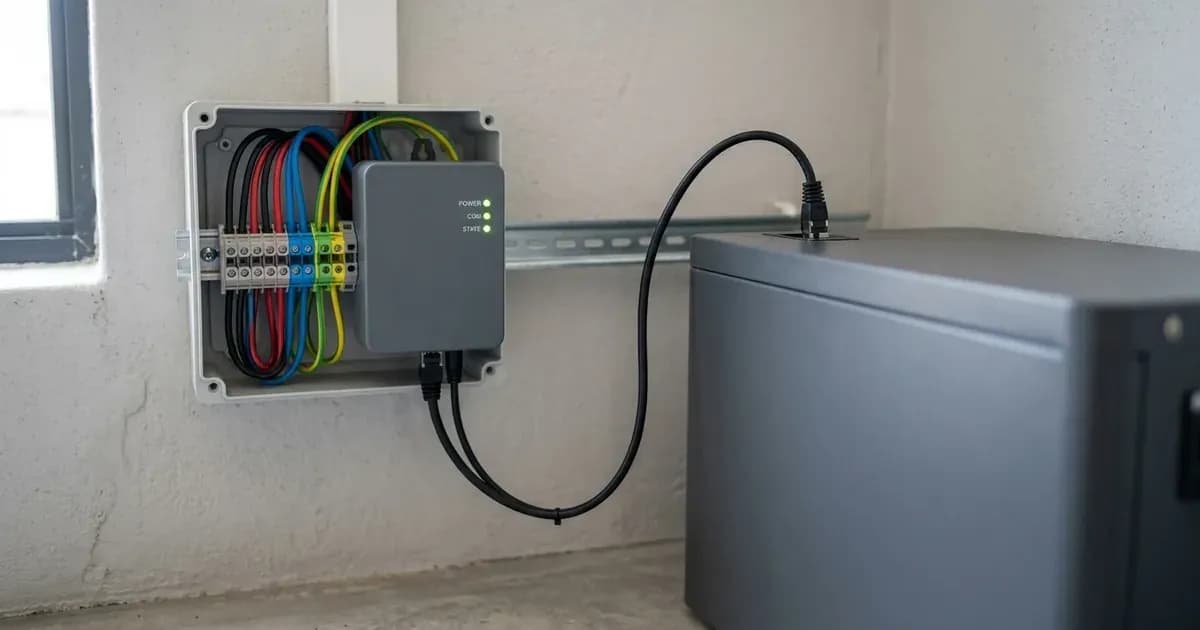
The Solar MD Battery includes an integrated Battery Management System (BMS) with each battery module and a LOGGER V2. A Victron GX device (such as a Color Control GX or Venus GX) is required to facilitate communication.
- Check GX device connection: Ensure your Victron GX device is properly connected. It is essential to use the CAN-bus connection of a GX device with the SOLARMD batteries for the keep-alive signal, communication of charge and discharge limits, error codes, and state of charge.
- Check Inverter/Charger connection: Inverter/charger units must be connected to the GX device via the VE.Bus connection port.
- Check MPPT connection: It is recommended to use MPPTs with a VE.Direct port with SOLARMD batteries. If using VE.Can MPPTs, the Venus GX (VGX) is recommended over the CCGX.
Step 2: Confirm Firmware Versions
Outdated firmware can prevent proper communication and lead to system errors.
- GX device firmware: The minimum required firmware version for the GX device is v2.15.
- Inverter/Charger firmware: For 48V Multis, MultiPlusses, MultiGrids, and Quattros, the minimum firmware version is 422.
- MPPT firmware (VE.Direct): MPPTs with a VE.Direct port should be updated to version 1.39 or the latest available version.
- MPPT firmware (VE.Can): MPPTs with a VE.Can port require firmware version 2.05 or higher.
- Solar MD LOGGER V2 firmware: The minimum Solar MD firmware version for the LOGGER V2 is 6.13_15-Mar-2017. All software updates of Solar MD equipment are done remotely and automatically as soon as the Logger V2 has an internet connection.
Step 3: Diagnose MPPT Error #67
If your MPPT stops charging and flashes error #67, this indicates a communication issue.
- Symptom: MPPT stops charging and flashes error #67.
- Meaning: This error code signifies "no BMS." To test operation, try disconnecting the GX device from the MPPT. After a time-out, the MPPT will stop charging and flash an error code on its LEDs. The error code is error #67: no BMS.
- Action: Reconnect the GX device to the MPPT. Ensure the CAN-bus cable is securely connected at both ends.
Cause/fix table section
Symptom detail | Likely cause | Fix |
|---|---|---|
MPPT stops charging and flashes error #67 | GX device disconnected from MPPT | Reconnect the GX device to the MPPT via the CAN-bus connection. |
Communication issues between Victron and Solar MD | Outdated firmware on Victron or Solar MD devices | Update GX device to v2.15+, inverter/charger to 422+, VE.Direct MPPT to 1.39+, VE.Can MPPT to 2.05+, and Solar MD LOGGER V2 to 6.13_15-Mar-2017+. |
Battery not reporting State of Charge (SOC) or limits | Missing or faulty CAN-bus connection | Ensure the CAN-bus connection between the GX device and Solar MD battery is secure and functional. |
Pairing and Sizing Guidelines
Proper pairing and sizing are crucial for system performance and longevity. Solar MD batteries are available in various capacities, including the SS4037 (3.7kWh), SS4074 (7.4kWh), SS202 (7.4kWh), SS4143 (14.3kWh), and SS3143 (14.3kWh) models. These modules can be scaled up to 256 modules in parallel, achieving maximum capacities such as 947 kWh for the SS4037 and 1894,4 kWh for the SS4074 and SS202.
The following tables provide minimum battery sizing recommendations per module for various Victron inverter/charger models, based on a 3.7kWh (SS4037) or 7.4kWh (SS202 / SS4074) module. These figures indicate the minimum number of battery modules required for self-consumption and off-grid applications.
Minimum Battery Sizing (per 3.7kWh (SS4037) module)
Inverter/Charger | Phases | Self-consumption | Off-grid |
|---|---|---|---|
Multiplus 48/3000/35 | Single Phase | 1 | 1 |
Multiplus 48/3000/35 | Three Phase | 3 | 3 |
Multiplus 48/5000/70 | Single Phase | 1 | 2 |
Multiplus 48/5000/70 | Three Phase | 3 | 6 |
Quattro 48/5000/70-100/100 | Single Phase | 1 | 2 |
Quattro 48/5000/70-100/100 | Three Phase | 3 | 6 |
Quattro 48/8000/110-100/100 | Single Phase | 2 | 2 |
Quattro 48/8000/110-100/100 | Three Phase | 4 | 6 |
Quattro 48/10000/140- 100/100 | Single Phase | 2 | 3 |
Quattro 48/10000/140- 100/100 | Three Phase | 5 | 9 |
Quattro 48/15000/200- 100/100 | Single Phase | 3 | 4 |
Quattro 48/15000/200- 100/100 | Three Phase | 6 | 9 |
EasySolar 48/3000/35-50 MPPT150/70 | Single Phase | 1 | 1 |
EasySolar 48/3000/35-50 MPPT150/70 | Three Phase | 3 | 3 |
EasySolar 48/5000/70-100 MPPT150/100 | Single Phase | 1 | 1 |
EasySolar 48/5000/70-100 MPPT150/100 | Three Phase | 3 | 6 |
Minimum Battery Sizing (per 7.4kWh (SS202 / SS4074) module)
Inverter/Charger | Phases | Self-consumption | Off-grid |
|---|---|---|---|
Multiplus 48/3000/35 | Single Phase | 1 | 1 |
Multiplus 48/3000/35 | Three Phase | 3 | 3 |
Multiplus 48/5000/70 | Single Phase | 1 | 2 |
Multiplus 48/5000/70 | Three Phase | 3 | 6 |
Quattro 48/5000/70-100/100 | Single Phase | 1 | 2 |
Quattro 48/5000/70-100/100 | Three Phase | 3 | 6 |
Quattro 48/8000/110-100/100 | Single Phase | 2 | 2 |
Quattro 48/8000/110-100/100 | Three Phase | 4 | 6 |
Quattro 48/10000/140- 100/100 | Single Phase | 2 | 3 |
Quattro 48/10000/140- 100/100 | Three Phase | 5 | 9 |
Quattro 48/15000/200- 100/100 | Single Phase | 3 | 4 |
Quattro 48/15000/200- 100/100 | Three Phase | 6 | 9 |
EasySolar 48/3000/35-50 MPPT150/70 | Single Phase | 1 | 1 |
EasySolar 48/3000/35-50 MPPT150/70 | Three Phase | 3 | 3 |
EasySolar 48/5000/70-100 MPPT150/100 | Single Phase | 1 | 1 |
EasySolar 48/5000/70-100 MPPT150/100 | Three Phase | 3 | 6 |
Specific VEConfigure settings for General tab, Charge parameters, and Inverter Settings are important for optimal performance, but detailed values are not provided in the source documentation. Consult the Victron and Solar MD manuals for these specific configurations.
Safety: Lithium Battery Systems
Lithium-ion batteries, like those from Solar MD, contain an integrated Battery Management System (BMS) designed to protect the battery from overcharge, over-discharge, over-current, and extreme temperatures. However, proper installation and communication are still paramount for safety.
- BMS Communication: The CAN-bus connection between the Solar MD battery's LOGGER V2 and the Victron GX device is critical. This communication allows the BMS to send vital information, such as charge and discharge limits and error codes, to the Victron system. Loss of this communication can lead to unsafe operating conditions or system shutdown.
- Electrical Safety: Always isolate all power sources (PV, battery, AC grid) before working on any part of the system. Use insulated tools to prevent accidental short circuits. A short circuit across a high-capacity battery bank can release hundreds of amps, posing a severe burn and fire risk.
- Firmware: Ensure all components have the correct and up-to-date firmware. Outdated firmware can lead to communication failures or incorrect battery management, potentially compromising safety.
When to call a technician instead
While basic troubleshooting and firmware updates can often be performed by the user, certain situations require professional intervention.
- Persistent Communication Errors: If communication issues, such as MPPT error #67, persist after verifying connections and firmware, there may be an internal fault with a device or cabling that requires specialized diagnostic tools.
- Internal Component Issues: Do not attempt to open battery modules, inverters, or other sealed components. Opening these units can expose you to hazardous voltages and may void your warranty.
- Complex System Expansion: For expanding your system beyond basic module additions, especially when integrating new components or configuring advanced settings not covered in basic guides, a certified technician can ensure correct and safe implementation.
- Warranty Concerns: Unauthorized modifications or repairs can void your product warranties. If you suspect a hardware fault, contact Solar MD or Victron Energy support, or a certified installer, to avoid invalidating your warranty.
Frequently asked questions
Are Victron products compatible with Solar MD batteries?
Yes, the combination of Victron products with SolarMD Battery lithium batteries has been tested and certified by the Solar MD R&D department. This setup also has extensive field experience and is actively supported by Solar MD.
What firmware versions are required for Victron and Solar MD devices?
A Victron GX device requires a minimum firmware version v2.15. Victron inverter/chargers (48V Multis, MultiPlusses, MultiGrids, Quattros) need at least firmware version 422. MPPTs with a VE.Direct port require version 1.39 or later, while MPPTs with a VE.Can port need at least version 2.05. The Solar MD LOGGER V2 requires a minimum firmware version 6.13_15-Mar-2017.
Why is CAN-bus connection essential for Solar MD batteries with Victron GX devices?
It is essential to use the CAN-bus connection of a GX device with the SOLARMD batteries for the keep-alive signal, communication of charge and discharge limits, error codes, and state of charge. This ensures safe and proper operation of the battery system.
What causes MPPT error #67 with Solar MD batteries?
MPPT error #67, indicating 'no BMS,' occurs when the GX device is disconnected from the MPPT. After a timeout, the MPPT will stop charging and flash this error code.
How are Solar MD Logger V2 firmware updates handled?
All software updates of Solar MD equipment are done remotely and automatically as soon as the Logger V2 has an internet connection. This ensures your system stays up-to-date without manual intervention.
References
- Victron Energy: Battery Compatibility - Solar MD — accessed 23 August 2026
Related guides
More from inverter errors & fixes.