Troubleshooting Victron VE.Bus Network Interference
Updated 16 September 2026 · By SolarNevs Research Desk, Dealer surveys + verified sources · 1 source · Method ↗
Key Takeaways
- The most likely cause of VE.Bus interference is cable issues or electromagnetic interference (EMI).
- The first check involves inspecting all VE.Bus cable connections and their routing.
- Always isolate all power sources (AC, DC, PV) before handling any electrical cables.
- If basic cable management and diagnostic checks do not resolve the issue, call a qualified technician.
Why is my Victron VE.Bus system showing errors or shutting down?
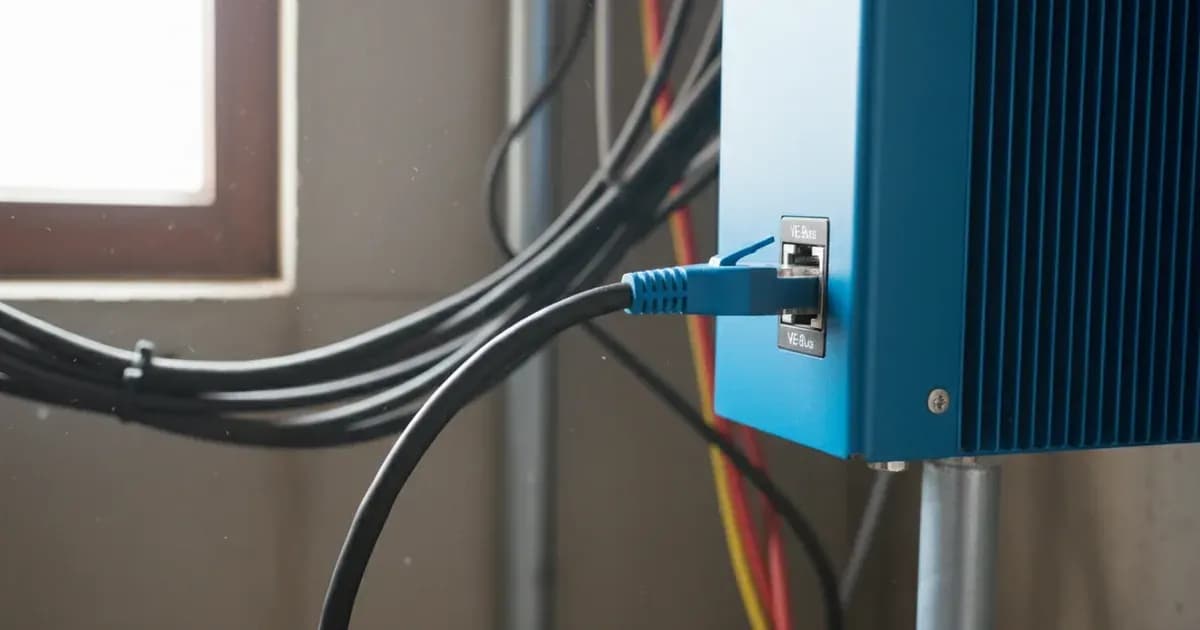
Your Victron VE.Bus system, which connects devices like MultiPlus and Quattro inverter/chargers to a GX device, can experience errors or shutdowns due to network interference. The most common causes are physical cable issues or electromagnetic interference (EMI) from nearby power cables. The first thing to check is a visual inspection of all VE.Bus cable connections and their routing.
Diagnosis
Follow these steps to diagnose and address VE.Bus network interference.
- Check VE.Bus Cable Connections:
- Observable check: Ensure all VE.Bus cables are securely plugged into the ports on your MultiPlus, Quattro, and GX device. Look for any loose connections or signs of physical damage to the cable ends.
- What it means: Loose or damaged connections can lead to intermittent communication or complete signal loss, causing "Spurious VE.Bus error codes."
- Inspect Cable Routing and Separation:
- Observable check: Observe how your VE.Bus communication cables are routed relative to high-current AC or DC power cables. Check if they are bundled together or run in parallel for long distances.
- What it means: "Avoid bundling power and communication cables together. Maintain separation to reduce interference." Electromagnetic fields from power cables can induce noise into communication lines, leading to "invalid VE.Bus frames received due to noise/interference" and "High network quality counters."
- Verify Cable Type:
- Observable check: Confirm that you are using manufactured VE.Bus cables.
- What it means: "Use manufactured cables for VE.Bus connections; avoid crimping on-site." Manufactured cables are designed with proper shielding and impedance for reliable communication, reducing the likelihood of interference.
- Check Network Quality Counters (if accessible):
- Observable check: If you have a Victron GX device connected to the internet, access your VRM Portal. Add
/diagnosticsto the end of your site's VRM URL (e.g.,https://vrm.victronenergy.com/site-id/diagnostics). Look for "network quality counters." - What it means: These counters track "invalid VE.Bus frames received due to noise/interference, checksum failure." High or rapidly increasing numbers indicate significant interference on the VE.Bus network.
- Observable check: If you have a Victron GX device connected to the internet, access your VRM Portal. Add
- Identify Specific Error Codes:
- Observable check: Note any specific error codes displayed on your GX device or in the VRM portal. For example, "Error 3."
- What it means: "Error 3 - Not all, or more than, the expected devices were found in the system.” This points directly to issues with device detection, often due to cable problems or an incorrect network topology.
- Consider Ferrite Core Clips:
- Observable check: If interference persists despite good cable management, consider adding ferrite core clips to your communication cables.
- What it means: "Ferrite Core Clips Can be used to filter noise on communication cables, especially GX cables and between VE.Bus devices." These clips help suppress high-frequency noise.
- Reset VE.Bus System and Counters:
- Observable check: On your GX device, navigate to the Multi Advanced menu. Look for an option to "reset' the VE.Bus system."
- What it means: Performing this action will also reset the "network quality counters." This can sometimes clear transient communication issues and provides a clean slate for monitoring network performance after making changes.
Cause and Fix Table
Symptom detail | Likely cause | Fix |
|---|---|---|
Spurious VE.Bus error codes | VE.Bus cable issues, physical interference, EM interference from power cables, incorrect cable management, long cable runs, specific load types/sizes, AC input connection/disconnection, temperature, physical disturbance, age, corrosion. | Inspect and secure all VE.Bus cable connections. Re-route communication cables to maintain separation from power cables. Use manufactured VE.Bus cables. Consider adding ferrite core clips to communication cables. |
Error 3 - Not all, or more than, the expected devices were found in the system. | VE.Bus cable issues, incorrect network topology, devices not properly detected. | Check all VE.Bus cable connections. Ensure proper network topology (e.g., daisy chain where appropriate). Re-route cables if necessary to improve signal integrity. |
High network quality counters (frame retransmissions) | Invalid VE.Bus frames received due to noise/interference, checksum failure. | Improve cable management by separating communication and power cables. Add ferrite core clips to filter noise on communication cables. Check for sources of physical interference near cables. |
System shutdown (in parallel systems) | Missing Multi in a parallel system (application level issue, not necessarily reflected in network quality counters if checksum is good). | Verify all MultiPlus or Quattro units in a parallel system are present and communicating. Check integrity of VE.Bus cables connecting parallel units. |
Understanding and Managing Your VE.Bus Network
The VE.Bus protocol is Victron Energy's proprietary communication system for its inverter/chargers (MultiPlus, Quattro) and GX devices. It allows these components to work together as a cohesive system, managing power flow and reporting status.
Cable Management for Robust Communication: Effective cable management is crucial for preventing VE.Bus interference. The primary guideline is to "Avoid bundling power and communication cables together. Maintain separation to reduce interference." High-current AC and DC cables generate electromagnetic fields that can corrupt the low-voltage data signals on VE.Bus cables. Route VE.Bus cables away from these power lines, ideally crossing them at 90-degree angles if separation cannot be maintained.
Cable Type: Always "Use manufactured cables for VE.Bus connections; avoid crimping on-site." These cables are specifically designed for the VE.Bus protocol, ensuring proper shielding and impedance for reliable data transmission. On-site crimped cables may lack the necessary quality, leading to increased susceptibility to noise.
Noise Filtering with Ferrite Core Clips: If interference persists, "Ferrite Core Clips Can be used to filter noise on communication cables, especially GX cables and between VE.Bus devices." These clips act as chokes, suppressing high-frequency electrical noise that can travel along the cable and disrupt data signals.
Using GX Device Diagnostics: Your Victron GX device provides tools to help diagnose VE.Bus issues. You can access "network quality counters" via the VRM Portal by adding /diagnostics to the VRM URL for a site. These counters show how many invalid frames have been received, indicating the level of noise on the network. These counters "are reset after you ‘reset' the VE.Bus system on the GX device in the Multi Advanced menu," allowing you to monitor improvements after implementing fixes.
Safety: Electrical Work and Network Integrity
Working with any solar or battery system involves significant electrical hazards. Always prioritize safety.
- Isolate Power: Before inspecting or handling any cables, especially VE.Bus cables connected to inverter/chargers, ensure all power sources are isolated. This includes turning off AC breakers, disconnecting battery banks, and covering or disconnecting solar PV arrays. A spanner across a battery bank can short hundreds of amps, causing severe burns or fire.
- Insulated Tools: Use insulated tools when working near electrical terminals.
- Cable Management: Proper cable management is not just for performance; it's a safety measure. Separating communication and power cables reduces the risk of induced currents and potential damage to sensitive electronics.
- Professional Assistance: If you are unsure about any step or encounter complex electrical issues, stop work and contact a qualified electrician or Victron Energy certified installer.
When to call a technician instead
While basic troubleshooting can often resolve VE.Bus interference, there are clear limits to DIY. You should call a qualified technician if:
- The problem persists after you have meticulously followed all diagnostic steps, including cable inspection, re-routing, and using ferrite clips.
- You are unable to access or interpret the network quality counters on the VRM Portal or GX device.
- The issue involves a "System shutdown (in parallel systems)" that you cannot resolve by checking cable integrity.
- You suspect internal damage to a MultiPlus, Quattro, or GX device. Opening these units typically voids the warranty and should only be done by authorized service personnel.
- You are uncomfortable working with high-voltage or high-current electrical systems.
- The system is still under warranty, and you want to ensure any repairs are performed by an authorized service provider to maintain warranty coverage.
Frequently asked questions
What causes VE.Bus network interference?
Spurious VE.Bus error codes can be caused by VE.Bus cable issues, physical interference, electromagnetic interference from power cables, incorrect cable management, or long cable runs. Specific load types, AC input connection/disconnection, temperature, physical disturbance, age, and corrosion can also contribute.
How do I check for VE.Bus network quality?
You can access network quality counters via the VRM Portal by adding `/diagnostics` to the VRM URL for a specific site. These counters indicate the number of invalid VE.Bus frames received due to noise or interference.
What does Error 3 mean on a Victron VE.Bus system?
Error 3 indicates that 'Not all, or more than, the expected devices were found in the system.' This suggests an issue with VE.Bus cable connections or the overall network topology, preventing proper device detection.
How can I prevent VE.Bus interference?
To prevent interference, avoid bundling power and communication cables together, maintaining separation. Use manufactured VE.Bus cables instead of crimping on-site. Ferrite core clips can also be used to filter noise on communication cables.
Where can I reset VE.Bus system counters?
Network quality counters are reset after you perform a 'reset' of the VE.Bus system. This action is typically available in the Multi Advanced menu on a Victron GX device.
References
- Victron VE.Bus Network Interference Manual — accessed 23 August 2026
Related guides
More from inverter errors & fixes.