Solis Wi-Fi Stick Offline Troubleshooting in Ireland: Datalogger Reconnection Guide
Updated 19 September 2026 · By SolarNevs Research Desk, Dealer surveys + verified sources · 3 sources · Method ↗
Key Takeaways
- Solis DLS-W Wi-Fi dataloggers strictly support 2.4 GHz network frequencies; 5 GHz bands cause immediate connection dropouts.
- Access the on-board web configuration portal directly via IP address 10.10.100.254 using admin credentials.
- Ensure that Wi-Fi signal strength at the inverter location maintains an RSSI higher than 15 percent for stable cloud telemetry.
- When inspecting communication port pins, always isolate external power supplies to avoid electrical shock hazards.
Why is my Solis Wi-Fi stick offline in Ireland?
When the SolisCloud smartphone app or web portal indicates that your solar PV plant is offline, the inverter itself is usually generating power normally. The breakdown sits within the communication path between the datalogger stick, your domestic broadband router, and the remote cloud servers.
Manufacturer technical bulletins identify the single most frequent failure point: modern Irish broadband routers (such as those supplied by Eir, Vodafone Ireland, or Virgin Media) broadcast combined dual-band signals. When the stick attempts to connect to 5GHz signal, the connection fails because the Solis DLS-W only supports 2 4 GHz signals.
Other frequent root causes include:
- Weak wireless signal reach between the utility room or external wall and the home router.
- The homeowner changed their broadband Wi-Fi network password or installed a new mesh system.
- Firewall policies blocking outbound telemetry on the router.
- The communication stick becoming loose from the green COM connector port on the inverter underside.
For diagnostic steps on physical inverter fault alarms, refer to our overarching guide on /ie/guides/fixes/solis-inverter-troubleshooting-ireland.
How to reconnect a Solis Wi-Fi stick step-by-step
Follow these practical steps to re-establish datalogger communications:
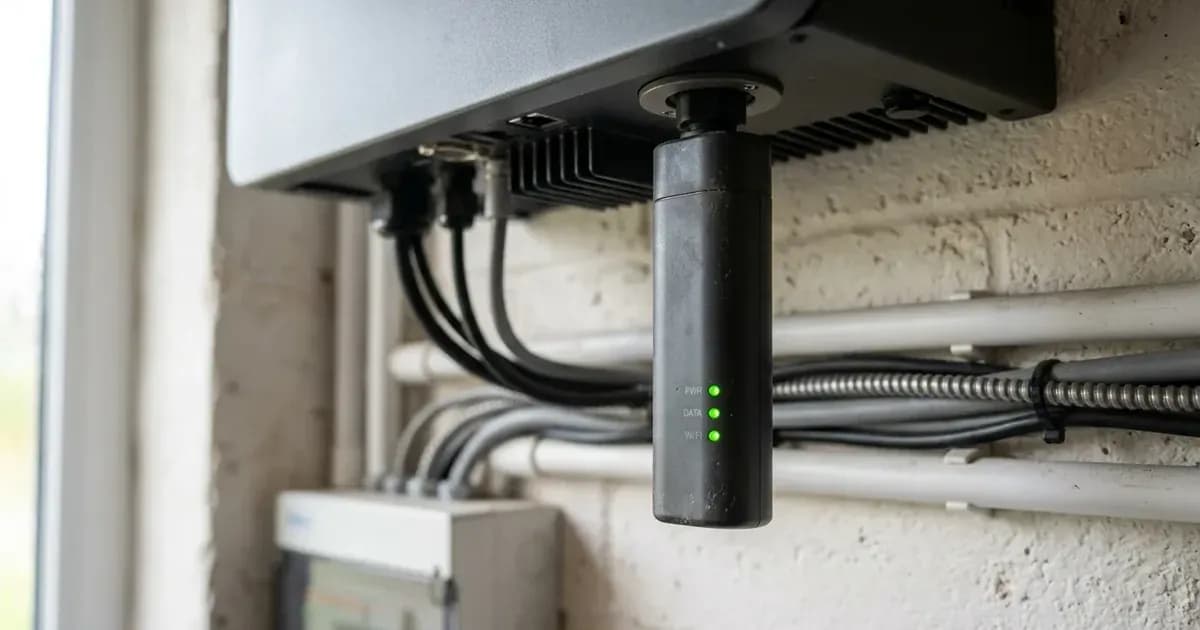
- Inspect Physical Mounting: Ensure the physical connection is secure. Always connect the WiFi stick by attaching it to the green plug on the bottom of all Solis inverters.
- Perform Hardware Reset: Locate the reset push-button on the casing. Press the button for 5 seconds to reset the internal network module into local Access Point (AP) mode.
- Connect to Stick Access Point: On your mobile phone or laptop, open available Wi-Fi networks and connect to the network named after the stick serial number.
- Open Configuration Interface: Open your web browser and navigate to the setup page. Go to the web browser and go to 10 10 100 254 and password is admin admin.
- Avoid Search Engine Redirection: A common mistake occurs when an installer puts 10 10 100 254 in the search bar rather the address bar top bar, which triggers a search query rather than opening the device.
- Run Network Wizard: Select your domestic 2.4 GHz Wi-Fi SSID, enter your household network password, and apply settings.
- Verify Inverter Address: If the WiFi stick doesn t show a connected inverter check the address of the inverter within the settings menu to ensure communication alignment.
If your inverter experiences operational shutdown rather than telemetry loss, consult our guide on /ie/guides/fixes/solar-inverter-grid-voltage-trip-ireland.
Troubleshooting connectivity, signal strength, and firewall rules
Symptom | Probable Cause | Corrective Action |
|---|---|---|
NET LED off or flashing | Datalogger cannot establish handshake with router | Verify home router broadcasts a dedicated 2.4 GHz channel |
Intermittent telemetry dropouts | Weak wireless transmission through masonry walls | Verify the RSSI signal strength is higher than 15 |
SERVER LED fails to illuminate solid | Router firewall blocks outbound monitoring telemetry | Whitelist destination server IP 47 88 8 200 port 10000 UDP |
LCD shows zero data transferred | RS485 communication bus voltage failure | Qualified technician check pins 3 and 4 communication voltage |
Datalogger LEDs completely dark | DC power supply absent from inverter port | Qualified technician check pins 1 and 2 for 5VDC |
To ensure stable telemetry transmission across the Irish internet infrastructure, verify the RSSI signal strength is higher than 15 percent. If signal strength falls below this floor, install a simple 2.4 GHz Wi-Fi range extender between your router and the solar installation.
Where strict commercial or residential firewalls are deployed, network administrators must configure router routing tables to permit traffic to server IP 47 88 8 200 port 10000 UDP.
SEAI domestic monitoring requirements
Under Sustainable Energy Authority of Ireland (SEAI) Domestic Solar PV Code of Practice guidelines:
- System Visibility: The display function can be either through an integrated display screen on the inverter or through a web based portal smart phone app or remote display within the home.
- Safety Compliance: Inverters must meet the requirements of EN 62109 comply with EN50549.
- National Wiring Standards: Installations must comply with I S 10101 have a rated efficiency of 95 percent.
Keeping your Solis Wi-Fi stick connected ensures that generation metrics are logged accurately for warranty validation and Clean Export Guarantee (CEG) self-consumption tracking.
If your installation exhibits insulation resistance alarms after heavy rain, consult our guide on /ie/guides/fixes/solar-pv-isolation-fault-troubleshooting-ireland.
Safety: precautions when testing communication ports
While configuring Wi-Fi network settings via a browser or smartphone involves zero electrical danger, testing the hardware communication pins requires precautions:
- Never attempt multimeter voltage checks on the inverter COM port pins unless you are a qualified electrician.
- Isolate the AC breaker and DC isolators before inserting test probes into terminal blocks.
- Do not short-circuit adjacent pin terminals, as accidental contact between the 5V DC supply and the RS485 data lines will permanently destroy the inverter communication board.
When to contact a Safe Electric Registered Electrical Contractor
Most Wi-Fi connection problems are resolved by splitting 2.4 GHz and 5 GHz router bands or entering correct network passwords.
However, you should contact a Safe Electric Registered Electrical Contractor (REC) or professional installer if:
- The communication stick LEDs remain completely unlit despite being firmly screwed into the green connector.
- Pin voltage testing confirms that the inverter motherboard fails to deliver the required 5V DC operating supply.
- The physical green socket on the bottom of the inverter is cracked or damaged by water ingress.
Frequently asked questions
Why is my Solis Wi-Fi stick showing offline in the SolisCloud app?
The most common cause in Ireland is router dual-band steering. The Solis DLS-W datalogger only supports 2.4 GHz signals; if the home router tries to connect the stick to a 5 GHz band, communication drops immediately.
How do I factory reset a Solis Wi-Fi stick?
Locate the small reset button on the side or bottom of the datalogger casing. Press the button for 5 seconds to reset the hardware back to factory access point mode.
What is the default IP address to set up a Solis Wi-Fi stick?
Connect your smartphone or laptop to the stick AP network, open a web browser, go to 10.10.100.254, and enter the default username and password which is admin and admin.
What electrical voltages should be present at the inverter communication port?
When diagnosing port power, a technician checks pins 1 and 2 for 5V DC supply and checks pins 3 and 4 for RS485 communication bus voltage. De-energise circuits before probing.
References
- Solis Service Portal - DLS-W Wi-Fi Stick Troubleshooting Guide — accessed 28 August 2026
- Solis Service Portal - Wi-Fi Dongle Setup Instructions DLS-W — accessed 28 August 2026
- SEAI - Domestic Solar PV Code of Practice for Installers — accessed 28 August 2026
Related guides
More from inverter errors & fixes.