Huawei SUN2000 Inverter Alarm Codes: Troubleshooting 2001, 2002, 2032, 2033, 2034, 2064
Updated 15 September 2026 · By SolarNevs Research Desk, Dealer surveys + verified sources · 3 sources · Method ↗
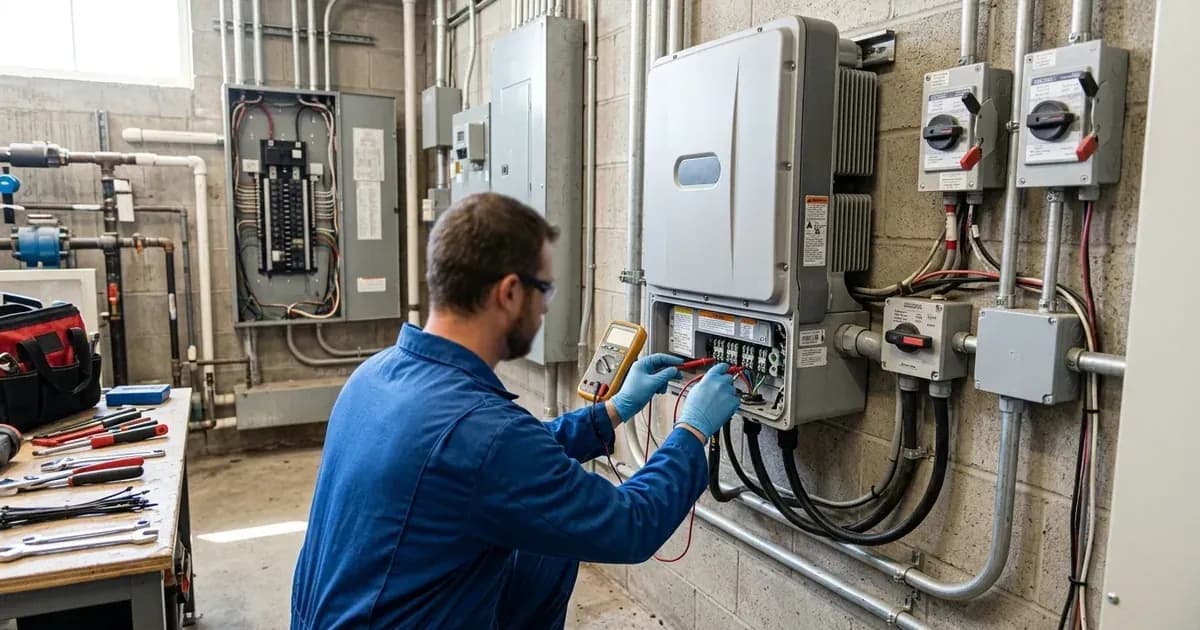
Huawei SUN2000 string inverters are widely used in both residential and commercial solar installations. When an issue arises, the inverter displays an alarm code to help diagnose the problem. Understanding these codes and their corresponding troubleshooting steps is crucial for maintaining system uptime and efficiency.
This guide details common alarm codes for Huawei SUN2000-(2KTL-5KTL)-L1 and SUN2000L-(2KTL-5KTL) series inverters, providing clear, actionable steps to resolve them.
Safety First: Before You Begin Troubleshooting
Working with solar inverters involves high DC voltages from PV arrays and AC voltages from the grid, both of which can be lethal. Always prioritize safety.
- Qualified Personnel Only: Only qualified professionals or trained personnel, such as certified electricians, should perform installation, operation, and maintenance tasks.
- Isolate Power: Before performing any physical checks or disconnections, ensure all power sources are isolated. This includes turning off the AC output switch and the DC input switch.
- Delayed Discharge: High voltage exists after power-on. Residual voltage exists after power-off. Wait at least 5 minutes after power-off for internal capacitors to discharge to a safe voltage.
- Burn Warning: The inverter's enclosure and heat sink can become hot during operation. Avoid touching these surfaces to prevent burns.
- Proper Grounding: Ensure the inverter is properly grounded according to local electrical codes.
- Insulated Tools: Use insulated tools for any work involving electrical connections.
General Troubleshooting Steps
Before addressing specific alarm codes, perform these general checks:
- Check the Display/App: Note the exact alarm code and message displayed on the inverter or in the FusionSolar/FusionHome app.
- Basic Power Cycle: For many transient faults, a power cycle can resolve the issue. Turn off the AC output switch, then the DC input switch. Wait 5 minutes, then turn them back on in reverse order (DC first, then AC).
- Inspect Connections: Visually inspect all DC and AC wiring connections for looseness, corrosion, or damage.
- Environmental Factors: Ensure the inverter's ventilation is not obstructed and that the ambient temperature is within its operating range (typically –25° C to +60° C for L1 models, –30° C to +60° C for L models).
Specific Huawei SUN2000 Alarm Codes and Solutions
This section details specific alarm codes you may encounter and their recommended troubleshooting steps.
Alarm 2001: High String Input Voltage
This alarm indicates that the voltage from your PV string exceeds the maximum allowable input voltage for the inverter.
For SUN2000-(2KTL-5KTL)-L1 Series:
The alarm meaning is "High String Input Voltage". Fix Direction: Check the serial connection configuration of the PV string and ensure that the PV string open-circuit voltage is not greater than the maximum operating voltage of the SUN2000. After the PV array configuration is corrected, the alarm disappears.
For SUN2000L-(2KTL-5KTL) Series:
The alarm meaning is "High String Input Voltage". Fix Direction: Reduce the number of PV modules connected in series to the PV string until the PV string open-circuit voltage is less than or equal to the maximum inverter input voltage. After the PV array is correctly configured, the inverter alarm disappears.
Context: The maximum input voltage for all L1 models is 600 V (without battery) or 495 V (with LG-RESU battery). For all L models, it's 600 V (without battery) or 495 V (with LG-RESU battery). Exceeding this can damage the inverter. This often happens due to incorrect string design, especially in cold weather where module voltage increases.
Alarm 2002: DC Arc Fault
This alarm indicates that the inverter has detected an electrical arc on the DC side of the PV system, which is a significant fire hazard. This alarm is specifically listed for the SUN2000-(2KTL-5KTL)-L1 series.
For SUN2000-(2KTL-5KTL)-L1 Series:
The alarm meaning is "DC Arc Fault". Fix Direction: Check whether the string cables arc or are in poor contact.
Context: Huawei SUN2000-L1 inverters include an Arc Fault Circuit Interrupter (AFCI) function, which is enabled by default and automatically detects arc faults. If triggered less than 5 times within 24 hours, the alarm clears automatically. If triggered more than 5 times, it locks for protection and requires manual clearance. Always investigate the cause of an arc fault immediately.
Alarm 2032: Low Insulation Resistance
This alarm indicates a potential ground fault or insulation breakdown in the PV array.
For SUN2000-(2KTL-5KTL)-L1 Series:
The alarm meaning is "Grid Failure". Fix Direction: 1. Check the AC voltage. 2. Check whether the AC circuit is disconnected or the AC circuit breaker is OFF.
For SUN2000L-(2KTL-5KTL) Series:
The alarm meaning is "Low Insulation Resistance". Fix Direction: 1. Check the impedance between the PV array output and PE, and eliminate short circuits and poor insulation points. 2. Check that the SUN2000L PE cable is correctly connected. 3. If you confirm that the impedance is less than the default value in a cloudy or rainy environment, reset Insulation resistance protection.
Context: For the L1 series, code 2032 indicates a "Grid Failure". For the L series, it indicates "Low Insulation Resistance". It's important to differentiate based on your specific inverter model. Low insulation resistance can be caused by damaged cable insulation, moisture ingress, or faulty PV modules.
Alarm 2033: Grid Undervoltage
This alarm indicates that the grid voltage has dropped below the inverter's acceptable operating range.
For SUN2000-(2KTL-5KTL)-L1 Series:
The alarm meaning is "Grid Undervoltage". Fix Direction: 1. If the alarm occurs occasionally, the power grid may be abnormal temporarily. The SUN2000 automatically recovers after detecting that the power grid becomes normal. 2. If the alarm occurs frequently, check whether the power grid voltage is within the allowed range. If no, contact the local power operator. If yes, modify the grid undervoltage protection threshold through the mobile app, SmartLogger, or network management system (NMS) with the consent of the local power operator. 3. If the fault persists for a long time, check the connection between the AC switch and the output power cable.
For SUN2000L-(2KTL-5KTL) Series:
The alarm meaning is "Grid Undervoltage". Fix Direction: 1. If the alarm occurs accidentally, the power grid may be abnormal temporarily. The SUN2000L automatically recovers after detecting that the power grid becomes normal. 2. If the alarm occurs frequently, check whether the grid voltage is within the acceptable range. If not, contact the local power operator. If so, modify the power grid overvoltage and undervoltage protection thresholds with the consent of the local power operator. 3. If the fault persists for a long time, check the connection between the AC switch and the output power cable.
Context: Grid undervoltage can be a temporary grid instability or a persistent issue. Always consult with the local power operator before modifying grid protection thresholds.
Alarm 2034: Grid Overvoltage
This alarm indicates that the grid voltage has risen above the inverter's acceptable operating range.
For SUN2000-(2KTL-5KTL)-L1 Series:
The alarm meaning is "Grid Overvoltage". Fix Direction: 1. If the alarm occurs occasionally, the power grid may be abnormal temporarily. The SUN2000 automatically recovers after detecting that the power grid becomes normal. 2. If the alarm occurs frequently, check whether the power grid voltage is within the allowed range. If no, contact the local power operator. If yes, modify the grid overvoltage protection threshold through the mobile app, SmartLogger, or NMS with the consent of the local power operator. 3. Check whether the peak voltage of the power grid is too high. If the fault persists and cannot be rectified for a long time, contact the power operator.
For SUN2000L-(2KTL-5KTL) Series:
The alarm meaning is "Grid Overvoltage". Fix Direction: 1. Check whether the grid connection voltage exceeds the upper threshold. If so, contact the local power operator. 2. If you have confirmed that the grid connection voltage exceeds the upper threshold and obtained the consent of the local power operator, modify the overvoltage and undervoltage protection thresholds. 3. Check whether the peak grid voltage exceeds the upper threshold.
Context: Similar to undervoltage, grid overvoltage can be transient or persistent. Modifying grid protection thresholds should only be done with explicit consent from the local power operator to ensure compliance with grid codes and safe operation.
Alarm 2064: Device Fault
This is a general hardware fault alarm, indicating an internal issue with the inverter.
For SUN2000-(2KTL-5KTL)-L1 Series:
The alarm meaning is "Device Fault". Fix Direction: Turn off the AC output switch and DC input switch, and then turn them on after 5 minutes. If the fault persists, contact your dealer or Huawei technical support.
For SUN2000L-(2KTL-5KTL) Series:
The alarm meaning is "Device Fault". Fix Direction: Turn off the AC output switch and DC input switch, and then turn them on after 5 minutes. If the fault persists, contact your supplier.
Context: A "Device Fault" alarm often points to an internal component failure. If a simple power cycle does not resolve the issue, professional service is required. Do not attempt unauthorized internal repairs.
Summary of Alarm Codes and Fixes
Alarm Code | Meaning (L1 Series) | Meaning (L Series) | Fix Direction (L1 Series) | Fix Direction (L Series) |
|---|---|---|---|---|
2001 | High String Input Voltage | High String Input Voltage | Check PV string configuration, ensure open-circuit voltage not > max operating voltage. | Reduce PV modules in series until open-circuit voltage ≤ max input voltage. |
2002 | DC Arc Fault | (Not listed) | Check if string cables arc or are in poor contact. | (Not applicable) |
2032 | Grid Failure | Low Insulation Resistance | Check AC voltage, AC circuit disconnection, or AC circuit breaker. | Check impedance between PV array output and PE, eliminate short circuits/poor insulation, check PE cable connection, reset protection if needed. |
2033 | Grid Undervoltage | Grid Undervoltage | Check grid voltage, contact power operator if frequent, modify threshold with consent, check AC switch/cable connection. | Check grid voltage, contact power operator if frequent, modify thresholds with consent, check AC switch/cable connection. |
2034 | Grid Overvoltage | Grid Overvoltage | Check grid voltage, contact power operator if frequent, modify threshold with consent, check peak grid voltage. | Check grid connection voltage, contact power operator, modify thresholds with consent, check peak grid voltage. |
2064 | Device Fault | Device Fault | Turn off AC/DC switches, turn on after 5 minutes. If persists, contact dealer/Huawei support. | Turn off AC/DC switches, turn on after 5 minutes. If persists, contact supplier. |
When to Contact Support
If the troubleshooting steps provided do not resolve the alarm, or if you are unsure about any procedure, it is always best to contact your installer, supplier, or Huawei technical support. Provide them with the exact alarm code, any associated messages, and a description of the steps you have already taken.
Still showing the fault? Book a technician
If the steps above did not clear it, tell us the inverter or battery and the exact code. We pass it to a technician who covers your city; visit charges are quoted before they come.
How this pays for the site: the technician or verifier pays SolarNevs a fixed introduction fee. Nobody pays to be recommended, and you are free to use our free guides instead.
Frequently asked questions
How do I clear faults on huawei sun2000 inverter alarm codes troubleshooting?
Isolate DC and AC power, wait 5 minutes for internal capacitors to discharge, verify connections, and restart the unit following manufacturer restart sequence.
Are these error codes universal across countries?
Hardware error codes and communication protocols are brand-global, but grid voltage and frequency trip thresholds are governed by regional standards.
References
- Huawei SUN2000-(2KTL-6KTL)-L1 User Manual (Issue 06, 2022-03-10), Table 8-2 Common alarms and troubleshooting measures, p.87 (alarms 2001 High String Input Voltage, 2002 DC Arc Fault; 2032-2034 on pp. — accessed 6 September 2026
- Huawei SUN2000-(2KTL-6KTL)-L1 User Manual, Table 8-2, p.95 (alarm 2064 Device Fault) — accessed 6 September 2026
- Huawei SUN2000-(2KTL-6KTL)-L1 User Manual, 10.1 Technical Specifications, p.101 (max input voltage 600 V, 495 V with LG-RESU battery) — accessed 6 September 2026
Related guides
More from inverter errors & fixes.