Sungrow Inverter Fault Codes: Troubleshooting Grid, Insulation, and Battery Alarms
Updated 7 September 2026 · By SolarNevs Research Desk, Dealer surveys + verified sources · 2 sources · Method ↗
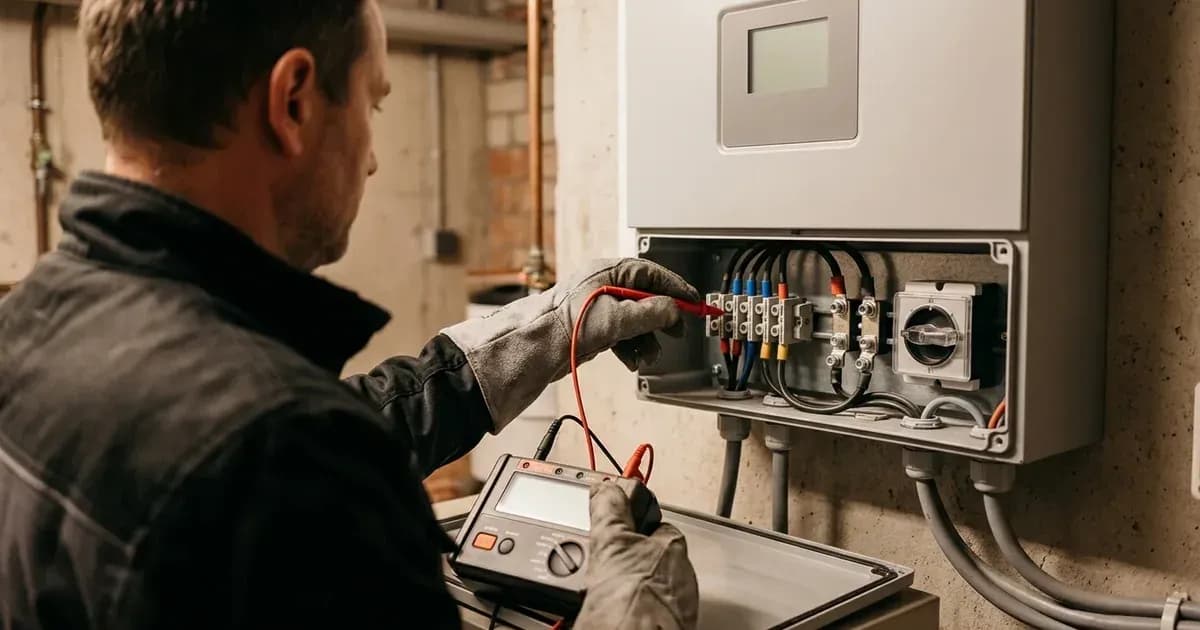
Sungrow SG series string inverters and SH series hybrid inverters are designed for reliable solar energy conversion. However, like all complex electronic systems, they can display fault codes. Understanding these codes is crucial for quick diagnosis and resolution, minimizing system downtime. This guide details common Sungrow alarm codes related to grid interaction, insulation, ground leakage, and battery communication, providing clear troubleshooting steps.
For remote diagnostics and monitoring, Sungrow inverters utilize the iSolarCloud App and Web Portal. Wi-Fi communication modules (WiNet-S) require 2.4GHz Wi-Fi band configuration via the iSolarCloud app for remote diagnostics.
General Troubleshooting Principles
When an alarm occurs, the inverter's display or the iSolarCloud monitoring platform will show the specific code. Many grid-related alarms are transient and the inverter will attempt to clear them automatically. Inverters automatically execute a 60-second self-test and grid synchronization cycle once an alarm condition clears.
Before performing any physical inspection or maintenance, always prioritize safety.
Common Sungrow Inverter Alarm Codes
Alarm Code | Display / Description | System Affected | Primary Root Cause & Action |
|---|---|---|---|
Alarm 002 | Grid Overvoltage | AC Grid Connection | Grid voltage exceeds protection threshold; measure AC voltage and check utility grid |
Alarm 008 | Grid Overfrequency | AC Grid Connection | Grid frequency exceeds standard limit; check regional grid profile in iSolarCloud |
Alarm 010 | Isolation Resistance Low | DC PV Array / Cabling | Insulation resistance to earth below threshold; isolate AC/DC, wait 10 min, inspect DC cables & moisture |
Alarm 012 | Excessive Leakage Current | PV Grounding & Modules | Residual ground leakage current exceeds safety limits; inspect array wiring, frames, and earthing |
Alarm 514 | Battery BMS Comm Loss | Hybrid Battery Interface | Communication failed between inverter and BMS; check CAN/RS485 cable and battery DC breaker |
Alarm 002: Grid Overvoltage
What it means: Alarm 002 indicates grid voltage exceeds the inverter protection threshold. The inverter disconnects from the grid to protect itself and the connected loads.
Troubleshooting steps:
- Check Grid Voltage: Use a multimeter to measure the AC voltage at the inverter's output terminals. Compare this reading with the expected grid voltage for your region.
- Verify Grid Stability: Overvoltage can be caused by local grid instability or issues within your electrical installation.
- Automatic Reconnection: The inverter attempts automatic reconnection once the grid voltage returns to acceptable limits. Monitor the inverter's status.
- Contact network utility operator/Utility: If persistent, report the issue to your Distribution Network Operator (network utility operator) or electricity utility, as the problem may be on their side.
Alarm 008: Grid Overfrequency
What it means: Alarm 008 indicates grid frequency is higher than the national standard limit. This is a protective measure to prevent damage from an unstable grid.
Troubleshooting steps:
- Check Regional Grid Parameters: Verify that the inverter's configured grid parameters in iSolarCloud match your regional standards. Incorrect settings can lead to false alarms.
- Monitor Grid Frequency: Observe the grid frequency via the iSolarCloud app or the inverter's display.
- Automatic Reconnection: The inverter will attempt to reconnect once the grid frequency stabilizes within acceptable limits.
- Contact network utility operator/Utility: If the overfrequency condition persists, contact your network utility operator or electricity utility.
Alarm 010: Isolation Resistance Low
What it means: Alarm 010 indicates the insulation resistance between the DC string and earth is below threshold. This is a critical safety fault, often pointing to damaged cable insulation or water ingress within the PV array or DC wiring.
Troubleshooting steps:
- Safety First: This alarm indicates a potential electrical hazard. Do not touch any DC wiring or components without proper isolation.
- Isolate DC: Switch off all AC and DC supplies to the inverter. Wait at least 10 minutes after switching off all AC and DC supplies before touching internal terminals to allow capacitors to fully discharge.
- Inspect PV Array: Visually inspect all PV modules, DC cables, and connectors for signs of physical damage, rodent chew marks, or water ingress. Pay close attention to cable trays, conduit entries, and module junction boxes.
- Check for Moisture: Look for any signs of moisture or condensation inside DC combiner boxes or inverter enclosures.
- Professional Assessment: If the cause is not immediately obvious, a qualified solar technician with specialized insulation resistance testing equipment should be called to diagnose and repair the fault.
Alarm 012: Excessive Leakage Current
What it means: Alarm 012 indicates residual ground leakage current exceeds safety limits. This is similar to Alarm 010 and signifies a potential path for current to flow to earth, posing a shock hazard.
Troubleshooting steps:
- Immediate Inspection: Inspect PV array wiring and module frames immediately.
- Safety First: As with Alarm 010, this is a safety-critical fault. Isolate all AC and DC power to the inverter and wait for capacitor discharge before proceeding.
- Visual Inspection: Check all DC wiring, module frames, and mounting structures for any signs of damage, corrosion, or contact with grounded surfaces.
- Grounding Integrity: Ensure all grounding connections for the PV array and inverter are secure and intact.
- Environmental Factors: Consider recent weather events (heavy rain, snow) that might have compromised insulation.
- Professional Diagnosis: If the source of the leakage is not found, a qualified technician is required to perform detailed testing.
Alarm 514: Battery BMS Communication Loss (Hybrid Inverters)
What it means: Alarm 514 indicates communication between the hybrid inverter and battery BMS has failed. This applies to Sungrow SH series hybrid inverters paired with compatible battery systems.
Troubleshooting steps:
- Check Communication Cable: Inspect the CAN/RS485 communication cable connecting the hybrid inverter and the battery BMS. Ensure it is securely connected at both ends and free from damage.
- Verify Battery Power: Ensure the battery system is powered on. High-voltage hybrid batteries (Sungrow SBR series) must be powered on using the dedicated DC circuit breaker before initiating inverter start-up.
- BMS Status: Check the status indicators on the battery's Battery Management System (BMS) for any error lights or messages.
- Restart Sequence:
- Power off the inverter (AC and DC).
- Power off the battery system.
- Wait a few minutes.
- Power on the battery system first.
- Power on the inverter (DC, then AC).
- Firmware Compatibility: Ensure both the inverter and battery BMS have compatible and up-to-date firmware.
Safety First: Capacitor Discharge
WARNING: Always observe strict safety protocols when working with solar inverters. Before touching any internal terminals or performing any physical inspection inside the inverter, it is critical to:
- Switch off all AC and DC supplies to the inverter.
- Wait at least 10 minutes after switching off all AC and DC supplies to allow capacitors to fully discharge. Failure to do so can result in severe electrical shock. Only authorized service personnel should open the inverter enclosure.
Still showing the fault? Book a technician
If the steps above did not clear it, tell us the inverter or battery and the exact code. We pass it to a technician who covers your city; visit charges are quoted before they come.
How this pays for the site: the technician or verifier pays SolarNevs a fixed introduction fee. Nobody pays to be recommended, and you are free to use our free guides instead.
Frequently asked questions
What should I do first when seeing a fault on sungrow inverter fault codes and alarm clearing?
Perform a standard AC and DC power cycle, waiting the mandatory capacitor discharge time before switching back on.
When is a certified installer required?
If isolation resistance, ground leakage, or internal hardware alarms persist after restart, contact a certified solar electrician.
References
- Sungrow Australia Service FAQs (fault and alarm troubleshooting) — accessed 27 August 2026
- Sungrow iSolarCloud App Commissioning Guide (V1.2, official Sungrow service) — accessed 27 August 2026
Related guides
More from inverter errors & fixes.