Deye Inverter Error Codes List: Troubleshooting Hybrid Inverter Faults
Updated 7 September 2026 · By SolarNevs Research Desk, Dealer surveys + verified sources · 1 source · Method ↗
Key Takeaways
- Most Deye inverter error codes point to external connection issues or operational parameter changes.
- Always check physical AC, DC, and communication cable connections first.
- A system restart can often resolve temporary fault codes.
- Disconnect all power sources (AC and DC) before inspecting or working on wiring to prevent electrical shock. Be very cautious when working with metal tools on or around batteries. Dropping a tool may cause a spark or short circuit in batteries or other electrical parts, even cause an explosion.
- Contact a qualified technician if an error persists after basic troubleshooting or indicates an internal hardware fault.
What do Deye inverter error codes mean?
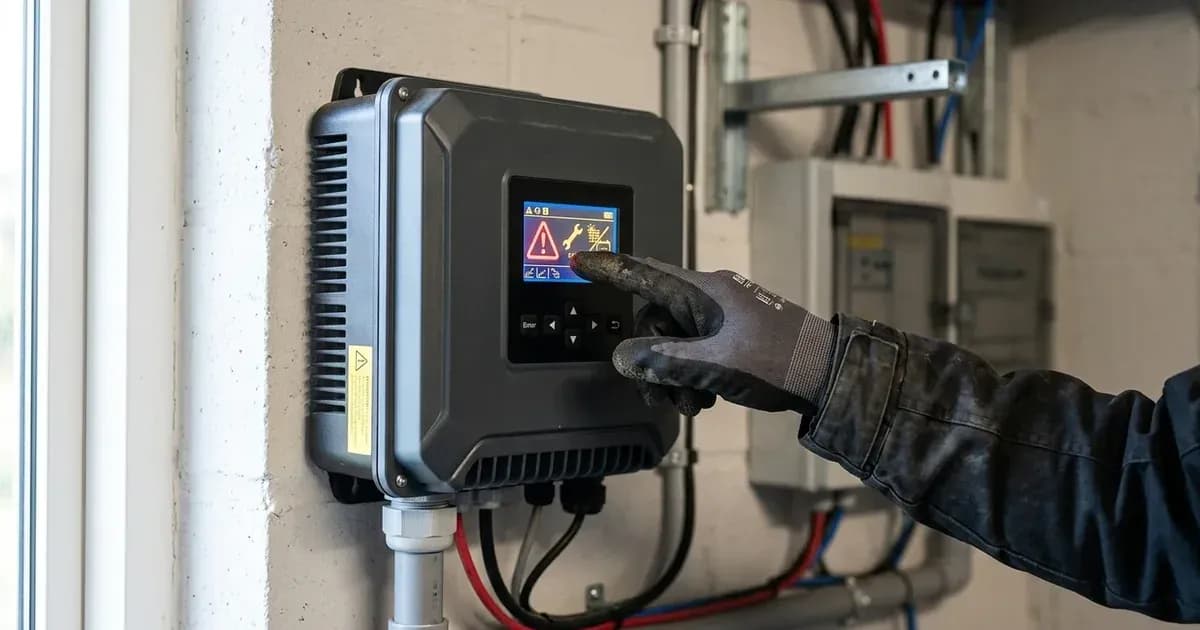
Deye hybrid inverters use specific error codes to indicate operational issues or system faults. These codes, such as F08, F13, or F58, appear on the inverter's display and help you identify the problem. Most errors relate to external connections, power supply conditions, or communication with other components like batteries.
Understanding these codes allows you to perform initial troubleshooting steps. For a broader understanding of common inverter issues, you can refer to our guide on solar inverter fault codes explained.
Diagnosis: How to troubleshoot Deye inverter errors
When your Deye inverter displays an error code, follow these steps to diagnose the problem. Always prioritize safety before beginning any inspection or work.
- Note the Error Code: Write down the exact error code displayed on your inverter's screen. This code is crucial for identifying the specific issue.
- Check Physical Connections:
- AC Connections: Verify that all AC input and output cables are securely connected to the inverter and the grid/load. Look for loose terminals or damaged wiring.
- DC (PV) Connections: Inspect the solar panel (PV) input connections. Ensure they are firm and correctly polarized.
- Battery Connections: Check the battery cables for secure connections and correct polarity.
- Communication Cables: If your system uses communication cables (e.g., for BMS or parallel operation), ensure they are properly connected and undamaged.
- Perform a System Restart:
- Turn off the AC circuit breaker connected to the inverter.
- Turn off the DC switch on the inverter (and any external DC disconnects).
- Wait for at least one minute to allow the inverter to fully discharge.
- Turn on the DC switch first, then the AC circuit breaker.
- Observe if the error code reappears.
- Consult the Error Code Table: Use the table below to match your observed error code with its description and recommended solutions.
- Reduce Load (for Overcurrent Errors): If you encounter an AC or DC overcurrent error (e.g., F18, F20, F34), reduce the connected load to ensure it is within the inverter's rated capacity.
Deye Inverter Error Code Causes and Fixes
Symptom detail | Likely cause | Fix |
|---|---|---|
Inverter reports F08 | GFDI Relay Failure | If in Split phase (120/240Vac) or three-phase (120/208Vac) system, the backup load port N line needs to connect ground. If fault persists, contact for help. |
Inverter reports F13 | Working mode change (grid type/frequency changed, battery mode changed to 'No battery', or system work mode changed for old FW versions) | Generally disappears automatically. If not, turn off DC and AC switches, wait one minute, then turn them on. If still same, seek help. |
Inverter reports F18 | AC side over current fault of hardware | Check if backup load power and common load power are within range. Restart the inverter. If fault persists, seek help. |
Inverter reports F20 | DC side over current fault of hardware | Check PV module and battery connections. If in off-grid mode, reduce load power if inverter starts with a big load. Turn off DC and AC switches, wait one minute, then turn them on. If fault persists, seek help. |
Inverter reports F22 | Tz_EmergStop_Fault | Contact your installer for help. |
Inverter reports F23 | AC leakage current is transient over current | Check PV side cable ground connection. Restart the system 2-3 times. If fault persists, contact for help. |
Inverter reports F24 | DC insulation impedance failure (PV isolation resistance too low) | Check PV panels and inverter connections are firm and correct. Check if the inverter's PE cable is connected to ground. If fault persists, seek help. |
Inverter reports F26 | DC busbar is unbalanced (e.g., in split phase mode with large load difference between L1 and L2) | Wait for a while. If in split phase mode, check load balance between L1 and L2. Restart the system 2-3 times. If fault persists, seek help. |
Inverter reports F29 | Parallel CANBus fault (communication cable connection, address setting, or during startup) | When in parallel mode, check parallel communication cable connection and hybrid inverter communication address setting. During startup, it should disappear automatically when all inverters are ON. If fault persists, contact for help. For more on parallel errors, see our guide on resolving parallel operation errors in solar inverters. |
Inverter reports F34 | AC Overcurrent fault | Check the connected backup load to ensure it is within the allowed power range. If fault persists, contact for help. |
Inverter reports F35 | No AC grid / No Utility | Confirm if the grid is lost. Check if the grid connection is good. Check if the switch between inverter and grid is on. If fault persists, seek help. |
Inverter reports F41 | Parallel system stop (one hybrid inverter in OFF status) | Check the working status of all hybrid inverters in the parallel system. If one is OFF, others may report F41. If fault persists, contact for help. |
Inverter reports F42 | AC line low voltage / Grid voltage fault | Check if the AC voltage is within the standard voltage range in the specification. Check if grid AC cables are firmly and correctly connected. If fault persists, seek help. For grid-related issues, consult our guide on fixing AC overvoltage grid faults in solar inverters. |
Inverter reports F47 | AC over frequency / Grid frequency out of range | Check if the frequency is within the specification range. Check if AC cables are firmly and correctly connected. If fault persists, seek help. |
Inverter reports F48 | AC lower frequency / Grid frequency out of range | Check if the frequency is within the specification range. Check if AC cables are firmly and correctly connected. If fault persists, seek help. |
Inverter reports F56 | DC busbar voltage is too low / Battery voltage low | Check if battery voltage is too low. If so, use PV or grid to charge the battery. If fault persists, seek help. |
Inverter reports F58 | BMS communication fault (communication between hybrid inverter and battery BMS disconnected) | This indicates communication between the hybrid inverter and battery BMS is disconnected when "BMS_Err-Stop" is active. You can disable "BMS_Err-Stop" on the LCD. If fault persists, contact for help. For more details, refer to our guide on troubleshooting battery communication errors in solar inverters. |
Inverter reports F63 | ARC fault | This detection is primarily for the US market. Check PV module cable connections and clear the fault. If fault persists, seek help. |
Inverter reports F64 | Heat sink high temperature failure | The heat sink temperature is too high. Turn off the inverter for 10 minutes and restart. If fault persists, seek help. |
Safety: Essential precautions for Deye inverter troubleshooting
Working with solar inverters and batteries involves high voltages and currents, posing risks of electrical shock, fire, and explosion. Always observe the following safety guidelines:
- Disconnect All Power: Before performing any maintenance or inspection, disconnect all AC and DC power sources from the inverter. This includes turning off grid breakers, generator inputs, and battery disconnects. Turning off the inverter unit alone does not eliminate the risk of electric shock.
- Use Insulated Tools: When working near batteries or electrical terminals, use tools with insulated handles to prevent accidental short circuits. Be very cautious when working with metal tools on or around batteries. Dropping a tool may cause a spark or short circuit in batteries or other electrical parts, even cause an explosion.
- Verify Polarity: When connecting or reconnecting DC wiring, ensure that positive (+) terminals connect to positive (+) and negative (-) terminals connect to negative (-). Reverse polarity can severely damage the inverter.
- Grounding: Ensure the inverter is connected to a permanent grounded wiring system in compliance with local electrical codes. This is critical for preventing electric shock.
- Avoid Short Circuits: Never intentionally or accidentally short-circuit the AC output or DC input terminals. Do not connect to the mains if the DC input is short-circuited.
- Professional Wiring: All wiring, especially for installation or major repairs, must be performed by a professional person.
When to call a technician instead
While many Deye inverter errors can be resolved with basic troubleshooting, some situations require professional intervention. You should contact a qualified solar technician or your local Deye service center if:
- Persistent Errors: The error code reappears immediately or shortly after you have performed the recommended troubleshooting steps and system restarts.
- Internal Faults: The error description explicitly points to an internal hardware issue, such as F22 "Tz_EmergStop_Fault" or a persistent F08 "GFDI_Relay_Failure" after checking grounding.
- Unidentified Issues: The inverter displays an error code not listed in the manual, or the symptoms do not match any known fault.
- Safety Concerns: You are unsure how to safely perform a troubleshooting step, or you suspect a more serious electrical problem.
- Warranty: To avoid voiding your inverter's warranty, some repairs or inspections must be carried out by authorized personnel. Always check your warranty terms before attempting complex repairs.
When contacting support, provide your inverter's serial number, the date of on-grid power generation, a detailed description of the problem (including the exact fault code and indicator status), and your contact information.
Still showing the fault? Book a technician
If the steps above did not clear it, tell us the inverter or battery and the exact code. We pass it to a technician who covers your city; visit charges are quoted before they come.
How this pays for the site: the technician or verifier pays SolarNevs a fixed introduction fee. Nobody pays to be recommended, and you are free to use our free guides instead.
Frequently asked questions
What does F58 mean on a Deye inverter?
F58 indicates a BMS communication fault. This means the communication between your Deye hybrid inverter and the battery's Battery Management System (BMS) has been disconnected when 'BMS_Err-Stop' is active. You can disable the 'BMS_Err-Stop' item on the LCD to prevent the inverter from stopping due to this fault.
How do I clear an F13 error on my Deye inverter?
An F13 'Working mode change' error often clears automatically. If it persists, turn off both the DC and AC switches, wait one minute, then turn them back on. Always ensure all power sources (AC and DC) are safely isolated before operating switches. Consult your inverter manual and a qualified professional if unsure, and be aware of warranty implications. This error can occur when the grid type, frequency, or battery mode changes, or for old FW versions, when the system work mode changed.
What should I do if my Deye inverter shows an F64 error?
An F64 error signifies a 'Heat sink high temperature failure'. To address this, turn off the inverter for 10 minutes to allow it to cool down, then restart it. Always ensure all power sources (AC and DC) are safely isolated before operating switches. Consult your inverter manual and a qualified professional if unsure, and be aware of warranty implications. Ensure the inverter has adequate ventilation and is not exposed to direct sunlight.
What causes an F35 'No AC grid' error on a Deye inverter?
The F35 error indicates that the inverter is not detecting the AC grid. This can be due to a lost grid connection, improperly connected grid cables, or the switch between the inverter and the grid being in the off position. Verify your grid connection and switches. Always ensure all power sources (AC and DC) are safely isolated before inspecting connections or operating switches. Consult your inverter manual and a qualified professional if unsure, and be aware of warranty implications.
When should I contact a technician for a Deye inverter error?
You should contact a technician if an error code persists after attempting the recommended troubleshooting steps, or if the fault description suggests an internal hardware issue. Errors like F22 'Tz_EmergStop_Fault' or persistent F08 'GFDI_Relay_Failure' often require professional assistance.
References
- Deye SUN 3.6-6K-SG03LP1-EU Manual — accessed 23 August 2026
Related guides
More from inverter errors & fixes.