Sorotec REVO Inverter Battery Pairing Guide
Updated 7 September 2026 · By SolarNevs Research Desk, Dealer surveys + verified sources · 7 sources · Method ↗
Key Takeaways
- Ensure physical battery connections are secure and correctly polarized before powering on.
- For lithium batteries, verify BMS communication settings (CAN/RS485) on both the inverter and battery.
- Specific charge and discharge voltage settings are critical and must come from your battery's manual.
- The Sorotec REVO VM IV includes a battery equalization function, primarily for lead-acid batteries.
- Always disconnect all power sources (PV, battery, AC) and wait for capacitor discharge before handling wiring. Consult your inverter's manual for specific discharge times and procedures, as improper handling may void your warranty.
How do I pair a battery with my Sorotec REVO inverter?
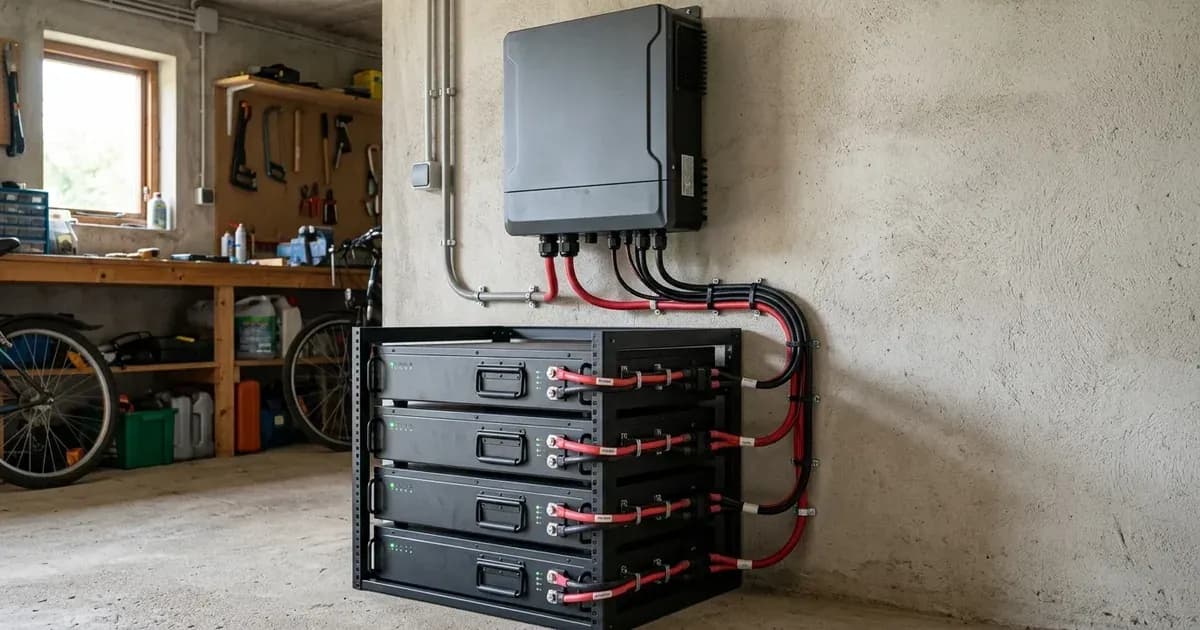
Pairing a battery with your Sorotec REVO inverter involves establishing a secure physical connection, configuring communication protocols for smart batteries, and correctly setting charge and discharge parameters. The most common cause of pairing issues is incorrect wiring or mismatched communication settings. The first step is always to consult your battery manufacturer's manual for its specific requirements and recommended settings.
Diagnosing Battery Communication Issues
For lithium batteries, proper communication between the battery's Battery Management System (BMS) and the inverter is essential for safe and efficient operation. Sorotec REVO inverters, such as the REVO HES-G2, support lithium battery BMS communication protocol. The REVO VM II PRO has a reserved communication port (CAN or RS485) for BMS. The Sorotec SL-W-02 wall-mounted lithium battery features CAN, RS485, and RS232 communication interfaces.
Diagnosis Steps:
- Verify Physical Connection:
- Check: Ensure the communication cable (e.g., CAN or RS485) is securely connected between the battery's communication port and the inverter's dedicated BMS communication port.
- Meaning: A loose or incorrect cable connection will prevent data exchange.
- Confirm Communication Protocol:
- Check: Access the inverter's display or monitoring interface. Look for a setting related to "Battery Type" or "BMS Communication Protocol." Select the protocol that matches your battery (e.g., CAN or RS485).
- Meaning: If the inverter is set to a generic battery type or an incorrect protocol, it will not communicate with the smart battery's BMS.
- Check Battery Status:
- Check: Observe the battery's own LCD display or status indicators. Confirm it is powered on and not reporting any internal faults.
- Meaning: A battery that is off or in a fault state will not communicate with the inverter.
Understanding Battery Settings
Accurate battery settings are crucial for the longevity and performance of your battery bank. These settings include charge voltage, float voltage, and low-voltage cut-off points.
Important Note: Specific battery charge voltage, float voltage, and cut-off voltage settings for Sorotec REVO inverters are not provided in the available documentation. You must obtain these critical values directly from your battery manufacturer's manual. Using incorrect settings can damage your battery and void its warranty.
- Charge Voltage: The voltage at which the inverter charges the battery. This is typically a bulk/absorption voltage.
- Float Voltage: The voltage at which the inverter maintains the battery once it is fully charged, preventing overcharging.
- Low Voltage Cut-off: The voltage at which the inverter stops drawing power from the battery to prevent over-discharge, which can severely damage the battery.
For lead-acid batteries, the REVO VM IV inverter includes a "Battery equalization function to optimize battery performance and extend lifecycle." This function applies a higher voltage charge to balance cell voltages, which is a common maintenance practice for flooded lead-acid batteries. If you are using lead-acid batteries, consult your battery manual for recommended equalization schedules and voltages.
Cause/Fix Table
Symptom detail | Likely cause | Fix |
|---|---|---|
Inverter does not recognize lithium battery | Communication cable disconnected or faulty | Ensure communication cable is securely connected between inverter and battery. Replace cable if damaged. |
Inverter displays generic battery voltage, not BMS data | Incorrect BMS communication protocol selected on inverter | Access inverter settings and select the correct protocol (e.g., CAN, RS485) to match the battery. |
Battery not charging or discharging correctly | Incorrect battery type or voltage settings (if manual mode) | Consult battery manual for correct charge/float/cut-off voltages. Adjust inverter settings accordingly. |
Battery equalization not occurring (for lead-acid) | Equalization function not enabled or incorrect schedule | Enable "Battery equalization function" on REVO VM IV and set schedule according to battery manual. |
Inverter shows low battery voltage despite battery being charged | Loose battery terminal connections | Safely disconnect all power sources (PV, battery, AC) and wait for capacitor discharge, then inspect and tighten all battery terminal connections. Refer to your inverter and battery manuals for safety procedures; improper handling may void warranties. |
Inverter and Battery Parallel Configurations
Sorotec REVO inverters offer parallel operation capabilities, allowing you to expand your system's power output. This is distinct from paralleling batteries, which is managed by the battery's BMS and wiring.
- The REVO VM IV supports "Parallel operation up to 9 units."
- The REVO VM V "Supports up to 6 units in parallel for seamless system capacity scaling," with "6 x 11kW units achieve 66kW total capacity."
- The iHESS L3P G2 supports "parallel connection of up to 15 units."
When expanding your system, ensure that both your inverter and battery bank are designed for parallel operation. For batteries, always refer to the battery manufacturer's guidelines for paralleling multiple battery modules. This typically involves specific wiring configurations and ensuring all batteries have compatible BMS systems.
You can explore different battery options and their specifications on our batteries category page.
Safety: Battery Handling and Electrical Connections
Working with batteries and inverters involves significant electrical hazards. Always prioritize safety to prevent injury or damage to equipment.
- Disconnect Power: Before making or breaking any electrical connections, always disconnect all power sources: solar PV, battery, and AC grid input. Wait for the inverter's internal capacitors to discharge, as indicated by the manual (if available) or by observing the display turning off. Failure to follow proper safety procedures can result in serious injury, equipment damage, and may void your product warranties.
- Insulated Tools: Use only insulated tools when working on battery terminals or electrical wiring. A spanner or wrench accidentally shorting across battery terminals can draw hundreds of amps, causing severe burns, arcing, and potential fire.
- Eye Protection: Always wear appropriate eye protection when working with batteries. If you are handling lead-acid batteries, this is especially critical during watering or specific gravity testing, as these operations can expose you to corrosive battery acid.
- Ventilation: Ensure adequate ventilation, particularly when working with lead-acid batteries, as they can produce hydrogen gas during charging, which is highly flammable.
- Lithium Battery BMS: Lithium batteries rely on their internal BMS for protection. Never bypass or tamper with the BMS. Ensure the inverter's settings (especially charge voltages) are compatible with the BMS's limits to prevent overcharging or over-discharging.
When to call a technician instead
While many pairing issues can be resolved with careful troubleshooting, there are clear limits to DIY repairs. You should call a qualified solar technician if:
- You are unsure about any wiring connections or communication protocols.
- The inverter displays persistent error codes related to battery communication or charging that you cannot resolve using this guide or your battery manual.
- You detect any unusual smells, sounds, or excessive heat from the inverter or batteries.
- The battery is not performing as expected after verifying all settings and connections, and you suspect an internal battery fault.
- Your inverter or battery warranty terms specify that certain installations or repairs must be performed by certified personnel to remain valid. Always check your warranty documentation before attempting complex repairs.
Still showing the fault? Book a technician
If the steps above did not clear it, tell us the inverter or battery and the exact code. We pass it to a technician who covers your city; visit charges are quoted before they come.
How this pays for the site: the technician or verifier pays SolarNevs a fixed introduction fee. Nobody pays to be recommended, and you are free to use our free guides instead.
Frequently asked questions
Which Sorotec REVO inverters support BMS communication?
The REVO HES-G2 supports lithium battery BMS communication protocol. The REVO VM II PRO has a reserved communication port (CAN or RS485) for BMS.
What communication interfaces does the Sorotec SL-W-02 battery use?
The Sorotec SL-W-02 wall-mounted lithium battery features CAN, RS485, and RS232 communication interfaces.
Does the Sorotec REVO VM IV inverter have a battery equalization function?
Yes, the REVO VM IV inverter includes a battery equalization function designed to optimize battery performance and extend its lifecycle, typically used for lead-acid batteries.
How many Sorotec REVO inverters can operate in parallel?
The REVO VM IV supports parallel operation for up to 9 units. The REVO VM V supports up to 6 units in parallel, achieving a total capacity of 66kW with 11kW units. The iHESS L3P G2 supports parallel connection of up to 15 units.
Where can I find specific battery charge voltage settings for Sorotec REVO inverters?
Specific battery charge voltage, float voltage, and cut-off voltage settings for Sorotec REVO inverters are not provided in the available documentation. Always consult your battery manufacturer's manual for these critical values.
References
- Sorotec Powers PK - REVO VM IV — accessed 23 August 2026
- Sorotec Power - REVO HES-G2 — accessed 23 August 2026
- Sorotec Power - REVO VM II PRO — accessed 23 August 2026
- Sorotec Power - SL-W-02 Battery — accessed 23 August 2026
- Sorotec Power - REVO VM V — accessed 23 August 2026
- Sorotec Power - iHESS L3P G2 — accessed 23 August 2026
- Sorotec Power - REVO HESS — accessed 23 August 2026
Related guides
More from inverter errors & fixes.