Victron MPPT Error Codes: Troubleshooting and Fixes
Updated 9 September 2026 · By SolarNevs Research Desk, Dealer surveys + verified sources · 1 source · Method ↗
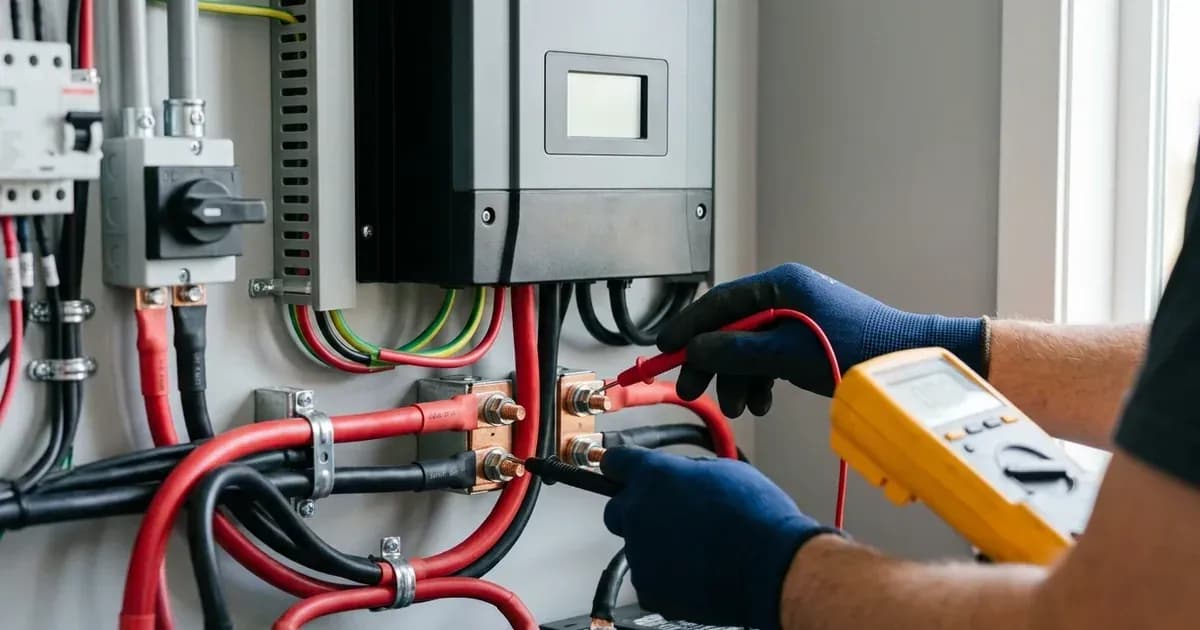
Key Takeaways
- Many Victron MPPT errors, such as Err 1, Err 2, Err 17, and Err 18, are designed to auto-reset once the underlying condition resolves.
- Always begin troubleshooting by checking physical connections for remote sensors (T-sense, V-sense) and DC wiring.
- Specific errors like Err 14 are critical for LiFePO4 batteries, stopping charge to prevent cell damage at low temperatures.
- For persistent or unclear error codes, use the VictronConnect app to access detailed diagnostics before attempting complex repairs or contacting support.
What do Victron MPPT error codes mean and how do I fix them?
Victron MPPT solar chargers display error codes to indicate operational issues, helping you diagnose and resolve problems with your solar charging system. Most codes point to battery conditions, sensor problems, or wiring faults, and many auto-reset once the underlying condition is resolved. Understanding these codes is key to maintaining system health and preventing damage.
Diagnosis
When your Victron MPPT charger displays an error, follow these steps to diagnose the issue:
- Identify the Error Code: Note the specific error number displayed. For detailed information, connect to your MPPT charger using the VictronConnect app or check a remote panel like the Color Control GX or the MPPT Control. The Toolkit App can also show LED codes.
- Check for Auto-Reset: Many errors are temporary and will clear themselves once the problematic condition subsides. For example, "Err 1" (battery temperature too high) will auto-reset after the battery temperature has dropped.
- Inspect Remote Sensor Connections: If you see "Err 3, Err 4, Err 5" (remote temperature sensor failure) or "Err 6, Err 7, Err 8" (remote battery voltage sense failure), verify the T-sense or V-sense connectors are properly connected to the battery terminals. Ensure there is no reverse polarity for the V-sense connector.
- Examine DC Wiring and Connections: "Err 11" (battery high ripple voltage) often points to loose DC cable connections and/or too thin DC wiring. Check all battery and charger connections for tightness and ensure appropriate wire gauge is used for the current.
- Monitor Battery Conditions:
- Temperature: For "Err 1" (battery temperature too high), allow the battery to cool. For "Err 14" (battery low temperature), especially with LiFePO4 batteries, ensure the battery is within its safe operating temperature range before attempting to charge. The charger is stopped to avoid charging LiFePO4 batteries at low temperature as this damages the cells.
- Voltage: "Err 2" (battery voltage too high) suggests an overvoltage condition. Check if other charging equipment is connected to the battery or if the battery voltage setting (12, 24, 48V) is set lower than the connected battery.
- Assess Environmental Factors: For "Err 17" (controller overheated), check the ambient temperature around the charger and look for any obstructions near the heatsink that might impede airflow. This error will auto-reset after charger has cooled down.
- Review Over-Current Conditions: "Err 18" (controller over-current) can be caused by large loads, sudden changes in solar irradiance, or overloading the inverter AC output. This error will auto-reset. If it does not, disconnect all power sources, wait 3 minutes, and power up again. Consider improving cooling or reducing the load.
Cause/fix table
Symptom detail | Likely cause | Fix |
|---|---|---|
Err 1: Battery temperature too high | Battery temperature exceeds safe limit | Allow battery to cool; error will auto-reset. Check ambient temperature and ventilation. |
Err 2: Battery voltage too high | Battery voltage exceeds safe limit | Allow battery voltage to drop; error will auto-reset. Check for other charging equipment or incorrect voltage setting. |
Err 3, Err 4: Remote temperature sensor failure | T-sense connector improperly connected | Check if the T-sense connector is properly connected to a remote temperature sensor. |
Err 5: Remote temperature sensor failure (connection lost) | T-sense connector connection lost | Check if the T-sense connector is properly connected to a remote temperature sensor. This error will not auto-reset. |
Err 6, Err 7: Remote battery voltage sense failure | V-sense connector improperly connected or reversed polarity | Check if the V-sense connector is properly connected to the battery terminals. |
Err 8: Remote battery voltage sense failure (connection lost) | V-sense connector connection lost | Check if the V-sense connector is properly connected to the battery terminals. |
Err 11: Battery high ripple voltage | Loose DC cable connections and/or too thin DC wiring | Tighten all DC cable connections and ensure appropriate wire gauge is used. |
Err 14: Battery low temperature | Battery temperature below safe charging limit (LiFePO4) | Allow battery temperature to rise; charger is stopped to avoid damaging the cells. |
Err 17: Controller overheated despite reduced output current | High ambient temperature or obstructed heatsink | Allow charger to cool; error will auto-reset. Check ambient temperature and for obstructions near the heatsink. |
Err 18: Controller over-current | Overload, sudden irradiance change, or insufficient cooling | Allow charger to cool; error will auto-reset. If persistent, disconnect all power, wait 3 minutes, then reconnect. Improve cooling or reduce load. |
Err 20: Maximum Bulk-time exceeded | Outdated firmware or charger model (2015 or earlier) | This feature was removed in later charger models. No action needed if unit is newer. |
Understanding Victron MPPT Error Reporting
Victron MPPT solar chargers provide detailed error information to help you manage your system. The most comprehensive way to view and understand these errors is through the VictronConnect app, which connects to your charger via Bluetooth or a VE.Direct USB interface. This app allows you to see the exact error code, its description, and often provides context or suggestions for resolution.
Alternatively, if you have a remote panel such as the Color Control GX or the MPPT Control, you can access error logs and real-time status directly from the display. For quick diagnostics, the Toolkit App can be used to interpret LED codes, though the detailed meaning of these codes is not provided in the available documentation. Always refer to the VictronConnect app for the most complete diagnostic information.
Safety
When troubleshooting any electrical system, safety is paramount. Many Victron MPPT error codes relate directly to battery health and electrical connections, which can pose risks if not handled correctly.
- Battery Temperature: Errors related to battery temperature (Err 1, Err 14) highlight the importance of operating batteries within their specified temperature ranges. High temperatures can lead to thermal runaway in some battery chemistries, while charging LiFePO4 batteries at low temperatures can cause irreversible damage to the cells. Ensure adequate ventilation and avoid placing batteries in direct sunlight or unventilated enclosures.
- Battery Voltage: "Err 2" (battery voltage too high) indicates an overvoltage condition that can damage batteries and connected equipment. Always verify your system's voltage settings match your battery bank.
- Electrical Connections: "Err 11" (battery high ripple voltage) is often caused by loose or undersized DC wiring. Loose connections can generate heat, create sparks, and lead to system inefficiency or failure. Always ensure all DC connections are tight and use appropriate cable gauges. Before checking or tightening any electrical connections, always disconnect all power sources to the MPPT charger, including solar panels and the battery, to prevent electric shock or short circuits. Use insulated tools.
When to call a technician instead
While many Victron MPPT error codes can be resolved with basic troubleshooting, there are situations where professional assistance is necessary. You should call a qualified technician if:
- An error persists despite following all troubleshooting steps.
- You are unsure about performing any electrical checks or repairs.
- The error code suggests an internal fault with the MPPT charger itself, especially if it's not an auto-resetting error and power cycling does not resolve it.
- You suspect a problem with other critical components of your solar system that are beyond your expertise.
- Opening the Victron MPPT charger enclosure is typically considered authorized-service work and may void your warranty. Do not open the unit unless explicitly instructed by Victron Energy support.
It is always better to seek professional help than to risk damaging your equipment or, more importantly, your personal safety.
Frequently asked questions
What does Victron MPPT Error 1 mean?
Victron MPPT Error 1 indicates the battery temperature is too high. The charger stops charging to prevent damaging the battery. This error will auto-reset after the battery temperature has dropped.
How do I fix Victron MPPT Error 2?
Error 2 signifies the battery voltage is too high. This can be due to other charging equipment or an incorrect voltage setting. The error will auto-reset after the battery voltage has dropped.
What causes Victron MPPT Error 11?
Victron MPPT Error 11 points to high DC ripple voltage. This is usually caused by loose DC cable connections and/or too thin DC wiring. Tightening connections and using appropriate wire gauges can resolve it.
Why does my Victron MPPT show Error 14?
Error 14 means the battery temperature is too low. The charger is stopped to avoid charging LiFePO4 batteries at low temperature, as this damages the cells.
How can I check Victron MPPT error codes?
You can read detailed error codes using the VictronConnect app or a remote panel, such as the Color Control GX or the MPPT Control. LED codes can be seen via the Toolkit App.
References
- Victron Energy MPPT Error Codes — accessed 23 August 2026
Related guides
More from inverter errors & fixes.