Victron MultiPlus Generator Connection: FAQ and Troubleshooting
Updated 9 September 2026 · By SolarNevs Research Desk, Dealer surveys + verified sources · 1 source · Method ↗
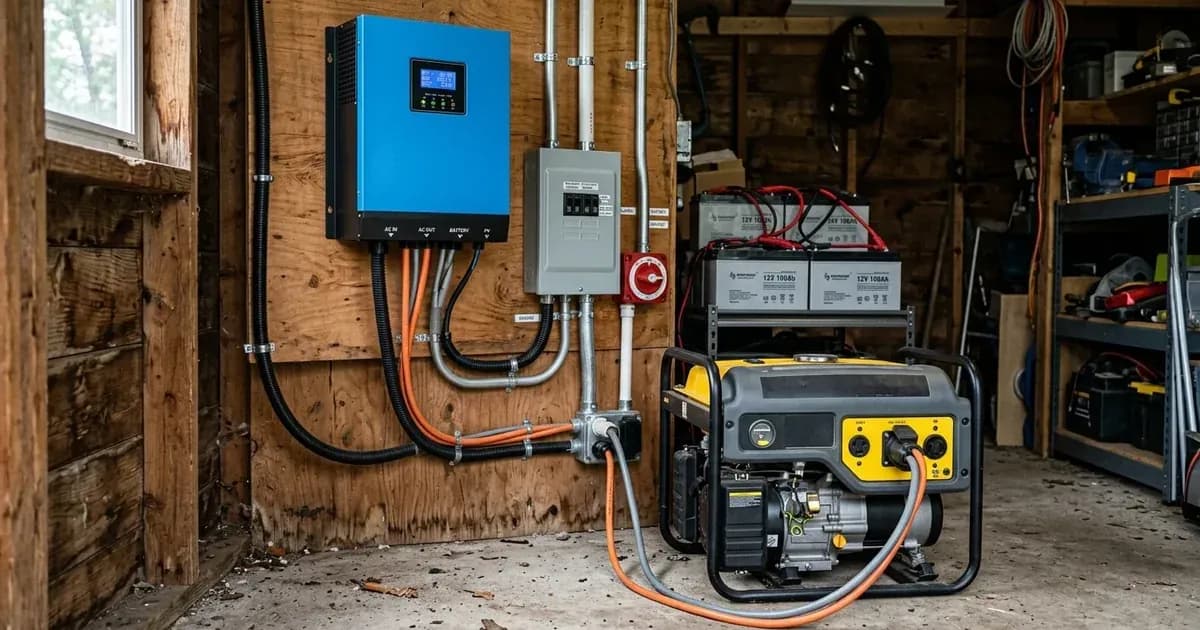
Key Takeaways
- Generator power variability is the primary reason a MultiPlus may reject a connection.
- Proper generator sizing is crucial to prevent overloads and ensure stable operation.
- VEConfigure software allows specific adjustments to improve MultiPlus-generator compatibility.
- Modifying voltage and frequency window settings is a high-risk operation best left to a qualified technician.
Why isn't my Victron MultiPlus connecting to my generator?
The Victron MultiPlus is designed to protect connected equipment by only accepting power that meets specific quality requirements. Power supply from a generator is typically more variable than power from shore or the main grid. The MultiPlus is sensitive to this and will reject power that is outside of its programmed settings, causing the unit to not connect, synchronize, or charge. The most common cause is that the generator's power quality or capacity does not meet the MultiPlus's default expectations.
Diagnosis: Identifying Generator Connection Issues
Follow these steps to diagnose why your MultiPlus might not be connecting or staying connected to your generator.
- Check Generator Sizing:
- Observation: Compare your MultiPlus model's VA rating with your generator's kVa output.
- Meaning: An undersized generator will struggle to meet the MultiPlus's demands, especially when charging batteries or powering heavy loads. For example, a MultiPlus 1200VA requires a minimum 2.5 kVa generator, while a 3000VA unit needs at least 5 kVa. Refer to the table below for specific recommendations.
- Observe Generator Behavior Under Load:
- Observation: Listen to your generator and watch its output.
- Meaning: If you have an AVR-equipped generator and it audibly struggles or eventually stalls, this signals an overload. For inverter-based generators, the motor may continue to run even if the unit has electronically overloaded and is no longer delivering power.
- Monitor MultiPlus Connection Stability:
- Observation: Does the MultiPlus connect briefly then disconnect, or fail to connect at all?
- Meaning: Many generators produce ill-shaped sine waves, particularly during sudden load changes. If the MultiPlus has its UPS function enabled, it may frequently disconnect or not connect at all in these situations.
Cause and Fix Table
Symptom detail | Likely cause | Fix |
|---|---|---|
MultiPlus does not accept generator power | Generator power is more variable than shore/grid power, MultiPlus rejects power outside programmed settings. | Adjust MultiPlus settings in VEConfigure: disable UPS mode, enable Dynamic Current limiting, or activate Weak AC. |
AVR equipped generator struggles/stalls audibly | Overload | Ensure generator is adequately sized for MultiPlus and connected loads. Reduce electrical load on the generator. |
Inverter based generator motor runs but no power delivered | Unit has electronically overloaded | Reduce electrical load on the generator. Verify the generator's rated capacity is sufficient for the MultiPlus and loads. |
MultiPlus disconnects frequently or does not connect to generator | Ill-shaped sine waves from generator, especially during sudden load changes, with UPS function enabled. | Disable the UPS function in VEConfigure. |
MultiPlus overloads when switching from generator to inverter mode | Generator disconnected under load (low-voltage, stalling, lack of fuel), causing MultiPlus to supply high current at low voltage. | Ensure the generator is disconnected gracefully. Reduce load before shutting down the generator or ensure adequate fuel supply to prevent unexpected shutdowns. |
Optimizing MultiPlus Settings for Generator Compatibility
The Victron MultiPlus offers several configurable settings via the VEConfigure software that can improve its compatibility with generators. If your generator is operating smoothly but the MultiPlus still struggles to connect or charge, you may need to make these adjustments.
You can find information on VEConfigure and how to get started on the VE Configure Software page.
Generator Sizing Recommendations
Matching your MultiPlus to an appropriately sized generator is fundamental for reliable operation.
Inverter Charger Size | Minimum Recommended Generator Size | 240V AC Input Current Limit |
|---|---|---|
800VA | 2 kVa | 5A |
1200VA | 2.5 kVa | 7A |
1600VA | 3 kVa | 10A |
3000VA | 5 kVa | 16A |
5000VA | 8 kVa | 25A |
Key VEConfigure Settings for Generators
Setting Name | Values/Description | Protocol |
|---|---|---|
Disable UPS mode | Disables the UPS function, which can help with generators producing ill-shaped sine waves. The drawback is a slightly longer transfer time. | VEConfigure |
Enable Dynamic Current limiting | A compromise feature designed to maintain power supply quality, often used in conjunction with disabling UPS mode. | VEConfigure |
Weak AC | Allows the MultiPlus to accept a wider variation in waveform distortion. Use this if the generator still won't synchronize or disconnects frequently. | VEConfigure |
Accept wide input frequency range (45-65Hz) | The MultiPlus accepts frequencies from 45 to 65Hz by default. This setting is typically enabled. | VEConfigure |
AC low disconnect | The low limit below which the MultiPlus will disconnect. Default is 180Vac. Setting this higher can prevent inverter overload shutdowns. | VEConfigure |
AC Low connect | The minimum value at which the MultiPlus will reconnect after disconnection. Default is 187Vac. | VEConfigure |
AC high disconnect | The high limit above which the MultiPlus will disconnect. Default is 270Vac. | VEConfigure |
AC high connect | The maximum value at which the MultiPlus will reconnect after having disconnected. (Default value not specified in source.) | VEConfigure |
Safety: Operating MultiPlus with a Generator
The MultiPlus is designed to protect delicate equipment by only allowing current that meets programmed minimal quality requirements. However, changing certain settings can override these protections.
- Appliance Protection: Be aware that changing MultiPlus settings can allow feed-through current that may be of insufficient quality for the electrical requirements of your equipment.
- Voltage and Frequency Window Adjustments: Adjusting the settings for Voltage and Frequency windows is high risk to your appliances. These should only be used cautiously when it is confirmed that the loads will tolerate the out-of-specification power supply. This should be done by a competent technician with the aid of a multimeter and only opened so far as to allow for safe functionality.
- Generator Ventilation: Battery charging is a very heavy use case load for a generator. Ensure your generator is up to the job, and the installation has plenty of good airflow and ventilation when operating to allow for heat to dissipate.
When to call a technician instead
While many adjustments can be made through VEConfigure, there are situations where professional help is advisable:
- If you have tried the recommended VEConfigure settings (disabling UPS mode, enabling Dynamic Current limiting, activating Weak AC) and your MultiPlus still struggles with generator connection.
- If you need to adjust the MultiPlus's voltage and frequency window settings. This is a high-risk operation that requires a competent technician with a multimeter to avoid damaging your appliances.
- If you suspect an issue with the MultiPlus unit itself, rather than generator compatibility.
- If you are unsure about any steps or the safety implications of changing settings. The MultiPlus protects your electrical supply by only accepting quality power; overriding these protections without full understanding can lead to equipment damage.
Frequently asked questions
Why won't my MultiPlus connect to my generator?
Generator power is often more variable than shore or grid power. The MultiPlus is sensitive to this and will reject power that is outside its programmed settings to protect connected equipment.
What size generator do I need for my Victron MultiPlus?
A Victron MultiPlus 1200VA model requires a minimum 2.5 kVa generator. For a 3000VA MultiPlus, a minimum 5 kVa generator is recommended.
How can I improve MultiPlus compatibility with a generator?
You can adjust settings in the MultiPlus software via VEConfigure. Initial adjustments include disabling UPS mode, enabling Dynamic Current limiting, or activating Weak AC.
What happens if my generator disconnects under load?
If a generator disconnects under load, the MultiPlus must immediately supply all the power required by the loads. This can result in an overload as the MultiPlus switches back to inverter mode.
Can I change the voltage and frequency window settings for my MultiPlus?
Yes, but adjusting these settings is high risk to your appliances. It should only be done cautiously by a competent technician with the aid of a multimeter, and only opened as far as necessary for safe functionality.
References
- Victron Energy MultiPlus FAQ — accessed 23 August 2026
Related guides
More from inverter errors & fixes.