GoodWe Hybrid Inverter Smart Meter Wiring & Zero Export Setup Guide
Updated 6 September 2026 · By SolarNevs Research Desk, Dealer surveys + verified sources · 3 sources · Method ↗
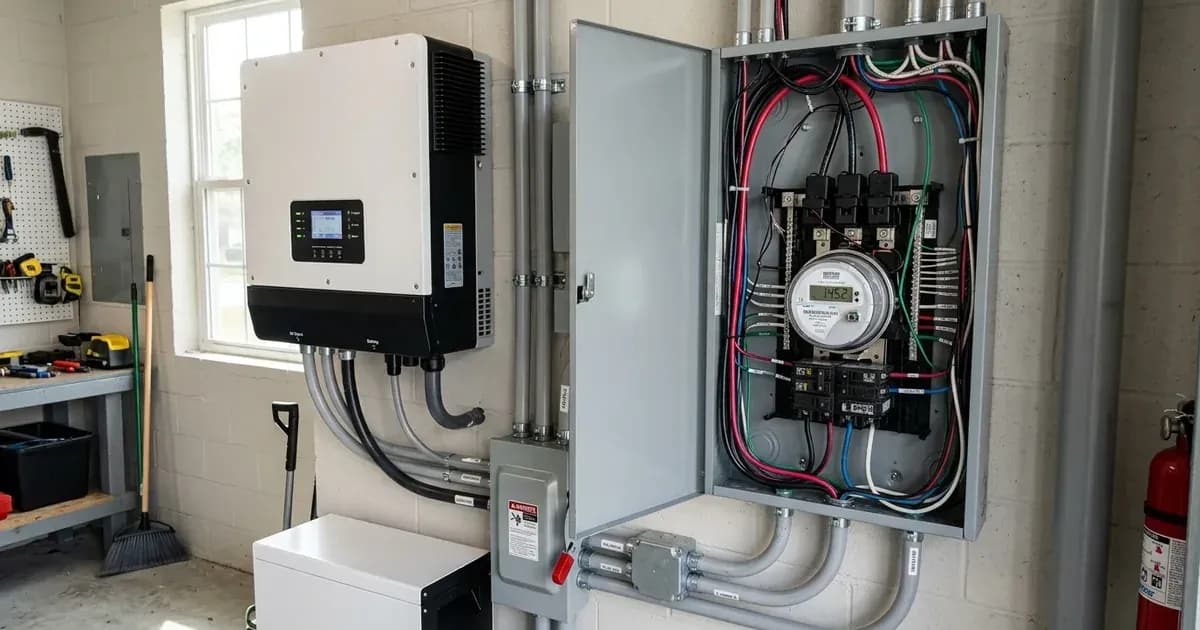
This guide provides definitive instructions for wiring GoodWe Smart Meters and configuring zero export functionality on GoodWe ET and EH series hybrid inverters. Accurate smart meter installation and configuration are essential for compliance with grid regulations and optimizing self-consumption.
Understanding Zero Export with GoodWe Inverters
Zero export prevents your solar system from sending excess power back to the utility grid. This is often a requirement by grid operators or a choice to maximize self-consumption. GoodWe hybrid inverters, specifically the GoodWe ET Series (5-10kW 3-Phase) and GoodWe EH Series (Single-Phase), achieve this by communicating with a GoodWe Smart Meter (GM3000 3-Phase / GM1000 Single-Phase).
The smart meter continuously monitors the power flow at your main grid connection point. This real-time data allows the inverter to adjust its output, ensuring that only enough solar power is generated to meet your household's demand, with no surplus exported. An accurately connected meter also enables the GoodWe SEMS Portal to display real-time household consumption and solar self-consumption.
GoodWe inverters are built with anti-islanding protection and certified to UL 1741 and IEEE 1547. For grid-tied and hybrid installations in Pakistan, this matches NEPRA's Distributed Generation and Net Metering Regulations (SRO 892/2015), which require grid-connected inverters to comply with UL 1741 and IEEE 1547-2003 and mandate an anti-islanding-enabled inverter, ensuring the inverter shuts down safely during a grid outage and remains compliant for net metering approval.
Safety First: Before You Begin
Working with electrical systems carries significant risks. Always prioritize safety.
- Isolate Power: Before handling any wiring, de-energize the main distribution board. This is crucial before wiring smart meter voltage reference lines and current transformers.
- Capacitor Discharge: If you need to open inverter connection compartments, switch off all AC and DC isolators and wait at least 5 minutes. This allows internal capacitors to discharge, preventing electric shock.
- Qualified Personnel: Opening the inverter or working on its internal components should only be performed by authorized and qualified service personnel.
GoodWe Smart Meter Installation
The GoodWe Smart Meter is critical for precise power measurement and zero export control. Follow these steps carefully for correct installation.
Hardware Component | Compatible Inverter Line | Interface / Terminals | Wiring & Orientation Rule |
|---|---|---|---|
GoodWe GM1000 Meter | EH Series (Single-Phase) | Terminals 1 (RS485-A) & 2 (RS485-B) | Shielded CAT5e/CAT6; match A-to-A and B-to-B |
GoodWe GM3000 Meter | ET Series (5–10kW 3-Phase) | Terminals 1 (RS485-A) & 2 (RS485-B) | Shielded CAT5e/CAT6; align L1/L2/L3 with CT phases |
External CT Clamps | EH / ET Series Inverters | Sensor Leads to Meter Port | Arrow points toward residential load (away from grid) |
SolarGo Control App | EH / ET Hybrid Inverters | Settings -> Export Limitation | Configure export limit to 0 Watts for zero export |
1. Smart Meter Placement
The smart meter must be positioned at the main grid connection point before any load distribution sub-circuits. This ensures it measures the total power flow between your premises and the utility grid.
2. RS485 Communication Wiring
GoodWe hybrid inverters communicate with smart energy meters via a dedicated RS485 communication terminal block.
Procedure:
- Cable Type: Use shielded twisted-pair CAT5e or CAT6 communication cable to prevent electromagnetic interference, especially over long runs.
- Connect to Meter: Connect the RS485 communication lines to Terminal 1 (RS485-A) and Terminal 2 (RS485-B) on the GoodWe smart meter.
- Connect to Inverter: Refer to your specific GoodWe ET or EH series inverter manual for the exact RS485 terminal locations. Typically, these will be labeled RS485-A and RS485-B or similar. Ensure A connects to A and B connects to B.
3. CT Clamp Installation
Current Transformers (CT clamps) measure the current flowing through the main grid lines. Correct orientation is vital for accurate readings.
Procedure:
- Direction: Ensure external CT clamp arrows point towards the residential loads (away from the incoming utility grid).
- Three-Phase Systems: In three-phase installations, ensure voltage reference phases (L1, L2, L3) correspond strictly to the respective CT clamp phases. Misalignment can lead to incorrect power readings.
Troubleshooting Reverse CT: If the smart meter power reading shows negative during grid import, this indicates an incorrect CT clamp orientation. To correct this, reverse the CT clamp orientation on the main line.
Configuring Zero Export via SolarGo App
Once the smart meter is correctly installed and wired, you can configure the zero export function using the SolarGo mobile application.
Procedure:
- Access App: Open the SolarGo mobile application and connect to your GoodWe inverter.
- Navigate to Settings: Locate the inverter settings or control menu.
- Select Export Limitation: In the SolarGo mobile application, select 'Export Limitation' mode.
- Set Export Limit: Set the export power limit to 0 Watts for zero export.
- Save Settings: Apply and save the changes to the inverter.
Troubleshooting Common Issues
- Negative Power Reading on Smart Meter: If the smart meter power reading shows negative during grid import, reverse the CT clamp orientation on the main line.
- No Data on SEMS Portal: Ensure the smart meter is correctly wired and communicating with the inverter. Accurate meter connection enables the GoodWe SEMS Portal to display real-time household consumption and solar self-consumption.
- Communication Errors: Verify that you are using shielded twisted-pair CAT5e or CAT6 communication cable and that RS485-A and RS485-B terminals are correctly connected on both the meter and the inverter.
Frequently Asked Questions
Which GoodWe inverter series are covered by this guide?
This guide covers the GoodWe ET Series (5-10kW 3-Phase) and GoodWe EH Series (Single-Phase) hybrid inverters.
Which GoodWe Smart Meters are compatible?
This guide applies to the GoodWe Smart Meter (GM3000 3-Phase / GM1000 Single-Phase).
What type of cable should I use for RS485 communication?
You should use shielded twisted-pair CAT5e or CAT6 communication cable to prevent electromagnetic interference.
What should I do if my smart meter shows negative power during grid import?
If the smart meter power reading shows negative during grid import, you need to reverse the CT clamp orientation on the main line.
Add a battery at a surveyed price
Installers quote supply and fitting of the battery on this page for your existing or new system.
How this pays for the site: installers pay SolarNevs a fixed introduction fee when we pass them a genuine enquiry. They cannot pay to appear higher, and our surveyed prices are published before any introduction. You can also take our dated price tables straight to any installer.
Frequently asked questions
What are the essential requirements for goodwe hybrid inverter smart meter wiring and zero export guide?
Verify system specifications, local regulations, and standard installation safety procedures prior to commissioning.
How do I ensure regulatory compliance?
Ensure all equipment is approved on relevant regulatory registries and installed by accredited certified professionals.
References
- GoodWe GM1000/GM3000/GM1000D Smart Meter Quick Installation Guide — accessed 27 August 2026
- GoodWe SolarGo and SEMS Portal Configuration — accessed 27 August 2026
- AEDB Net-Metering Reference Guide (NEPRA SRO 892/2015) — accessed 31 August 2026
Related guides
More from what to buy — and how not to get cheated.