Fox ESS Battery Communication Fault Troubleshooting
Updated 6 September 2026 · By SolarNevs Research Desk, Dealer surveys + verified sources · 2 sources · Method ↗
Key Takeaways
- The
BatComFaultorBMS Losterror means your Fox ESS inverter cannot communicate with the battery's Battery Management System (BMS). - The first step to resolve this is a systematic full power-cycle of your entire solar system.
- Always ensure the RJ45 communication cable is correctly connected and the battery's Master BMS is powered on.
- High-voltage DC systems pose severe shock risks; always wait at least 5 minutes after shutdown for capacitors to discharge.
Why is my Fox ESS inverter showing a 'BatComFault' or 'BMS Lost' error?
Your Fox ESS inverter displays a BatComFault or BMS Lost error when it loses communication with the connected battery system's Battery Management System (BMS). This means the inverter is not receiving vital information like the battery's State of Charge (SOC), voltage, or safe charge/discharge limits. The BatComFault triggers when the inverter's master DSP fails to receive periodic heartbeat and telemetry packets (SOC, cell voltages, max charge/discharge current limits) from the battery BMS over the CAN bus, while BMS Lost indicates the inverter lost CAN communication with the battery BMS.
Diagnosis steps for Fox ESS battery communication faults
Follow these steps to diagnose and resolve a BatComFault or BMS Lost error on your Fox ESS inverter. Always prioritize safety by following proper shutdown procedures.
- Check the Inverter Display:
- What to look for: Confirm the exact error message on your inverter's LCD screen. Is it
BatComFault,BMS Lost, or potentiallyBat Volt Fault? - What it means:
BatComFaultpoints directly to a communication issue.BMS Lostalso indicates a communication issue.Bat Volt Faultcan sometimes be related to communication if the inverter cannot read the battery voltage, or it could mean the battery voltage is genuinely outside your model's rated battery voltage window — 80V–480V DC on H1-G2.
- What to look for: Confirm the exact error message on your inverter's LCD screen. Is it
- Verify Battery System Power:
- What to look for: Ensure the battery's DC isolator/breaker is in the ON position and the Master BMS power switch is pressed and holding a solid green LED.
- What it means: The battery system must be fully powered and its internal BMS active to communicate with the inverter. If the battery is off, the inverter cannot detect it.
- Inspect the RJ45 Communication Cable:
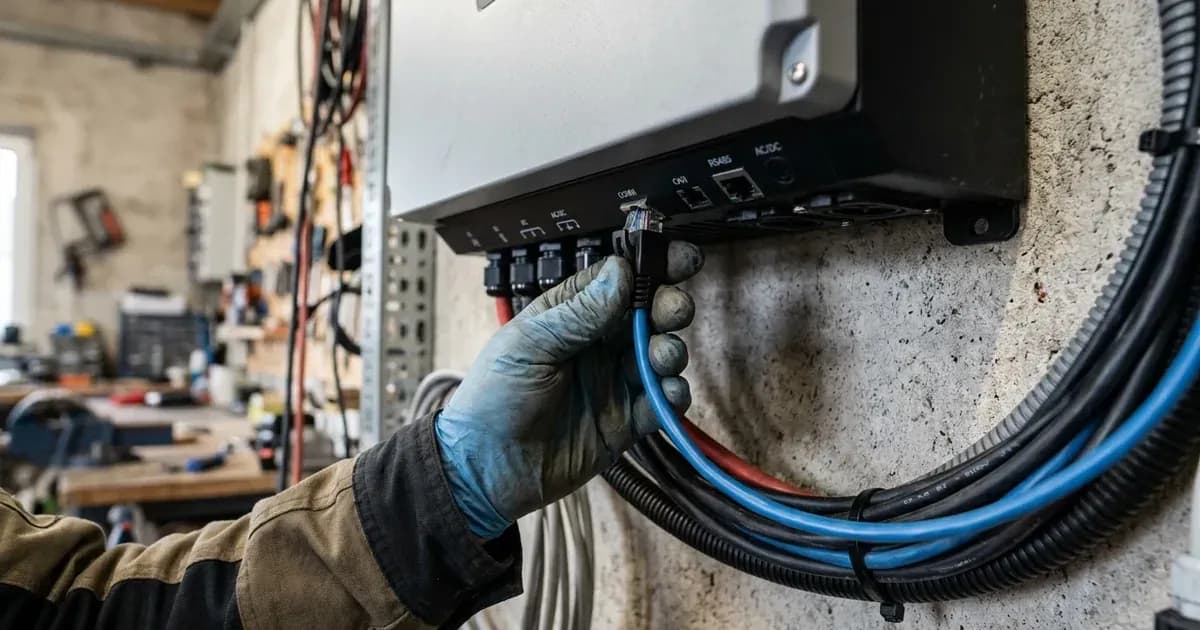
- What to look for: Check both ends of the RJ45 cable connecting the battery BMS to the inverter's communication port. Ensure they are firmly seated and not loose. Look for any visible damage to the cable itself.
- What it means: A loose, damaged, or incorrectly wired RJ45 cable is a very common cause of communication loss. The CAN bus communication relies on specific pins within this cable.
- Perform a Systematic Full Power-Cycle:
- What to look for: Follow the exact shutdown and startup sequence provided below. Observe if the
BatComFaultclears after the system restarts. - What it means: A full power cycle can reset both the inverter's and the battery's communication modules, often resolving temporary glitches. This is a critical step.
- What to look for: Follow the exact shutdown and startup sequence provided below. Observe if the
- Check RJ45 Pinout (if crimping custom cables):
- What to look for: If you or your installer crimped a custom RJ45 cable, verify that Pin 4 (
BMS_CANL) and Pin 5 (BMS_CANH) are correctly wired and form a dedicated twisted pair. - What it means: Incorrect wiring of the CAN bus pins will prevent communication. For Fox ESS hybrid inverters (H1, KH, and H3 series), Pin 4 is
BMS_CANLand Pin 5 isBMS_CANH.
- What to look for: If you or your installer crimped a custom RJ45 cable, verify that Pin 4 (
Fox ESS battery communication fault: Causes and fixes
Symptom detail | Likely cause | Fix |
|---|---|---|
Inverter displays | Loss of CAN communication between inverter and battery BMS | Perform a full system power cycle; inspect and reseat RJ45 communication cable; verify Master BMS power is ON. |
Inverter displays | Inverter lost CAN communication with battery BMS | Check if the communication cable between BMS and Inverter is correctly and well connected. |
| Battery input voltage is outside the normal range. | Check if the battery input voltage is within the normal range. Or seek help from us. |
| Firmware version mismatch | Contact an authorized Fox ESS service center for remote firmware update via the FoxCloud Installer Portal. |
Intermittent | Poor quality or excessively long RJ45 communication cable, susceptible to electromagnetic interference | Replace with a shielded CAT5e/CAT6 patch cable, ensuring |
Understanding and resolving battery communication issues
Fox ESS inverters, especially the H1, KH, and H3 series, rely on robust CAN bus communication with their high-voltage lithium battery systems (like Mira HV25, ECS4100, EP5/EP11, HV2600) to operate safely and efficiently. The CAN bus allows the inverter to receive critical data from the Battery Management System (BMS), such as State of Charge (SOC), individual cell voltages, temperature, and maximum allowable charge/discharge currents.
CAN Bus Protocol Basics and Cable Checks
The CAN (Controller Area Network) bus is a differential signaling protocol, meaning it uses two wires, BMS_CANL and BMS_CANH, to transmit data. This design makes it robust against electrical noise. For Fox ESS hybrid systems (H1, KH, H3), these signals are typically carried over an RJ45 Ethernet-style cable.
- RJ45 Pinout: On the RJ45 connector, Pin 4 is designated for
BMS_CANLand Pin 5 forBMS_CANH. These two pins should ideally be part of a single twisted pair within the cable to minimize interference. - Cable Quality: Use a high-quality, shielded CAT5e or CAT6 Ethernet cable. Avoid excessively long cables, as they can degrade signal integrity. If you are crimping your own cables, ensure the
BMS_CANLandBMS_CANHwires are twisted together. - Connection Security: Ensure both ends of the RJ45 cable are securely plugged into the inverter's communication port and the battery's Master BMS port. A loose connection can cause intermittent communication loss.
BMS Power Cycle Sequence
A systematic power cycle is often the most effective first step in resolving communication faults. This procedure ensures that both the inverter and the battery BMS reset their communication modules in the correct order.
- Turn OFF the AC grid isolator / breaker on the distribution board.
- Turn OFF the high-voltage DC battery isolator / breaker.
- Turn OFF the PV array DC isolator switch on the inverter underside.
- Wait at least 5 minutes for internal high-voltage capacitors to fully bleed down until the LCD and all LED indicators are completely unlit.
- Power up the Battery System First: Turn ON the battery DC breaker, then press and hold the Master BMS power switch for 2–3 seconds until the green LED turns solid and internal contactors click.
- Turn ON the PV DC isolator switch.
- Turn ON the AC grid isolator.
- Confirm on the Inverter LCD (
Status -> Battery) that real-time SOC%, voltage, and charge limits are populated withoutBMS Lost.
Firmware Version Mismatch
In some cases, a BatComFault can be caused by a firmware version mismatch. Fox ESS restricts manual firmware flashing via USB; all firmware upgrades for inverter Master/Slave DSP and ARM communication modules are pushed remotely via the FoxCloud Installer Portal or authorized technical support tickets. If you suspect a firmware issue, contact your installer or an authorized Fox ESS service center.
For more general information on battery management systems and their importance, you can refer to our guide on BMS: What it is, why cheap batteries die. If you are experiencing issues with third-party batteries like Pylontech or Dyness, ensure you have reviewed the inverter settings for lithium battery inverter compatibility errors and BMS fixes.
Safety: High-voltage DC shock hazard
Working with solar inverters and high-voltage battery systems involves significant electrical hazards. Fox ESS high-voltage lithium battery strings (Mira, ECS, EP) operate between 85VDC and 600VDC, posing severe direct current electrical shock and arc flash risks.
- Mandatory Discharge Delay: Electricians must wait at least 5 minutes after fully disconnecting AC grid, DC PV isolator, and battery switches before opening wiring covers or servicing terminals. This allows internal DC bus capacitors, which store lethal electrical energy, to safely discharge.
- Insulated Tools: Use only insulated tools when working with electrical connections.
When to call a technician instead
While many communication issues can be resolved with the steps above, there are situations where professional intervention is necessary.
- Persistent Fault: If the
BatComFaultorBMS Losterror persists after you have meticulously followed all troubleshooting steps, including the full power-cycle and cable checks, it indicates a deeper issue. - Internal Hardware Fault: If you suspect internal damage to the inverter's communication board, the battery's BMS, or if you detect a
Bat Volt Faultthat cannot be explained by deep discharge, do not attempt further DIY repairs. - Firmware Issues: As firmware updates are managed remotely, you will need to contact your installer or an authorized Fox ESS service center if a firmware mismatch is suspected.
- Warranty Concerns: Attempting unauthorized internal repairs can void your standard 5-Year manufacturer warranty on Fox ESS inverters and batteries. For complex issues, it is always safer to contact a qualified and authorized technician. For general information on Fox ESS products, visit our Fox ESS brand hub.
Still showing the fault? Book a technician
If the steps above did not clear it, tell us the inverter or battery and the exact code. We pass it to a technician who covers your city; visit charges are quoted before they come.
How this pays for the site: the technician or verifier pays SolarNevs a fixed introduction fee. Nobody pays to be recommended, and you are free to use our free guides instead.
Frequently asked questions
What does BatComFault mean on a Fox ESS inverter?
A BatComFault indicates that your Fox ESS inverter has lost communication with the battery's Battery Management System (BMS). This typically means the inverter is not receiving essential data like State of Charge (SOC) or voltage from the battery.
How do I fix a Fox ESS BatComFault?
The most common fix involves performing a systematic power cycle of the entire solar system. This requires *first fully disconnecting the AC grid, DC PV isolator, and battery switches*. Always wait at least 5 minutes after this full shutdown for internal capacitors to discharge before handling wiring or checking the RJ45 communication cable. Ensure the battery's Master BMS is powered on. Attempting unauthorized physical intervention may void your warranty.
What is the correct RJ45 pinout for Fox ESS battery communication?
For Fox ESS hybrid inverters (H1, KH, and H3 series), the BMS port pins for CAN bus communication are Pin 4 (BMS_CANL) and Pin 5 (BMS_CANH) on the RJ45 connector. These should be connected using a standard straight-through T568B CAT5e/CAT6 patch cable, ensuring BMS_CANL and BMS_CANH are on the same physical twisted pair.
How long should I wait after shutting down a Fox ESS system before working on it?
You must wait at least 5 minutes after fully disconnecting the AC grid, DC PV isolator, and battery switches. This allows internal high-voltage capacitors to safely discharge, preventing severe electrical shock and arc flash risks.
What is the warranty for Fox ESS inverters and batteries in Pakistan?
Fox ESS offers a standard 5-Year manufacturer warranty on its hybrid inverters and lithium storage batteries when purchased through authorized Pakistani distributors.
References
- H1(G2)/AC1(G2) SERIES - User Manual — accessed 23 August 2026
- Fox ESS Product Page — accessed 23 August 2026
Related guides
More from inverter errors & fixes.