Troubleshooting Huawei Inverter LG-RESU Battery Communication Faults
Updated 6 September 2026 · By SolarNevs Research Desk, Dealer surveys + verified sources · 2 sources · Method ↗
Key Takeaways
- The "Battery Abnormal" error (Code 2068) often points to a communication issue or incorrect battery setup.
- Always check physical cable connections and battery switches first.
- Do not connect or disconnect battery cables while the inverter is powered on.
- If basic checks and power cycling do not resolve the issue, contact a qualified technician.
What causes a Huawei inverter to report a battery communication fault?
A Huawei SUN2000 inverter reporting a battery communication fault, often indicated by "Battery Abnormal" (Error Code 2068), typically means the inverter cannot properly communicate with the connected battery. This can stem from physical connection issues, incorrect settings, or a fault within the battery or inverter's monitoring unit. The Huawei SUN2000-(2KTL-5KTL)-L1 and SUN2000L-(2KTL-5KTL) inverters are designed to work with compatible LG-RESU batteries, such as LG RESU7H and RESU10H models. Information regarding Huawei LUNA2000 batteries is not available in the provided manuals.
The first step in troubleshooting is to verify all physical connections and the battery's operational status.
Diagnosis Steps for Battery Communication Faults
Follow these steps to diagnose communication issues between your Huawei SUN2000 inverter and its compatible battery.
- Check the Battery Status Indicator:
- Observation: Is the battery fault indicator on the battery itself steady on or blinking?
- Meaning: If the battery indicates a fault, the issue likely originates with the battery itself.
- Action: Refer to the battery's manual or contact the battery supplier for specific troubleshooting steps.
- Verify Battery Cable Connections:
- Observation: Are the battery enabling/power/communications cables correctly installed and securely connected between the inverter and the battery?
- Meaning: Loose or incorrect connections are a common cause of communication failure.
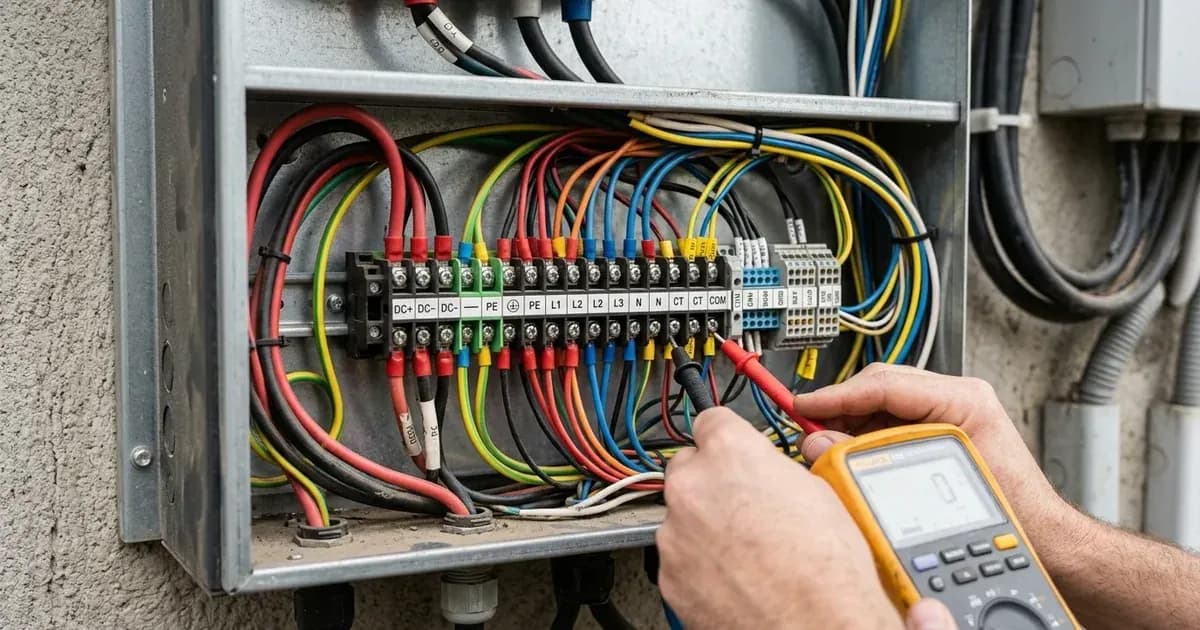
- Action: WARNING: Before proceeding, ensure the inverter is completely powered down by turning off the AC output switch, DC input switch, and battery switch. Wait for at least 5 minutes for internal capacitors to discharge to a safe voltage. Only qualified professionals or trained personnel (certified electricians) should perform this task, and attempting to do so yourself may void your warranty. Then, ensure all cables are firmly seated. For SUN2000-(2KTL-5KTL)-L1 inverters, the RS485 communication for the battery typically uses the COM port terminals 485B2/485A2. For SUN2000L-(2KTL-5KTL) inverters, the COM port terminals 485B2/485A2 are also used for battery communication.
- Confirm Battery Switch Position:
- Observation: Is the auxiliary power switch on the battery set to ON?
- Meaning: The battery will not communicate or operate if its main power switch is off.
- Action: WARNING: Before proceeding, ensure the inverter is completely powered down by turning off the AC output switch and DC input switch. Wait for at least 5 minutes for internal capacitors to discharge to a safe voltage. Only qualified professionals or trained personnel (certified electricians) should perform this task, and attempting to do so yourself may void your warranty. Then, ensure the battery switch is in the ON position.
- Check Inverter Communication Parameters:
- Observation: Do the communication parameters configured on the inverter match the requirements of the battery? This is typically done via the FusionSolar App (for L1 series) or FusionHome App (for L series).
- Meaning: Mismatched settings prevent the inverter and battery from understanding each other.
- Action: Access the inverter's settings via the app. For SUN2000L inverters, the initial installer login password is "00000a". For SUN2000-(2KTL-5KTL)-L1 inverters, there is no initial login password; it must be set manually during the first login. Verify that the RS485 configurations for the battery are correct.
- Perform a System Power Cycle:
- Observation: Does the fault persist after checking connections and settings?
- Meaning: A power cycle can reset communication modules and clear transient errors.
- Action: WARNING: Only qualified professionals or trained personnel (certified electricians) should perform this task, and attempting to do so yourself may void your warranty. Then, 1. Send a shutdown command using the FusionSolar or FusionHome app.
- Turn off the AC output switch.
- Turn off the DC input switch.
- Turn off the battery switch.
- Wait for 5 minutes to allow residual voltage to discharge.
- Turn on the battery switch.
- Turn on the AC output switch.
- Turn on the DC input switch.
- Monitor the inverter and battery for fault clearance.
- Check for "Monitoring Unit Faulty" (Code 61440) or "Faulty Power Collector" (Code 2067):
- Observation: Are these codes also present, or did they appear after resolving a battery issue?
- Meaning: These codes indicate issues with the inverter's internal monitoring unit or an external power meter, which can indirectly affect battery communication if the meter is involved in the communication chain.
- Action: For "Monitoring Unit Faulty", a power cycle (as described in step 5) is recommended. If it persists, contact your dealer or Huawei technical support. WARNING: Before checking any cables, ensure the inverter is completely powered down by turning off the AC output switch, DC input switch, and battery switch. Wait for at least 5 minutes for internal capacitors to discharge to a safe voltage. Only qualified professionals or trained personnel (certified electricians) should perform this task, and attempting to do so yourself may void your warranty. Then, for 'Faulty Power Collector', check that the configured power meter model is the same as the actual model, and that its RS485 communication cable is connected and powered on.
Cause and Fix Table
Symptom detail | Likely cause | Fix |
|---|---|---|
Inverter displays "Battery Abnormal" (Error Code 2068) | Battery fault indicator on battery is steady on or blinking | Contact the battery supplier for specific troubleshooting. |
Inverter displays "Battery Abnormal" (Error Code 2068) | Battery enabling/power/communications cable incorrectly installed or loose | WARNING: Before checking any cables, ensure the inverter is completely powered down by turning off the AC output switch, DC input switch, and battery switch. Wait for at least 5 minutes for internal capacitors to discharge to a safe voltage. Only qualified professionals or trained personnel (certified electricians) should perform this task, and attempting to do so yourself may void your warranty. Then, check that the battery enabling/power/communications cable is correctly installed and securely connected. |
Inverter displays "Battery Abnormal" (Error Code 2068) | Auxiliary power switch on battery is OFF | WARNING: Before turning on the switch, ensure the inverter is completely powered down by turning off the AC output switch and DC input switch. Wait for at least 5 minutes for internal capacitors to discharge to a safe voltage. Only qualified professionals or trained personnel (certified electricians) should perform this task, and attempting to do so yourself may void your warranty. Then, turn the auxiliary power switch on the battery to ON. |
Inverter displays "Battery Abnormal" (Error Code 2068) | Mismatched communication parameters between inverter and battery | Verify that the communication parameters are the same as the SUN2000 RS485 configurations using the mobile app. |
Inverter displays "Monitoring Unit Faulty" (Error Code 61440) | Internal monitoring unit fault | WARNING: Only qualified professionals or trained personnel (certified electricians) should perform this task, and attempting to do so yourself may void your warranty. Then, turn off the AC output switch and DC input switch, and then turn them on after 5 minutes. If the fault persists, contact your dealer or Huawei technical support. |
Inverter displays "Faulty Power Collector" (Error Code 2067) | Incorrect power meter model configured, mismatched communication parameters, or disconnected/unpowered meter | WARNING: Before checking any cables, ensure the inverter is completely powered down by turning off the AC output switch, DC input switch, and battery switch. Wait for at least 5 minutes for internal capacitors to discharge to a safe voltage. Only qualified professionals or trained personnel (certified electricians) should perform this task, and attempting to do so yourself may void your warranty. Then, check that the configured power meter model is the same as the actual model. Verify that the communications parameters for the power meter are the same as the SUN2000 RS485 configurations. Check whether the power meter is powered on and its RS485 communications cable is connected. |
Communication Protocol and Cable Checks
Huawei SUN2000 inverters utilize RS485 for communication with compatible batteries and power meters. Understanding this protocol and checking the physical connections are crucial for resolving communication faults.
RS485 Basics: RS485 is a serial communication standard commonly used in industrial applications for its robustness over long distances and ability to support multiple devices on a single bus. It typically uses two wires for data transmission (A and B).
Cable and Pinout Checks:
- Cable Integrity: WARNING: Before inspecting or touching any cables, ensure the inverter is completely powered down by turning off the AC output switch, DC input switch, and battery switch. Wait for at least 5 minutes for internal capacitors to discharge to a safe voltage. Only qualified professionals or trained personnel (certified electricians) should perform this task, and attempting to do so yourself may void your warranty. Then, visually inspect the RS485 communication cable for any signs of damage, cuts, or kinks. Ensure the cable is rated for outdoor use if exposed to the elements.
- Terminal Connections:
- For SUN2000-(2KTL-5KTL)-L1 inverters, the COM port has terminals 485B2/485A2 for battery communication.
- For SUN2000L-(2KTL-5KTL) inverters, the COM port also uses 485B2/485A2 for battery communication.
- Ensure the A wire from the battery is connected to the A terminal on the inverter, and the B wire to the B terminal. Incorrect polarity will prevent communication.
- Shielding and Grounding: Verify that any shielded cables are properly grounded at one end to prevent electrical interference.
- Termination Resistors: While not always user-configurable, some RS485 networks require termination resistors at each end of the bus to prevent signal reflections. Consult your battery's manual to see if this is required and how it's implemented.
Protocol-Select Settings: Using the FusionSolar or FusionHome app, navigate to the communication settings. Ensure that the inverter is configured to communicate with the correct battery type and that the RS485 protocol is enabled and correctly configured. The manuals specify that the SUN2000-(2KTL-5KTL)-L1 and SUN2000L-(2KTL-5KTL) inverters are compatible with LG-RESU batteries (LG RESU7H and RESU10H).
Firmware Note: Outdated firmware on either the inverter or the battery can sometimes lead to communication issues. While the manuals do not provide specific troubleshooting steps for firmware-related communication faults, ensuring both devices are running the latest compatible firmware is generally good practice. If an "Upgrade Failed or Version Mismatch" (Error Code 2065) alarm appears, perform the upgrade again. If it fails multiple times, contact your dealer or Huawei technical support.
Safety
Working with solar inverters and batteries involves high voltages and currents, which can be hazardous. Always prioritize safety.
- Qualified Personnel Only: Only qualified professionals or trained personnel, such as certified electricians, should perform installation, operation, and maintenance tasks.
- Power Down Completely: Ensure DC switch and all switches are OFF before connecting battery cables. Turn off the AC output switch, DC input switch, and battery switch. Wait for at least 5 minutes to allow the inverter's internal capacitors to discharge to a safe voltage. High voltage exists after power-on, and residual voltage exists after power-off.
- Insulated Tools: Use insulated tools to prevent accidental short circuits or electric shock. A spanner across a battery bank can short hundreds of amps, causing severe burns or fire.
- Proper Grounding: Ensure the inverter and battery are properly grounded according to local electrical codes.
- Burn Hazard: The inverter's enclosure and heat sink can become hot during operation. Avoid touching these surfaces to prevent burns.
- Battery Safety: Battery short circuits can cause personal injury or fire. Do not connect/disconnect battery cables when inverter is running. Ensure DC switch and all switches are OFF before connecting battery cables.
When to call a technician instead
While basic troubleshooting can resolve many communication issues, there are clear limits to DIY repairs. You should contact your installer, dealer, or Huawei technical support if:
- The "Battery Abnormal" (Error Code 2068) or other communication-related faults persist after following all diagnosis steps and power cycling.
- You observe any physical damage to the inverter, battery, or cabling that you are not qualified to repair.
- The battery fault indicator on the battery itself remains active, indicating an internal battery issue.
- You encounter Error Code 61440 ("Monitoring Unit Faulty") or Error Code 2065 ("Upgrade Failed or Version Mismatch") that cannot be resolved by a power cycle or re-attempted upgrade.
- You are unsure about any step in the troubleshooting process or lack the necessary tools and expertise.
- Opening the inverter unit is authorized-service work and should only be performed by qualified professionals or trained personnel (certified electricians). High voltage exists after power-on, and residual voltage exists after power-off, taking 5 minutes to discharge to a safe voltage. Attempting to open the unit yourself may void your warranty and expose you to dangerous voltages.
Still showing the fault? Book a technician
If the steps above did not clear it, tell us the inverter or battery and the exact code. We pass it to a technician who covers your city; visit charges are quoted before they come.
How this pays for the site: the technician or verifier pays SolarNevs a fixed introduction fee. Nobody pays to be recommended, and you are free to use our free guides instead.
Frequently asked questions
What does 'Battery Abnormal' (Error Code 2068) mean on a Huawei inverter?
Error Code 2068 indicates that the inverter detects an issue with the connected battery. This could be due to a faulty battery, incorrect cable installation, or the battery switch being off. It can also point to mismatched communication parameters between the inverter and the battery.
How do I check the communication cable for my Huawei inverter and battery?
Before checking any cables, always turn off the AC output switch, DC input switch, and battery switch. Wait at least 5 minutes for residual voltage to discharge to a safe voltage. Only qualified professionals or trained personnel (certified electricians) should perform this task, and attempting to do so yourself may void your warranty. Ensure the RS485 communication cable between your Huawei SUN2000 inverter and the battery is correctly installed and securely connected. Verify that the communication parameters configured on the inverter match those required by the battery. For both SUN2000-(2KTL-5KTL)-L1 and SUN2000L-(2KTL-5KTL) inverters, the COM port uses 485B2/485A2 for the battery.
Which batteries are compatible with Huawei SUN2000 inverters?
The Huawei SUN2000-(2KTL-5KTL)-L1 and SUN2000L-(2KTL-5KTL) inverters are compatible with LG-RESU batteries, specifically LG RESU7H and RESU10H models, according to the user manuals.
Can I troubleshoot a Huawei Luna battery communication fault using this guide?
This guide provides general troubleshooting steps for battery communication faults with Huawei SUN2000 inverters and compatible LG-RESU batteries. However, the provided manuals do not contain specific information for Huawei LUNA2000 batteries. For LUNA2000 specific issues, consult its dedicated manual or Huawei technical support.
What is the initial installer password for Huawei SUN2000L inverters?
For Huawei SUN2000L inverters, the initial installer login password is '00000a'. For SUN2000-(2KTL-5KTL)-L1 inverters, there is no initial login password; it must be set manually during the first login.
References
- Huawei SUN2000-(2KTL-5KTL)-L1 User Manual — accessed 23 August 2026
- Huawei SUN2000L-(2KTL-5KTL) User Manual — accessed 23 August 2026
Related guides
More from inverter errors & fixes.