Fixing Deye Inverter Battery Communication Fault (F58)
Updated 6 September 2026 · By SolarNevs Research Desk, Dealer surveys + verified sources · 2 sources · Method ↗
Key Takeaways
- Deye error F58 indicates a loss of communication between the inverter and the battery's BMS.
- Always start by checking physical cable connections and ensuring correct pinouts.
- Verify the inverter's battery settings match your lithium battery's requirements, especially the 'Lithium Mode' protocol.
- You can temporarily disable the 'BMS_Err-Stop' setting on the LCD to prevent inverter shutdown, but this does not fix the root cause.
- If basic checks fail, contact a qualified technician, as complex electrical issues require professional expertise.
What does a Deye Inverter Battery Communication Fault (F58) mean?
A Deye inverter reporting an F58 error indicates a Battery Management System (BMS) communication fault. This means your Deye hybrid inverter has lost its connection or ability to communicate with your battery's BMS. The most common cause is a disconnected or improperly wired communication cable between the inverter and the battery.
Diagnosis
Follow these steps to diagnose the F58 communication fault on your Deye inverter.
- Check Inverter Display for F58:
- Observation: The inverter's LCD screen displays "F58 BMS communication fault".
- Meaning: This confirms the inverter is not receiving data from the battery's BMS. The inverter may stop working if the "BMS_Err-Stop" feature is active.
- Inspect Communication Cables:
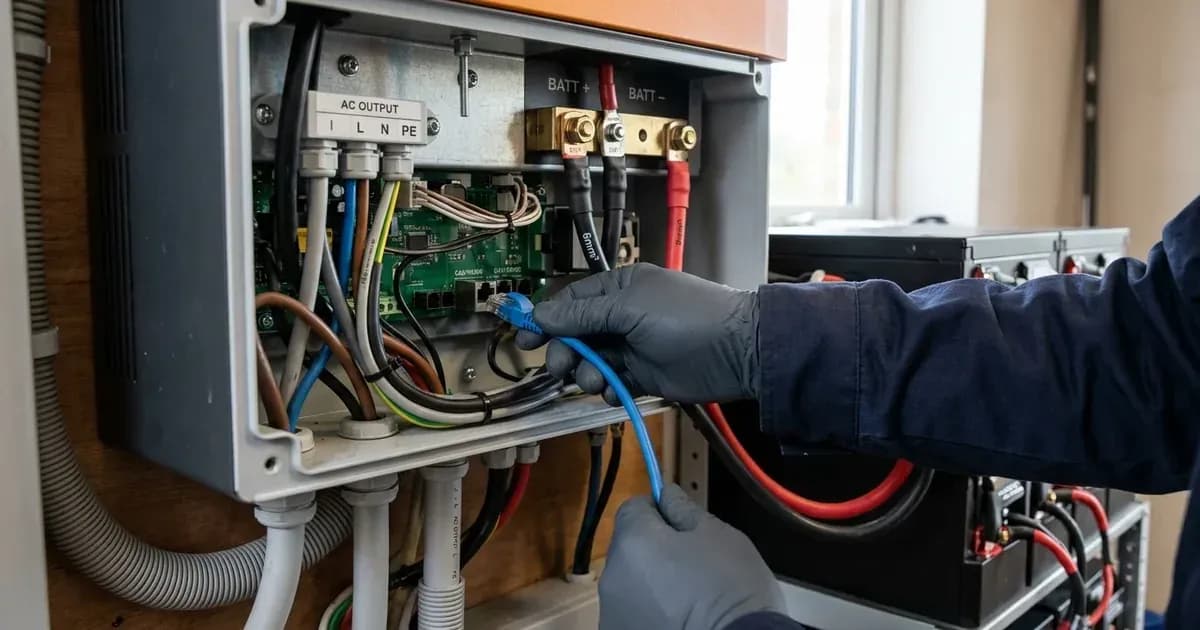
- Observation: Visually check the communication cable connecting the Deye inverter to the battery. Look for loose connections, damage, or incorrect insertion.
- Meaning: A physically disconnected or damaged cable is a primary cause of communication failure. Ensure it is securely plugged into both the inverter's BMS port and the battery's communication port.
- Verify Cable Pinouts:
- Observation: Compare the cable's wiring to the specified pinouts for your Deye inverter model. For SG03LP1 models, the BMS CAN pinout is Pin 2: GND, Pin 4: CANH, Pin 5: CANL. For SG03LP1 models, the BMS 485 pinout is Pin 1: RS485B, Pin 2: RS485A, Pin 3: GND, Pin 6: GND, Pin 7: RS485A, Pin 8: RS485B. For SG04LP1 models, the RS485/CAN port pinout is Pin 2: RS485A, Pin 4: GND, Pin 5: CANH, Pin 6: CANL, Pin 7: RS485A, Pin 8: RS485B.
- Meaning: Incorrect pinout wiring will prevent proper communication, even if the cable appears connected. Ensure the cable matches the inverter's and battery's requirements.
- Check Inverter Battery Settings:
- Observation: Navigate to the inverter's LCD menu and verify the "Batt Mode" is set to "Lithium". Also, check the "Lithium Mode" setting to ensure the correct BMS protocol code is selected, referencing your battery's documentation.
- Meaning: Incorrect battery mode or protocol settings will prevent the inverter from understanding the battery's BMS signals. An incorrect "Lithium Mode" setting is a common cause of communication issues.
- Assess "BMS_Err-Stop" Setting:
- Observation: Check if the "BMS_Err-Stop" setting on the inverter's LCD is active.
- Meaning: If "BMS_Err-Stop" is active, the inverter will stop working and report a fault when BMS communication fails. Disabling this feature can allow the inverter to continue operating, but it does not resolve the underlying communication problem.
Cause/Fix Table
Symptom detail | Likely cause | Fix |
|---|---|---|
Inverter displays F58 and stops working | Communication between hybrid inverter and battery BMS disconnected when "BMS_Err-Stop" is active |
|
Inverter displays F58 but continues to operate | Communication between hybrid inverter and battery BMS disconnected, but "BMS_Err-Stop" is not active or has been disabled |
|
New battery installation fails to communicate | Incorrect "Lithium Mode" protocol code or "Batt Mode" setting | Set "Batt Mode" to "Lithium" and select the correct "Lithium Mode" BMS protocol code as specified by your battery manufacturer. Refer to the document "Approved Battery" for specific protocols. |
Intermittent F58 errors | Loose communication cable connection or minor cable damage | Securely re-seat the communication cable at both the inverter and battery ends. Inspect the cable for any visible damage and replace if necessary. |
Understanding Deye BMS Communication
Deye hybrid inverters rely on robust communication with your battery's Battery Management System (BMS) to ensure safe and efficient operation. This communication typically occurs via CAN (Controller Area Network) or RS485 protocols, which allow the inverter to receive critical data such as battery State of Charge (SOC), voltage, current, and temperature.
Communication Ports and Pinouts
Deye inverters are equipped with dedicated ports for BMS communication. For models like the SG03LP1 and SG01LP1, you will find separate "BMS 485" and "BMS CAN" ports. The SG04LP1 series simplifies this with a combined "RS485/CAN" port.
It is crucial to use the correct cable and ensure its pinout matches the inverter's specifications.
For SG03LP1 models:
- BMS CAN Pinout:
- Pin 2: GND
- Pin 4: CANH
- Pin 5: CANL
- BMS 485 Pinout:
- Pin 1: RS485B
- Pin 2: RS485A
- Pin 3: GND
- Pin 6: GND
- Pin 7: RS485A
- Pin 8: RS485B
For SG04LP1 models:
- RS485/CAN Pinout:
- Pin 2: RS485A
- Pin 4: GND
- Pin 5: CANH
- Pin 6: CANL
- Pin 7: RS485A
- Pin 8: RS485B
Always refer to your specific inverter and battery manuals for the exact pinout requirements. An incorrect cable or pinout will prevent communication, leading to an F58 error.
Inverter Settings for Lithium Batteries
When using lithium batteries, the Deye inverter must be configured correctly to communicate with the BMS.
- Battery Mode Selection: On the inverter's LCD, navigate to the battery settings and ensure "Batt Mode" is set to "Lithium". Other options include "Use Batt V" (for voltage-based control) or "No Batt" (if no battery is connected).
- Lithium Mode Protocol: Select the appropriate "Lithium Mode" which corresponds to your battery's BMS protocol. The Deye manual states this is the "BMS protocol" and advises to "reference the document (Approved Battery)" for specific codes. This setting enables closed-loop communication, where "charge parameters are dictated by the battery BMS."
- BMS_Err-Stop Feature: The "BMS_Err-Stop" setting is a safety feature. When active, "if the battery BMS failed to communicate with inverter, the inverter will stop working and report fault." While this ensures the system doesn't operate without critical battery data, it can cause shutdowns during temporary communication glitches. You can "disable 'BMS_Err-Stop' item on the LCD" if you prefer the inverter to continue operating without BMS data, but this should only be a temporary measure while troubleshooting the communication issue itself.
For more detailed information on configuring your Deye inverter for various battery types, refer to our guide on /pk/guides/systems/solar-inverter-battery-compatibility-settings. If you are experiencing other Deye inverter issues, our article on /pk/guides/fixes/solar-inverter-fault-codes-explained may be helpful.
Safety
Working with solar inverters and batteries involves significant electrical hazards. Always prioritize safety.
- Disconnect Power: Before attempting any maintenance or wiring checks, "disconnect all wires" from both the AC and DC sides of the inverter. "Turning off the unit will not reduce this risk" of electric shock.
- Qualified Personnel: "All wiring must be performed by a professional person." If you are not qualified, do not attempt repairs beyond basic visual checks.
- Battery Polarity: When connecting or reconnecting batteries, ensure "positive(+) must be connect to positive(+) and negative(-) must be connected to negative(-). Reverse polarity connection on battery will damage the inverter."
- Metal Tools: "Be very cautious when working with metal tools on or around batteries. Dropping a tool may cause a spark or short circuit in batteries or other electrical parts, even cause an explosion."
When to call a technician instead
While some communication issues can be resolved with basic checks, there are clear limits to DIY troubleshooting. If you have checked all physical connections, verified inverter settings, and the F58 error persists, it is time to "contact your local dealer or service center."
Specifically, if the fault "has not been removed after restarting" the system, or if you suspect internal damage to the inverter or battery BMS, professional intervention is necessary. Attempting to repair complex internal electrical issues without proper training and tools can void your warranty and pose serious safety risks. Provide your technician with the inverter serial number, distributor information, on-grid power generation date, and a detailed description of the problem, including the fault code and indicator status.
Still showing the fault? Book a technician
If the steps above did not clear it, tell us the inverter or battery and the exact code. We pass it to a technician who covers your city; visit charges are quoted before they come.
How this pays for the site: the technician or verifier pays SolarNevs a fixed introduction fee. Nobody pays to be recommended, and you are free to use our free guides instead.
Frequently asked questions
What does Deye inverter error F58 mean?
Error F58 indicates a BMS communication fault, meaning the Deye hybrid inverter has lost connection with the battery's Battery Management System (BMS). This can cause the inverter to stop working if the 'BMS_Err-Stop' feature is active.
How do I fix a Deye F58 communication error?
Before checking cables, always disconnect all AC and DC power sources to the inverter. Refer to the 'Safety' section of this article for full safety precautions and warnings regarding electrical work. Begin by checking all communication cables between the inverter and battery for secure connections and correct pinouts. Verify the battery mode is set to 'Lithium' and the 'Lithium Mode' protocol code is correct. If the issue persists, you can temporarily disable the 'BMS_Err-Stop' setting on the LCD.
Where are the BMS communication ports on a Deye inverter?
Deye hybrid inverters, including SG03LP1, SG01LP1, and SG04LP1 models, feature dedicated BMS 485 (RS485) and BMS CAN ports for battery communication. The SG04LP1 models combine these into a single RS485/CAN port.
What are the pinouts for Deye BMS communication cables?
For SG03LP1 models, the BMS CAN pinout is Pin 2: GND, Pin 4: CANH, Pin 5: CANL. For SG03LP1 models, the BMS 485 pinout is Pin 1: RS485B, Pin 2: RS485A, Pin 3: GND, Pin 6: GND, Pin 7: RS485A, Pin 8: RS485B. For SG04LP1 models, the RS485/CAN port pinout is Pin 2: RS485A, Pin 4: GND, Pin 5: CANH, Pin 6: CANL, Pin 7: RS485A, Pin 8: RS485B.
Can I disable the BMS communication error stop feature on my Deye inverter?
Yes, the 'BMS_Err-Stop' feature can be disabled on the inverter's LCD. When this setting is active, the inverter will stop working and report a fault if battery BMS communication fails. Disabling it can prevent immediate shutdown but does not resolve the underlying communication issue.
References
- Deye SUN-3.6-6K-SG03LP1-EU Manual Ver2.2 — accessed 23 August 2026
- Deye SUN-3-6K-SG04LP1-EU-SM2 Manual — accessed 23 August 2026
Related guides
More from inverter errors & fixes.