Knox Inverter F58 Error: Battery Communication Fault Troubleshooting
Updated 6 September 2026 · By SolarNevs Research Desk, Dealer surveys + verified sources · 1 source · Method ↗
Key Takeaways
- The F58 error indicates a loss of communication between your Knox inverter and its battery's Battery Management System (BMS).
- Always begin by checking the physical communication cable connecting the inverter and battery.
- Disconnect all power sources to the inverter and battery before inspecting any wiring.
- If basic checks do not resolve the F58 error, contact a qualified solar technician.
What does Knox inverter F58 error mean?
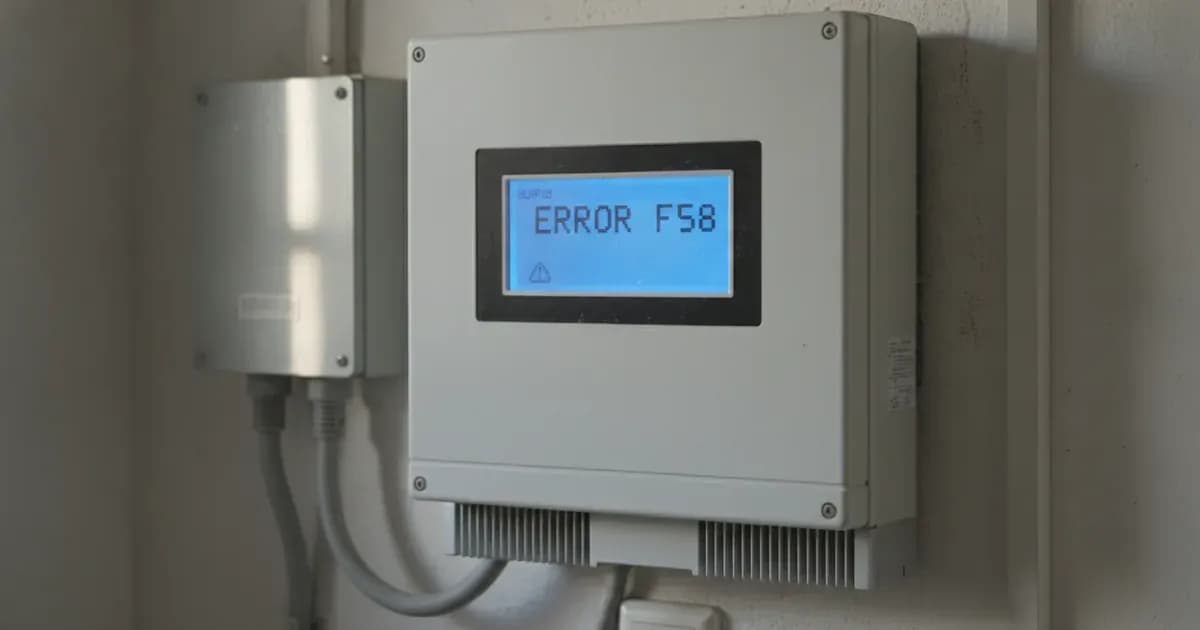
The Knox inverter F58 error signifies a "BMS communication fault." This means your hybrid inverter has lost connection with the battery's Battery Management System (BMS). This fault specifically triggers when the BMS_Err_Stop setting is active on the inverter. When communication is lost and this setting is active, the inverter will report F58 and may stop operation to protect the battery. It tells the communication between hybrid inverter and battery BMS disconnected when BMS_Err_Stop is active.
Diagnosis: Steps to identify and resolve F58
Follow these steps to diagnose and potentially resolve the F58 communication error on your Knox hybrid inverter.
- Check the Inverter Display:
- What to look for: Confirm that the inverter's LCD screen or monitoring interface explicitly displays the "F58" error code.
- What it means: This confirms the specific fault you are troubleshooting.
- Verify
BMS_Err_StopSetting:
- What to look for: Navigate through the inverter's LCD menu to find the
BMS_Err_Stopsetting under "Advanced Function." - What it means: If this setting is "Active," the inverter will stop operation when BMS communication fails. If it is "Inactive," the inverter may continue to operate without BMS feedback, which is generally not recommended for lithium batteries. The manual states: "If don't want to see this happen you can disable BMS_Err_Stop item on the LCD."
- What to look for: Navigate through the inverter's LCD menu to find the
- Inspect Communication Cable Connections:
- Safety First: Before touching any wiring, ensure all AC, DC, and battery power sources connected to the inverter are switched off. Disconnect the PV array, grid input, and battery. Wait for the inverter to power down completely and allow sufficient time for internal capacitors to discharge. To reduce risk of electric shock, disconnect all wires before attempting any maintenance or cleaning. Turning off the unit will not reduce this risk. Unauthorized disassembly or repair attempts can void your warranty and pose safety risks.
- What to look for: Locate the BMS communication ports on both the inverter (labeled "BMS 485 Port" or "BMS CAN Port") and your battery. Check that the communication cable is securely plugged into both ends. Look for any loose connections, bent pins, or visible damage to the cable itself.
- What it means: A loose or damaged cable is a common cause of communication errors. Knox inverters use RS485 and CAN protocols for battery communication.
- Check Battery Status:
- What to look for: Ensure your battery is powered on and not displaying any internal fault codes or indicators. Some batteries have their own status lights.
- What it means: If the battery itself is off or in a fault state, it cannot communicate with the inverter.
- Power Cycle the System:
- What to do: With all connections verified, carefully re-enable power in the correct sequence:
- Reconnect the battery (ensure correct polarity: positive to positive, negative to negative). Before final DC connection, ensure positive(+) connects to positive(+) and negative(-) to negative(-). Reverse polarity connection will damage the inverter.
- Reconnect the PV array.
- Reconnect the AC grid input.
- Turn on the inverter.
- What it means: A full power cycle can sometimes reset communication modules and resolve temporary glitches.
Cause and Fix Table
Symptom detail | Likely cause | Fix |
|---|---|---|
Inverter displays F58 | Communication between hybrid inverter and battery BMS disconnected, when | Before any physical intervention, ensure all AC, DC, and battery power sources connected to the inverter are switched off. Disconnect the PV array, grid input, and battery. Wait for the inverter to power down completely and allow sufficient time for internal capacitors to discharge. Unauthorized disassembly or repair attempts can void your warranty and pose safety risks. 1. Power down the system safely. 2. Check the physical communication cable for secure connections and damage. 3. Ensure the battery is powered on and functioning correctly. 4. Power cycle the inverter and battery. 5. If the error persists, consider disabling |
Battery Communication and Settings
Knox inverters are rebadged Deye units, and their battery communication relies on established protocols. For lithium batteries, the inverter is designed to "Follow its BMS voltage parameters." This means the battery's internal Battery Management System dictates the precise charge and discharge voltage limits, rather than the inverter using fixed setpoints.
Communication Protocols: Knox inverters support both RS485 and CAN communication for battery integration. The specific port used will depend on your battery model. Ensure the correct cable type is used and connected to the appropriate "BMS 485 Port" or "BMS CAN Port" on the inverter.
BMS_Err_Stop Setting: This setting, found in the inverter's "Advanced Function" menu, determines the inverter's behavior when BMS communication is lost. If BMS_Err_Stop is "Active," the inverter will report F58 and cease operation to protect the battery. If you disable this setting, the inverter will continue to run without direct BMS feedback, which may risk overcharging or over-discharging a lithium battery if its internal protections fail. It is generally recommended to keep this active for safety with lithium batteries. If don't want to see this happen you can disable BMS_Err_Stop item on the LCD.
Firmware Note: Menu and program numbering on rebadged units like Knox can differ by model and firmware version. Readers must match settings by NAME rather than number. This caveat must reach every article.
Safety: Working with Inverters and Batteries
Working with solar inverters and batteries involves significant electrical hazards. Always prioritize safety.
- Qualified Personnel: Only qualified personnel can install this device with battery.
- Disconnect All Power: To reduce the risk of electric shock, disconnect all wires before attempting any maintenance or cleaning. Turning off the unit alone will not eliminate this risk. Isolate the PV array, grid input, and battery.
- Insulated Tools: Be very cautious when working with metal tools on or around batteries. Dropping a tool may cause a spark or short circuit, which can lead to fire or explosion. Use insulated tools.
- Battery Polarity: Before final DC connection, ensure positive (+) connects to positive (+) and negative (-) to negative (-). Reverse polarity connection will damage the inverter.
- DC Over-current Protection: A separate DC over-current protector or disconnect device is required between the battery and the inverter. WARNING: A spanner across terminals shorts a bank that can deliver hundreds of amps, posing a severe risk of burns, arc flash, or explosion.
- Disassembly: Do not disassemble the inverter. If maintenance or repair is needed, take it to a professional service center. Improper reassembly may result in electric shock or fire.
When to call a technician instead
While basic troubleshooting can resolve many issues, some problems require professional intervention. You should call a qualified solar technician if:
- The F58 error persists after you have performed all the diagnostic steps, including checking cables and power cycling.
- You are unsure about any of the electrical checks or feel uncomfortable working with high-voltage equipment.
- You suspect internal damage to the inverter or battery.
- The battery itself is displaying other fault codes or unusual behavior.
Attempting to modify, alter, or repair the inverter yourself can void the warranty and poses significant safety risks. Damage resulting from incorrect installation, commissioning, or failure to comply with instructions is excluded from warranty coverage. The warranty duration is 5 years. Damage during transportation, incorrect installation/commissioning, failure to comply with instructions, attempts to modify/alter/repair, incorrect use/operation, insufficient ventilation, failure to comply with safety standards, natural disasters/force majeure are excluded from warranty coverage.
Still showing the fault? Book a technician
If the steps above did not clear it, tell us the inverter or battery and the exact code. We pass it to a technician who covers your city; visit charges are quoted before they come.
How this pays for the site: the technician or verifier pays SolarNevs a fixed introduction fee. Nobody pays to be recommended, and you are free to use our free guides instead.
Frequently asked questions
What does the F58 error mean on a Knox inverter?
The F58 error on a Knox inverter indicates a communication fault between the hybrid inverter and the battery's Battery Management System (BMS). This fault is reported when the `BMS_Err_Stop` setting is active and communication is lost. It tells the communication between hybrid inverter and battery BMS disconnected when BMS_Err_Stop is active.
How do I check the battery communication cable for a Knox inverter?
First, ensure all power to the inverter and battery is disconnected and allow sufficient time for internal capacitors to discharge. Then, visually inspect the communication cable connecting the inverter to the battery. Check for secure connections at both ends, and look for any visible damage or corrosion on the cable or connectors. Knox inverters support communication via RS485 and CAN protocols for battery communication. Unauthorized disassembly or repair attempts can void your warranty and pose safety risks.
Can I disable the BMS_Err_Stop setting on a Knox inverter?
Yes, you can disable the `BMS_Err_Stop` item on the inverter's LCD. This will prevent the F58 error from stopping the inverter if BMS communication is lost, but it means the inverter will operate without direct battery management system feedback. If don't want to see this happen you can disable BMS_Err_Stop item on the LCD.
What communication protocols do Knox inverters use for batteries?
Knox inverters, based on the Deye platform, support RS485 and CAN communication protocols for battery communication.
When should I call a technician for an F58 error?
If you have checked the communication cable, power cycled the system, and verified the `BMS_Err_Stop` setting, but the F58 error persists, you should contact a qualified technician. Unauthorized disassembly or repair attempts can void your warranty and pose safety risks. Damage during transportation, incorrect installation/commissioning, failure to comply with instructions, attempts to modify/alter/repair, incorrect use/operation, insufficient ventilation, failure to comply with safety standards, natural disasters/force majeure are excluded from warranty coverage.
References
- Deye Hybrid Inverter Manual (Ver2.2) — accessed 23 August 2026
Related guides
More from inverter errors & fixes.